Today, I’m sharing a list of 100+ ChatGPT prompts for craft businesses. What I want you to do with these prompts is to use them as starting points. Add additional information to be more specific with each prompt, and allow them to spark your own ideas for prompts that will benefit your unique craft business.
The first 25 are available to everyone, the rest are reserved for Cutting for Business blog subscribers. Not a subscriber? Don’t wait – it’s free. And I promise, I’ll put a bunch of good stuff in your inbox.
How to Access ChatGPT
Don’t forget, you can access ChatGPT for free: ChatGPT.
100+ ChatGPT Prompts for Craft Businesses
ChatGPT Prompts for New Craft Businesses
Brainstorm a list of business names for a shop that include these words and ideas: (enter words and ideas).
Compile a list of 20 possible domain names for (type of business).
Brainstorm a list of sales goals for (type of business).
Write a list of the target market for (product).
Write a business plan outline for my new (type of business) to achieve (goal), (goal), (goal).
Help me price my product for wholesale and retail. The product costs: (fill in all costs, including labor).
ChatGPT Prompts for Craft Businesses
Generate a list of questions that a customer might ask related to (product).
Create a survey for customers that recently purchased (product) or attended (event).
Find online shops that sell (product).
Describe how to create an online funnel for (type of product).
Create a list of pain points for (type of customer).
Create a list of questions to ask during an interview for (virtual assistant, accountant, etc).
Brainstorm ways that I can expand my (type of business or product line).
Create a list of the top trends in the (type of industry, like “craft industry”).
Create a list of call to actions for a (product).
Write an email to a customer declining their custom order due to trademark infringement concerns. Use a polite tone.
Translate (copy and paste) into (language).
Suggest inexpensive ways to promote my business locally without using social media.
Create a daily work schedule for me. I want to work from (time) to (time). Each day, I need to (task), (task), (task).
Outline a marketing plan for a new product launch over a (time period).
Create a list of charities whom my business could donate to that work with (type of people or cause).
Suggest popular apps I can use to (task or goal).
Create a list of ways to help me with work/life balance.
Suggest ways to promote (product or business) without using social media.
Create a step-by-step checklist for completing (task or goal).
Write a budget for social media advertising on (network(s)) per month using (dollar amount).
Help me prioritize these projects (projects and due dates).
ChatGPT Prompts for Researching Competition
What are the strengths and weaknesses of (website or business name)?
Compare the pricing of (my product, copy and paste link) to similar competitors?
Which social media channels is (website or business name) using?
Compile a list of possible competitors for (type of business).
ChatGPT Prompts for Product Creation
Generate a list of sayings to put on (type of product) about (theme).
Compile a list of color palettes for an upcoming product launch of (name of product) for (theme/holiday).
Compile a list of trending products in (industry).
I have (list several craft supplies). Suggest projects I can make.
ChatGPT Prompts for Course and Lesson Creation
Compile a list of pain points for new users of (type of craft machine or product).
Create an outline for a course on (subject) for (type of student).
Write a 6 question quiz for this lesson (copy and paste lesson).
Create an outline for a weekend retreat about (topic).
ChatGPT Prompts for Content Creation
Suggest ways to make this text more persuasive (copy and paste text).
Compile a list of keywords related to (subject).
Create an outline for an article on (subject).
Proofread this text (copy and paste).
Generate a product description that lists the features of (product).
Write a social media contract to use with brand ambassadors for (type of product).
Write a list of synonyms/antonyms/analogies for (word or phrase).
Check this text for errors (copy and paste text).
ChatGPT Prompts for Email Marketing
Write a two (or three, four, five) series of emails that promote (new product, upcoming release, new designer).
Create a list of email subject lines to increase open rate. Include information about a sale on (product).
Write a catchy email subject line for a sale on (product).
Write a welcome email to my newsletter for new subscribers. Keep the tone fun, and include (item), (item), and (item).
Write a thank you email after customers check out. Highlight that they purchased from a small business.
Create a persuasive subject line for this email (copy and paste email).
Craft a template for a weekly email newsletter.
ChatGPT Prompts for Networking
Compile a list of popular content creators that create content about (topic).
Create a list of small business types who might want to collaborate with a (type of business or product).
Create a list of networking opportunities for (industry).
Compile a list of networking icebreakers to use online.
ChatGPT Prompts for Facebook
Write an attention grabbing social media post for Facebook to announce (sale/clearance event/new product line).
Create three different Facebook Ad titles and captions to promote (product). Keep captions 125 characters or less.
Give me ideas for memes related to (subject).
Write a Facebook post about (subject).
Create a content calendar for 30 days to post two times per day for my (type of business).
ChatGPT Prompts for Instagram
Brainstorm a list of hashtags to use on Instagram for (type of business, product). Include at least (number of hashtags).
Write a script for an Instagram (Reel/Story).
Create a list of Instagram (Reel/Story) ideas for (business, product, topic).
Write an Instagram caption for (product).
Craft a post celebrating (number of followers, milestone in your business, etc).
Write a catchy bio for (type of business).
ChatGPT Prompts for Pinterest
Generate a list of (number) Pinterest pin titles for (product).
Write 5 different Pinterest pin descriptions for (product/blog post/article).
Create a list of the best times to pin on Pinterest to reach (type of customer/demographic).
Suggest pins to create for Pinterest on the topic of (topic).
Generate a list of (number) of Pinterest boards to create for (type of business).
ChatGPT Prompts for Youtube
Compile a list of topic ideas related to (topic).
Create a list of ways to increase engagement on YouTube.
Create a 3 minute script for a YouTube Video on (subject).
Write an outline of things to cover for a video on (subject). Outline should be (number of minutes) minutes worth of video time.
ChatGPT Prompts for Etsy
Write an Etsy product title for (product).
Write an Etsy product description for (product).
Create 3 possible product descriptions for (product).
Compile a list of tags that I could use on Etsy for (product).
Craft an Etsy Shop Announcement stating (important points). Limit the announcement to 160 characters.
Rewrite my About Me page on Etsy in a more relaxed way: (copy and paste text).
ChatGPT Prompts for Product Comparison/Research
Write a list of pros and cons for (product).
Compile a list of FAQ about (product).
List the most popular size of (product).
Create a list of niches related to (type of product).
Tell me about niches that are growing (fast/slow) in the (industry/market).
ChatGPT Prompts for Fonts & Design
Create a list of fun fonts to use for (describe your project).
Suggest a list of font combos to use for (describe your project or event).
Write a description to use in an AI art program that describes (describe something).
ChatGPT Prompts for Fun
Write a song about (topic).
Compile a list of quotes about (topic).
Write a haiku about (topic).
Create a rap about (topic).
Craft a short story about (subject).
Write a poem about (topic).
Write a fictional news article about (topic).
Compile a list of jokes about (topic).
Explain (topic) as a standup comic.
Explain (topic) in an inaccurate way.
Write a funny dialogue between a (craft machine) and a (craft supply).
Remember, ChatGPT is only as helpful as the prompts that you input. With millions of possible prompts, which ChatGPT prompts for craft businesses are you using?
A few weeks ago, I published a series on using ChatGPT in your craft business. After completing the series, a reader asked me if I had ever used AI image creation programs – like Dall-E 2.
I’ll be honest, in the months that I was researching ChatGPT, I did play around with a few different AI image creators. Unfortunately, I didn’t have great results. It seems that I could never really get the programs to create what I was picturing in my head. I have a feeling I wasn’t writing the prompts well enough to get good results.
But, in the weeks since that ChatGPT series, I revisited AI image creation. This article details some of my results with AI image creation using Dall-E 2 in your craft business. If you are not familiar with Dall-E 2, it is an AI image generator created by OpenAI. OpenAI is also the creator of ChatGPT.
5 Ways to Use Dall-E 2 in Your Craft Business
1. Patterns and Backgrounds
Prompt I Put into Dall-E 2
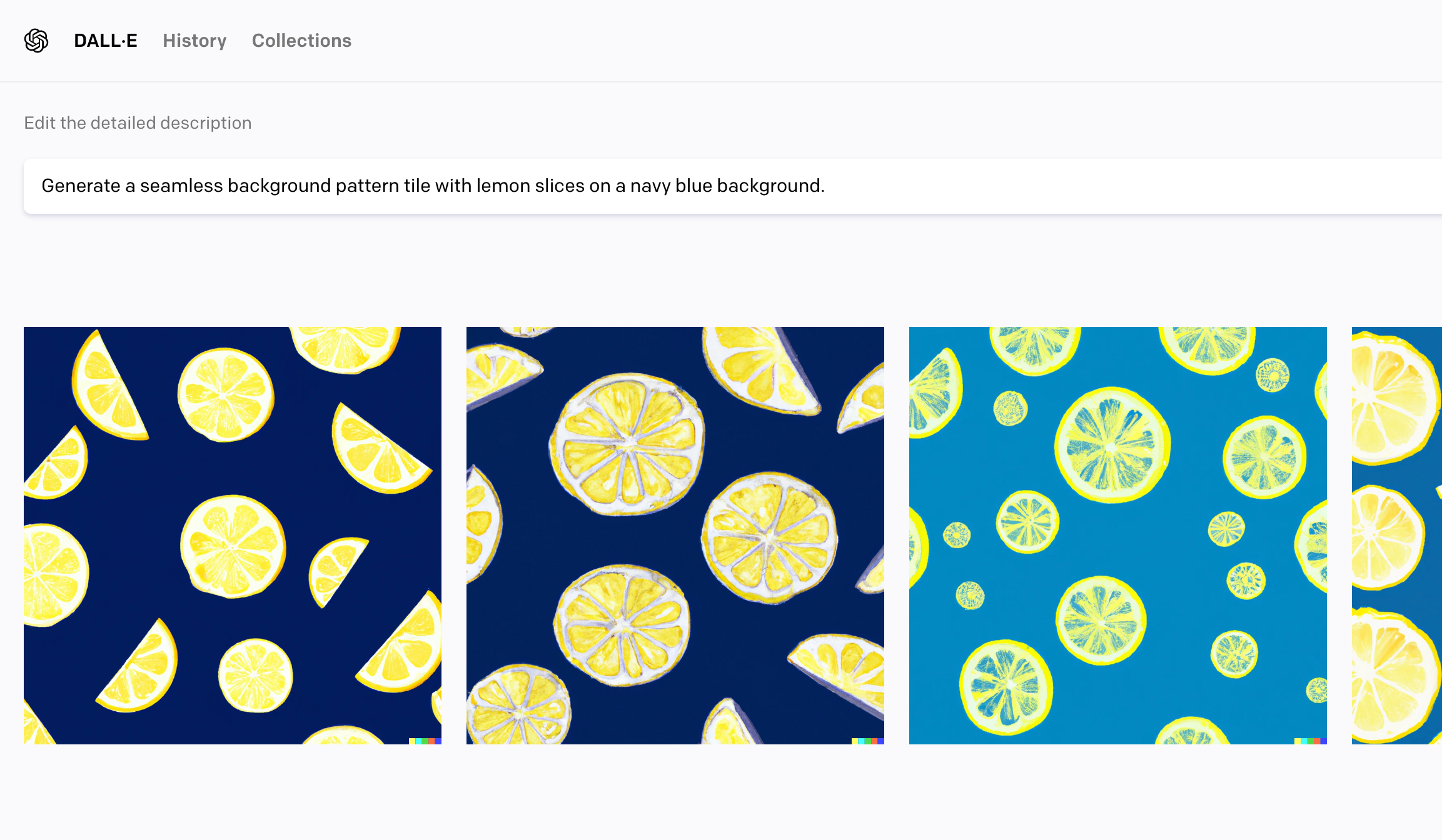
Generate a seamless background pattern tile with lemon slices on a navy blue background.
Dall-E 2Results
What I Could Do with the Images
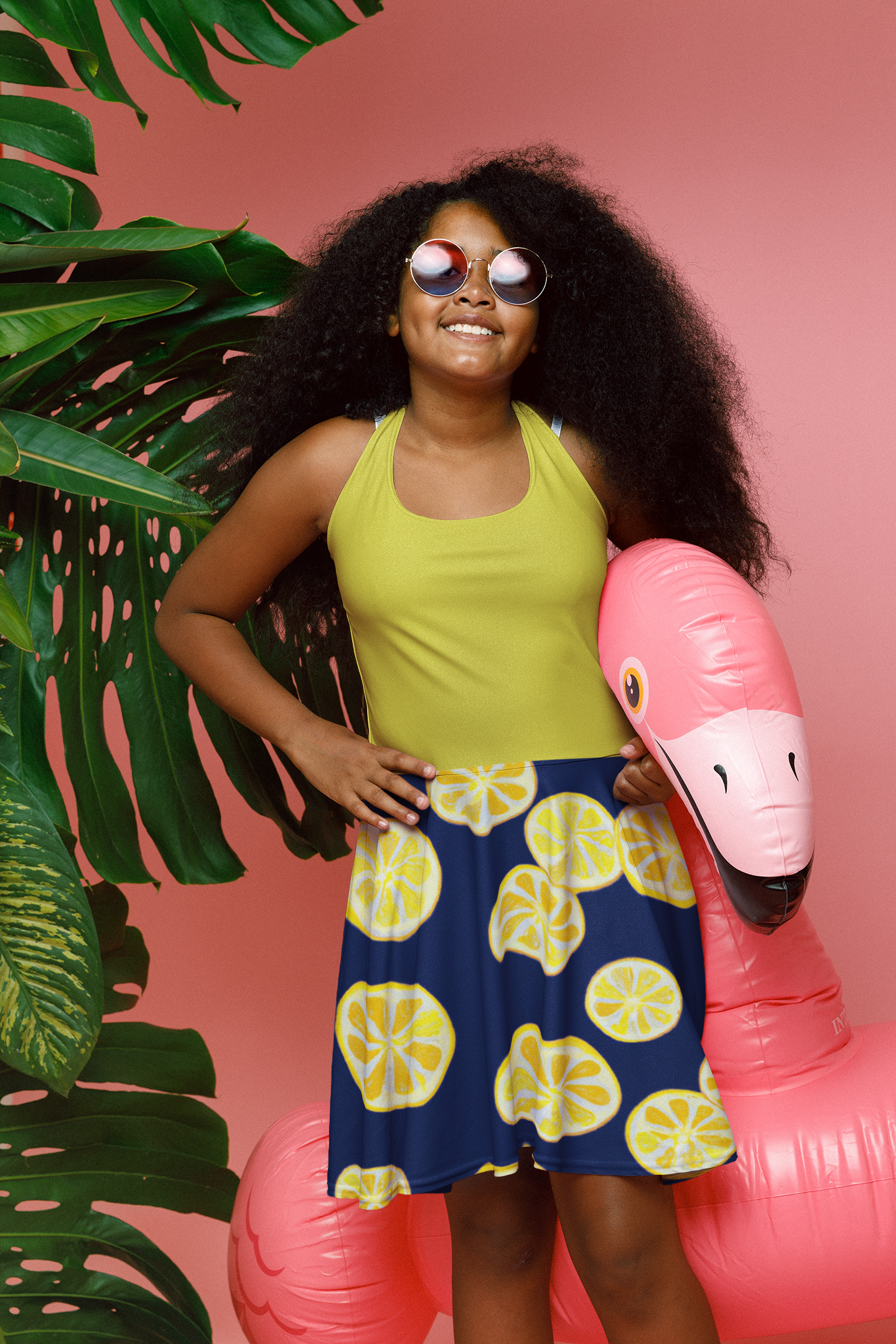
You could create your own scrapbook paper or printable vinyl, create clothing, or use as a photography background.
Sample Use
In this example, I used the seamless tile on a printed fabric for a sundress.
2. Clipart and Cut Files
Prompt I Put into Dall-E 2
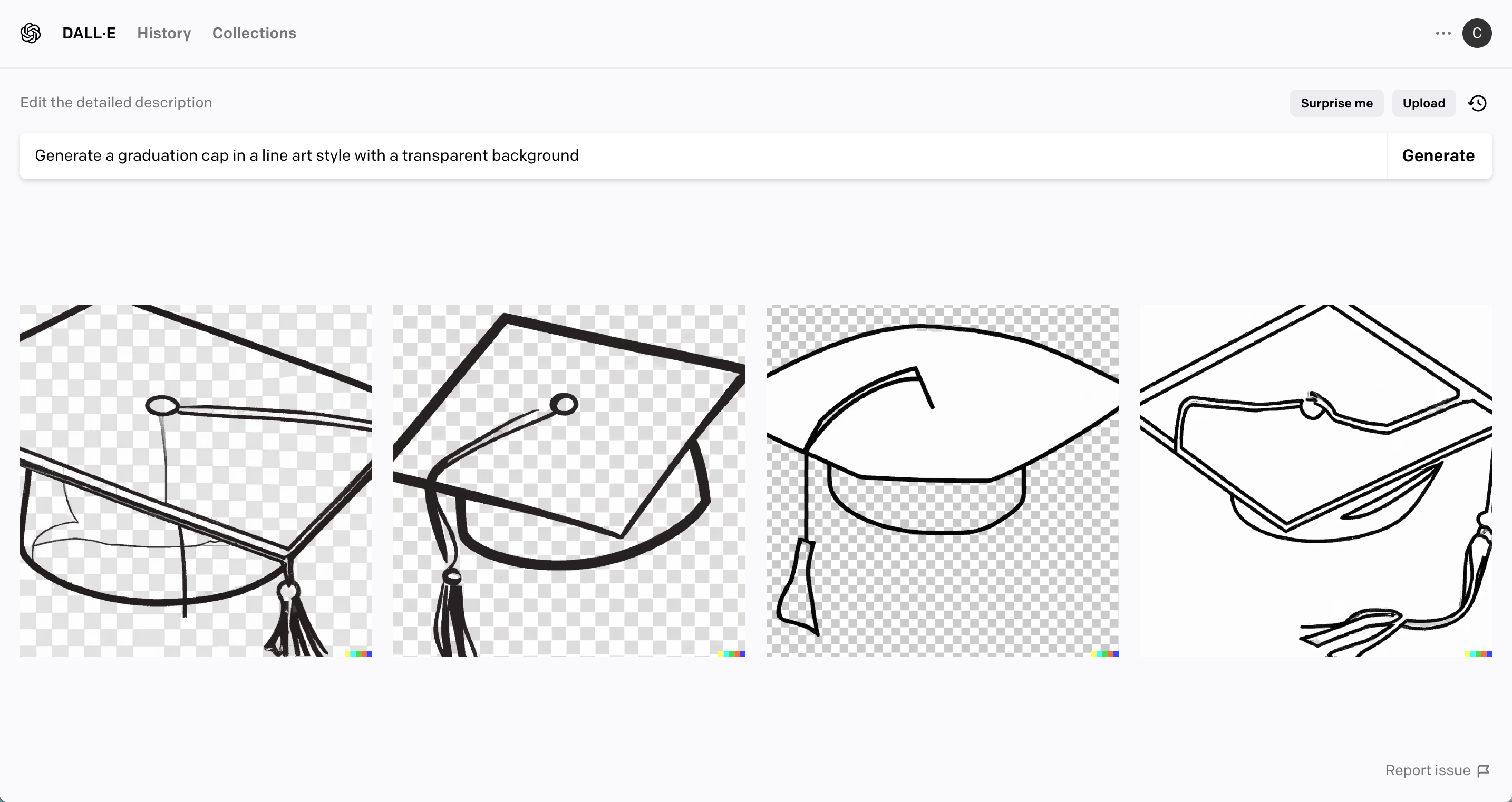
Generate a graduation cap in a line art style with a transparent background.
Dall-E 2 Results
What I Could Do with the Images
Clipart can be used many different ways. In this example, I could cut the design in vinyl, create a stamp using the image, or an SVG cut file.
Sample Use
In this example, I created Class of 2023 Graduation cards.
3. Website Sale Images and Graphics
Prompt I Put into Dall-E 2
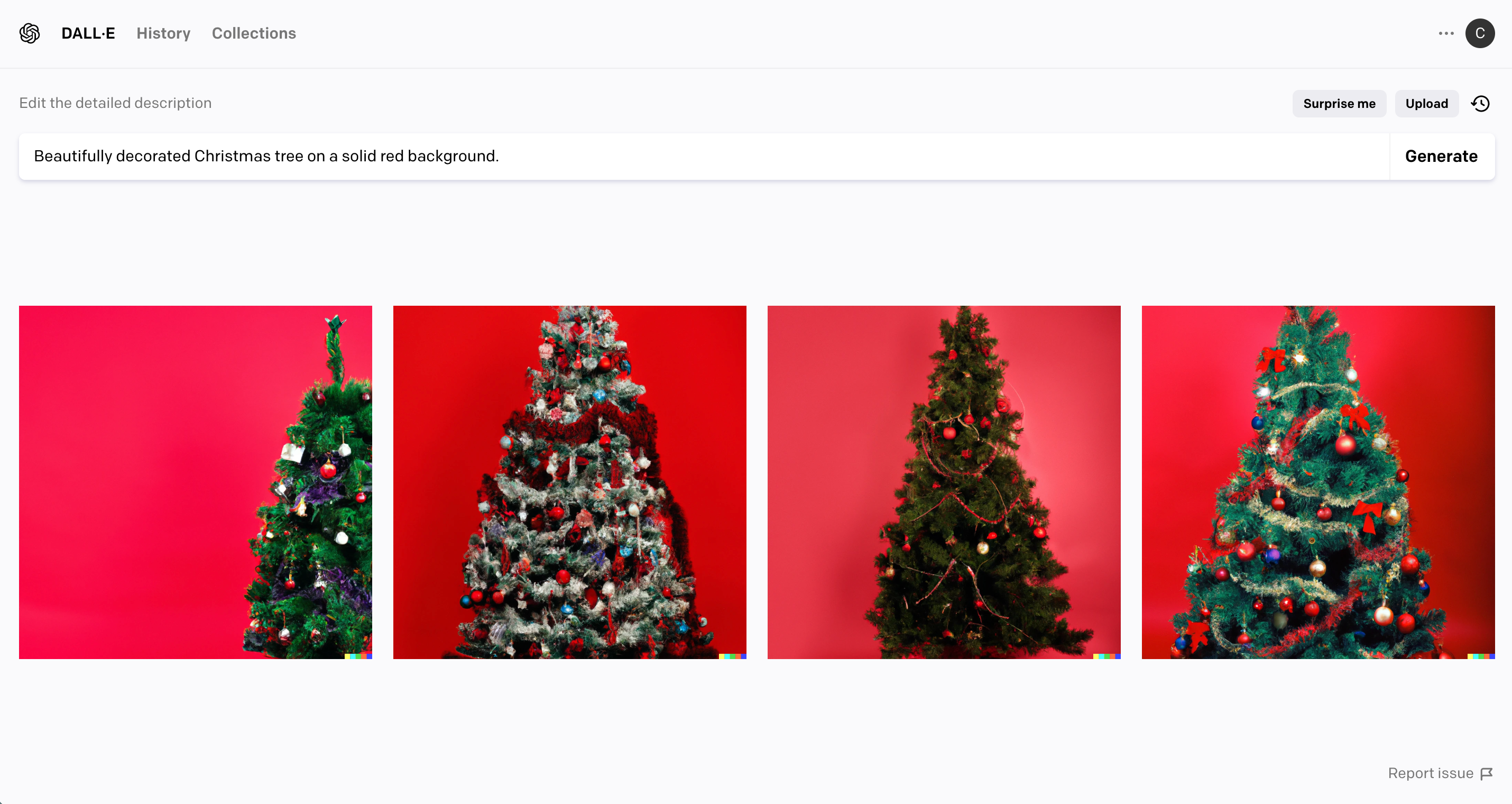
Beautifully decorated Christmas tree on a solid red background.
Dall-E 2 Results
What I Could Do with the Images
Illustrations can be used to make product packaging inserts, mailable post cards, website graphics, social media graphics, and more.
Sample Use
In this example, I used one of the illustrations to create a website graphic.
4. Social Media Graphics
Prompt I Put into Dall-E 2
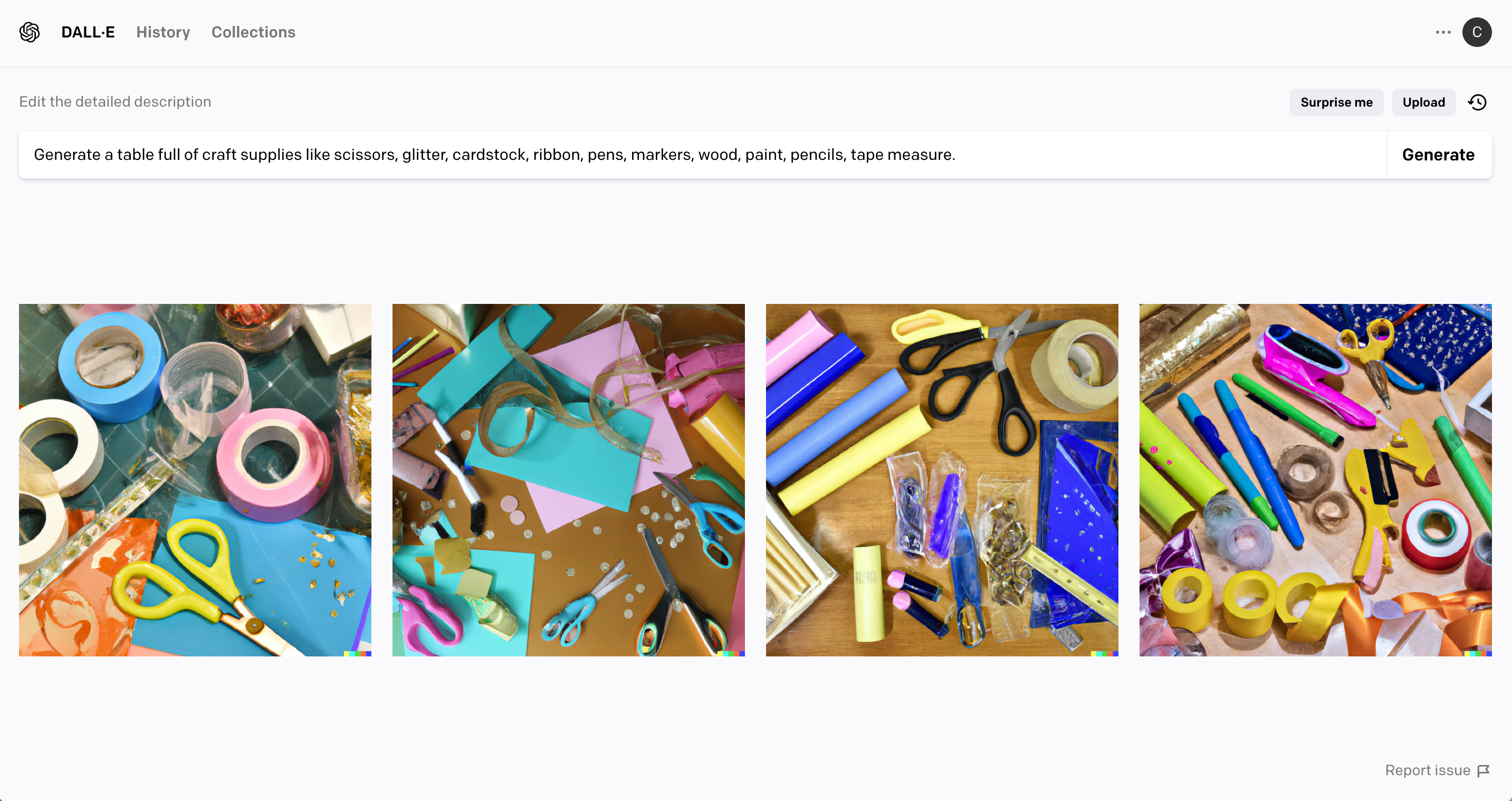
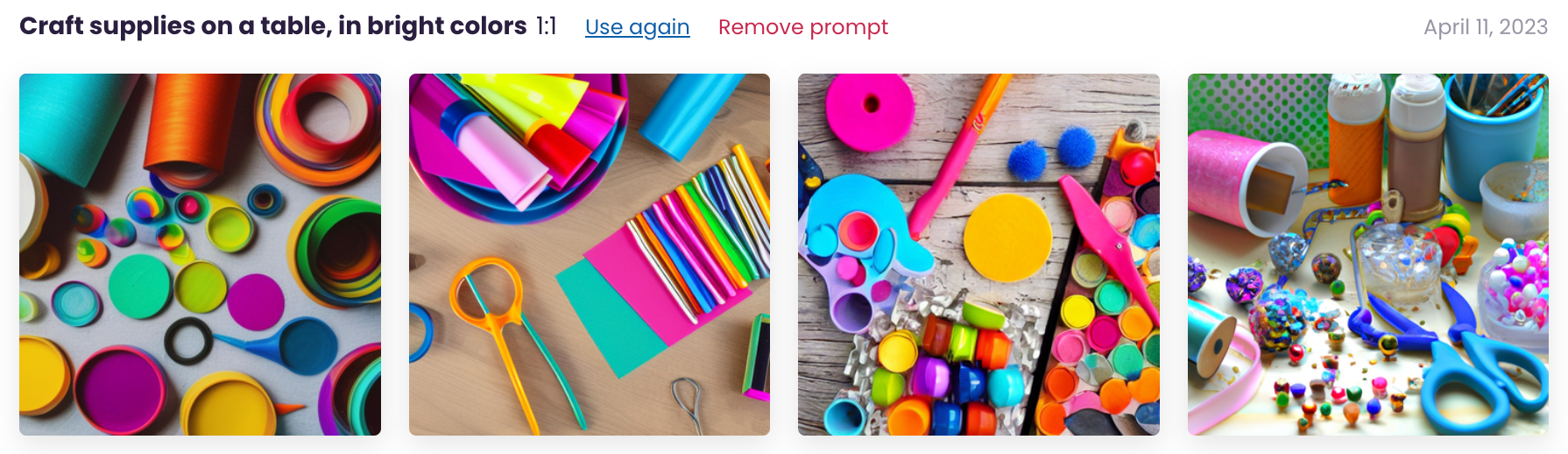
Generate a table full of craft supplies like scissors, glitter, cardstock, ribbon, pens, markers, wood, paint, pencils, tape measure.
(If you look closely at the generated results, you’ll see some errors – especially in the scissors.)
Dall-E 2 Results
What I Could Do with the Images
Stock images are helpful when designing websites, on social media, in newsletters, and more.
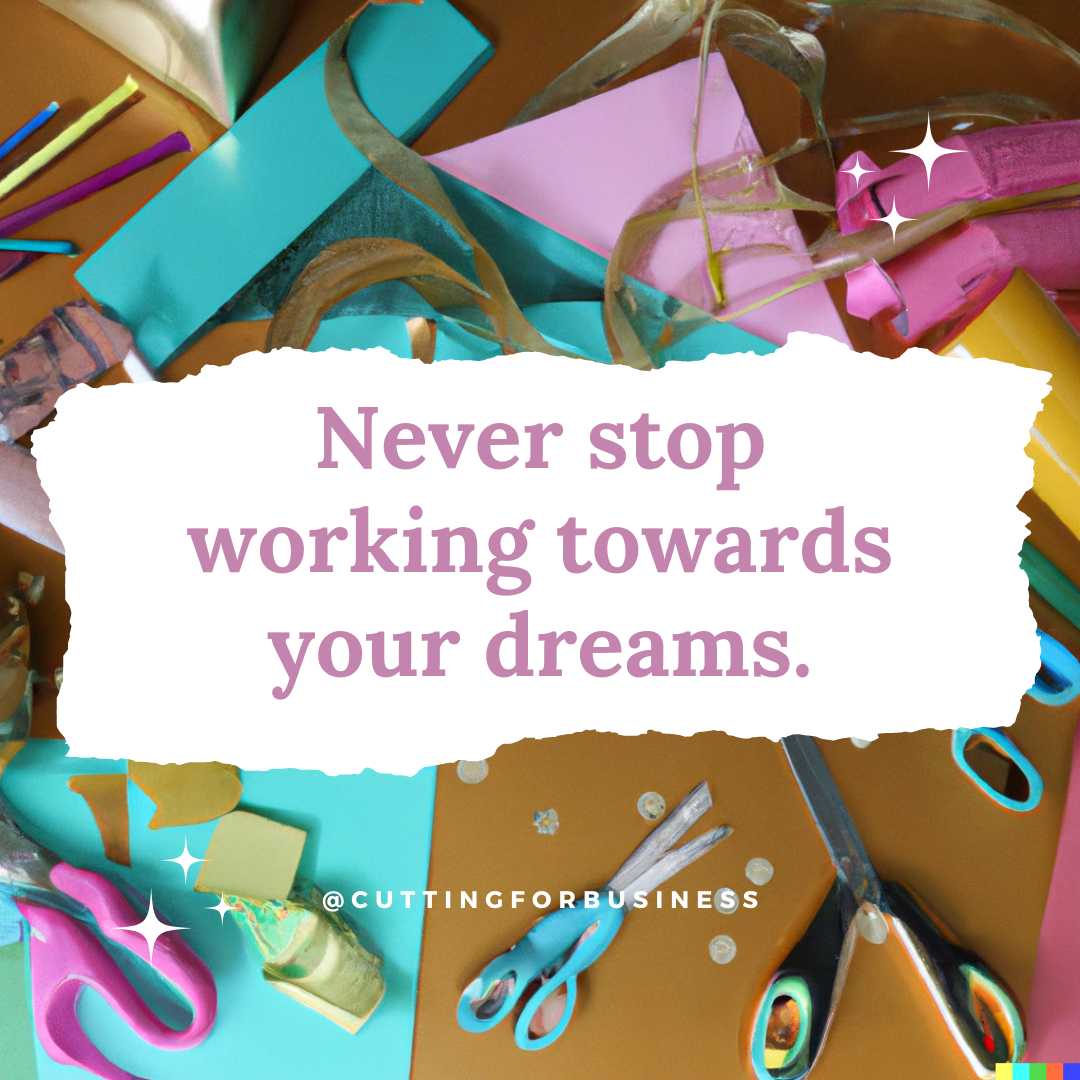
Sample Use
I used the generated image to create a quote to use on Instagram.
5. Print on Demand Artwork
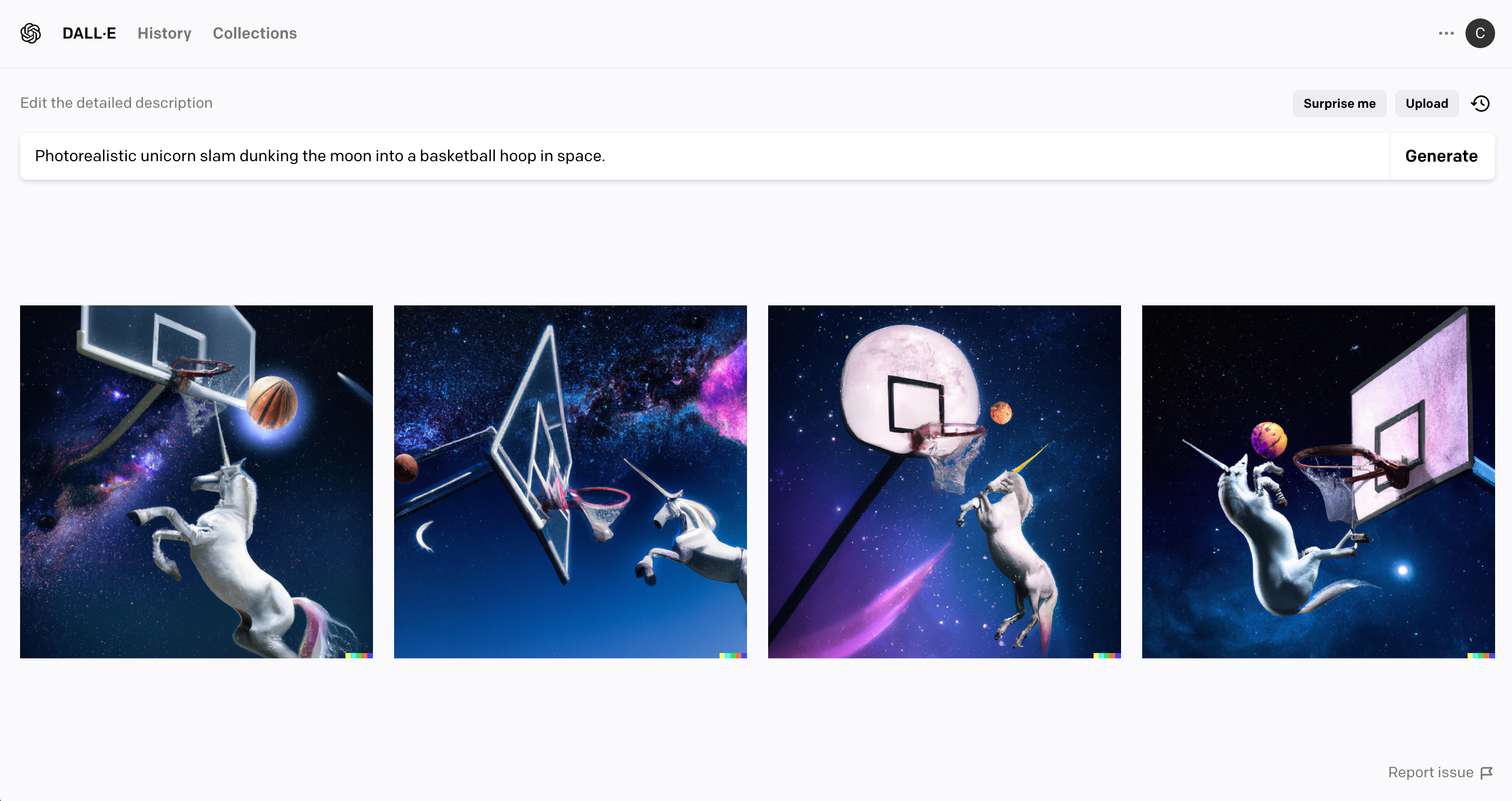
Prompt I Put into Dall-E 2
Photorealistic unicorn slam dunking the moon into a basketball hoop in space.
Dall-E 2 Results
What I Could Do with the Images
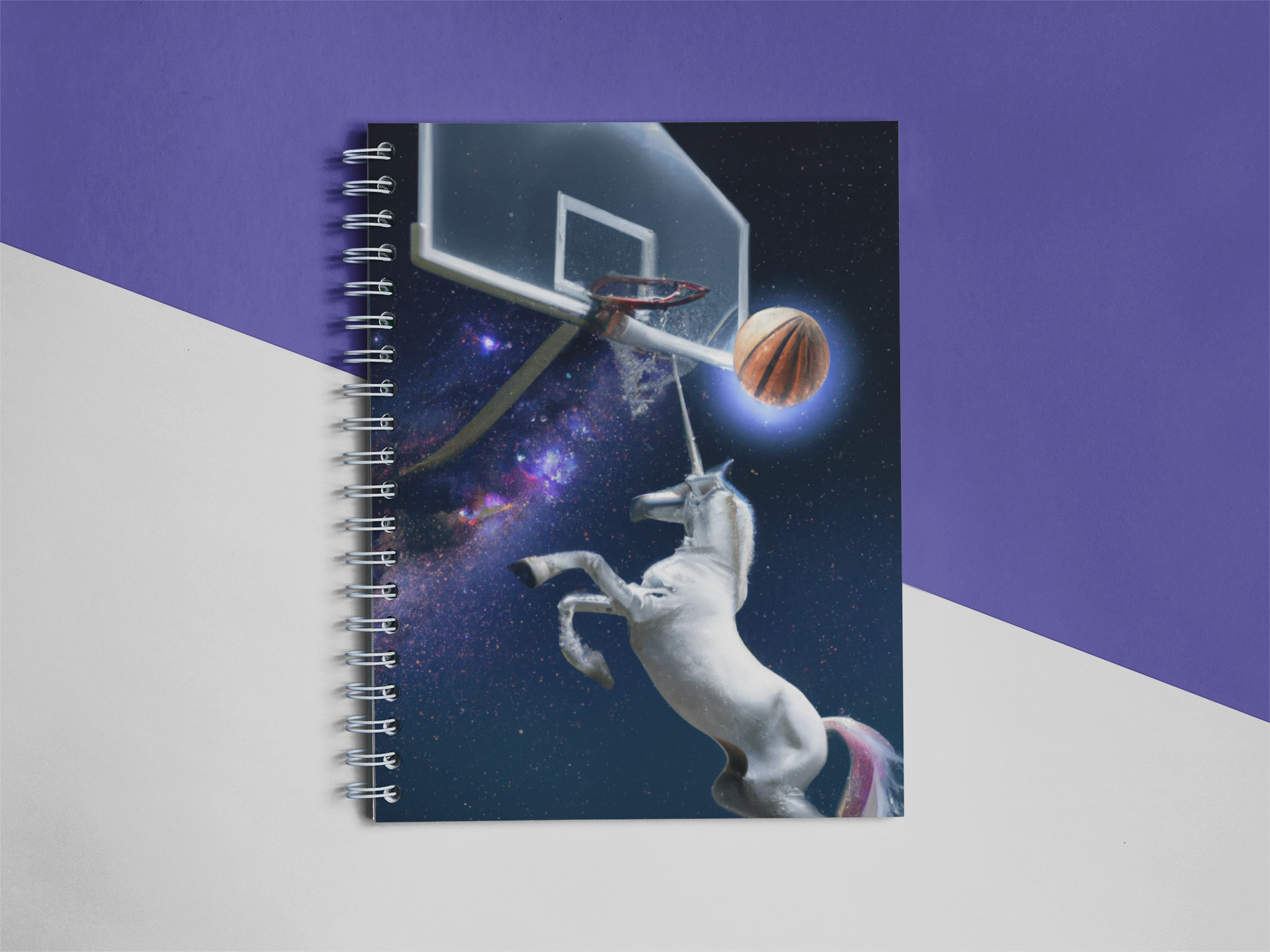
Using sites like Printful, there are dozens of products you can print on demand including shirts, totes, makeup bags, coffee mugs, notebooks, and more.
Sample Use
I used the generated image to create a notebook cover to fulfill with print on demand.
Does Dall-E 2 Only Produce Square Images?
Yes, to date, Dall-E 2 produces a 1:1 aspect ratio that cannot be changed – which results in square images.
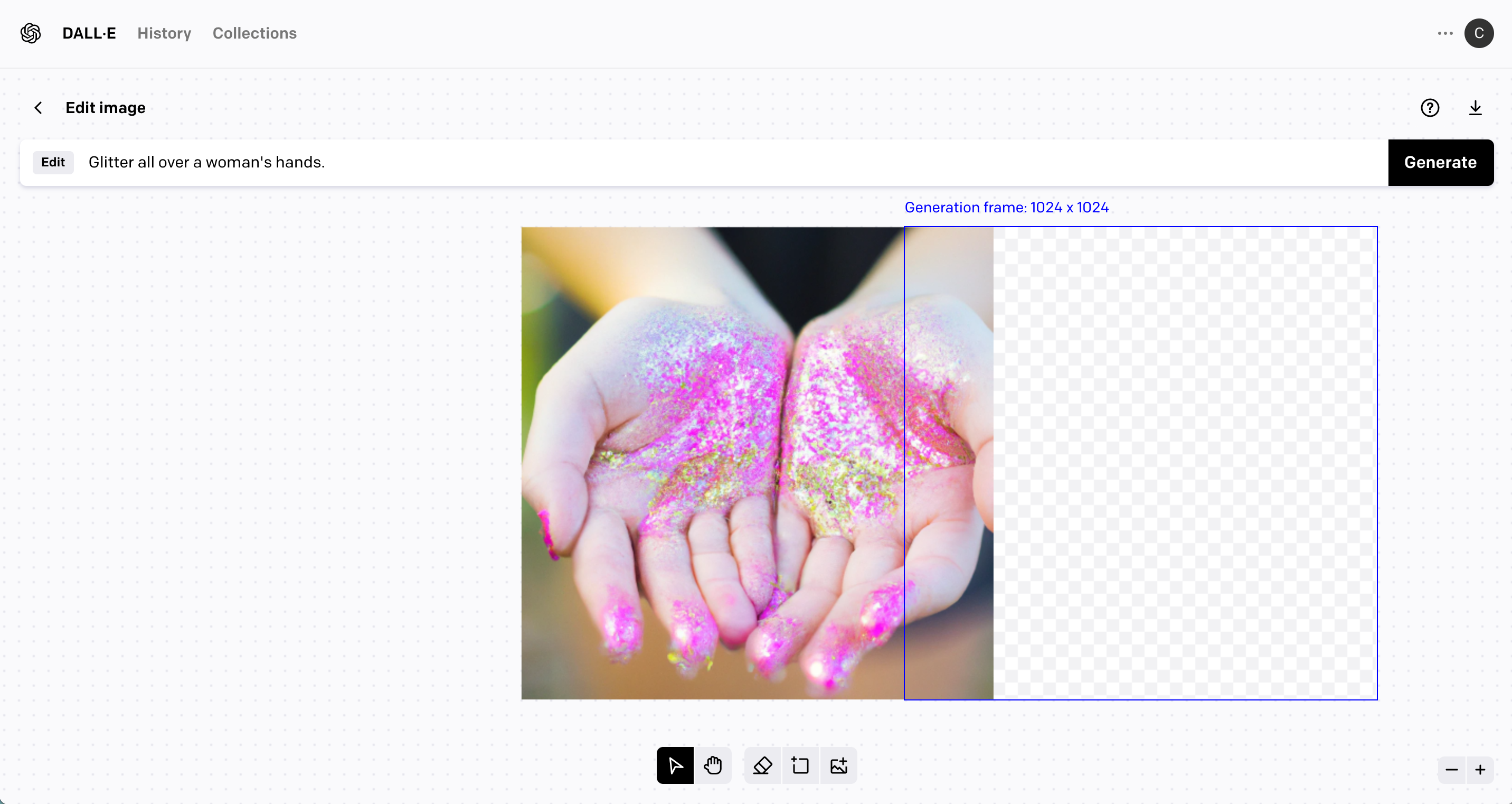
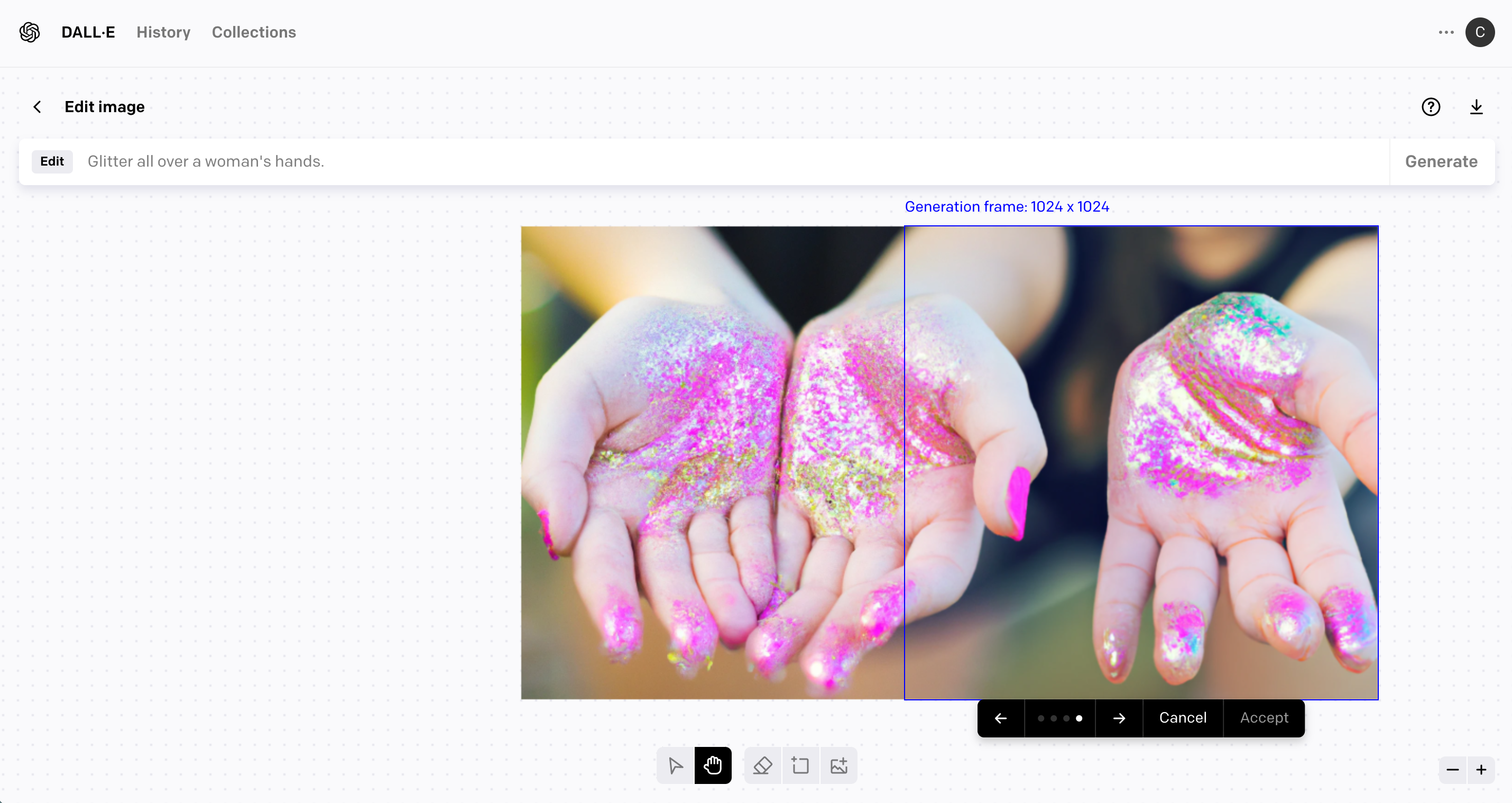
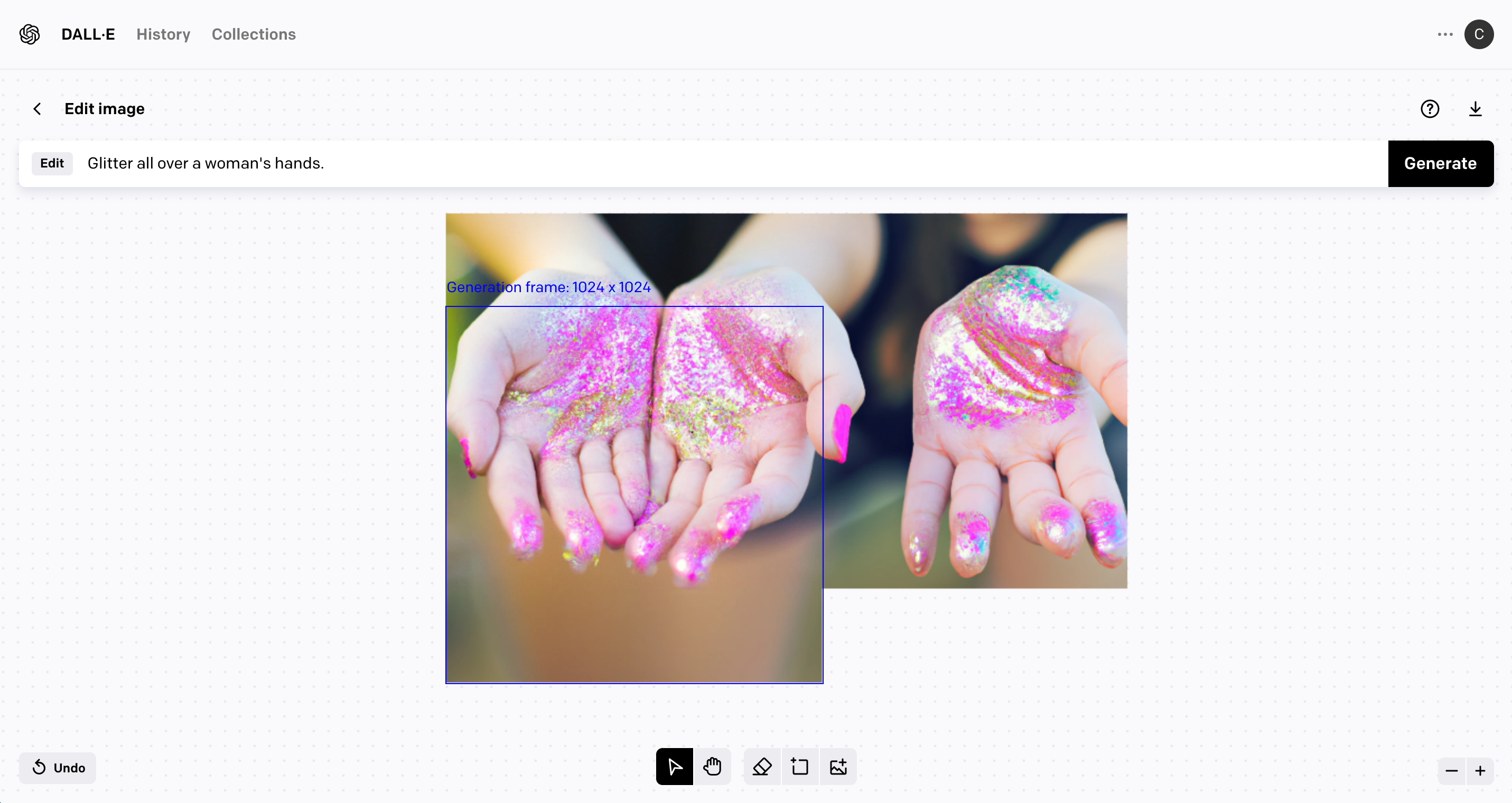
However, you can use the built in editor in Dall-E 2 to expand (called outpainting) your image. Take a look through these screenshots of the process:
Dall-E 2 – How to Use Outpainting
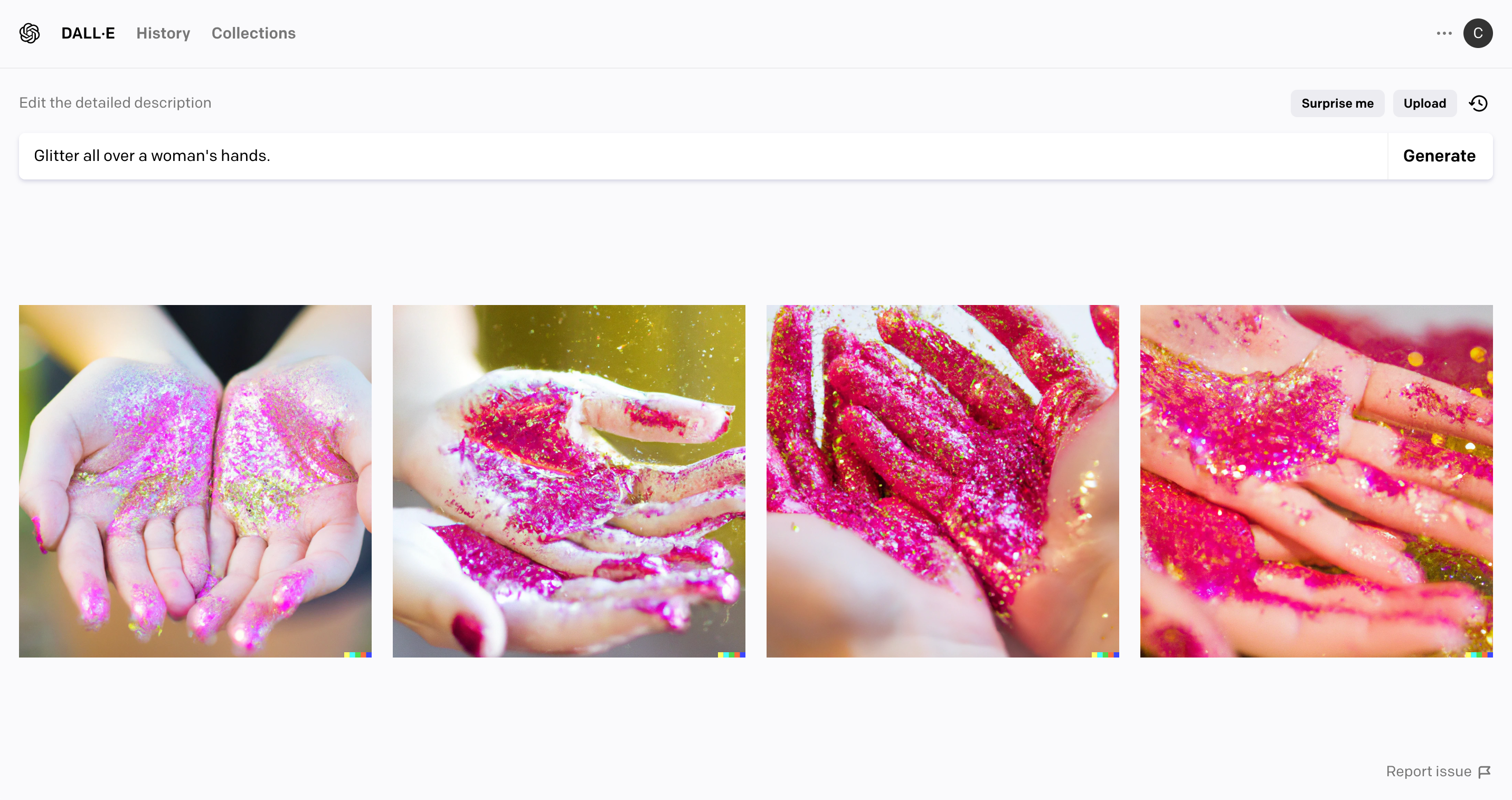
The screenshot below shows the standard results in Dall-E 2.
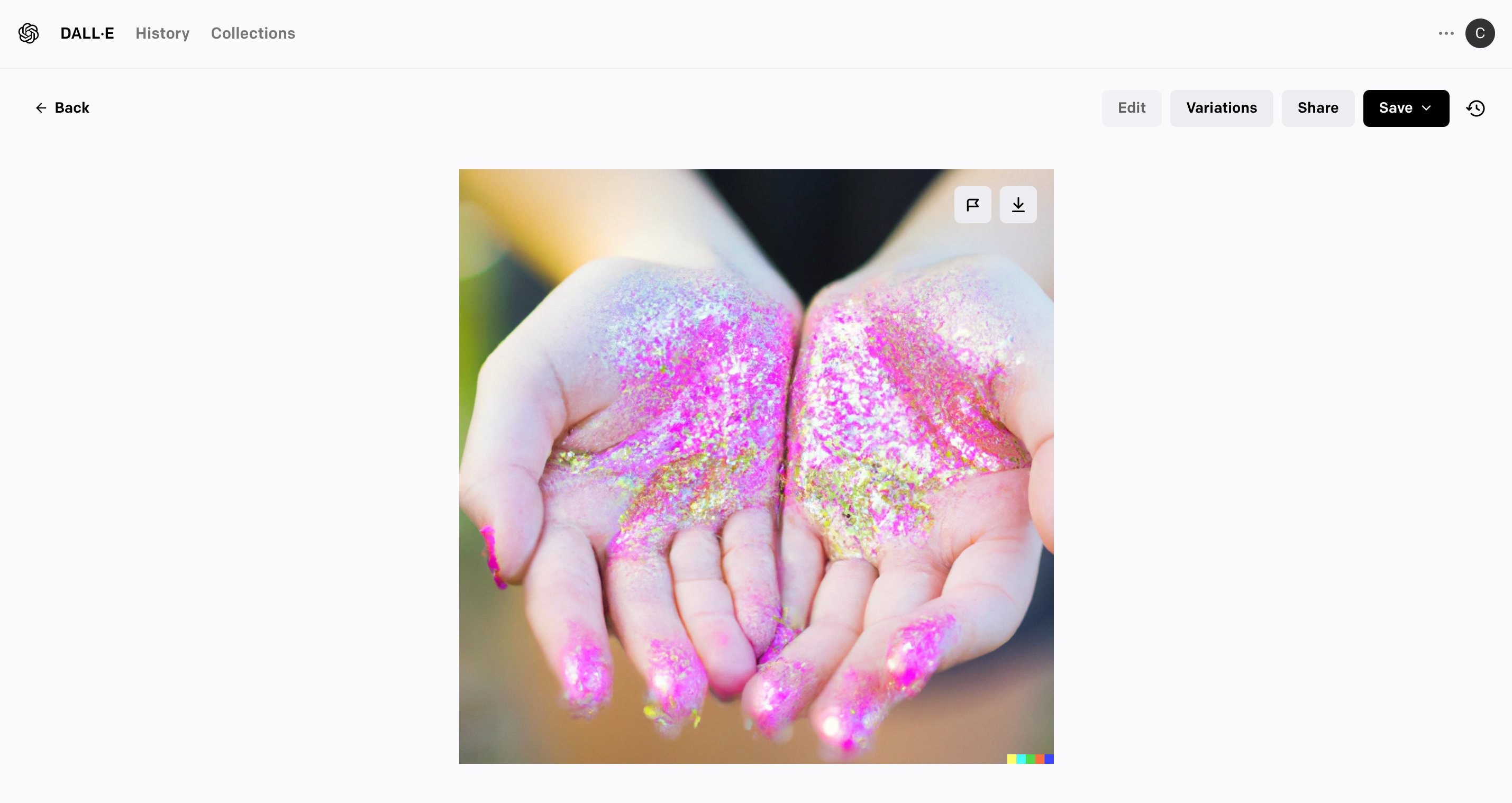
Select one of the images, then click the ‘Edit’ button.
Now, add another 1024 x 1024 Generation Frame. Be sure it is overlapping the original image. Click the ‘Generate’ button.
Scroll through the images using the arrows, then click ‘Accept’ on your favorite.
Repeat the process on the other side, or the top, or the bottom, or the same side.
Download the image when you are finished.
How Much Does Dall-E 2 Cost?
Dall-E 2 works on credits. This page on OpenAI’s website details current pricing. At the time of writing this article, 115 credits cost $15 – so, $0.13 per query. Each credit gives you one AI query and produces 4 sample images.
I chose to introduce Cutting for Business readers to Dall-E 2 for two reasons: 1) It’s created by the same company that created ChatGPT. The layout of the site is similar to ChatGPT, so I figured it would be a great starting point. 2) It’s easy to use.
Here is a list of other AI generators to try out:
CF Spark (Made by our friends at Creative Fabrica!)
Now that you’ve got your head wrapped around how Dall-E 2 works, I wanted to show you around CF Spark.
What is CF Spark?
Our friends over at Creative Fabrica have put together their own AI text-to-image generators. There are seven different aspects of CF Spark: 1) CF Spark Art, 2) CF Spark Patterns, 3) CF Spark Crystalline, 4) CF Spark Sketch, 5) CF Spark ImageMix, 6) CF Spark Prompt Builder, and 7) CF Spark Writer.
I’ll show you around each of them, and provide some examples for using each.
CF Spark Art
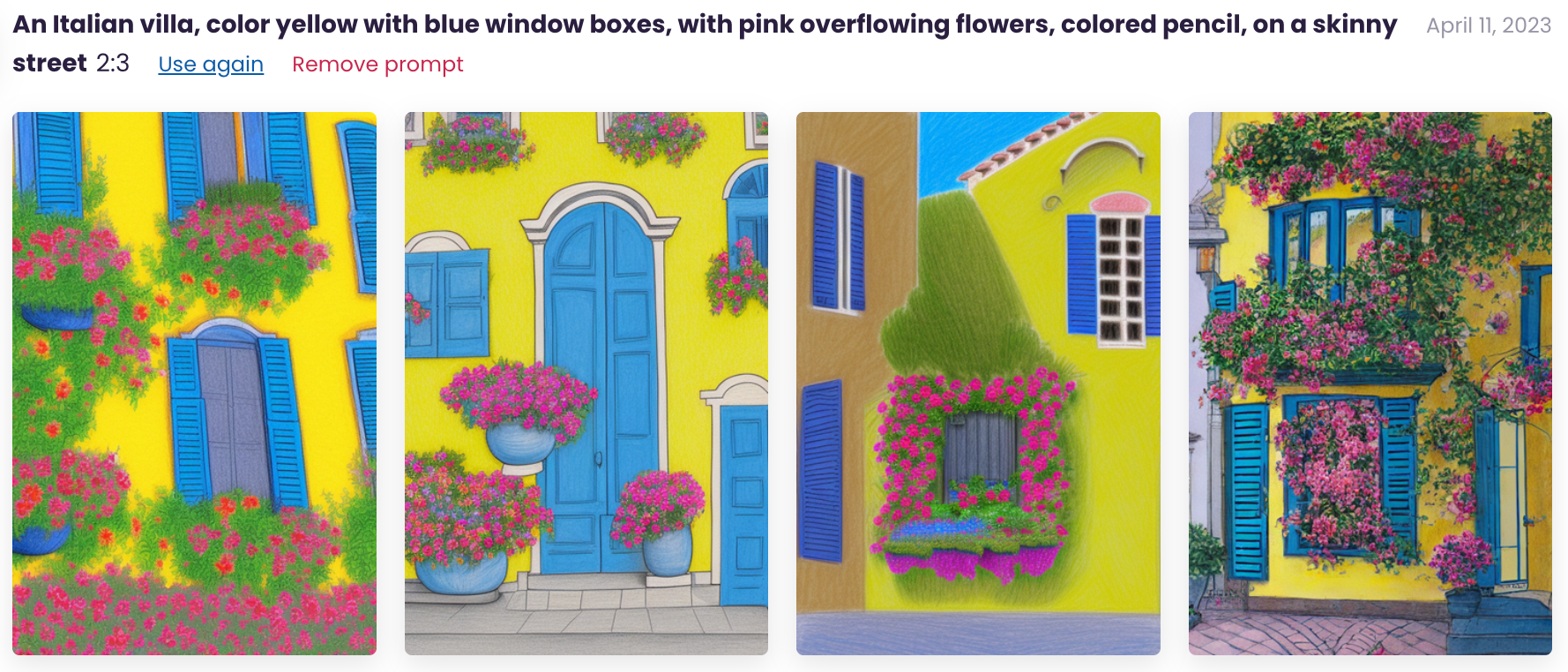
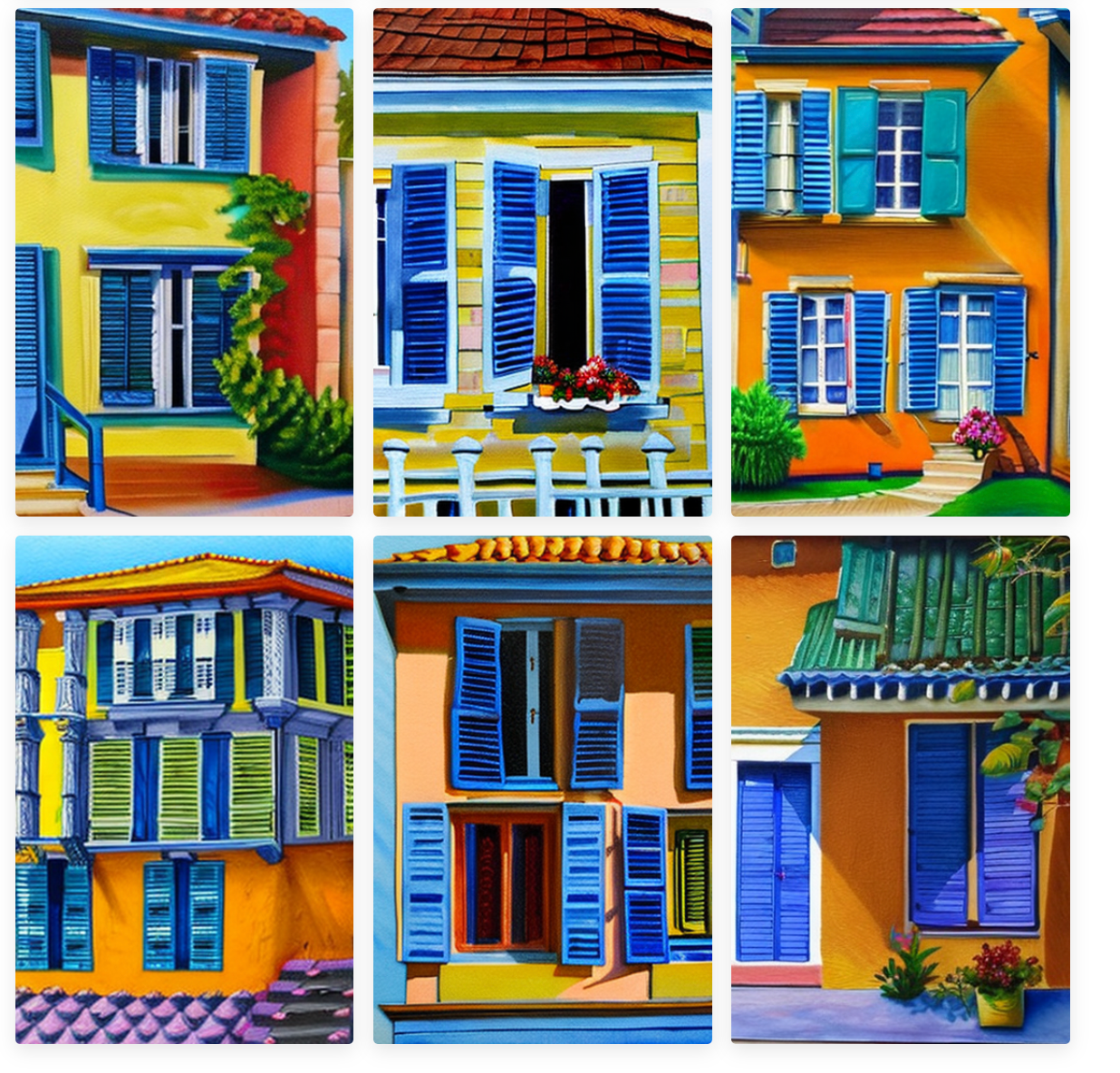
CF Spark Art is going to be most similar to Dall-E 2 – and is built partially on the Dall-E 2 API. Similarly to Dall-E 2, you enter descriptive text to create an image. However, you can change the ratio to fit your project needs. Here are a few examples of CF Spark Art results.
An Italian villa, color yellow with blue window boxes, with pink overflowing flowers, colored pencil, on a skinny street.
Results
CF Spark Patterns
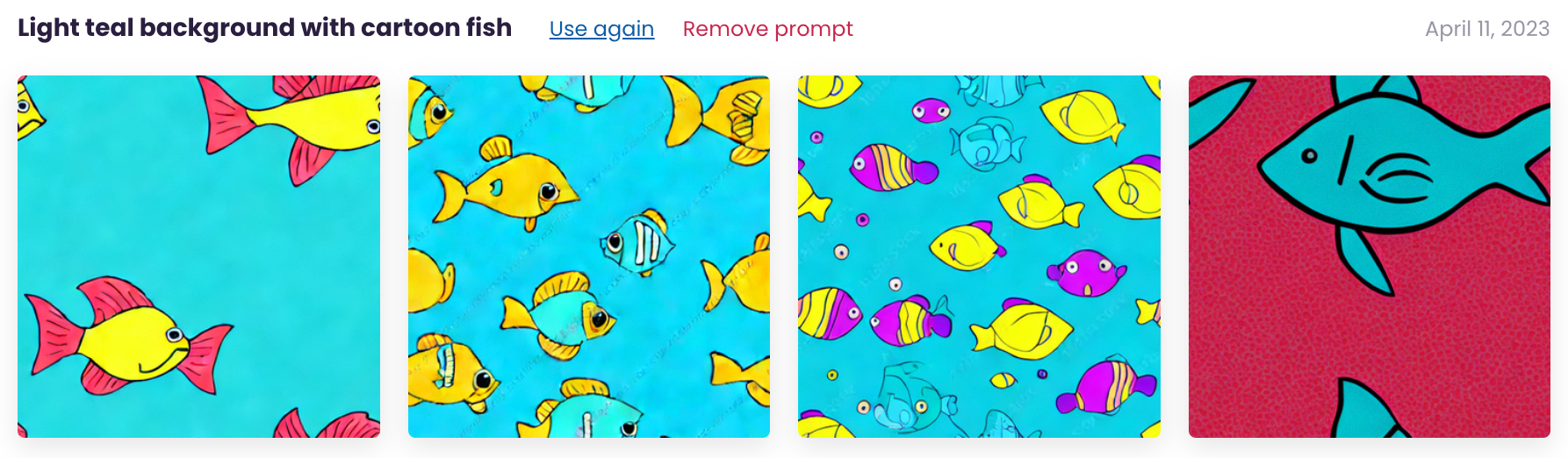
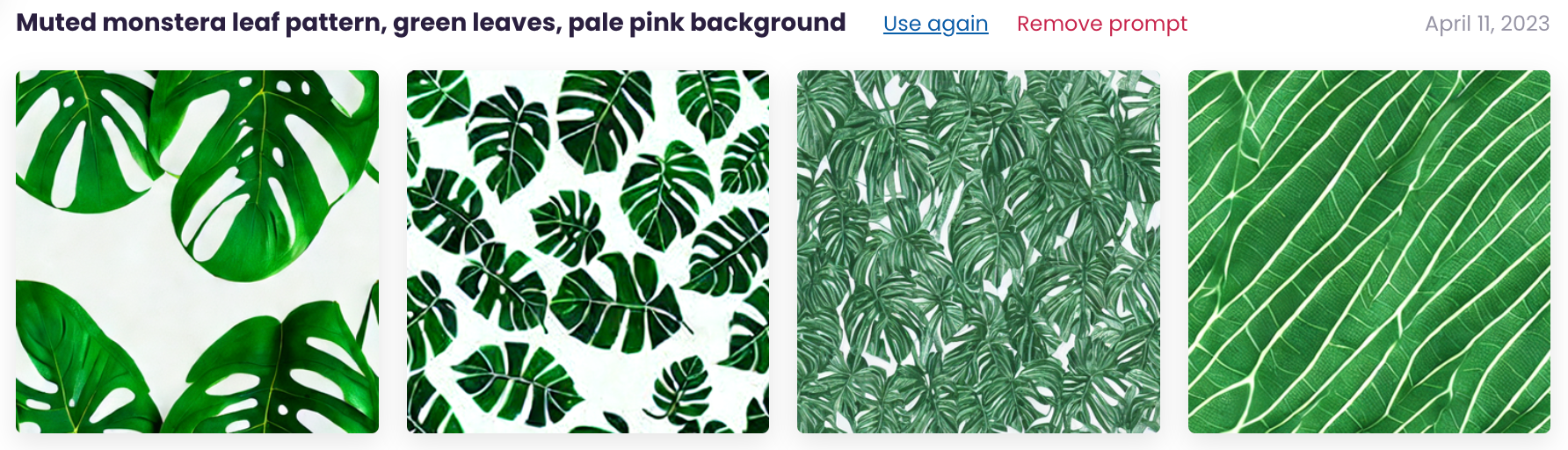
CF Spark Patterns creates seamless tile, repeating patterns. These are perfect for products like clothing with a repeating patterns and printing your own scrapbook paper or vinyl. Let’s take a look at a few examples.
Muted monstera leaf pattern, green leaves, pale pink background.
Results
CF Spark Crystalline
CF Spark Crystalline creates transparent background images – perfect for using as cut files or clip art.
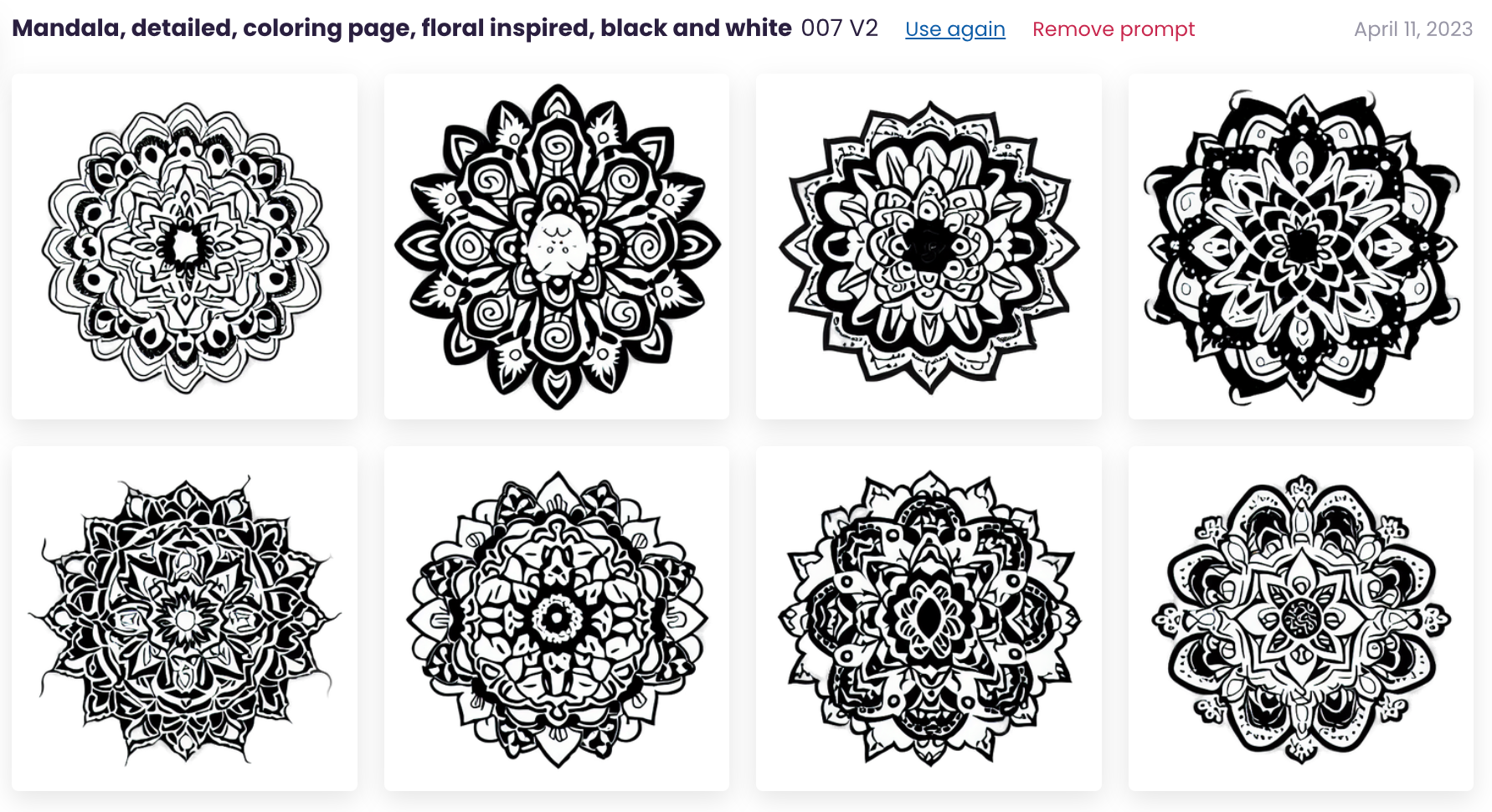
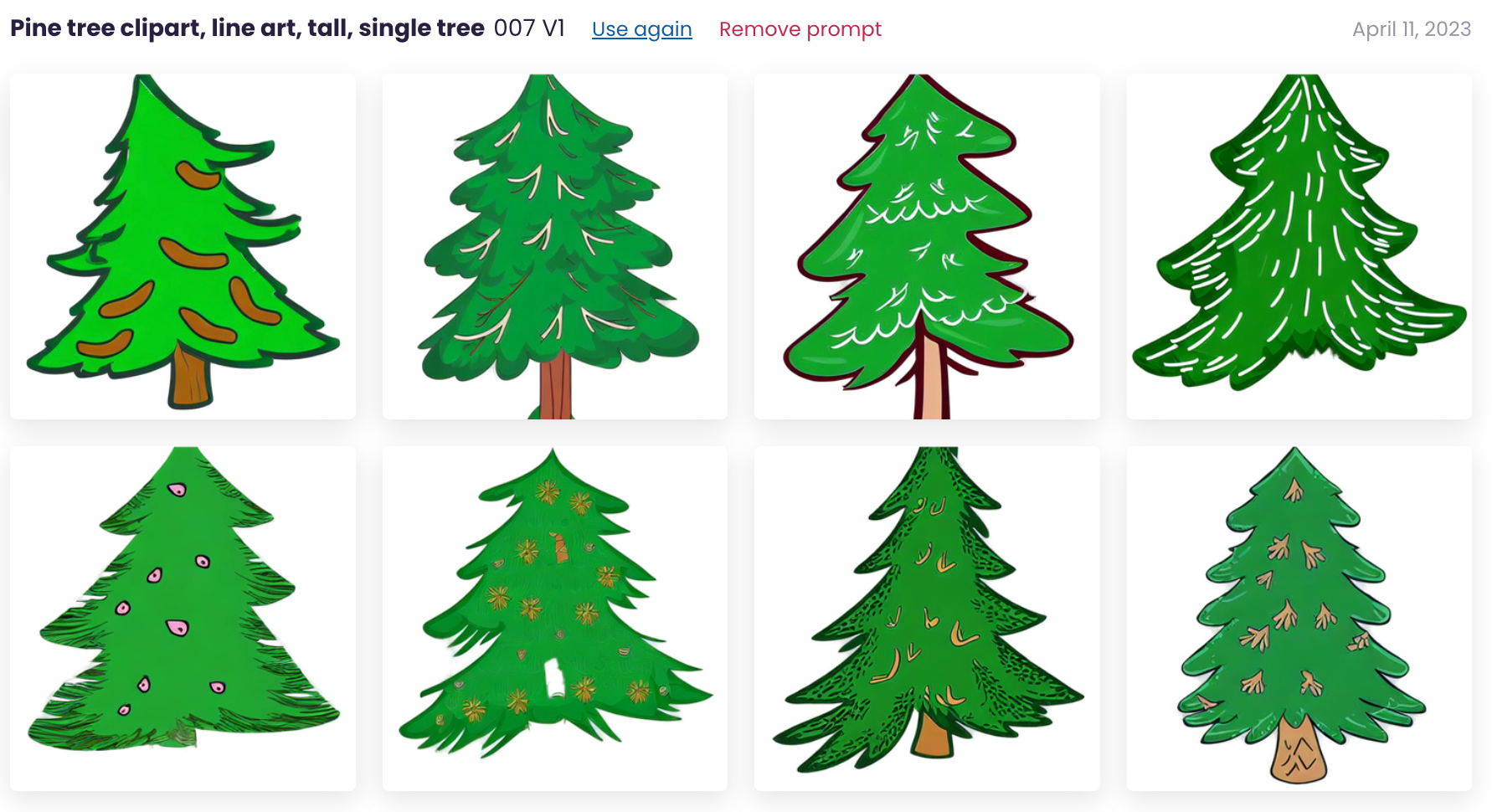
In CF Spark Crystalline, you can choose which model you want to use. The help bubble to the right side of the models shares insight to each model. Origin 2D V1 produces realistic images, while Origin 2D V2 produces cartoony clipart. The 3D V1 model produces 3 dimensional realistic images, while 3D V2 produces “dreamy” images. Finally, the 007 V1 model creates flat, simplistic images while the 007 V2 model creates flat, detailed images.
Mandala, detailed, coloring page, floral inspired, black and white (Used Model 007 V2.)
Results
Prompt
Pine tree clipart, line art, tall, single tree. (Used Model 007 V1.)
Results
CF Spark Sketch
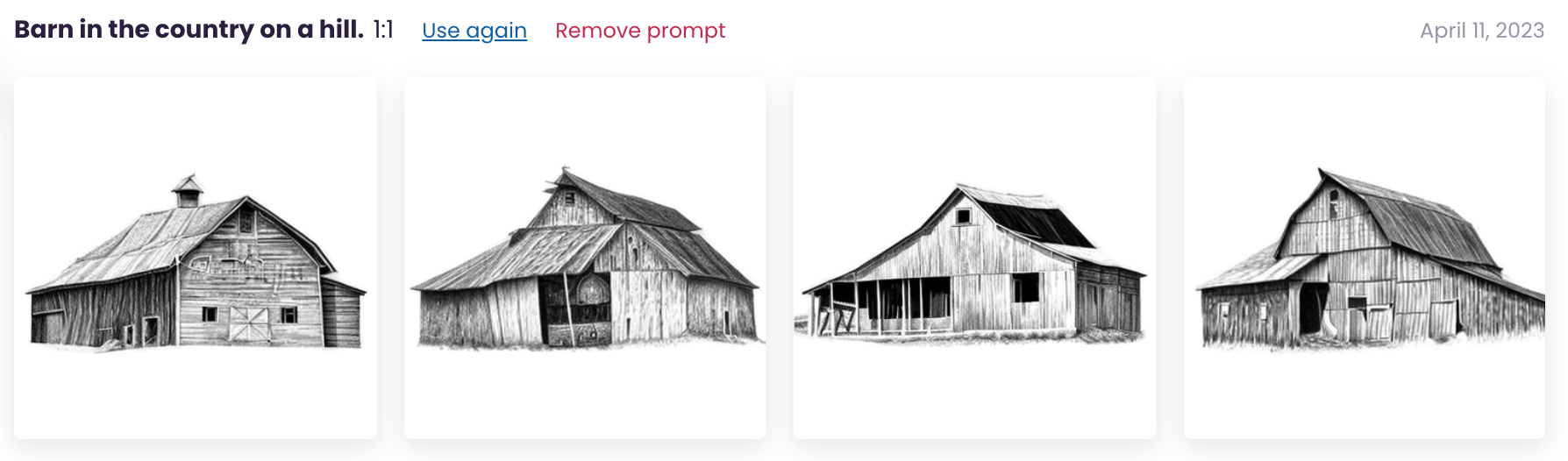
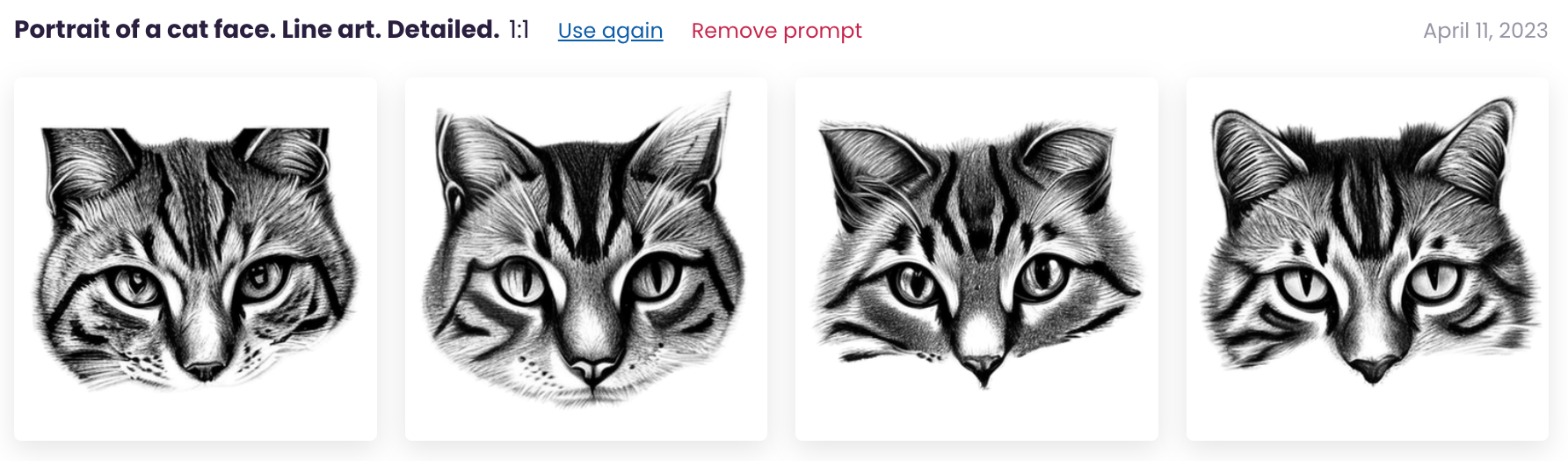
CF Spark Sketch produces line style drawings. I could imagine using this style of sketches on greeting cards, decals, or logos. Let’s take a look at some examples.
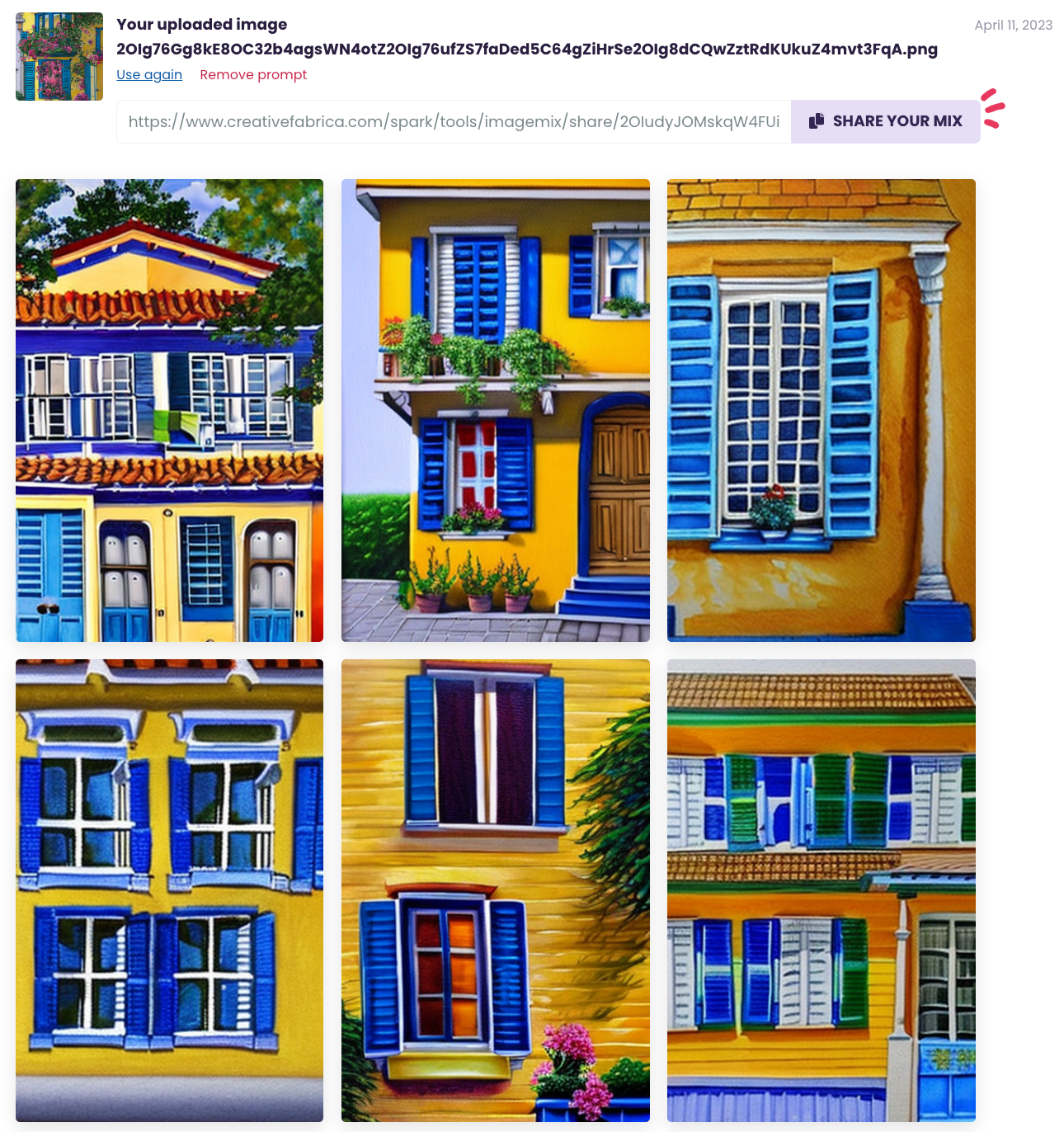
I uploaded a previous image from CF Spark Art. With CF Spark ImageMix, you don’t enter a prompt. Instead, you let the generator… do its thing! In this example, CF Spark ImageMix provided 12 variations of the image I uploaded.
Results
CF Spark Prompt Builder
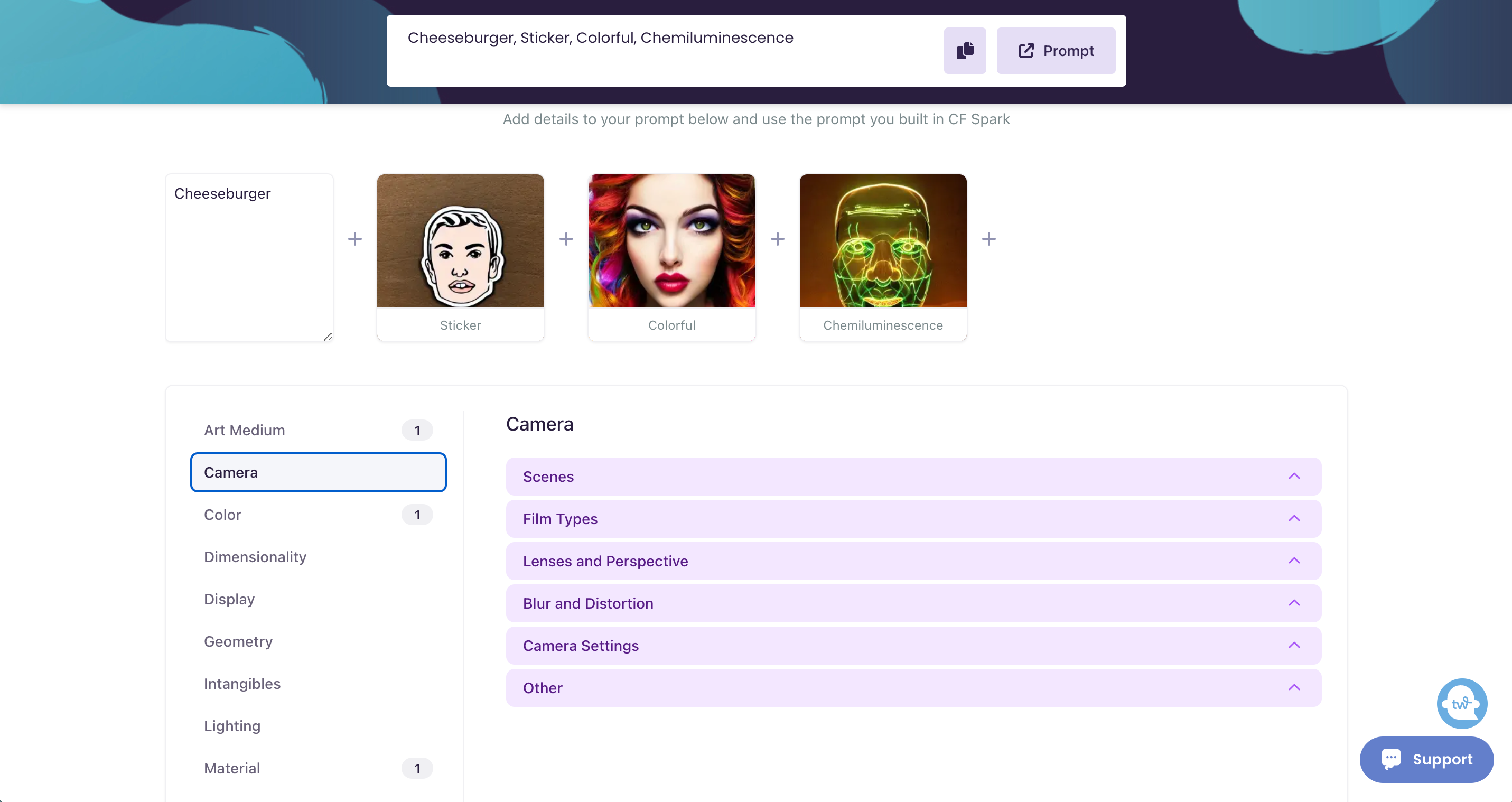
One aspect of CF Spark that I really like is the prompt builder. This section of CF Spark allows you to choose different categories to help you generate more detailed prompts.
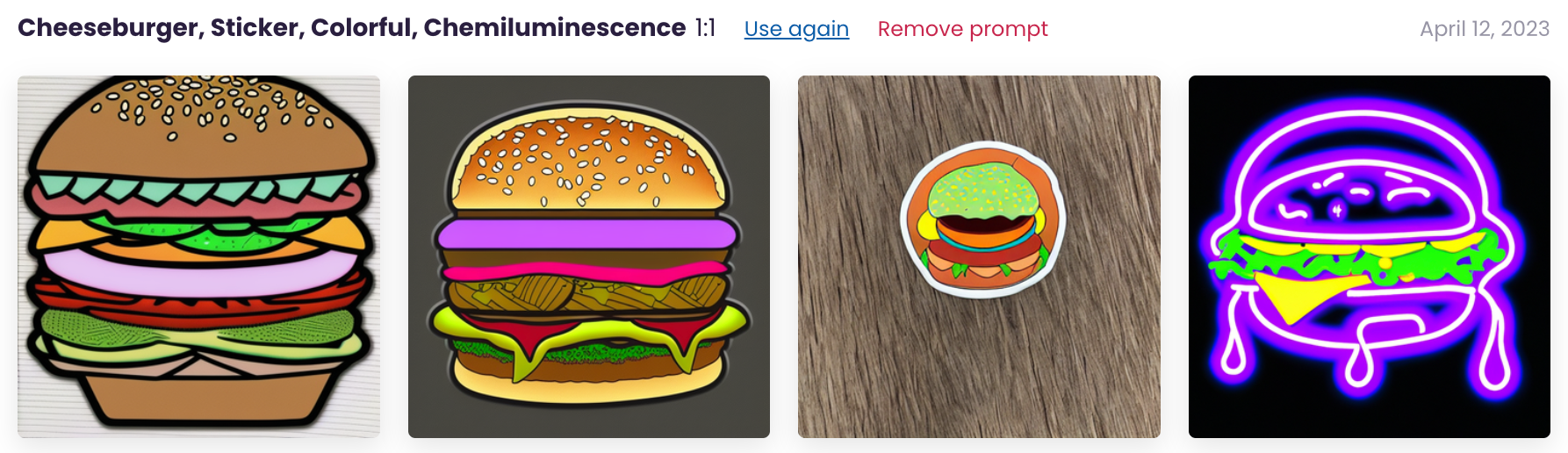
In this example, you first enter the prompt (I entered cheeseburger). Then you click through various categories and can add additional prompts. My final prompt is: cheeseburger + sticker + colorful + Chemiluminescence.
My final generated images are:
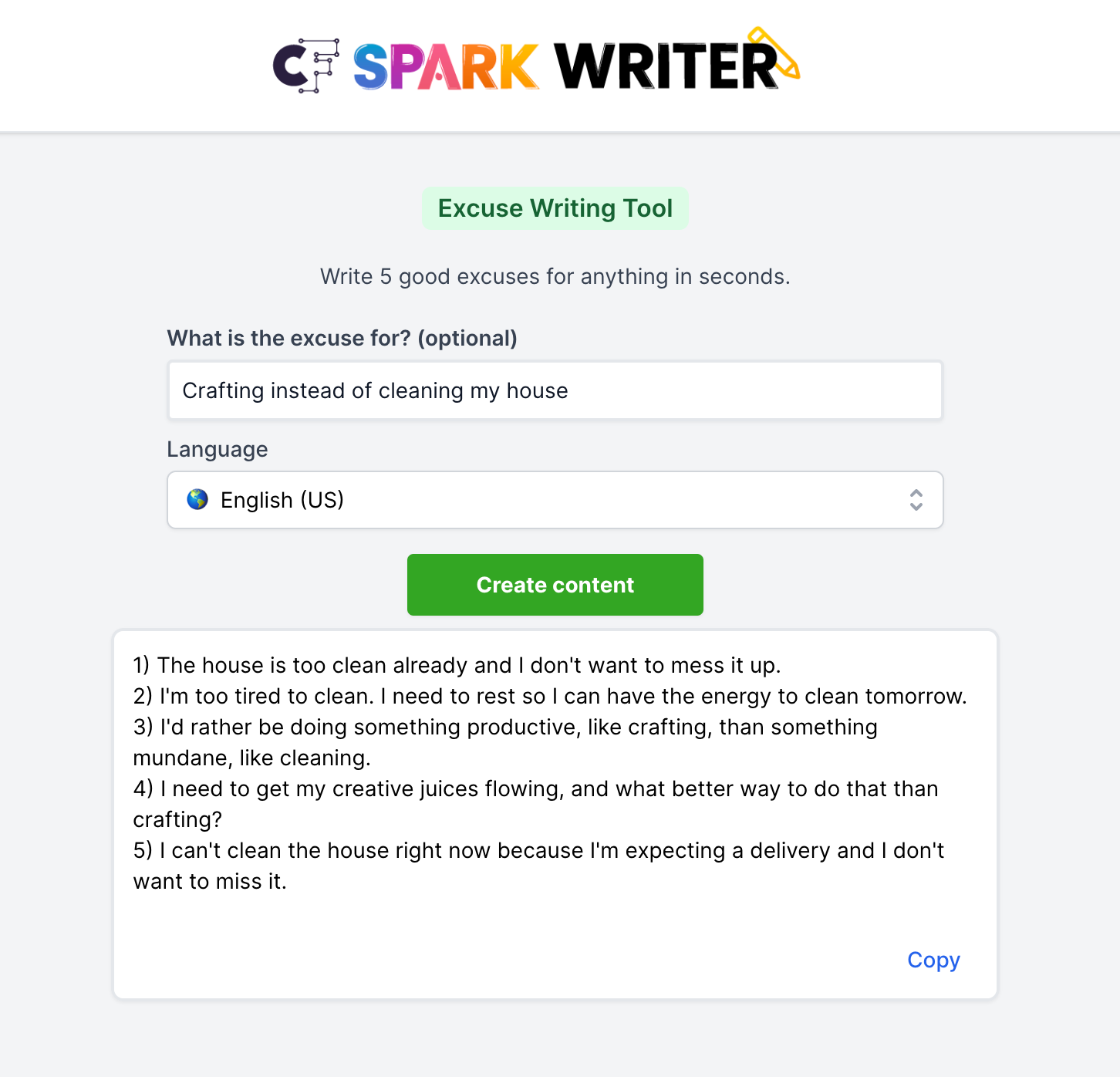
CF Spark Writer
If you’ve checked out ChatGPT, CF Spark Writer works the same way.
The interface of CF Spark Writer is broken into various text areas. I like the design, as it helps strike up ideas in my mind to use the tool.
Some of the suggestions Creative Fabrica offers to use CF Spark Writer include:
Etsy store names
Product listing titles
Greeting cards
Excuse writer (my personal favorite!)
Blog writing tools
Facebook ad writing
Email writing
Book writing
Start up ideas
…and more.
Here’s a quick example:
Honestly, the excuses all work for me. I’ll copy and paste them to Mr. Cutting for Business right away.
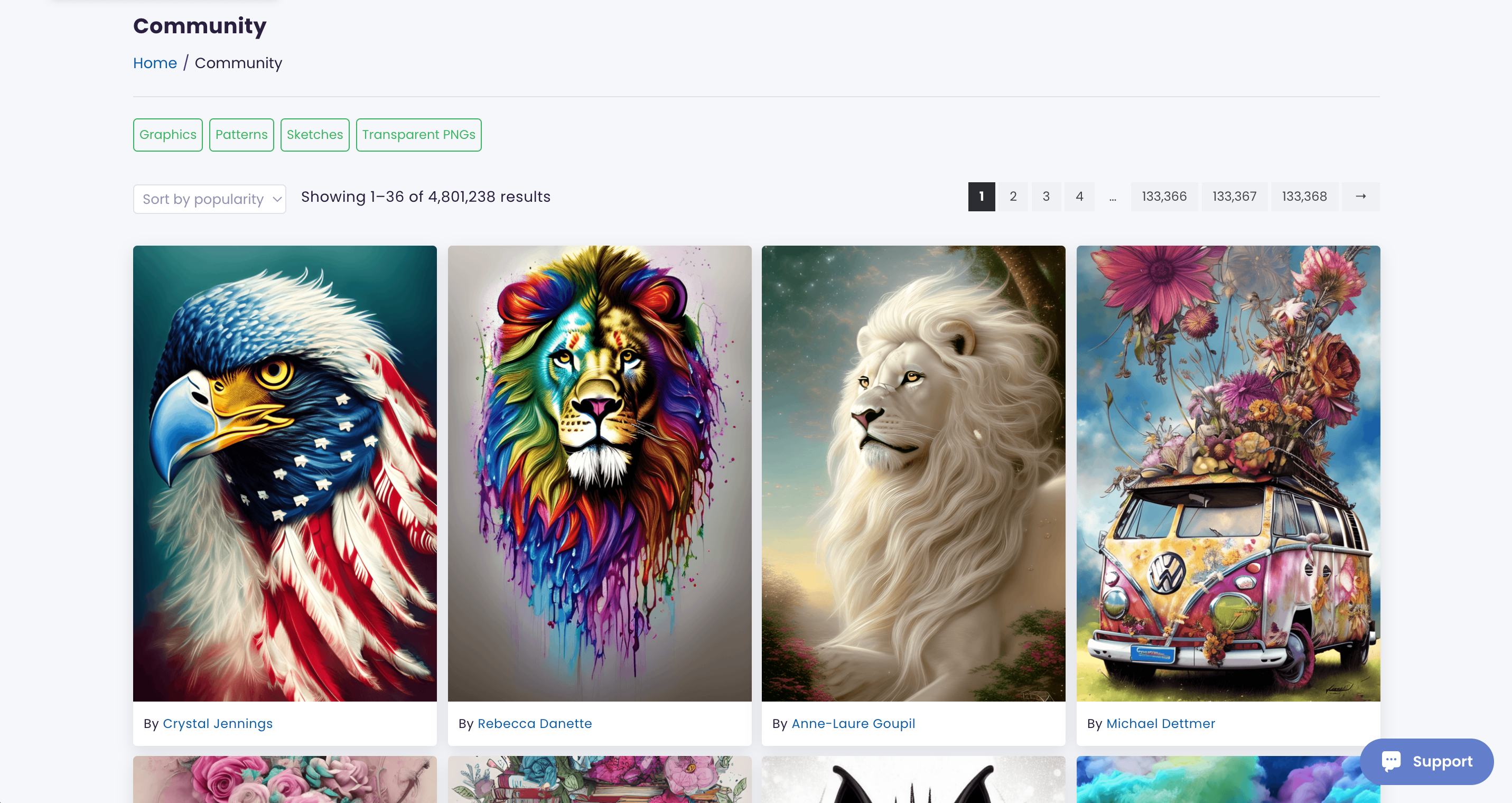
CF Spark Community
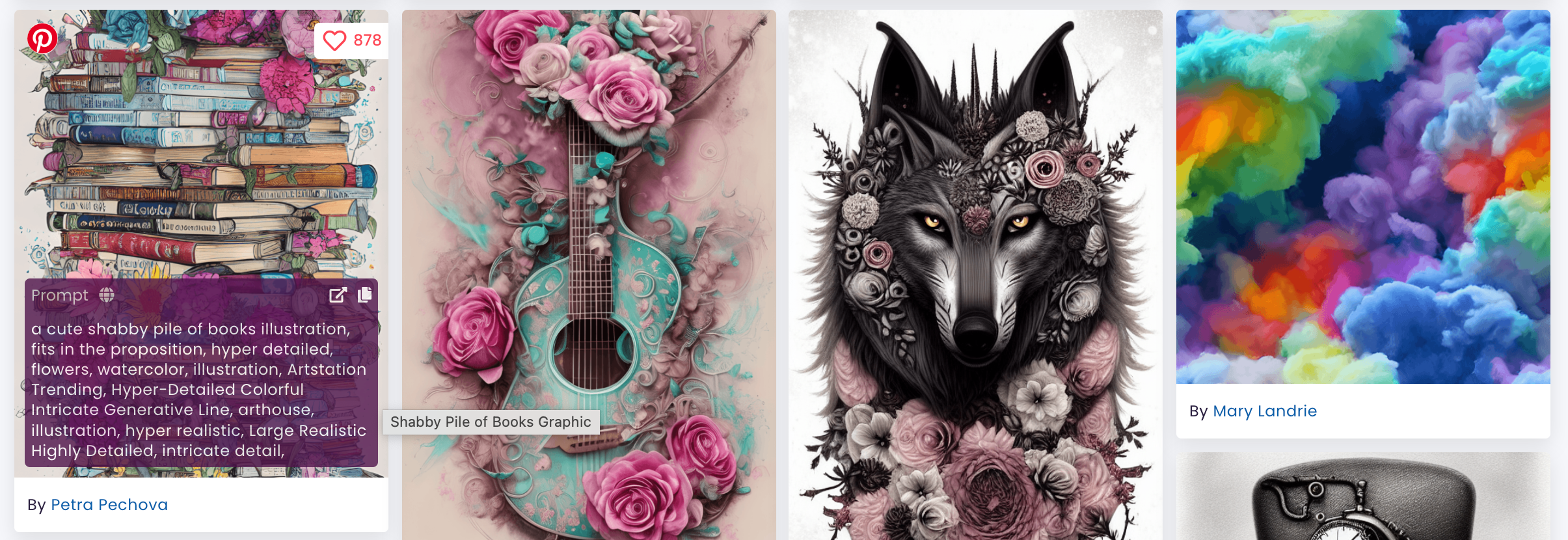
The last aspect of CF Spark is the community feed. The community feed allows users to see what other users are creating. For me, it serves as inspiration, but I’ve also learned a lot from it.
When you drag your mouse over an image in the CF Spark Community feed, you can see the prompt that the user used to create the image.
Of course, if you don’t have to share your prompts. This article details how to hide your prompts from the Community Feed.
How Much Does CF Spark Cost?
CF Spark is entirely free and you can create as many images as you’d like.
However, using it as a free user can be slow. If you want to speed it up, you can upgrade to a paid subscription for $9 a month – which includes 1,000 speed credits.
Additionally, paid users can sell their images in the marketplace.
What About Copyrights and AI?
I’ve talked about copyrights for AI generated content in my article about Dall-E 2, but it is worth repeating.
On March 16, 2023, the US Copyright Office released a new policy that you should read. In short, the policy states that AI generated works are not eligible for copyright.
Now, it is your turn to tell me all your thoughts on AI image generation. Leave your comments below about CF Spark.
ChatGPT has taken the internet by storm in the last few months. I’ve been playing with it for a while now and I am finally confident to write an article about it.
I recently took some time to explore some of the ways to use ChatGPT in your craft business.
What is ChatGPT?
ChatGPT is an artificial intelligence tool created by OpenAI. It is designed to understand natural language input and generate human-like responses to a wide range of prompts and questions. Users can use ChatGPT to answer questions, provide information, or engage in conversations on various topics.
ChatGPT (at least the current form of it) was released November 30, 2022. It has taken the internet by storm and, according to CBS, ChatGPT is growing faster than TikTok and averages 13 million unique visitors a day.
10 Ways to Use ChatGPT in Your Craft Business
1. Writing Product Descriptions
Writing product descriptions. If you are stuck on writing a product description for a particular product, head to ChatGPT for help.
Prompt I put into ChatGPT: “Write a product description for a 20 ounce epoxied tumbler with blue and green glitter”
ChatGPT response: “Introducing our stunning 20-ounce epoxied tumbler, designed to impress and elevate your drinking experience! This gorgeous tumbler features a mesmerizing combination of blue and green glitter, creating a sparkling, one-of-a-kind aesthetic that’s sure to catch everyone’s eye.
Crafted from high-quality, durable materials, this tumbler is built to last and can withstand regular use. The epoxy coating adds an extra layer of protection, ensuring that the glitter stays in place and won’t flake or peel off over time. Plus, the 20-ounce size is perfect for holding your favorite cold beverages, keeping them refreshingly chilled for longer.
Whether you’re sipping on a cool drink by the pool or enjoying a hot beverage on a chilly day, this tumbler is the perfect companion. Its sleek, smooth design makes it comfortable to hold and easy to grip, while the secure lid ensures that your drink stays put, even if you’re on the go.
So if you’re looking for a stylish and practical way to upgrade your drinking experience, our 20-ounce epoxied tumbler with blue and green glitter is the perfect choice. Order yours today and get ready to sip in style!”
2. Getting Inspiration to Create
Getting inspiration to create. Let’s say you are looking to create a new t-shirt line of funny Christmas shirts. You can use ChatGPT to give you ideas.
Prompt I put into ChatGPT: “Write a list of funny Christmas t-shirt sayings.”
ChatGPT response:
“All I want for Christmas is a nap.”
“I’m on the naughty list and I regret nothing.”
“Merry Christmas Ya Filthy Animal” (a reference to Home Alone movie)
“Dear Santa, I can explain…”
“I’m just here for the cookies.”
“I’m dreaming of a white Christmas, but if the white runs out, I’ll drink the red.”
“I’m the reason we can’t have nice things (especially during Christmas).”
“Sleigh all day.”
“This is my Christmas Pajama Shirt.”
“Bah Humbug (with a picture of a grumpy cat).”
“I’m not Santa, but you can sit on my lap.”
“I’m not short, I’m Elf-sized.”
“It’s all fun and games until Santa checks the naughty list.”
“Christmas calories don’t count, right?”
“Let’s get elfed up!”
“I’m not arguing, I’m just explaining why I’m right about Christmas.”
“I put the ‘ho ho ho’ in holidays.”
“I’m not lazy, I’m just conserving my energy for Christmas.”
“Santa’s not the only one coming to town.”
“I’m only a morning person on Christmas.”
3. Writing Social Media Posts
Writing social media posts. If you can’t come up with what to say on social media, let ChatGPT help.
Prompt I put into ChatGPT: “Write a Facebook post to tell followers about a 50% off sale for my birthday.”
ChatGPT response: “Hey everyone! Today is my birthday and I wanted to celebrate by offering you all a special gift! For a limited time only, I’m having a 50% off sale on all items in my online store! ️
This is the perfect opportunity to grab that item you’ve had your eye on or to try something new at a great discount! Don’t miss out on this amazing birthday sale!
Thank you all for your continued support and I hope you enjoy this birthday treat! #BirthdaySale #50PercentOff #LimitedTimeOffer #ShopNow #ThankYouForYourSupport”
4. Brainstorming Hashtags
Brainstorming hashtags. When you are working on social media marketing, use ChatGPT to brainstorm.
Prompt I put into ChatGPT: “Write a list of hashtags related to custom made stationery.”
ChatGPT response:
#CustomStationery
#PersonalizedStationery
#BespokeStationery
#HandmadeStationery
#StationeryDesign
#PaperGoods
#LuxuryStationery
#StationeryAddict
#StationeryLove
#UniqueStationery
#CustomizedStationery
#StationeryObsessed
#MadeToOrderStationery
#CustomNotepads
#CustomNotebooks
#CustomJournals
#StationeryEnthusiast
#CustomCards
#CustomInvitations
#StationeryShop
5. Course or Lesson Planning
Course planning. If you teach classes in your craft business, you can use ChatGPT to help plan your content.
Prompt I put into ChatGPT: “Write an outline for a one hour beginner’s Cricut class.”
ChatGPT response:
I. Introduction A. Welcome and Introductions B. Overview of Cricut C. Explanation of the purpose of the class
II. Understanding Cricut Machine A. Types of Cricut Machines B. Parts of a Cricut Machine C. How to setup Cricut Machine
III. Basic Designing in Cricut Design Space A. Introduction to Cricut Design Space B. Overview of Design Space interface C. Basic Design Elements 1. Shapes 2. Text 3. Images D. Creating a simple project
IV. Working with Materials and Tools A. Introduction to Cricut Materials B. Types of Materials compatible with Cricut C. Understanding Cutting Mats D. Understanding Cricut Tools 1. Blades 2. Weeding Tools 3. Scoring Stylus E. Tips for best results
V. Cutting Your Project A. Preparing your design for cutting B. Choosing the right material and tools C. Loading your material onto the mat D. Setting up the machine E. Cutting your project
VI. Conclusion A. Q&A B. Recap of key points C. Next Steps 1. Advanced Designing Techniques 2. Additional Materials and Tools 3. Troubleshooting Tips.
6. Keyword Planning
Keyword planning. If you are writing content related to crafting for your craft business, you could look to ChatGPT for help.
Prompt I put into ChatGPT: “Create a list of keywords related to heat presses.”
ChatGPT response:
Heat transfer
Sublimation
T-shirt press
Vinyl cutting
Heat platen
Transfer paper
Heat-resistant gloves
Digital timer
Temperature control
Swing-away design
Clamshell press
Mug press
Cap press
Plate press
Fabric printing
Heat transfer vinyl
Iron-on transfers
Heat press machine
Heat press accessories
Heat press designs
7. Creating Surveys
The next time you need to get feedback from customers, let ChatGPT help you create a survey.
Prompt I put into ChatGPT: “Write a short email survey for customers who attended my Make and Take Craft Event last Friday.”
ChatGPT response:
Subject: Feedback Survey for Make and Take Craft Event
Dear [Customer Name],
We hope this email finds you well. We would like to take a moment to thank you for attending our Make and Take Craft Event last Friday. We hope that you had an enjoyable and creative experience.
As part of our commitment to providing the best possible events for our customers, we would appreciate your feedback on your experience. We kindly ask that you take a few moments to complete this short survey. Your responses will help us improve future events and ensure that we continue to meet your expectations.
How did you hear about the event?
Social media
Word of mouth
In-store promotion
Other (please specify)
Did the event meet your expectations?
Yes
No
How would you rate the quality of the materials provided?
Excellent
Good
Average
Poor
Very Poor
Did you feel that the instructions provided were clear and easy to follow?
Yes
No
Did you complete the craft project during the event?
Yes
No
Would you attend a similar event in the future?
Yes
No
Do you have any suggestions for improving future events?
Thank you in advance for taking the time to complete this survey. Your feedback is important to us and will be used to improve our future events. If you have any additional comments or concerns, please feel free to contact us directly.
Best regards,
[Your Name] [Your Business Name]
8. Research Before Buying
Thinking of purchasing a new tool? Let ChatGPT help you do research before you buy.
Prompt I put into ChatGPT: “Compile a list of pros and cons for the Cricut EasyPress Mini.”
ChatGPT response: “The Cricut EasyPress Mini is a compact heat press designed for small heat transfer projects such as hats, shoes, and stuffed animals. Here are some of the pros and cons of the Cricut EasyPress Mini:
Pros:
Compact and portable: The Cricut EasyPress Mini is small and lightweight, making it easy to transport and store.
Precise temperature control: The Mini has a temperature range of 205°F to 400°F, allowing for precise temperature control for various types of heat transfers.
Easy to use: The Mini is straightforward to operate, with an easy-to-read temperature display and simple controls.
Safety features: The Mini has a safety base to prevent accidental burns, and an auto-shutoff feature that turns off the device after 60 minutes of inactivity.
Affordable: The Mini is relatively affordable compared to larger heat presses, making it an excellent choice for beginners or those with a tight budget.
Cons:
Small pressing surface: The Mini’s small size means that it has a limited pressing surface, making it unsuitable for larger heat transfer projects.
Limited pressure: The Mini does not offer the same level of pressure as larger heat presses, which can impact the quality of the transfer.
Limited versatility: The Mini is designed for small, flat surfaces, making it unsuitable for more complex projects such as sleeves or pockets.
Limited temperature range: While the Mini’s temperature range is precise, it may not be suitable for some types of heat transfers, such as sublimation.
Long heat-up time: The Mini can take several minutes to reach the desired temperature, which can be frustrating for some users.
9. Scripts for Videos
If you struggle with what to say in videos, ChatGPT can help you create a script.
Prompt I put into ChatGPT: “Write a script for a 30 second Instagram Reel about heat presses.”
ChatGPT response:
Opening shot: Close-up of a heat press machine with steam rising from the top plate.
Voiceover: Hey guys, have you heard about heat presses? They’re the hottest trend in the world of printing right now.
Cut to a shot of someone placing a shirt on the bottom plate of the heat press.
Voiceover: With a heat press, you can easily transfer designs onto t-shirts, hats, bags, and more.
Cut to a shot of the top plate closing onto the shirt.
Voiceover: The heat and pressure from the press work together to create a high-quality, long-lasting print.
Cut to a shot of the top plate opening and the person removing the shirt.
Voiceover: And the best part? You can create custom designs in just a few minutes!
Cut to a shot of various finished products.
Voiceover: Whether you’re starting a business or just want to make personalized gifts, a heat press is the perfect tool for the job.
Closing shot: Close-up of a finished shirt with a beautiful design and the words “Heat press” in bold letters.
Voiceover: So what are you waiting for? Get your hands on a heat press today and start creating! #heatpress #customdesigns #DIY
10. Writing Website Content
If you have a hard time coming up with content for your website pages, ChatGPT might be able to help.
Prompt I put into ChatGPT: “Write a thank you page for customers to see after they check out. I want to highlight how happy their purchase makes me as a small business owner.”
ChatGPT response:
Dear valued customer,
I wanted to take a moment to express my deepest gratitude for your recent purchase. As a small business owner, every sale means the world to me, and I am truly honored that you chose to shop with us.
Your purchase not only supports my business, but it also allows me to continue doing what I love and providing the best possible products and services to all of my customers.
I cannot express enough how grateful I am for your support. Every sale, no matter how big or small, means that I am one step closer to achieving my dreams and goals for this business.
Thank you for choosing to support a small business like mine. I am truly grateful for your trust and loyalty, and I look forward to serving you in the future.
Warmest regards, [Your Name]
What are the Limitations of ChatGPT?
As a language model, ChatGPT has several limitations. Some of these limitations include:
Lack of common sense: While ChatGPT can generate text that appears to make sense, it lacks a true understanding of the world, making it difficult for it to provide contextually appropriate responses.
Biases: Like any language model, ChatGPT can reflect biases present in the data it was trained on. This means that it may generate responses that reflect stereotypes or systemic biases.
Inability to handle complex tasks: ChatGPT may struggle with complex tasks that require multi-step reasoning or knowledge from a specific domain.
Limited creativity: While ChatGPT can generate text that is new and novel, it may struggle to create truly creative or original content.
Dependence on input: ChatGPT relies heavily on the input it receives from users. If the input is vague or incomplete, ChatGPT may struggle to generate appropriate responses.
Limited knowledge base: ChatGPT’s knowledge is limited to what it has been trained on and may not have access to the latest information or trends.
It’s important to keep in mind that ChatGPT is a machine learning model and not a human being. As such, it has its own strengths and limitations, and it’s up to users to recognize these limitations and use the model appropriately.
What are the Copyright Implications of ChatGPT?
As an AI language model, ChatGPT is a computer program that generates text based on patterns learned from a large set of text data. The content generated by ChatGPT is not original work, as it is generated using pre-existing data.
Therefore, the copyright implications of ChatGPT depend on the ownership and licensing of the underlying data used to train the model. If the data used to train ChatGPT is in the public domain or licensed under an open license such as Creative Commons, then there may be few copyright implications for the use of ChatGPT. However, if the data used to train ChatGPT is subject to copyright protection, then the use of ChatGPT may raise copyright issues.
It is also worth noting that the use of ChatGPT to generate content that infringes on the copyright of others, such as by reproducing substantial portions of copyrighted works, would likely be considered an infringement of copyright law. As with any tool or technology, it is important to use ChatGPT in a responsible and legal manner.
A few days ago, I shared an article, 10 Ways to Use ChatGPT in Your Craft Business. If you haven’t had a chance to read it yet, go back and read it. It gives you a good introduction of how to use ChatGPT in your craft business. The article also talks about ChatGPT’s limitations and potential copyright issues.
Today, I wanted to dig deeper and show you how you can phrase your prompts for more in depth information from ChatGPT. I’m doing that by showing you nine additional examples. With these examples, I’m giving you information about how to phrase your prompts and what you can do with the information.
Use ChatGPT to help decide on brand colors for your business. In this case, I’m specific in the prompt that I want natural color palettes and that I want five choices.
Prompt I put into ChatGPT: “Brainstorm a list of color palettes for a woodworking shop. I want muted, soft, natural colors. Provide five color palettes.”
ChatGPT response: “Here are five color palettes for a woodworking shop with muted, soft, natural colors:
Warm and Cozy: This palette includes warm, earthy tones with hints of orange, brown, and beige. It creates a welcoming atmosphere that can inspire creativity and productivity. Colors include:
Rusty red
Burnt orange
Caramel brown
Muted yellow
Beige
Cool and Calm: This palette features soothing cool tones that evoke feelings of calmness and relaxation. Colors include:
Pale blue
Soft green
Light grey
Cream
Ivory
Natural and Earthy: This palette is inspired by the colors found in nature, including wood, stone, and earth. It creates a natural, organic feel in the woodworking shop. Colors include:
Rich brown
Soft green
Warm grey
Cream
Sandy beige
Rustic and Vintage: This palette features muted, vintage-inspired colors that are perfect for a woodworking shop with a rustic or vintage feel. Colors include:
Faded blue
Olive green
Deep brown
Creamy white
Muted yellow
Neutrals and Pastels: This palette is perfect for a woodworking shop that wants to create a soft, peaceful ambiance. It features pastel shades of neutral colors like beige, grey, and cream. Colors include:
Light pink
Pale grey
Beige
Cream
Soft brown”
What I can do with this information: I can now take each color profile and look up the hexadecimal color codes to begin to put together a palette that will work for my business.
2. Helping You Understand Your Demographic Better
Let’s say you help new Silhouette Cameo users learn how to use their machines. In this case, you want to learn more about the problems faced by this new user demographic.
Prompt I put into ChatGPT: “What are pain points of brand new Silhouette Cameo users?”
ChatGPT response: “As an AI language model, I do not have access to user data, but based on common experiences, some pain points that brand new Silhouette Cameo users may encounter include:
Software Installation: The Silhouette Cameo comes with a software called Silhouette Studio, which can be challenging to install for some users. The software may also require frequent updates that could be confusing for beginners.
Learning Curve: The Silhouette Cameo has a lot of features, and it can be overwhelming for new users to figure out how to use them all. Some users may struggle with the learning curve, especially if they are not familiar with graphic design software.
Cutting Errors: One of the most common pain points for new Silhouette Cameo users is cutting errors. This can include problems like misaligned cuts, incomplete cuts, or jagged edges. These errors can be frustrating, and may require troubleshooting to resolve.
Material Selection: Choosing the right materials to use with the Silhouette Cameo can be a challenge, especially for new users. Different materials require different settings, and it can be tricky to get everything set up correctly.
Maintenance: The Silhouette Cameo requires regular maintenance to keep it working properly. This can include cleaning the blade and cutting mat, as well as adjusting the blade depth and pressure settings. Some users may find the maintenance requirements to be time-consuming or confusing.”
What I can do with this information: I can now take this information and apply it to creating lesson plans, video tutorials, blog posts, or a schedule for a weekend retreat.
3. Create Your Own Content Calendar
Keeping up with social media content can be tough. You could use ChatGPT to create a content calendar. You’ll notice when writing my prompt I included that the company was brand new and what it sold.
Prompt I put into ChatGPT: “Create a content calendar for Facebook to post every day for 30 days for my brand new company that sells outdoor related t-shirts.”
ChatGPT response: “Sure! Here’s a content calendar for your brand new company that sells outdoor-related t-shirts for the next 30 days:
Day 1: Introduction post – Introduce your brand and your product to your audience.
Day 2: T-Shirt Design Reveal – Show off one of your t-shirt designs and talk about the inspiration behind it.
Day 3: Customer Testimonial – Share a testimonial from a happy customer.
Day 4: Fun Outdoor Quiz – Create a quiz that tests your audience’s knowledge of outdoor activities and share it on your page.
Day 5: Product Photography – Share some high-quality photographs of your t-shirts in different outdoor settings.
Day 6: Share a blog post – Share a blog post on your website about your love for the outdoors and why you started your company.
Day 7: #ThrowbackThursday – Share a photo of a classic outdoor activity and ask your audience to share their own throwback photos.
Day 8: Share a Video – Share a short video showcasing your product and how it fits in with an outdoor lifestyle.
Day 9: Featured T-Shirt of the Week – Highlight a different t-shirt each week and explain why it’s special.
Day 10: Inspiring Quote – Share a quote that inspires people to get outside and enjoy nature.
Day 11: Customer Photo – Share a photo of a customer wearing one of your t-shirts on an outdoor adventure.
Day 12: Share a blog post – Share a blog post about the benefits of spending time in nature.
Day 13: Photo Contest – Run a photo contest on your page with the theme “Outdoor Adventures”.
Day 14: Share a Video – Share a video showcasing one of your favorite outdoor activities.
Day 15: Featured T-Shirt of the Week – Highlight a different t-shirt each week and explain why it’s special.
Day 16: Throwback Thursday – Share a photo of an outdoor activity from your childhood and ask your audience to share their own throwback photos.
Day 17: Share a blog post – Share a blog post about the importance of sustainability in the outdoor industry.
Day 18: Customer Photo – Share a photo of a customer wearing one of your t-shirts in a unique outdoor location.
Day 19: Inspiring Quote – Share a quote that inspires people to explore new outdoor destinations.
Day 20: Share a Video – Share a video showcasing the beauty of nature in your local area.
Day 21: Featured T-Shirt of the Week – Highlight a different t-shirt each week and explain why it’s special.
Day 22: Share a blog post – Share a blog post about how to prepare for a camping trip.
Day 23: Customer Testimonial – Share a testimonial from a happy customer.
Day 24: Photo Contest – Run a photo contest on your page with the theme “Beautiful Sunsets”.
Day 25: Share a Video – Share a video showcasing one of your favorite outdoor destinations.
Day 26: Featured T-Shirt of the Week – Highlight a different t-shirt each week and explain why it’s special.
Day 27: Share a blog post – Share a blog post about the benefits of hiking for mental health.
Day 28: Customer Photo – Share a photo of a customer wearing one of your t-shirts on a challenging outdoor adventure.
Day 29: Inspiring Quote – Share a quote that inspires people to push themselves to new limits in the outdoors.
Day 30: Final Post – Thank your audience for following along with your brand and encourage them to continue exploring the outdoors in their new t-shirts.”
What I can do with this information: I would head to the Meta Business Suite (Facebook) and start scheduling posts. With this outline, writing a month of social media content should go quickly.
4. Increasing Sales by Writing a Cart Abandonment Email
Lots of customers (myself included!) put things in carts and forget about them. On several occasions, I’ve gone back to purchase a specific item after receiving a cart abandonment email. In this case, let’s pretend I sell SVG cut files. You’ll notice that I included information about the tone I wanted and the coupon code.
Prompt I put into ChatGPT: “Write a two email series for customers that abandon their carts with digital SVG cut files inside. Keep the tone playful and light. Include a discount in the second email of 10% off with coupon code FORGOT.”
ChatGPT response:
“Email 1: Subject: Oops! Did You Forget Something?
Dear [Customer Name],
We noticed that you left something behind – your digital SVG cut files! We totally understand if you were distracted by a cute cat video or a sudden urge for snacks, but we wanted to make sure you didn’t miss out on your purchase.
Our SVG cut files are the perfect addition to your crafting collection, and we wouldn’t want you to miss out on the opportunity to create something amazing. Plus, we think you’ll love the variety of designs we offer, from adorable animals to intricate patterns.
If you have any questions about our cut files or need any assistance with your purchase, please don’t hesitate to reach out to our customer service team. We’re always here to help!
Thank you for considering our SVG cut files, and we hope to see you soon.
Best regards, [Your Company Name]
Email 2: Subject: Your Discount Code Awaits!
Dear [Customer Name],
We noticed that you still haven’t completed your purchase of our digital SVG cut files. We’re guessing you got sidetracked again, but don’t worry, we’ve got you covered with a special offer.
As a thank-you for considering our cut files, we’re offering you a 10% discount on your purchase with the coupon code FORGOT. Just enter the code at checkout to redeem your discount.
We don’t want you to miss out on the opportunity to create something amazing with our SVG cut files, so be sure to take advantage of this offer before it expires.
Thank you for choosing [Your Company Name], and we hope you have a great crafting experience!
Best regards, [Your Company Name]”
What I can do with this information: I can head over to my newsletter provider and use these templates to set up an abandoned cart email sequence to (hopefully!) increase sales.
5. Research Your Competitors
You can use ChatGPT to research your competitors. Let’s say that you are starting a customized sock business. You compile a list of possible competitors to your products and company.
Prompt I put into ChatGPT: “Provide a list of potential competitors for my customized sock business.”
ChatGPT response: “Here are some potential competitors for your customized sock business:
CustomInk
Sock Club
Stance
Boldfoot Socks
Sockprints
DeadSoxy
Sock Fancy
Happy Socks
Sock It To Me
Strideline
It’s important to note that each of these companies may have different focuses or target markets than your customized sock business, so it’s important to research each one and analyze their strengths and weaknesses to determine your unique selling proposition.”
What I can do with this information: I now have a starting point for researching my potential competitors. But, why not use ChatGPT to start the research?
In this case, I copied and pasted the list ChatGPT created in another prompt: “What kinds of socks do each of these companies sell? CustomInk Sock Club Stance Boldfoot Socks Sockprints DeadSoxy Sock Fancy Happy Socks Sock It To Me Strideline”
ChatGPT response: “Here is a brief overview of the kinds of socks that each of the companies you mentioned sells:
CustomInk: CustomInk primarily specializes in customizable apparel and accessories, including socks. Their socks can be personalized with custom designs and logos.
Sock Club: Sock Club is a subscription-based service that delivers high-quality, stylish socks to its members every month. They offer a variety of styles, including dress socks, casual socks, and athletic socks.
Stance: Stance is a popular brand of socks that offers a wide range of styles, from casual everyday socks to performance socks for athletics. They also offer themed collections featuring pop culture icons, sports teams, and more.
Boldfoot Socks: Boldfoot Socks offers American-made socks that are designed to be both comfortable and durable. They offer a variety of styles, including dress socks, athletic socks, and casual socks, all made from high-quality materials.
Sockprints: Sockprints specializes in custom-printed socks that can be personalized with photos, logos, and other designs. They offer a variety of styles, including crew socks, ankle socks, and knee-high socks.
DeadSoxy: DeadSoxy offers a variety of men’s and women’s socks that are designed to be both stylish and comfortable. Their socks feature unique patterns and designs, and they are made from high-quality materials to ensure durability.
Sock Fancy: Sock Fancy is another subscription-based sock service that delivers high-quality, stylish socks to its members every month. They offer a variety of styles, including dress socks, casual socks, and athletic socks.
Happy Socks: Happy Socks is a popular brand of colorful, patterned socks that are designed to add a pop of fun to any outfit. They offer a wide range of styles, from dress socks to athletic socks, and they frequently collaborate with artists and designers for special collections.
Sock It To Me: Sock It To Me offers a variety of fun, whimsical socks for men, women, and kids. Their socks feature unique designs, including animals, food, and pop culture icons.
Strideline: Strideline is a brand of performance socks that are designed to be both comfortable and functional. Their socks feature specialized cushioning and compression technology to support the foot during athletic activities. They also offer casual and dress socks.”
Now, I can narrow down what companies might be competition and which ones won’t be before I continue my research.
6. Compile a List of Potential Speakers for a Weekend Retreat
If you are in the planning stages for a weekend retreat, you can use ChatGPT to give you ideas of bloggers who you may want to invite to speak at a session. You’ll notice in my prompt, I give clear guidelines to what I am looking for.
Prompt I put into ChatGPT: “Compile a list of 20 craft bloggers who write Silhouette tutorials with a Facebook following of at least 100,000 to speak at an event.”
ChatGPT response: “As an AI language model, I do not have access to current Facebook followers count for all bloggers, but here’s a list of 20 craft bloggers who frequently write Silhouette tutorials and have a significant following on Facebook:
Silhouette School Blog – Facebook page: 173,000+ followers
Cutting for Business – Facebook page: 106,000+ followers
The Pinning Mama – Facebook page: 147,000+ followers
Hey, Let’s Make Stuff – Facebook page: 106,000+ followers
That’s What Che Said – Facebook page: 181,000+ followers
The Country Chic Cottage – Facebook page: 235,000+ followers
A Girl and a Glue Gun – Facebook page: 184,000+ followers
Laura’s Crafty Life – Facebook page: 135,000+ followers
Please note that the number of followers may have changed by the time you read this, and this list is not exhaustive.”
What I can do with this information: I can now reach out to these bloggers and invite them to speak at my event. (The ChatGPT shout out to me, Cutting for Business, is pretty cool!)
7. Critique Your Own Work
I’ve had Cutting for Business readers say to me that my writing style and tone is too direct – especially when it comes to things like trademarks. Let’s see if ChatGPT picks up the same.
Prompt I put into ChatGPT: “What tone of writing does this piece invoke? I then copied and pasted this entire article: Can You Legally Sell Disney Crafts?“
ChatGPT response: “The tone of this piece is informative and straightforward. It presents the facts and guidelines about Disney licensing, trademarks, and copyright laws without any emotional or persuasive language. The writer aims to educate the reader on the policies and procedures involved in obtaining Disney licensing and avoiding copyright and trademark infringement.”
What I can do with this information: You know what? This is exactly what I aim for: Emotion free, fluff free, direct writing to pass information onto crafters.
8. Create a Marketing Plan
Marketing (and knowing what order to do specific steps) can be difficult. You can use ChatGPT to help you outline what needs to be done.
Prompt I put into ChatGPT: “Describe how to create an email funnel to sell wholesale adhesive vinyl decals to pet rescue organizations.”
ChatGPT response:
“Creating an email funnel to sell wholesale adhesive vinyl decals to pet rescue organizations can help you generate more leads and convert them into customers. Here are the steps to follow:
Define your target audience: In this case, your target audience is pet rescue organizations. You need to identify the type of organizations you want to target, their needs, and preferences.
Develop a lead magnet: A lead magnet is something that you can offer to your target audience to entice them to sign up for your email list. It could be an e-book, a guide, or a free sample of your product. In this case, you could offer a free sample pack of adhesive vinyl decals that pet rescue organizations can use.
Create a landing page: Your landing page should be designed to capture the attention of your target audience and entice them to sign up for your email list. Make sure that the landing page is easy to navigate and includes a clear call-to-action.
Set up an email sequence: Once you have collected email addresses from your landing page, you need to set up an email sequence. The sequence should be designed to educate and inform your target audience about the benefits of your product, how it can help them, and why they should choose your product over your competitors. The sequence should be automated, so it is sent to your subscribers in a timely manner.
Create a sales page: A sales page is designed to convert your email subscribers into customers. Make sure that the sales page is optimized for conversions and includes a clear call-to-action.
Monitor and optimize: Monitor the performance of your email funnel and optimize it to improve its effectiveness. Test different subject lines, email copy, and calls-to-action to see what works best.
By following these steps, you can create an effective email funnel to sell wholesale adhesive vinyl decals to pet rescue organizations. Remember to provide value to your subscribers, build trust, and position yourself as an expert in your niche.”
What I can do with this information: Now, I can print this out and get to work on each step. Of course, I can use ChatGPT at each step to assist with this marketing funnel.”
9. Get Inspiring Quotes
Inspiring quotes can improve your social media engagement, because followers often comment and share them. In this case, I want to use ChatGPT to find quotes about mompreneurs (moms who are entrepreneurs) that I can use to make social media graphics. You’ll note that I told ChatGPT exactly how long I wanted the quotes.
Prompt I put into ChatGPT: “Give me a list of inspiring quotes about new mompreneur business owners to use in social media graphics. Make the quotes shorter than 100 characters.”
ChatGPT response:
“Motherhood gave me the courage to start my own business.”
“Mom + Entrepreneur = Mompreneur. The ultimate multitasker!”
“Being a mompreneur is tough, but so am I.”
“No one can stop a mompreneur with a vision.”
“Mompreneurs: because starting a business is just another item on our to-do list.”
“Being a mompreneur means working hard for your dreams and your family.”
“Mompreneurs: juggling motherhood and entrepreneurship like pros.”
“From sleepless nights to successful business owner: the mompreneur journey.”
“The best thing a mompreneur can wear is her confidence.”
“A mompreneur is a force to be reckoned with.”
What I can do with this information: I can take this list straight to a design program like Canva and start creating graphics.