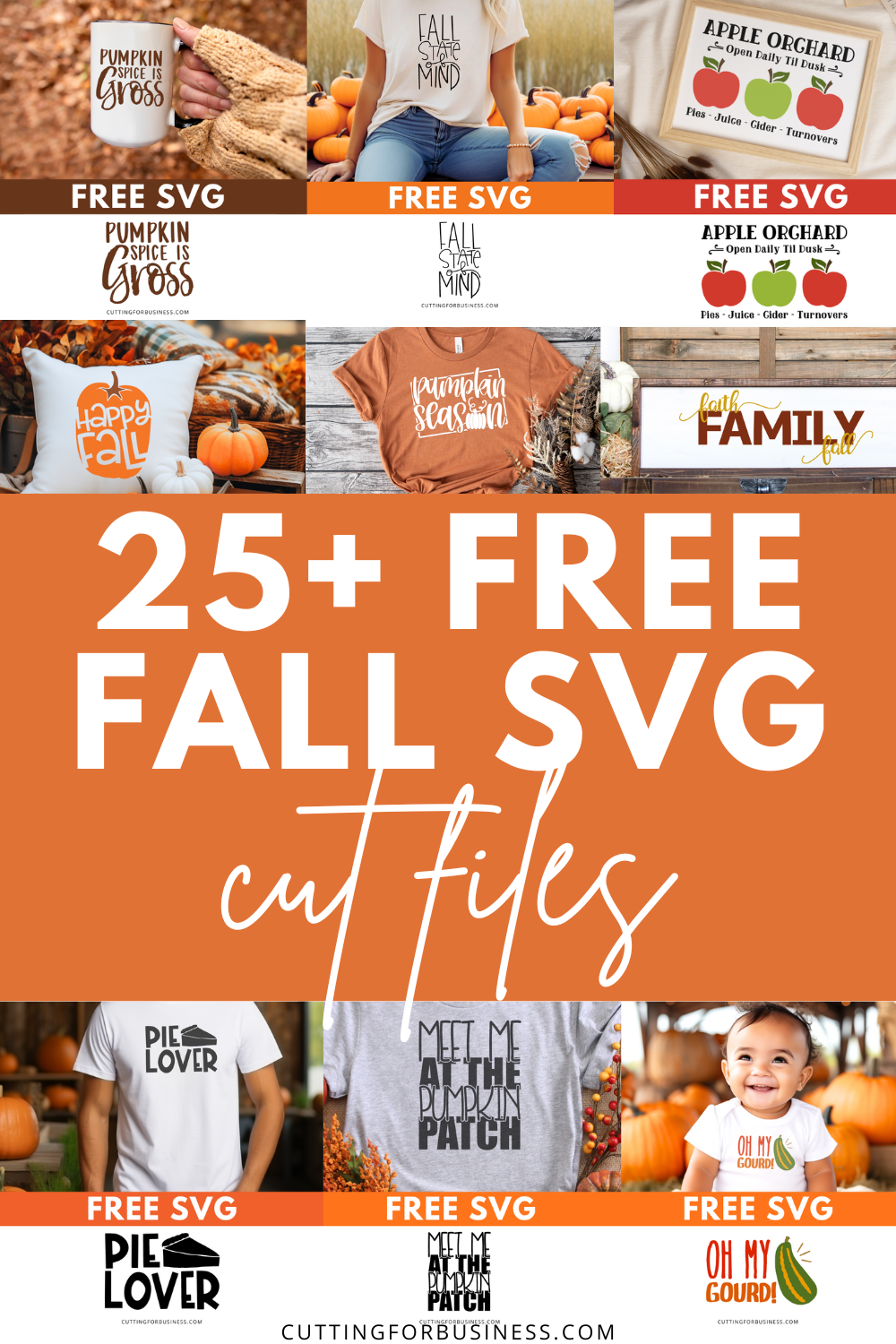
Fall is here! If you haven’t already downloaded my Fall SVG cut files, get to it. Today, I’m sharing my collection of free Fall SVG cut files for crafters.
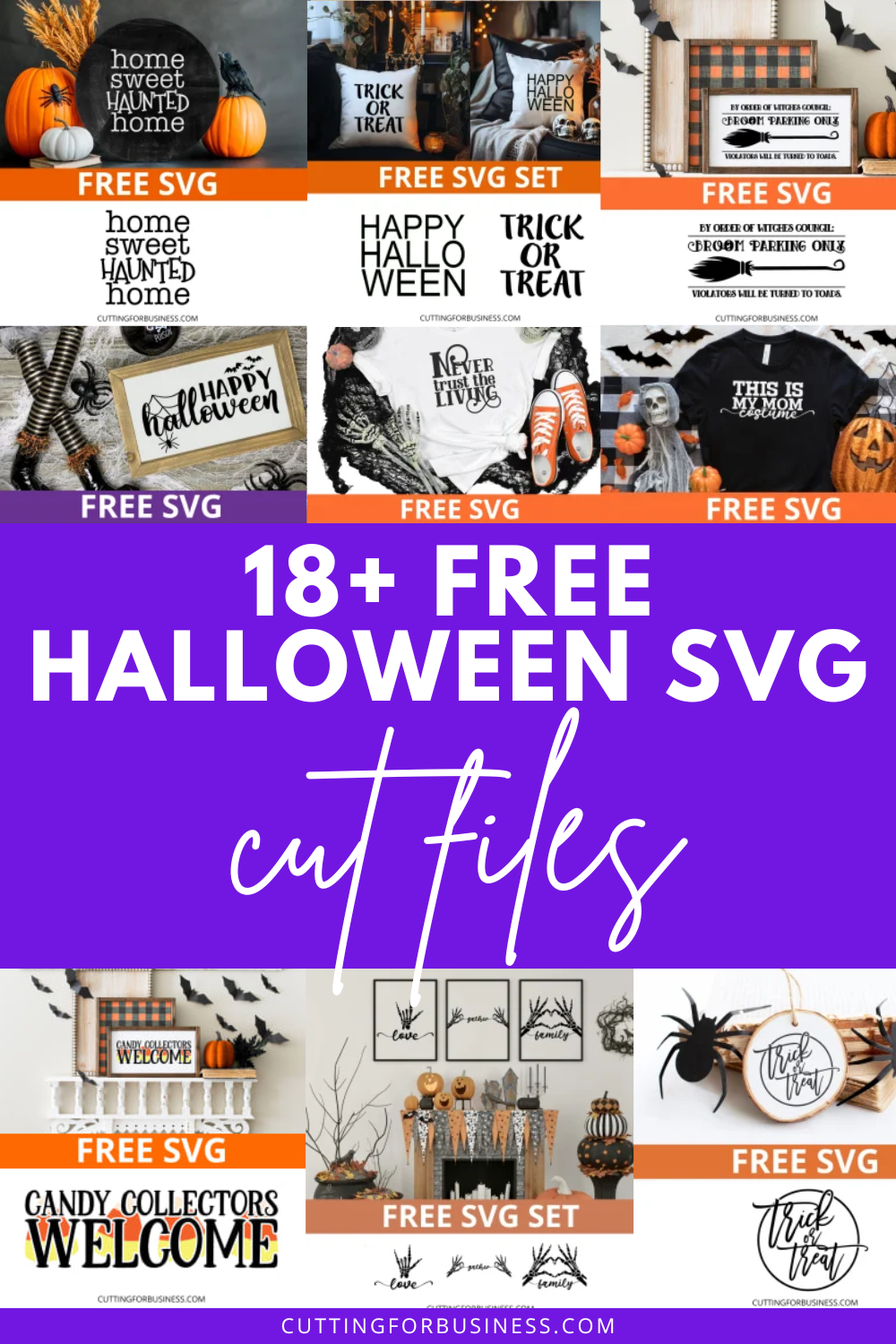
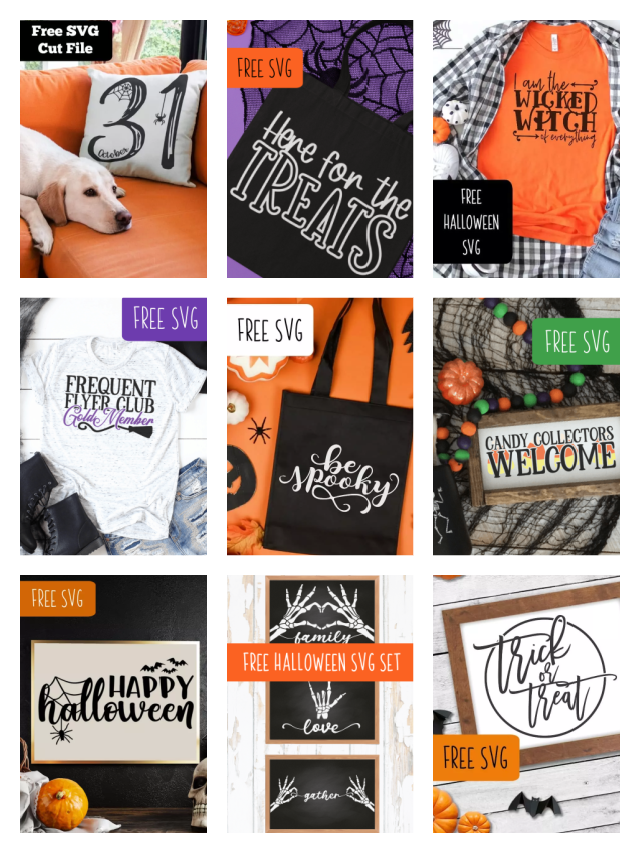
Boo! Happy Halloween! I’ve rounded up 18 of my favorite free Halloween SVG cut files here on Cutting for Business. Commercial use is included with each one, which means you can use the file to make and sell products. Wherever your broom takes you today – be safe!
Wow! Years ago, when I started sharing free SVG cut files on Cutting for Business, I never expected they would be so popular. I also didn’t expect that I would share hundreds of them.
Want a fun little story? I originally started sharing free SVG cut files on the blog, because I didn’t want readers to think I was boring and only wanted to talk business. I wanted to be able to connect with readers and also say, “Hey, while I like to talk about running craft businesses, I’m also a crafter like you!”
Now, there are nearly 500 free SVG cut files on Cutting for Business. Grab a few of your favorites from the list below.
If you make something using my file – I’d love to see! Send me an email, or tag me in your social media post.
Good to Know Before You Download the Free SVG Cut Files
What Does SVG Stand For?
SVG stands for Scalable Vector Graphic. What is special about this file format is that SVG files can be resized in any graphics program without losing quality.
What Can I Do With These SVG Files?
You can use the SVG files on this page to create an sell products using your Silhouette, Cricut, or any other craft machine. Personally, I use the files that I’ve created on wood signs, cards, shirts, bags, and more. You can (and should!) read my full SVG license.
How Do I Download the SVG Files Below?
Click on the file you’d like to download to navigate to that freebie’s page. Scroll down to the green box near the end of the page, put it in your cart, and checkout. After checkout, files will immediately be available.
If you don’t have the time to visit each page individually, I sell a zip file that contains all the free SVG cut files on the blog.
Buy Me a Coffee
If you have a few minutes, I’d love for you to Buy Me a Coffee. I offer these files for free, but many crafters were asking for a way to show a little support. For just $5, you can make my day!
Want to Learn to Design Your Own SVG Cut Files?
Did you know? I offer a class on creating your own SVG designs. Find more information about the How to Design SVGs course.
160+ free files is awesome, but since this article was originally written, I’ve added over 300 additional commercial use SVG cut files – for a grand total of nearly 500!
What are Commercial Use SVG Cut Files?
Commercial use SVG cut files are designs that you can use to make and sell products using your favorite craft machine. While you can sell a product with the design on it, you cannot resell the digital file. Read my license for using free SVG cut files on Cutting for Business.
Free Commercial Use SVG Cut Files
New Year
Valentine’s Day
Love & Wedding
St. Patrick’s Day
What Programs Can You Use SVG Files In?
The files below were designed in Silhouette Studio Business Edition, but they can be used in any program that accepts SVG files. This includes Adobe, Cricut Design Space, Sure Cuts a Lot, Leonardo Design Studio, and more.
I know it can be time consuming to visit each page to download the free SVG. If you are short on time and want to download all the free SVG cut files shown on this page quickly, I offer a bundle.
Birthday
Coffee
Wine
Crafting
Buy Me a Coffee
Want to support me? Designing free commercial use SVG cut files takes a lot of time. I not only share them with you for free, but I allow you to use the files to make and sell products. Don’t forget to Buy Me a Coffee.
I find designing SVG cut files to be not only fun, but therapeutic as well. Digitally designing has become a way to release my creativity in a non messy way. And let’s face it: Anytime I craft, I make a giant mess. Anyway, I’ve written a short, fun course to help you learn the rules for designing SVG cut files. Get more information at How to Design SVGs.
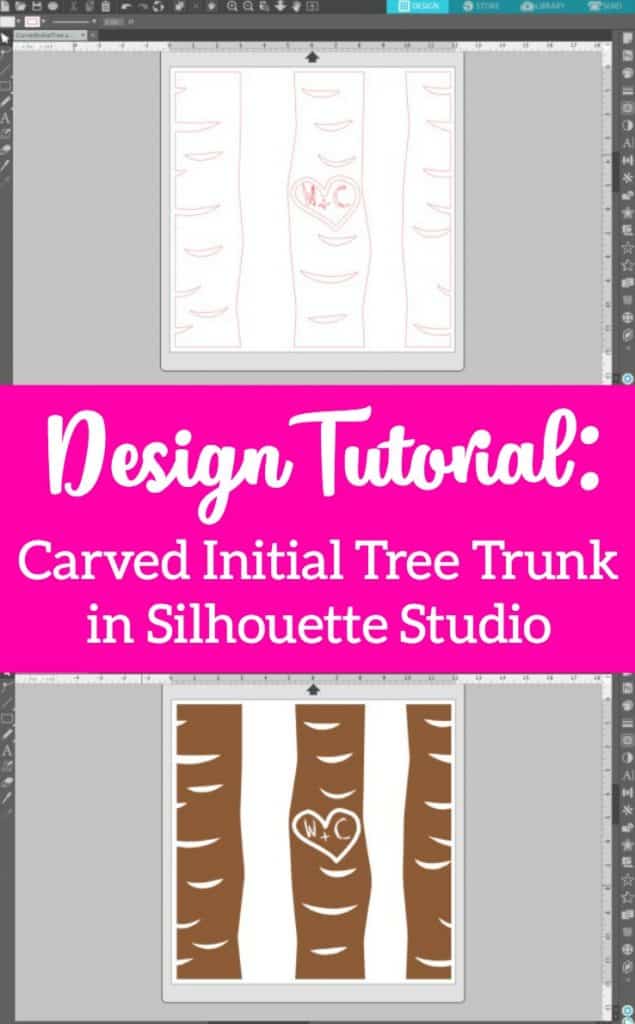
Ahhh, goodbye Christmas and New Year! Silhouette and Cricut small business owners, it’s time to start thinking to Valentine’s Day. Today, I’m showing you how to create a carved initial tree trunk design with personalized initials. I think the design style is perfect for a ceramic tile, wood sign, or a card.
Design Tutorial: Tree Trunk with Personalized Initials in Silhouette Studio
You’ll need these three fonts (or similar ones) to complete this tutorial:
Peoni Patterns – 100% free for personal and commercial use at this link.
Brankovic – 100% free for personal and commercial use at this link.
MTF Heart Doodle – Free for personal use, $5 donation for commercial use at this link.
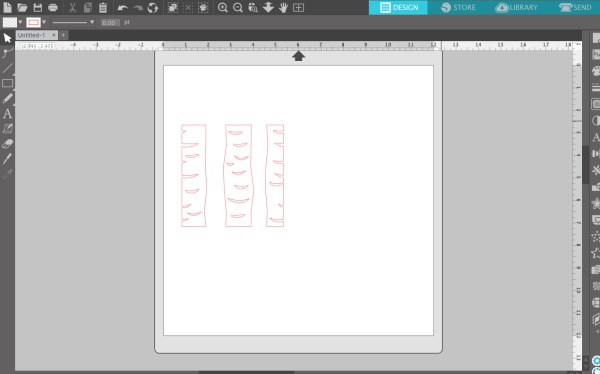
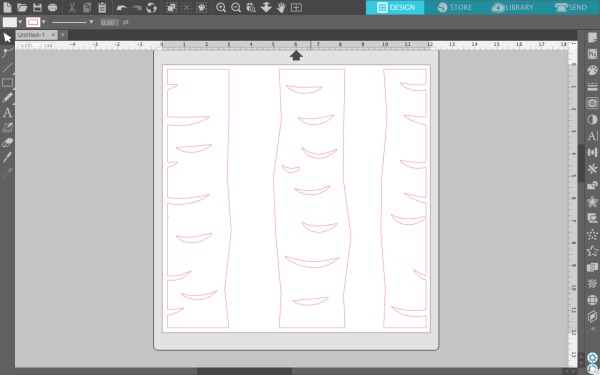
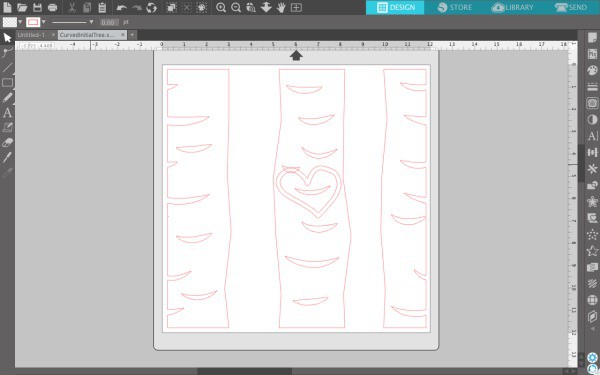
In Silhouette Studio, type the letter ‘e’ using the Peoni Patterns font. (Note: You can also use the ‘d’. It’s a slightly different tree pattern.)
Resize your trees as needed.
Type a ‘c’ in the MTF Heart Doodle font and size it to fit the middle tree. Rotate it as desired.
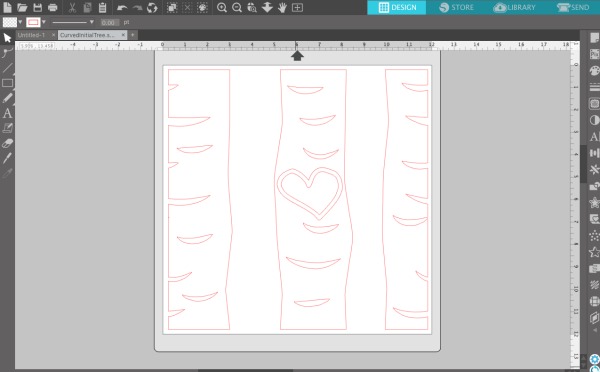
Use the eraser tool to erase any tree detail from underneath your heart. (Be sure that the eraser is set to ‘Outline’ and not ‘Solid’.)
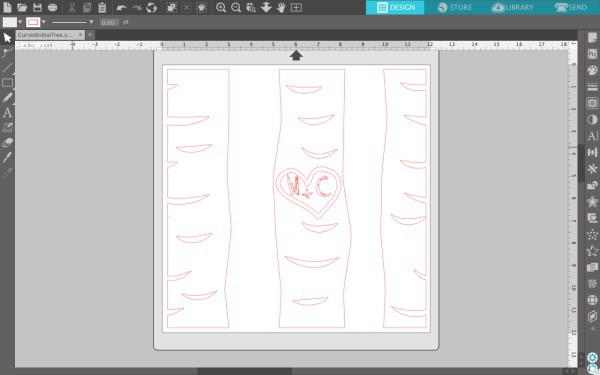
Add the initials and a + sign inside the heart using the Brankovic font.
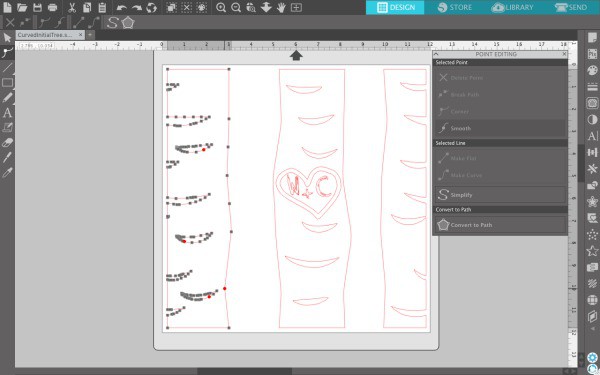
Fill the design with any color and change the line color to the same color as the fill. (Tip: If your design won’t fill with color, double click the line of the design and single click on any red circles to close the path. For the middle tree, I had to first right click on it and ‘Make Compound Path’, then single click the red circles to close the path.) When you are finished with this step, your design should look like this:
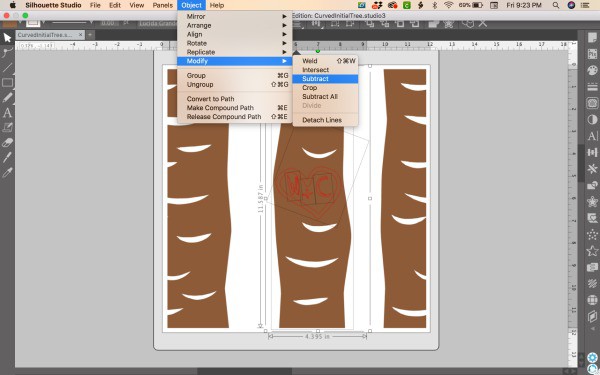
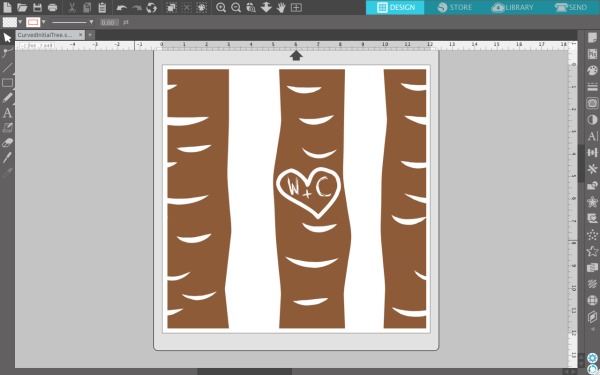
Select the middle tree, then the heart, then the initials. (Tip: Hold down the ‘Shift’ key to select multiple objects at once.) Navigate to ‘Object’, ‘Modify’, ‘Subtract’.
That’s it! Your design should now be ready to cut.
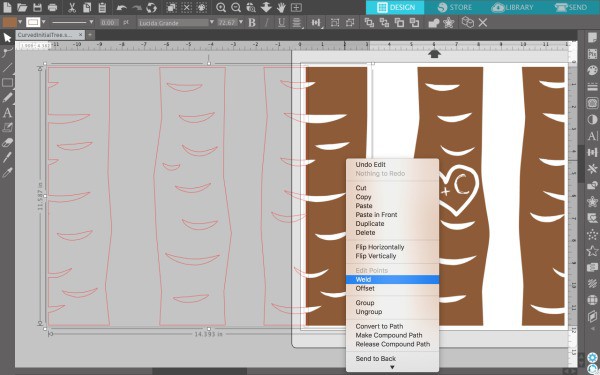
But what if you want more trees? If you want to make the design a rectangle instead of square, type an ‘e’ in the Peoni Patterns font and resize it to the same size as the first trees. Then, overlap the edges of the trees very slightly. Select both objects by holding down the shift button. Then, right click and select ‘Weld’. Your trees should have filled in with color. You can also do this during step 1 if you’d like to have a rectangle design with the carved initial on the biggest tree. If you are cutting a rectangle set of trees, be sure to resize your mat to fit the design.
I think this design will be great for personalized Valentine’s Day products.
Do you love this tutorial as much as I do? Save it to Pinterest:
Are you looking for free SVG cut files with commercial use? Good news! I’ve compiled a list for you!
Commercial Use vs Personal Use Licenses
Finding free SVG cut files with commercial use is harder than finding free SVG cut files with personal use. Why? I don’t think as many designers offer free commercial use cut files.
Not sure of the difference between commercial use and personal use? Commercial use licenses allow you to use the SVG on products you sell; while personal use licenses only allow you to use the file on projects you make for your own use.
When you shop for free SVG cut files with commercial use licenses, you need to be sure to read the license for each file and at each site. Unfortunately, the terms from one website to another will vary greatly. Since designers are able to create their own licenses, one designer may say you can only create 10 products using the file – while another may say you can create an unlimited number of products. Still another designer may require a link back to their site, while another doesn’t allow print on demand.
If you are selling products using a free commercial use SVG cut file, you should keep a record of the license. This is as simple as saving the license included in the zip file to a folder on your computer.
Free SVG Cut Files on Cutting for Business
Shameless plug for this website! Did you know I offer nearly 500 free SVG cut files with commercial use? I have free files for all the major holidays like Valentine’s Day, 4th of July, Thanksgiving, Christmas, and more. I also offer free files for the seasons – Winter, Spring, Summer, and Fall. I have several free files for crafters, business owners, adoptive families, sports teams, and so many more.
Do you have a favorite site for commercial SVG cut files that isn’t listed below? There are several sites that offer free SVG cut files for commercial use that have obvious trademark infringements. For example, if I come across a site with free commercial use Disney files, or sports teams files – I do not list them below. Unfortunately, these sites do not have your best interest in mind and are likely selling files illegally with the promise of you being able to use them for sale.
Where to Find Free Commercial Use Cut Files
LoveSVG – A design company that offers three free commercial use SVG flash freebies daily.
Happy Crafters – An online craft supply shop that offers 6 pages of free commercial SVG cut files.
JoySVG – A design company that offers many pages of free SVG cut files. A note at the bottom of the website notes that commercial use is included.
The Scrap Shoppe Blog – Michelle shares a page of free SVG cut files. Towards the end of the post, it states, “You may not share or sell the files as your own, but you may use them on physical items for sale.”
The Hungry JPEG – A font and design marketplace that offers a different weekly SVG freebie. All weekly freebies include commercial use.
Bird’s Cards – Claina has hundreds of cut file elements, many geared towards paper crafters and card makers. Find commercial use restrictions at this link.
SoFontsy – Font and design marketplace with a small collection of free rotating SVG cut files. Read the details of the commercial use license.
SVGCuts – A design company that offers 40 pages of free SVG cut files. To use commercially, follow the rules listed on this page and fill out the form for approval.
Ready to Cut – Rebecka shares a small collection of SVG freebies. Some are marked commercial use allowed.
Craft House SVG – A designer with a large collection of SVG freebies with commercial use.
Craft Bundles – Font and design marketplace with regularly updated SVG freebies that include commercial use.
SVG Files Free – Karen has a collection of SVG cut files that include commercial use.
Kelly Lollar Designs – Kelly shares a single page of commercial use SVG freebies.
Better Life Blog – Nancy has a collection of SVG cut files that include commercial use.
SVG Cutting Files – Smaller collection of SVG freebies made by a design team. Most are licensed for commercial use. Learn more here.
Love Paper Crafts – Chelsea offers SVG freebies. Commercial license included but limited to 200 completed products for sale. Read the complete license.
Dreaming Tree (formerly 3D SVG) – Leo and his team have a collection of three dimensional SVG paper crafting freebies. Commercial usage requires a stamp. Read more about commercial use.
Ruffles & Rainboots – Sarah shares 120+ free SVG cut files with commercial use.
The Girl Creative – Diana has a collection of free commercial use SVG cut files with commercial use.
APEX Cuttable Designs – An embroidery design company that also has a regularly updated collection of SVG cut files with commercial use.
Scarlett Rose Designs – A small design company offering a collection of free commercial use SVG cut files.
Design Bundles – A marketplace with regularly updated freebie SVG’s with commercial use included.
Chameleon Cuttables – Sabine offers a handful of rotating commercial use SVG freebies.
Craft with Sarah – Sarah has many layered paper cutting SVG freebies, along with others. License terms are included in the zip file.
Creative Fabrica – Subscription site for fonts and cut files. Offers many free SVG cut files.
Master Bundles – A marketplace with a large collection of SVG cut files with commercial use.
Cutting for Business – I (Christine!) offer hundreds of free commercial use cut files in many categories.
Where You Can Find Even More Freebies
I’ve spent hours going through blogger and designer websites looking for free commercial use cut files. If you are still looking for more, there are other ways to find them. First, join the Facebook Groups of your favorite designers, sign up for their newsletters, follow them on social media, and register with their websites.
Did I miss your favorite website for free SVG cut files with commercial use? Let me know in the comments.
Welcome! You probably landed on this page while looking for free commercial use cut files for your Silhouette or Cricut. Great! I’m glad you found me, Christine, and this blog, Cutting for Business.
In addition to sharing tips for running your craft business, I also have a large collection of free commercial use cut files.
FAQ About the Free Commercial Use Cut Files
Please follow the guidelines of my SVG license. It states that commercial use is extended to crafters with less than 5 employees. It also states that the digital files cannot be be resold – or disassembled and resold. It further notes that you can not use print on demand services with my files – or include my files in your app or behind any other paywall. Read the full details of the license.
To download the files, visit each freebie’s page on the blog. You’ll find the download link in a green box near the bottom of each page.
If you’d like to save time, you can purchase a zip file that contains all of the files.
If you’d like to support me, please buy me a coffee. Also, there are a few other freebies over on my Buy Me a Coffee page
If you are interested in learning to design your own SVG files, read more about my course – How to Design SVGs.
After you’ve downloaded all my files, head to this list of fellow bloggers and companies that also share free commercial use cut files on their websites.
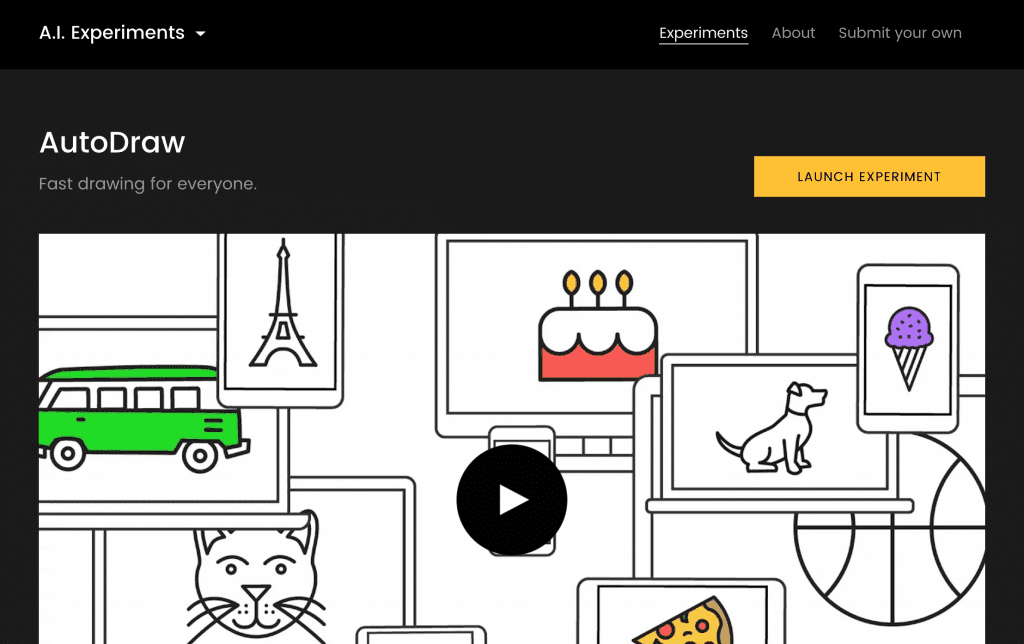
I’ve been watching speculation in the tech world about this tool for months, and am thrilled that Google recently released their AutoDraw experiment. Let me tell you, if you aren’t an artist – this is for you. Google AutoDraw is a machine led tool that recognizes what you are drawing as you draw it and turns your doodle into something – recognizable! It’s free and works on phones, tablets, and computers. Let’s take a look at how to use this up and coming technology to make cut files for Silhouette or Cricut:
How to Make Cut Files with Google AutoDraw Experiment
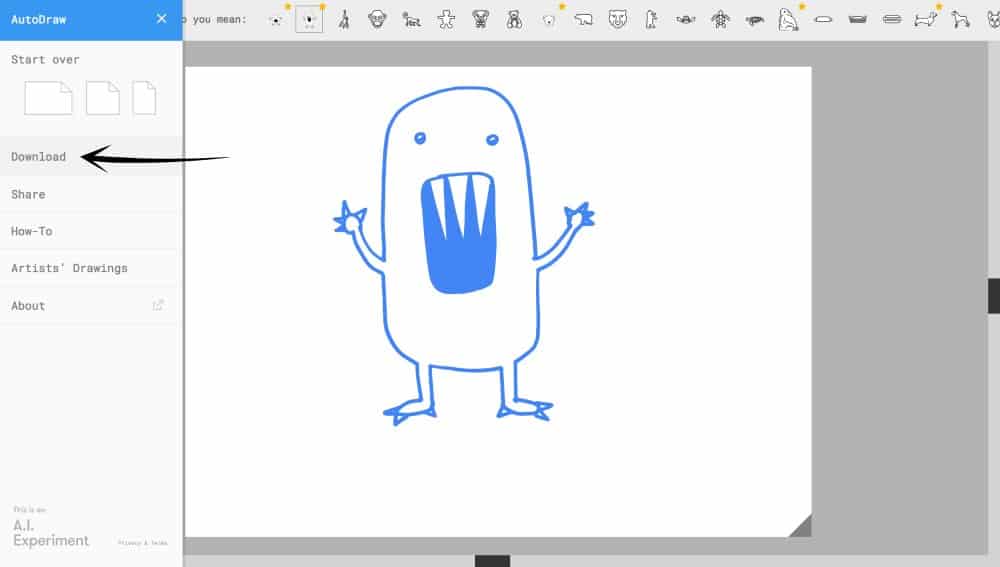
Click here to visit AutoDraw. Then, click the “Launch Experiment” button.
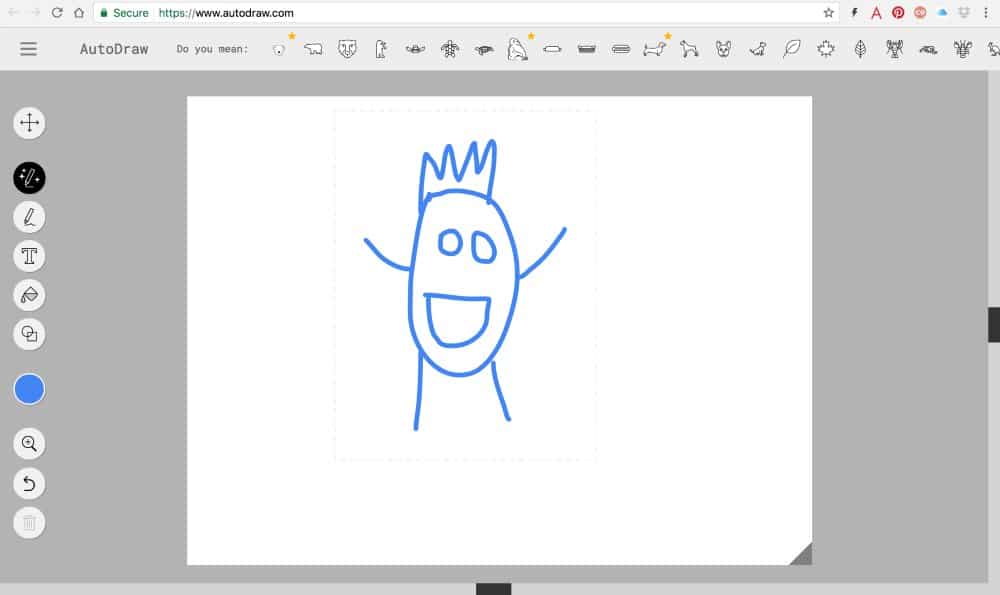
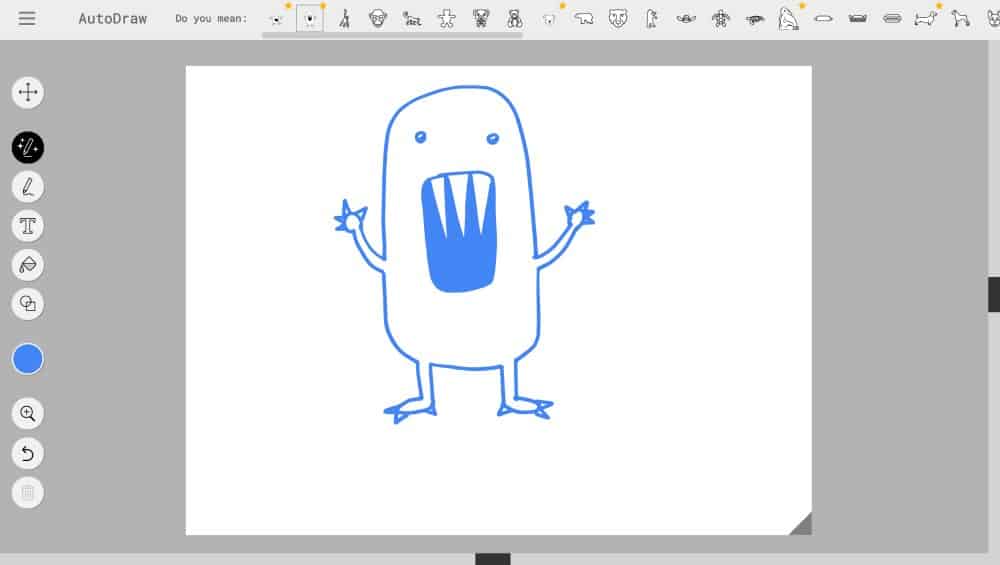
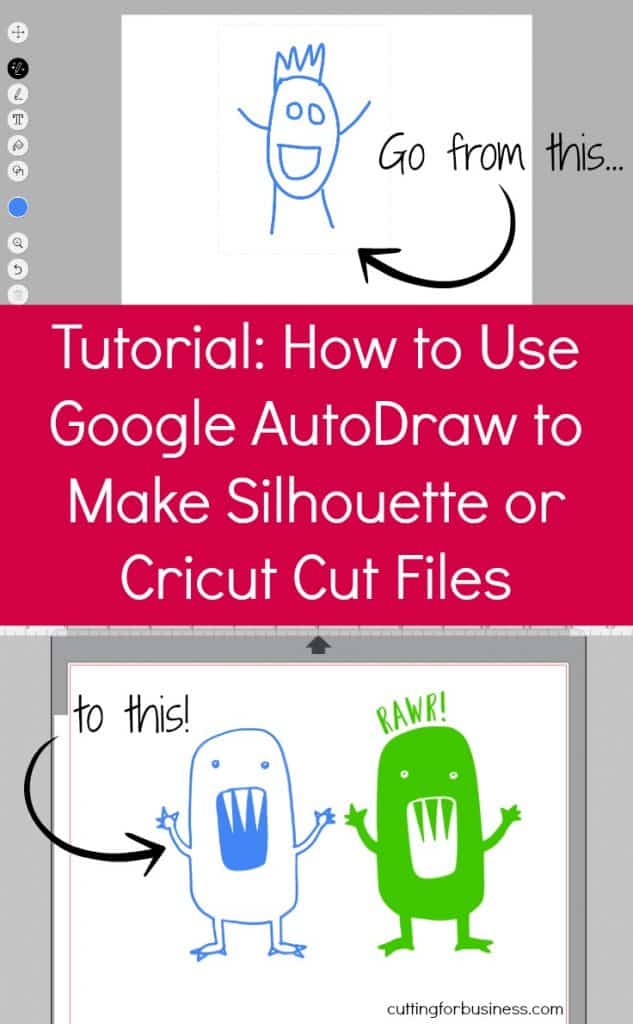
Draw a doodle (Oh, that’s a monster in case you are wondering!):
Once you complete your drawing, look at the top menu bar and AutoDraw will make suggestions. When you click on one, your doodle will be transformed:
Pretty cool, huh?! Now, you’ll save your image by clicking “Download” on the left hand side and you can bring it into Silhouette Studio or Cricut Design Space.
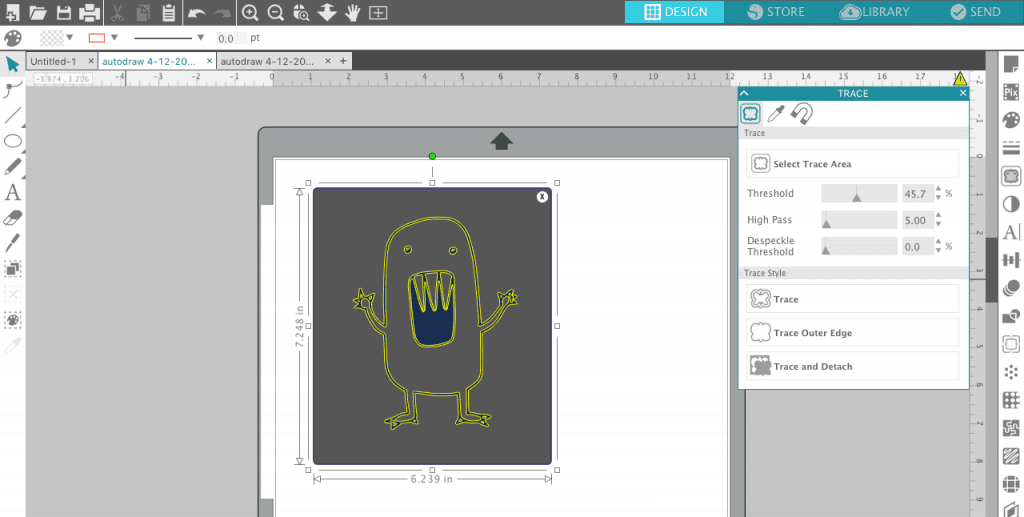
If you are using Silhouette Studio
Open the PNG file and trace it. For more information about working with PNG files, see this post.
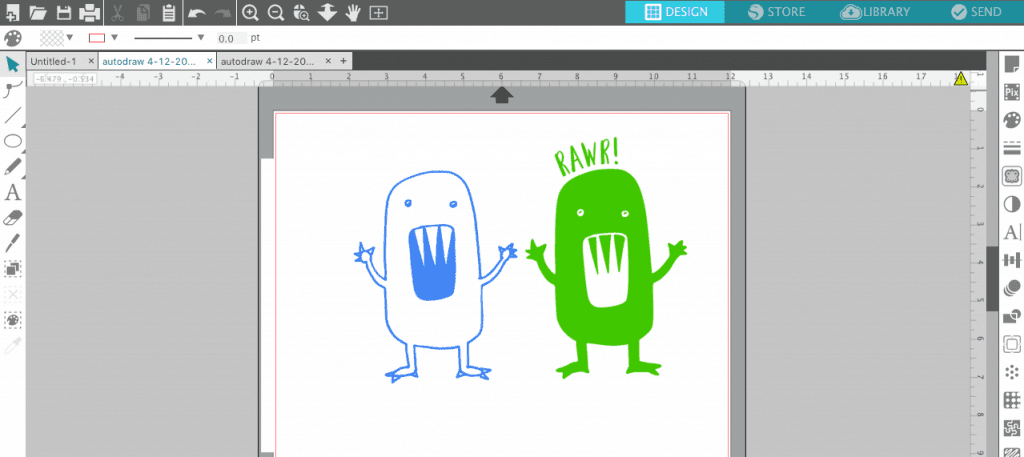
Add additional text or colors, then cut it!
Wondering why my Silhouette Studio looks different from yours? I’m using version 4 beta.
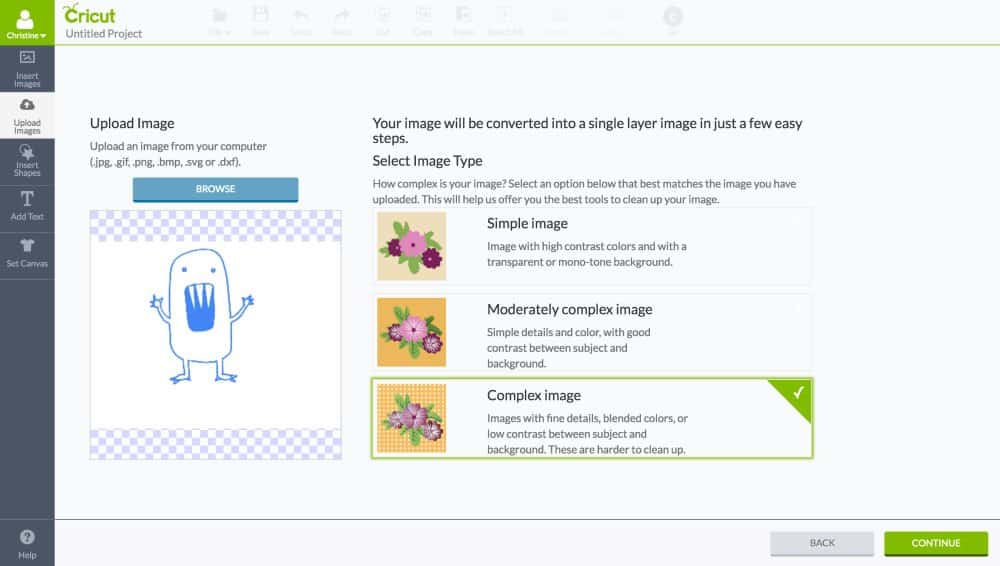
If you are using Cricut Design Space
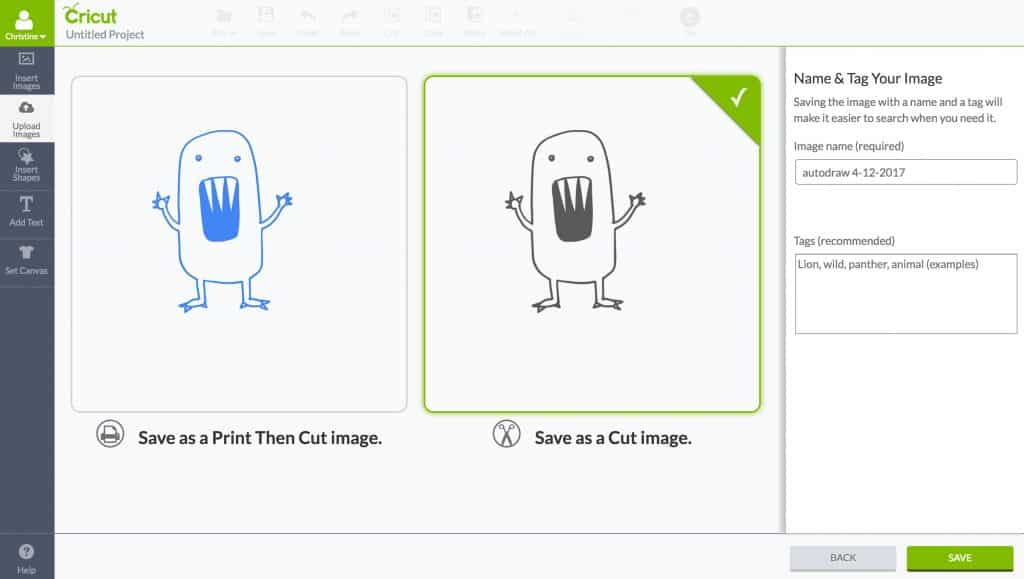
Click “Upload Images” from Design Space.
Choose “Save as a Cut image”, then add additional text or details.
I can’t wait to see what you create with Google AutoDraw! Before you go, the terms and conditions for the AutoDraw tool are nearly non-existent. It is advertised as “Fast drawing for everyone”. I’m trying to get a solid answer on the commercial use applications – so right now, you may want to stick with personal use. I’ll update this post here if I find out anything else.
Save this post to Pinterest, then download a freebie cut file below:


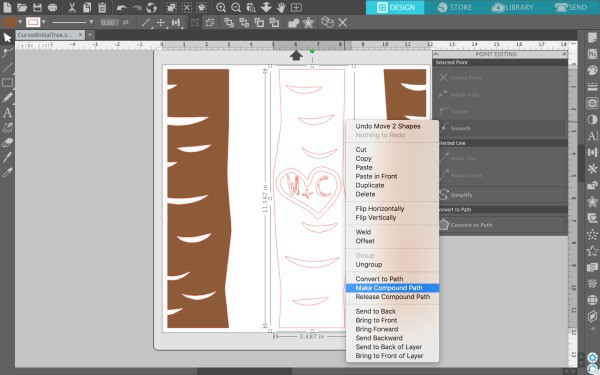 When you are finished with this step, your design should look like this: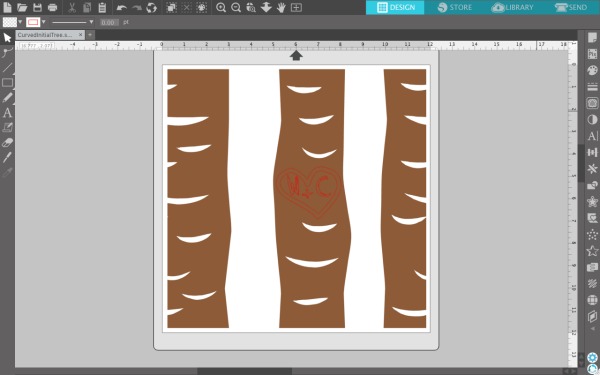
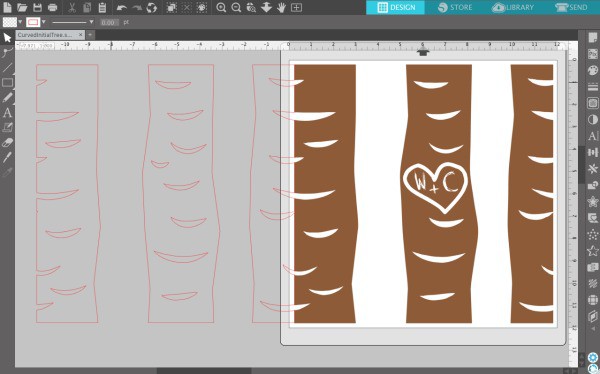 Select both objects by holding down the shift button. Then, right click and select ‘Weld’.
  Your trees should have filled in with color.
 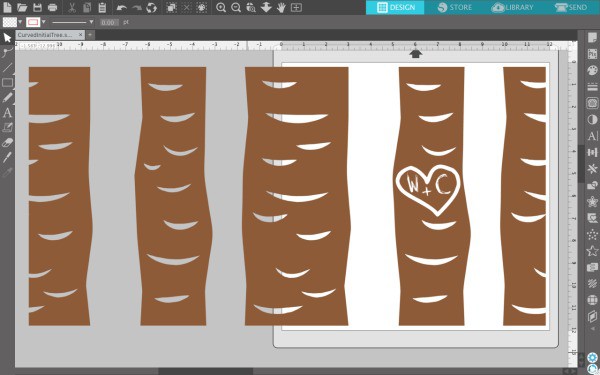 You can also do this during step 1 if you’d like to have a rectangle design with the carved initial on the biggest tree. If you are cutting a rectangle set of trees, be sure to resize your mat to fit the design.