Category: Free Downloads for Your Business

  • Free Printable 2018 Craft Business Planner

    Happy New Year! 2018 marks the 3rd year that I’ve been working with Silhouette and Cricut small business owners through Cutting for Business. One thing that I’ve noticed in these years is that many Silhouette and Cricut small business owners are not as organized as they should be.

    I truly want 2018 to be your year. To help you get (and stay!) organized throughout the whole year I’m giving you a free printable 2018 business planner!

    This planner includes:

    • 2018 yearly overview
    • Dates to remember
    • Weekly planner
    • Monthly goal setting
    • Daily habit tracker
    • Monthly sales recording
    • Monthly expenses recording
    • Yearly category expense recording
    • Sales tax tracker
    • Yearly profit calculator
    • Inventory worksheet
    • Business wish list
    • Favorite supplier list
    • Username and password log
    • Newsletter tracker
    • Promotions planner
    • Monthly statistics tracking
    • Emergency planning

    This free printable planner is available in a bold, bright color scheme or a muted, relaxing scheme.

    Ready to download? First, save your favorite image below to Pinterest. Then, sign up to receive your new planner in your inbox below.
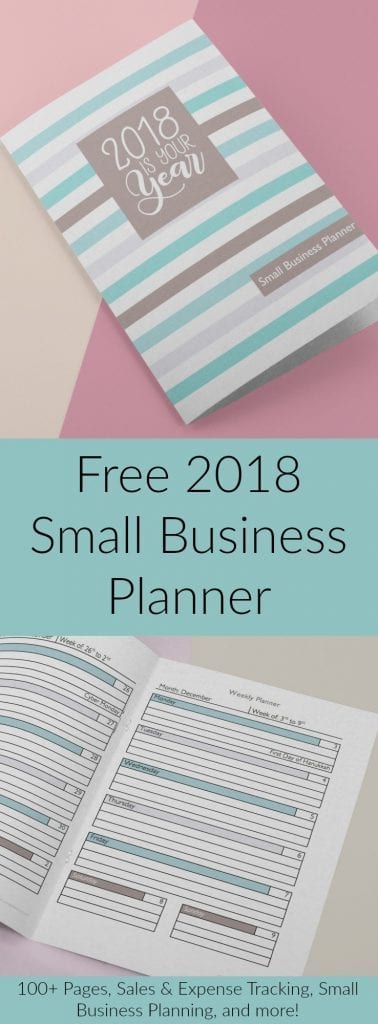
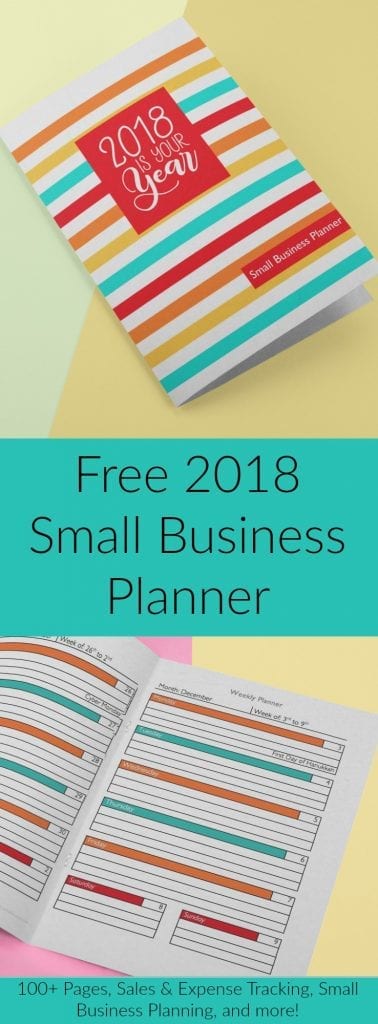
    Free Printable Craft Business Planner for Silhouette Portrait, Cameo, Curio, Mint, Cricut Explore, or Maker crafters - cuttingforbusiness.com

    Free Printable Craft Business Planner for Silhouette Portrait, Cameo, Curio, Mint, Cricut Explore, or Maker crafters - cuttingforbusiness.com

    [WPSM_INFOBOX id=9298]

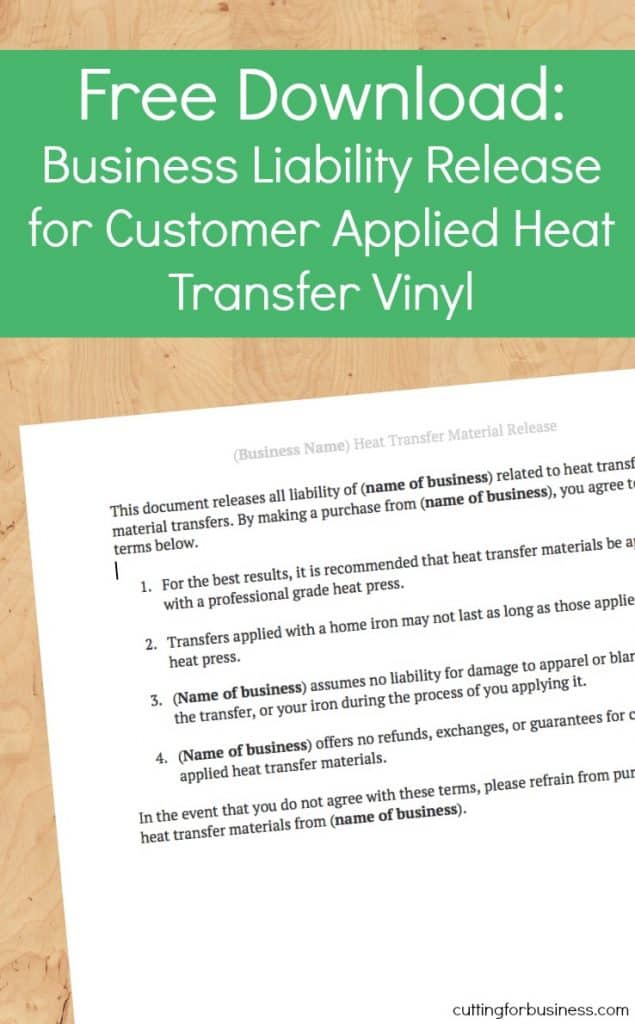
  • Free Download: Customer Applied Liability Release for Heat Transfer Vinyl (HTV)

    A while back I shared an instruction set for you to give your customers when you sell them heat transfer vinyl designs to apply themselves. (Find it at this link.) Several Cutting for Business readers have asked for a liability sheet to go with the instructions. This is a bit tricky. When selling online your customer can’t sign your liability release at the time of purchase. Instead, I’ve worded this release to imply consent to the terms with the purchase of the listing. I’d recommend that you edit the document to add your business name and any additional text, upload it as a picture to your online listings, and mention it in the text of your listing.

    Ready to download? First, save this post to Pinterest. Then, download the form below.

    Free Download: Customer Applied Liability Release for Heat Transfer Vinyl (HTV) - Silhouette Cameo - Cricut Explore - cuttingforbusiness.com
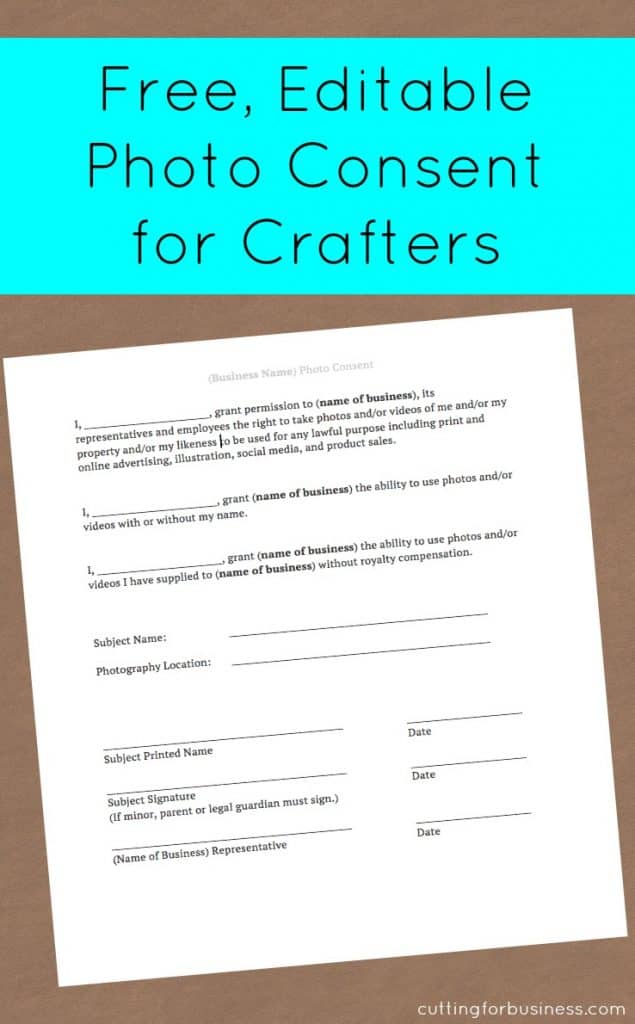
  • Free Download: Editable Photo Consent & FAQ

    There’s so much more to running a business with your Silhouette or Cricut than making a few products and sticking them up for sale. Today, we are going to quickly look at photo consent forms.

    What is a Photo Consent or Photo Release?

    A photo consent or release is simply a document that gives permission to you or your small business to use images of a person or property that you’ve taken.

    When Do You Need a Photo Consent or Photo Release?

    You’ll want to have a signed photo consent or release on file anytime you are taking pictures of a person or their property to use for online sales, social media, advertising, or on your website. Basically, if you plan to sell a product that includes a person or their property in the photos – you’ll want a release. A few exceptions: if you are photographing the general public, you don’t need a release. For example, you are taking photos of a busy market with hundreds of people in your shot. You do not need to get signed release from each person. Another time when you don’t need a photography release is if the photos are newsworthy. Although this doesn’t apply to most Silhouette or Cricut sellers, if you were taking photos and selling to a newspaper or news source you would not need a release.

    What About Photographing Children?

    If you are photographing children under the age of 18 (in the USA) a parent or guardian will need to sign the photo consent.

    Today, I’m sharing an editable version of a simple photo consent. Ready to download? First, save this post to Pinterest. Then, download the form below.

    Free Download: Editable Photo Consent & FAQ - Great for Silhouette Cameo or Cricut Crafters - by cuttingforbusiness.com
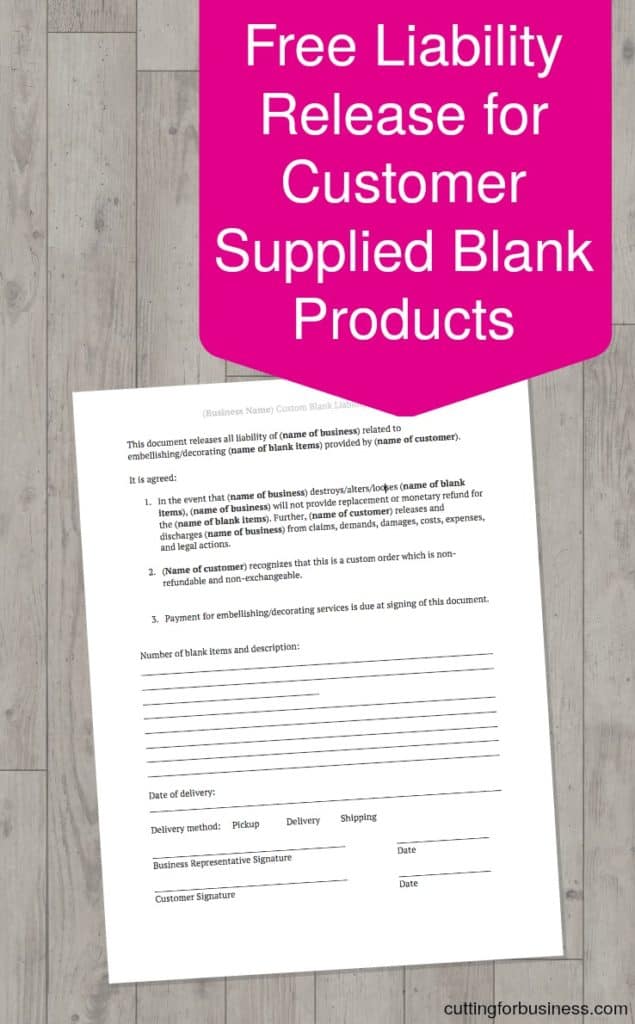
  • Free Download: Editable Liability Release for Customer Provided Blanks

    Let’s talk about customers bringing you their own blank products to embellish with your Silhouette or Cricut.

    A few examples: Your customer purchases and gives you 10 blank water bottles to add vinyl to for their children’s sports team, a customer provides a shirt for you to add a heat transfer vinyl design to, or a customer provides barnwood from their own collection to you to build a wooden sign from. Some small business owners are okay doing this, while others don’t do it. In either case, you could potentially destroy, break, or lose their products that the customer has provided to you. That’s why it is a good idea for you to have your customer sign a liability release. This document relieves you and your business from having to replace the items if your customer doesn’t like them, or if you lose or damage the blanks.

    Today, I’m sharing an editable version of a simple liability release. Need this downloadable form? First, save this post to Pinterest. Then, download the form below.

    Free Download: Editable Liability Release for Customer Provided Blanks in Your Silhouette Cameo, Curio, Mint, Cricut Explore Business - cuttingforbusiness.com
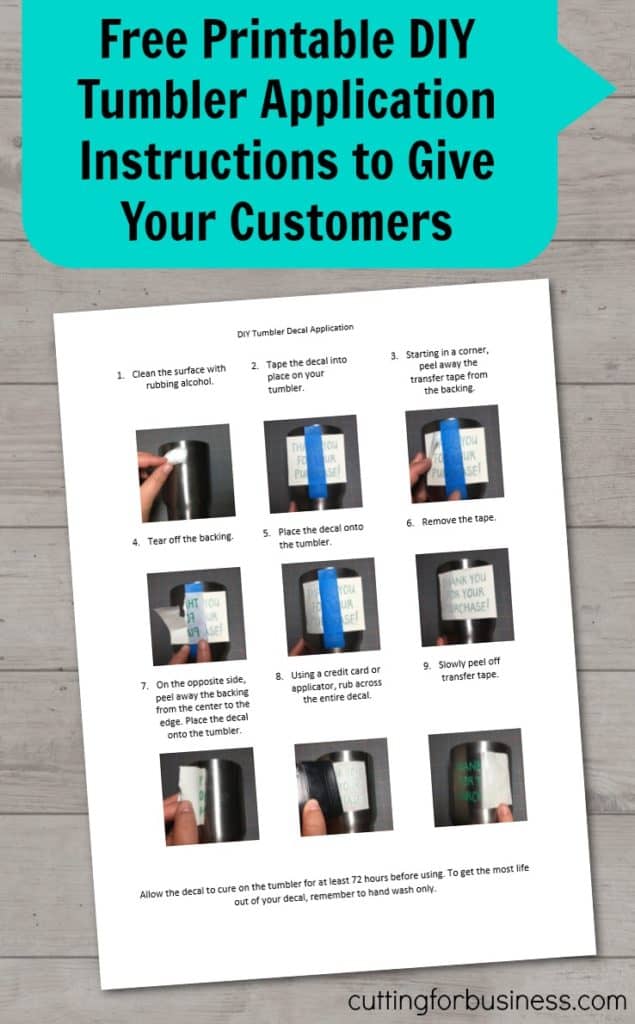
  • Free Unbranded Printable Tumbler Application Instructions

    Decals are easy to sell for Silhouette and Cricut small business owners.

    Since tumblers are trendy right now, many sellers are selling decals for customers to apply to their own tumblers. You can’t sell a tumbler decal without application instructions for your customer. I don’t mind doing the “boring” backend details in business, so I’m more than happy to share a set of unbranded tumbler decal application instructions today.

    As always, you are welcome to use them for your own customers – no need to credit back to me.

    Ready to download? First, save the image below to Pinterest. Then download the instruction set below.

    Free, printable DIY tumbler application instructions to give to customers in your Silhouette Cameo or Cricut small business - by cuttingforbusiness.com
  • Free Unbranded Printable Mug Application Instructions

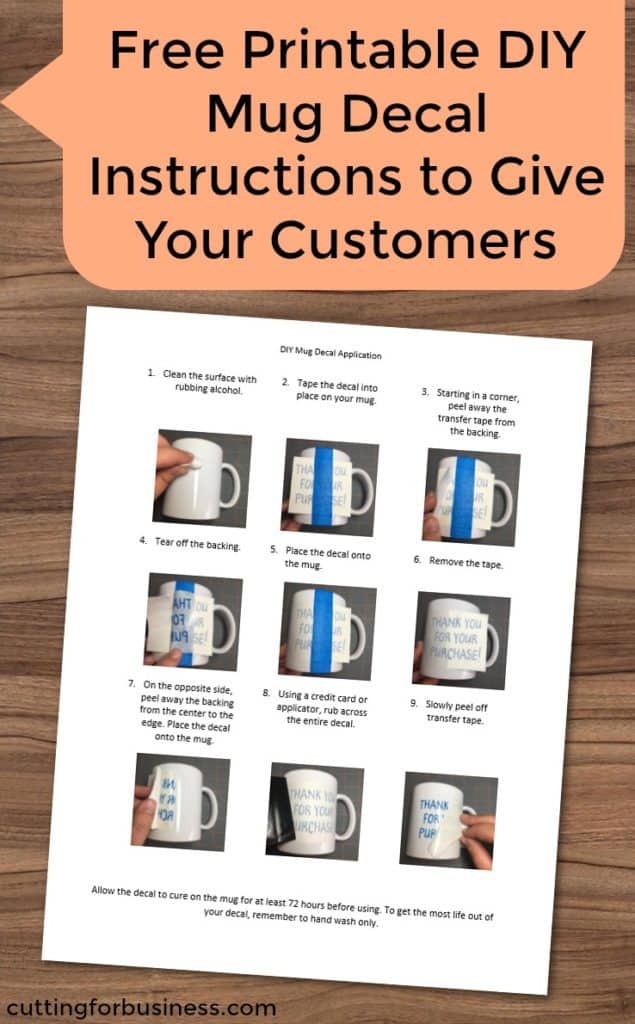
    Yesterday I shared tumbler application instructions. Today, I’m giving you free mug decal application instructions. Like tumblers, you can’t sell a decal for a mug without application instructions – so download them below. As always, you are welcome to use them for your own customers – no need to credit back to me.

    Ready to download? First save the image below to Pinterest. Then, download the instruction set below. Looking for more instruction sets on the blog? Head to this post.

    Free, printable DIY coffee mug application instructions to give to customers in your Silhouette Cameo or Cricut small business - by cuttingforbusiness.com
  • Free Printable DIY Heat Transfer Vinyl Application Instructions

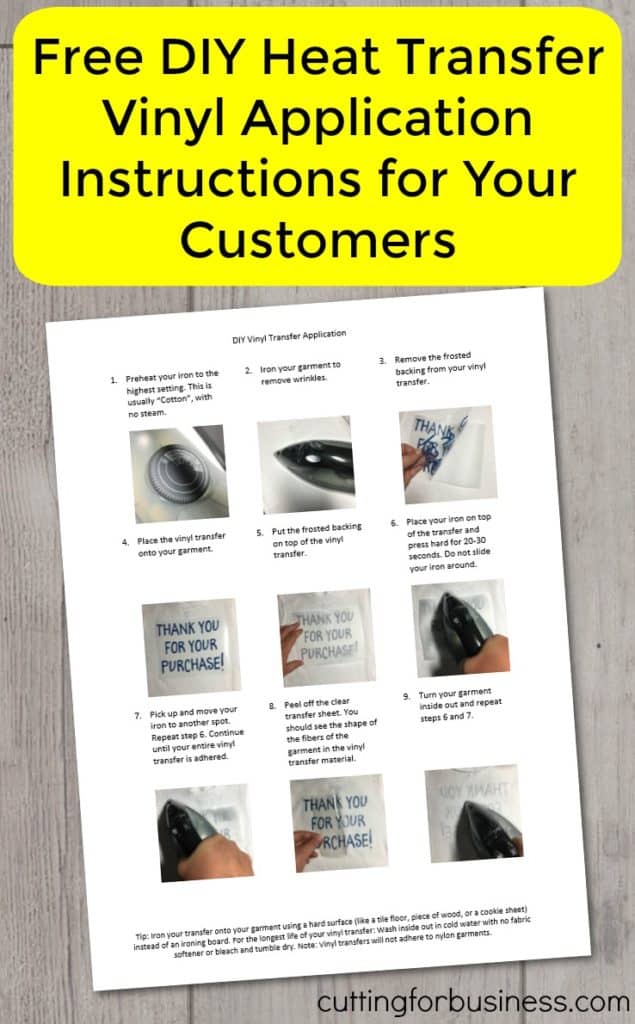
    I’m on a roll with printable instruction sets this week, and I’ve had a few blog readers ask for instructions to give customers to iron on their own heat transfer vinyl. If you need some, here they are!

    Tips for Selling Customer Applied Heat Transfer Vinyl (HTV)

    • You should assume that customers will be using an iron to apply the heat transfer vinyl.
    • If you are planning to sell heat transfer vinyl transfers to customers to apply themselves, you must include instructions.
    • You should send the weeded decal on parchment paper. When the customer removes the parchment paper from the back of the heat transfer vinyl, they will be able to take the parchment paper and use it to iron the vinyl to the garment. I called the parchment paper “frosted backing” in the instructions, because there is no need to divulge all the “secrets”.

    Ready to download? First, save the image below to Pinterest. Then, download the instruction set below. Looking for other instruction sets? See more free, printable instructions on Cutting for Business.

    Free DIY Heat Transfer Vinyl Application Instructions to Use for Customers in Your Silhouette Cameo or Cricut Small Business - by cuttingforbusiness.com
  • Free Printable Calendar of Lesser Known Holidays for Small Business Crafters

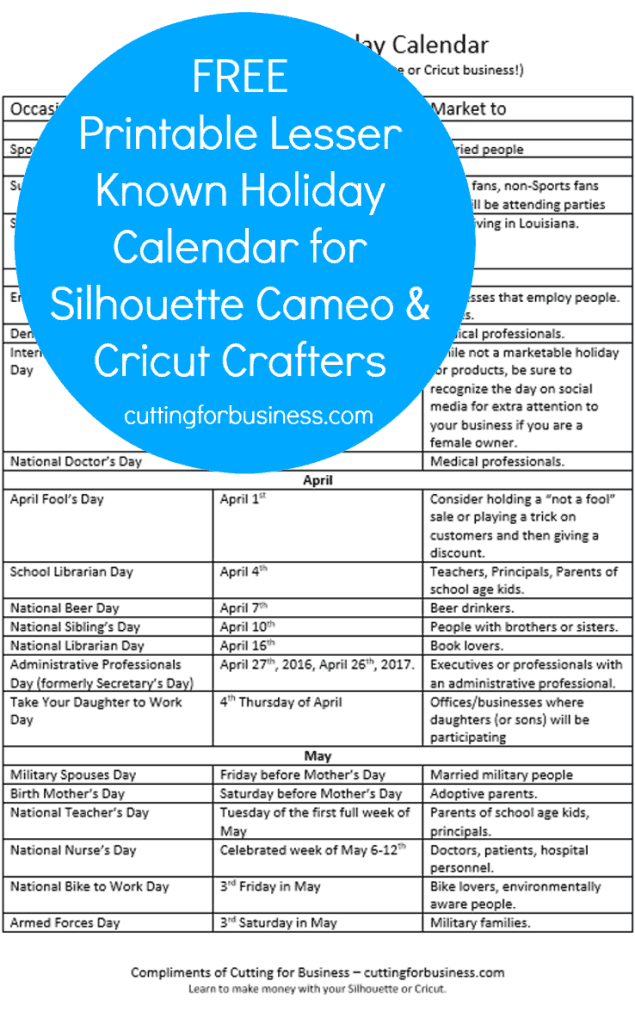
    Today, I’m bring you another printable for your office or workspace: A calendar of lesser known holidays throughout the year. If you are anything like me, you don’t know about the holiday until it is here! Now, you’ll have no excuses for a promotion on Bosses Day or National Nurse’s Day!

    I spent a lot of time picking out the holidays that I think are most profitable for Silhouette and Cricut small business owners. Depending on what you sell, there may be several holidays that work well for your business as well.

    Tip: Check out Days of the Year

    I recommend that you visit Days of the Year at least once and scroll through the holidays, month by month, and write down any additional days that may be profitable.

    I have a similar printable calendar that tells you when to start selling what products throughout the year. Download it in this post.

    Ready to download? First, save the image below to Pinterest. Then, download the calendar below.

    Printable Calendar of Lesser Known Holidays for Small Business Crafters - Great for Silhouette Cameo and Cricut crafters! by cuttingforbusiness.com

    [WPSM_INFOBOX id=9275]