Category: Shipping & Packaging

  • Free Printable: USPS, FedEx, and UPS Holiday Shipping Deadlines 2021

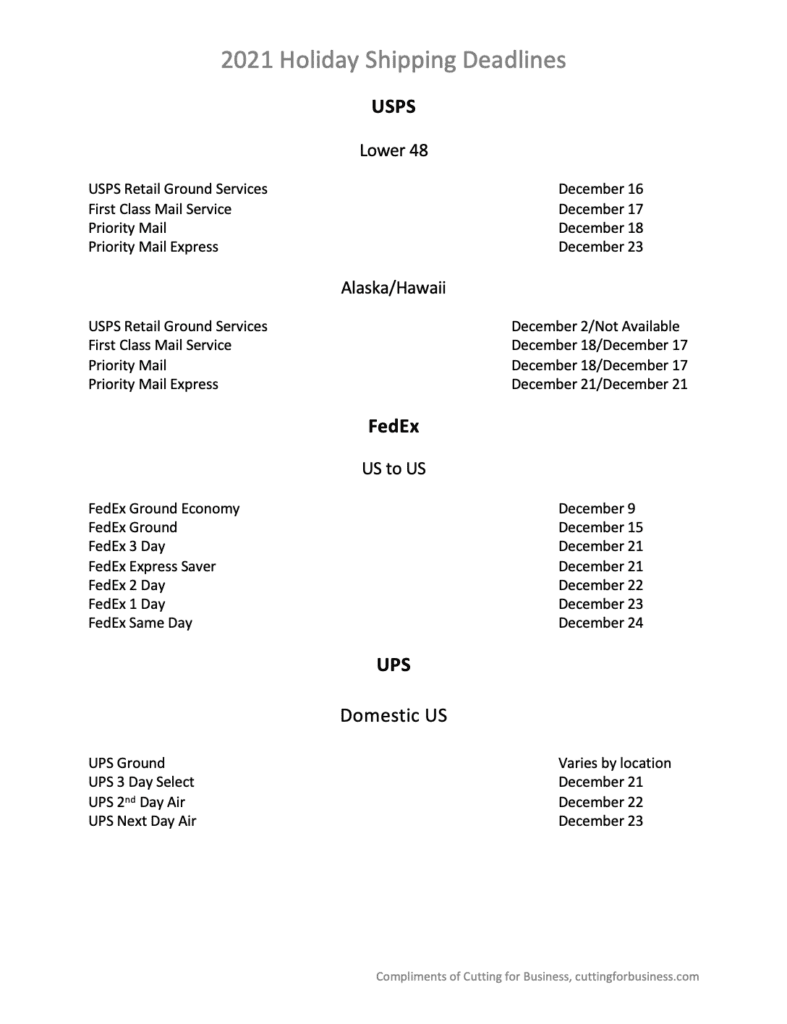
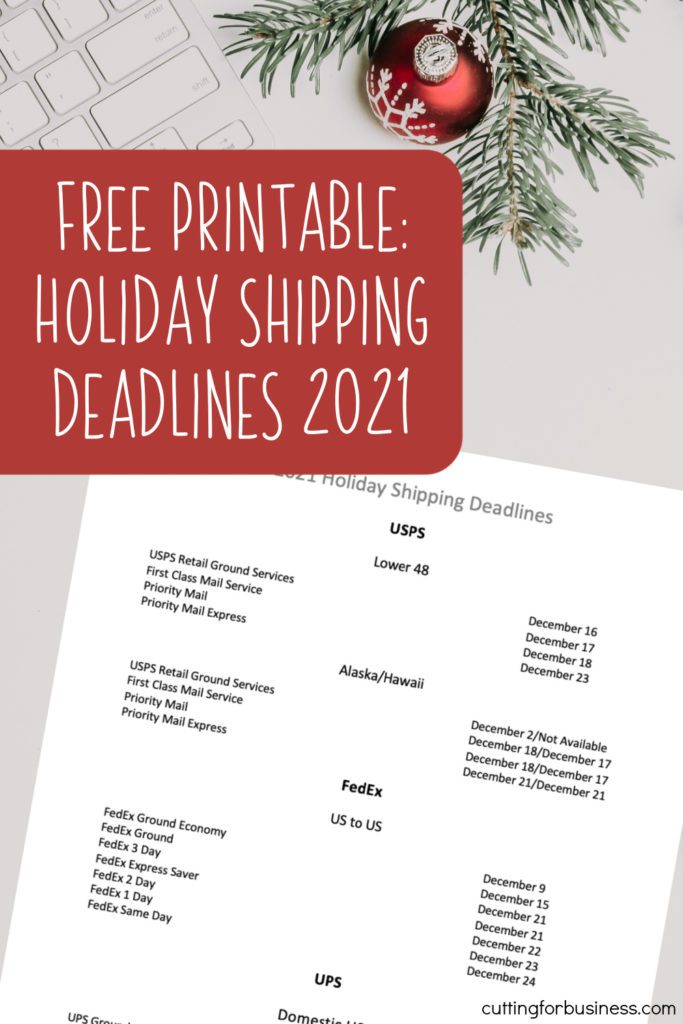
    The major package carriers recently released their holiday shipping deadlines for this year, 2021. Now, I’ve got them all in a quick printable that you can print and hang in your workspace – or screenshot it on your phone.

    If I can offer any advice this year, it is ship early! Throughout this year, we’ve seen delays of all types for mail and packages. I’d hate for you to have to deal with angry customers due to late packages.

    Free Printable: USPS, FedEx, and UPS Holiday Shipping Deadlines 2021

    International Shipping

    The printable covers domestic shipping only. If you need international shipping information, head to these links:

    Free Holiday Shipping Deadline Printable - 2021 - by cuttingforbusiness.com.
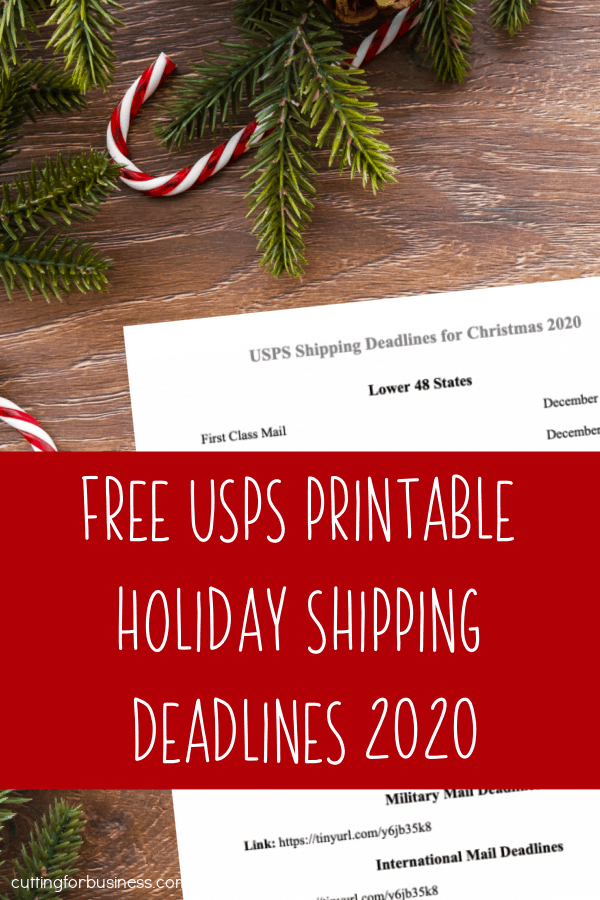
  • Free Printable: USPS Christmas Holiday Shipping Deadlines 2020

    If you ship products through the United States Postal Service (USPS) in your Silhouette or Cricut small business, you should know the shipping deadlines for Christmas. I’ve made it easy for you this year with a free, printable deadline chart.

    This printable covers the USPS deadlines only. If you ship with FedEx, UPS, or DHL – check their website for similar information.

    Download it, print it, and hang it in your workspace, or screenshot it to your phone.

    Click here to download the printable.

    Free Printable: USPS Christmas Holiday Shipping Deadlines 2020 for Etsy Shops and Small Craft Business Owners - by cuttingforbusiness.com.
  • USPS Planned Shipping Rate Increase

    Bad news today fellow craft business owners, last week the United States Postal Service announced a planned temporary rate increase.

    USPS Shipping Rate Increase Details

    • Why the increase?
      • The USPS cited ‘heightened demand for online shopping package volume due to the coronavirus pandemic and expected holiday ecommerce” (per usps.com) as the reason for the rate increase.
    • When does the rate increase take effect?
      • The temporary rate increase takes place between October 18th, 2020 until December 27, 2020.
    • What mail classes are affected?
      • Commercial domestic parcels are affected. This includes: Priority Mail Express, Priority Mail, First-Class Package Service, Parcel Select, and Parcel Return Service. Retail and International Rates will remain the same.
    • How much is the increase?
      • The increase is small across the board, ranging from $0.06 to $0.40. The full chart can be found in the official press release at this link.
    • What else should I know?
      • Historically, the USPS raises rates in January. Be on the lookout for that announcement.

    What Should You Do?

    If you sell online, be sure to raise your prices so that you aren’t losing money. Remember, if you are an Etsy seller, Etsy favors those who offer free shipping. Read more about this in this post.

    USPS Planned Shipping Rate Increase - October to December 2020 - cuttingforbusiness.com
  • 3 Reasons to Include a Packing Slip in Your Orders

    I had a Cutting for Business reader recently send me an email about whether or not she should include a printed packing list/invoice in packages she sends to customers in her craft business. So, let’s talk about it.

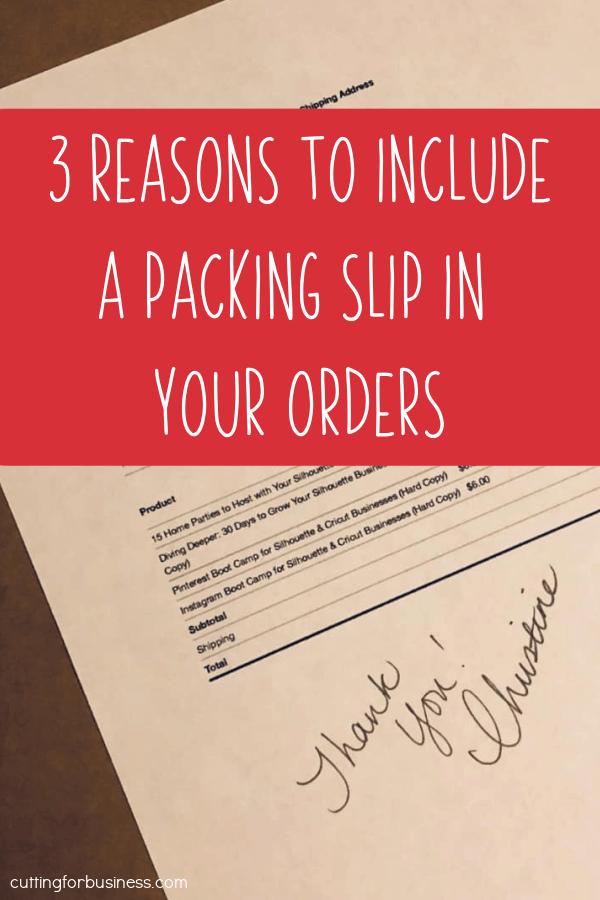
    3 Reasons to Include a Packing Slip in Your Orders

    1. In the event the label falls off. If the label on the package falls off or gets damaged – the post office can (and will) open the package to reveal the contents. They do this in response to missing package inquiries. If there is a packing slip inside that shows the recipient’s address or the return address. They are able to get the package moving to where it should go. (Disclaimer: I can’t say that every post office will do this, but if the slip is in there it’s possible. Without a packing slip – all they’d have is products.)
    2. It clears up customer confusion. Let’s face it: Customers don’t always read product details before they purchase. By including a packing slip/invoice in each package you send, the customer can compare what they received to what they ordered.
    3. It’s a great place to write a handwritten note or sentiment. See more about the power of handwritten notes in this post.

    Tell me in the comments – do you include a packing slip/invoice in your packages?

    3 Reasons to Include a Packing Slip in Your Orders - Silhouette Portrait, Cameo, Cricut Explore, Maker - Craft Business - cuttingforbusiness.com.
  • How to Schedule a Package Pickup Using the USPS Mobile App

    I’ve teamed up with the United States Postal Service (USPS) today to remind craft businesses that ship packages that the USPS offers free package pickup on all regular mail delivery days. For me, I take advantage of the USPS’s free package pickup nearly every single day. It saves me both time and gas – and only takes a minute to schedule.

    How to Schedule a USPS Package Pickup through the Mobile App

    1. Download the official USPS mobile app from the Apple App Store or Google Play.
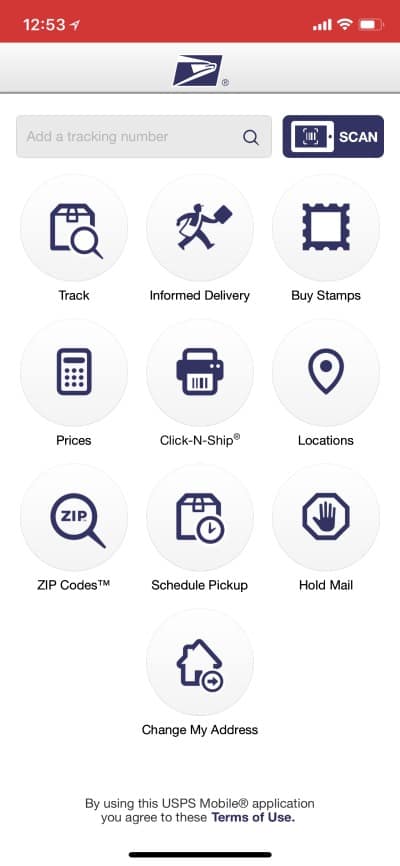
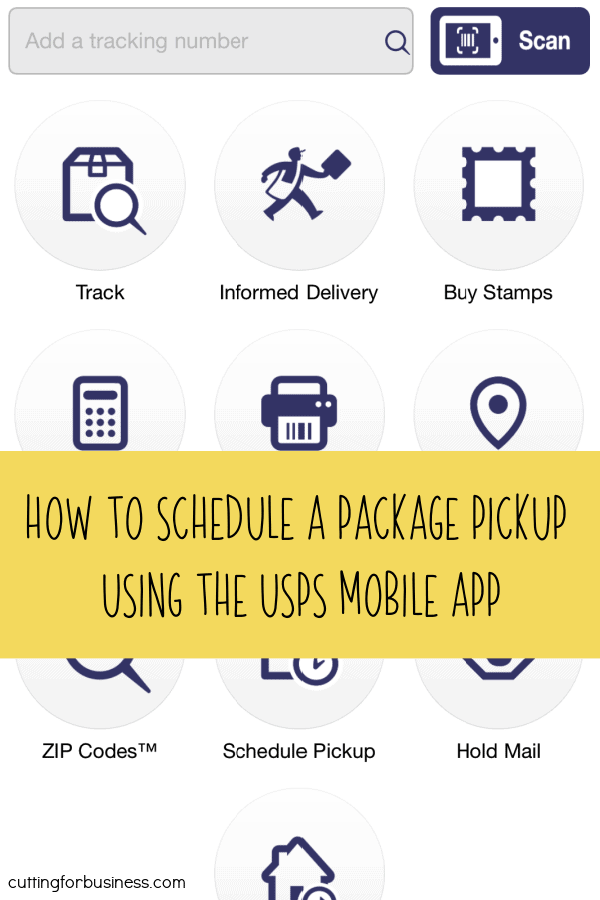
    2. Open the app and select ‘Schedule Pickup’, then select ‘Schedule a New Pickup’.How to Schedule a Package Pickup Using the USPS Mobile App - Great for Etsy shop owners and Silhouette Portrait or Cameo and Cricut Explore or Maker business owners - by cuttingforbusiness.com
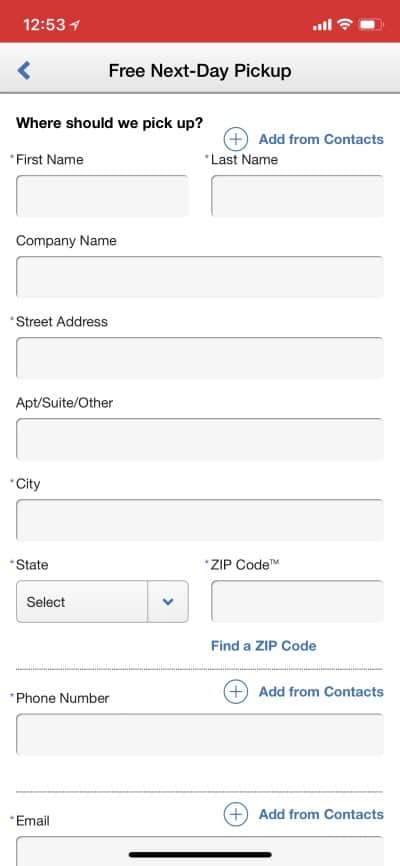
    3. Input the basic details including your name, street address, phone number, and email address. Then, select the ‘Confirm Address’ button at the bottom. How to Schedule a Package Pickup Using the USPS Mobile App - Great for Etsy shop owners and Silhouette Portrait or Cameo and Cricut Explore or Maker business owners - by cuttingforbusiness.com
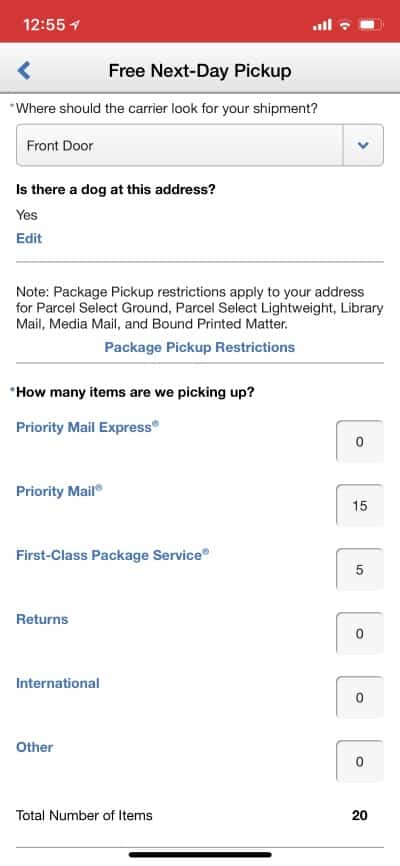
    4. Enter the locations you will leave your package(s), and the estimated number of packages along with their combined weight. Last, read the Terms and Conditions of the package pickup. Then, click the ‘Schedule Pickup’ button. How to Schedule a Package Pickup Using the USPS Mobile App - Great for Etsy shop owners and Silhouette Portrait or Cameo and Cricut Explore or Maker business owners - by cuttingforbusiness.com

    That’s it! On the day of your package pickup, leave the packages outside your home. If you’d prefer to schedule via the USPS website, click here.

    Good to Know

    • All packages should have postage attached and be ready for mailing.
    • No one package can weigh more than 70 pounds for free package pickup.
    • You must have at least one Priority Mail Express, Priority Mail, First-Class Package, Return, or International package to qualify for free USPS package pickup.
    • International packages must have both the sender and recipient copies of the GXG label along with your signature.
    • The USPS will not take any responsibility for lost or stolen packages related to their free package pickup.
    • If you are concerned about the security of your packages, invest in a video door bell system like this one.

    Need more shipping tips? Find them in this section of the blog.

    If you thought this information was helpful, save it to Pinterest.

    How to Schedule a Package Pickup Using the USPS Mobile App - Great for Etsy Shop Owners and New Sellers - by cuttingforbusiness.com.
  • Tutorial: How to Create Custom Packaging Stickers with a Dymo 4XL

    You probably already know that I’m in love with my Dymo 4XL label printer. If you aren’t familiar with them, it’s a printer that prints shipping labels on sticker paper. My favorite thing? The Dymo 4XL uses thermal paper and heat to print – so it doesn’t require ink! A few years ago when I got it, I wrote about how much I loved it – read that post here.

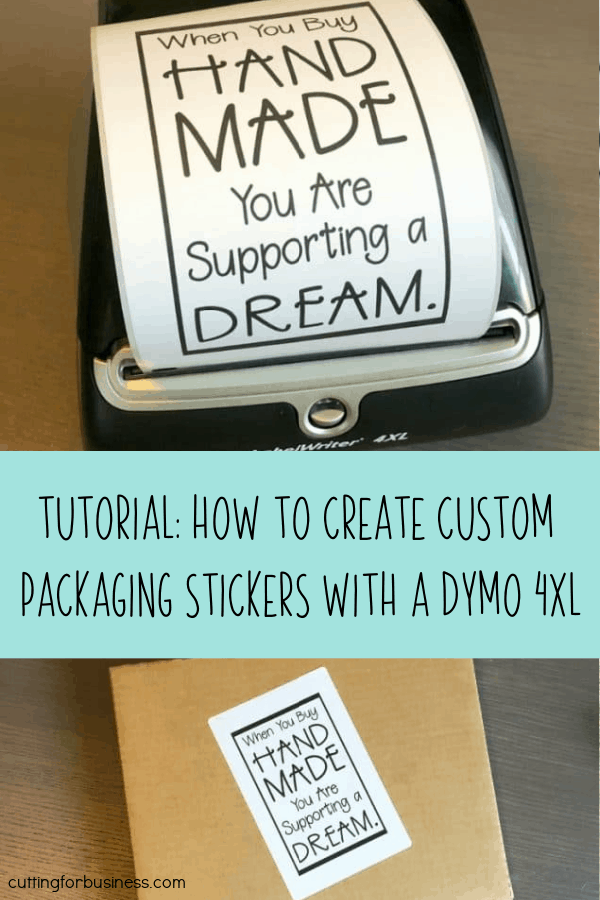
    Recently, I’ve been doing more with my Dymo 4XL – like printing stickers to put on the outside of the packages I ship. Today, I’m sharing how I create these stickers.

    How to Create Custom Packaging Stickers with a Dymo 4XL

    1. Head to your favorite photo editor. For this tutorial, I’m using PicMonkey.
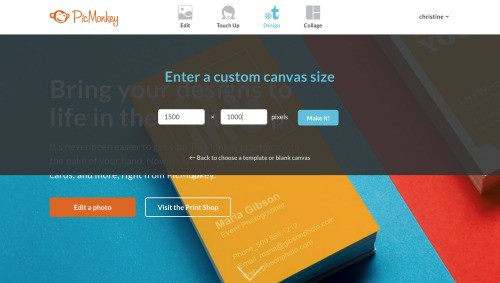
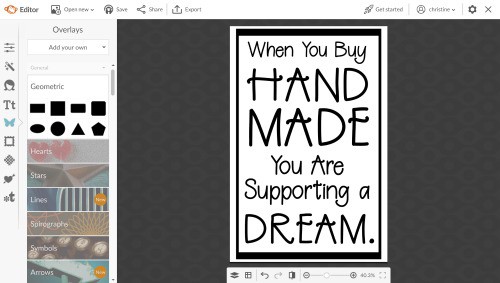
    2. Set your canvas size to 4 inches by 6 inches (1500 pixels by 1000 pixels for vertical layout or 1000 pixels by 1500 pixels for horizontal layout). Tutorial: How to Create Custom Packaging Stickers with a Dymo 4XL - Great for Silhouette Cameo or Cricut Explore or Maker Small Business Owners - by cuttingforbusiness.com
    3. Create your design. When creating, remember that the Dymo 4XL only prints in black. I used the Berrylicious font to create my sticker.Tutorial: How to Create Custom Packaging Stickers with a Dymo 4XL - Great for Silhouette Cameo or Cricut Explore or Maker Small Business Owners - by cuttingforbusiness.com
    4. Once you’ve designed your sticker, save it to your computer using the ‘Export’ button. Then, print it!

    Ideas for Stickers with the Dymo 4XL

    • Thank your customer for shopping handmade (or local).
    • Tell your customer that you loved creating their handmade order.
    • Announce the arrival of their happy mail!
    • Remind your customer to leave you a five star review.
    • Use your business logo, name, and website to help promote your brand.

    Get out there, and get creative! Your Dymo 4XL doesn’t have to be just for printing shipping labels.

    Love this idea? Save the image below to Pinterest.

    Tutorial: How to Create Custom Packaging Stickers with a Dymo 4XL in Your Craft Business - by cuttingforbusiness.com
  • How to Estimate USPS Shipping in Your Craft Business

    One of the emails that I get a lot of through Cutting for Business is: “I just shipping my first package and lost money because shipping was way more expensive than I thought it would be!” Honestly, I hate to hear this because it is completely preventable! The United States Postal Service (USPS) has a shipping cost estimator on their website that you can use to help provide an accurate price quote to your customer. Today, let’s look at where to find it and how to use it.

    Where to Find the USPS Postage Price Calculator

    Visit https://postcalc.usps.com to access the tool.

    How to Use the USPS Postage Price Calculator

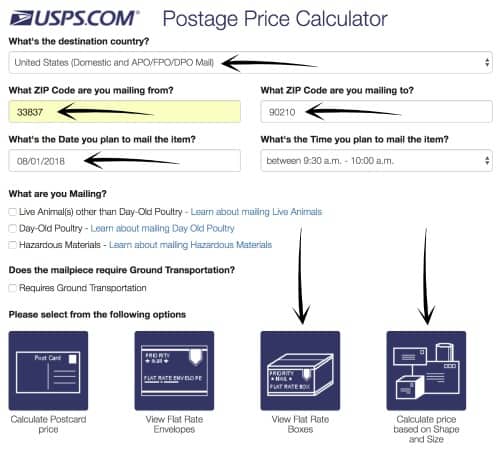
    1. Input your zip code, the customer’s zip code, and the date of mailing. (The time isn’t too important.) Then choose whether you will use flat rate mailing boxes or your own box. As a note: Flat rate boxes are great if your item will fit in the box and is heavy, otherwise, choose “Calculate price based on shape and size”. Flat rate boxes are available free through the USPS at this link.How to Estimate USPS Shipping in Your Craft Business - Perfect for Silhouette Cameo or Cricut Explore or Maker small business owners - by cuttingforbusiness.com
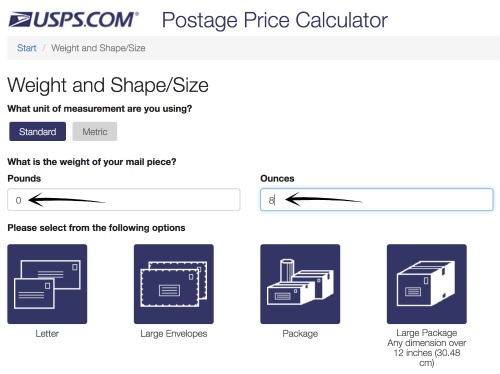
    2. On the next screen, enter the weight of your product and choose the type of package. In most cases, you’ll choose ‘Package’ or ‘Large Package’.How to Estimate USPS Shipping in Your Craft Business - Perfect for Silhouette Cameo or Cricut Explore or Maker small business owners - by cuttingforbusiness.com
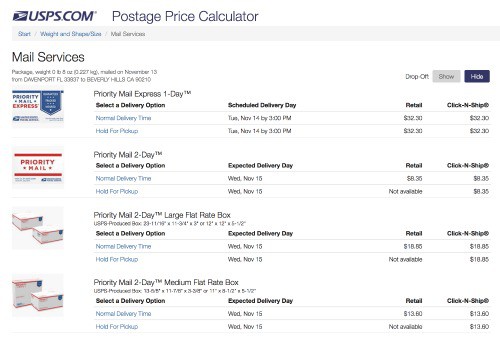
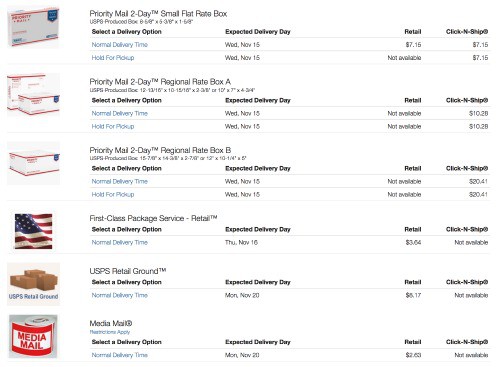
    3. The USPS Postage Price Calculator will now show you pricing for different mailing services that you can use to quote your customer. The retail price is the price you will pay if you walk into a post office and pay at the counter. The Click-N-Ship price is the price you will pay if you print your shipping label at home using your printer. How to Estimate USPS Shipping in Your Craft Business - Perfect for Silhouette Cameo or Cricut Explore or Maker small business owners - by cuttingforbusiness.comHow to Estimate USPS Shipping in Your Craft Business - Perfect for Silhouette Cameo or Cricut Explore or Maker small business owners - by cuttingforbusiness.com

    Shipping Tips & Tricks

    • If your package weighs less than 15.99 ounces it can ship First Class Mail but you CANNOT ship using Click-N-Ship from home. If you have a Paypal account, you can ship from home using this ‘secret’ link: www.paypal.com/us/cgi-bin/webscr?cmd=_ship-now
    • If you ship through a marketplace like Etsy, Ebay, Paypal, or third party shipping sites, you’ll qualify for Commercial Base Pricing which provides discounted shipping. The actual discount is between 5% and 55%, but varies from site to site.
    • Prefer to ship through FedEx or UPS? They both have similar calculators on their websites.

    No excuses now for inaccurate shipping quotes to your customers! It takes less than 2 minutes to provide an accurate quote.

    Need more shipping help? Check out these posts on Cutting for Business.

    Sharing is caring! Why not save this post to Pinterest?

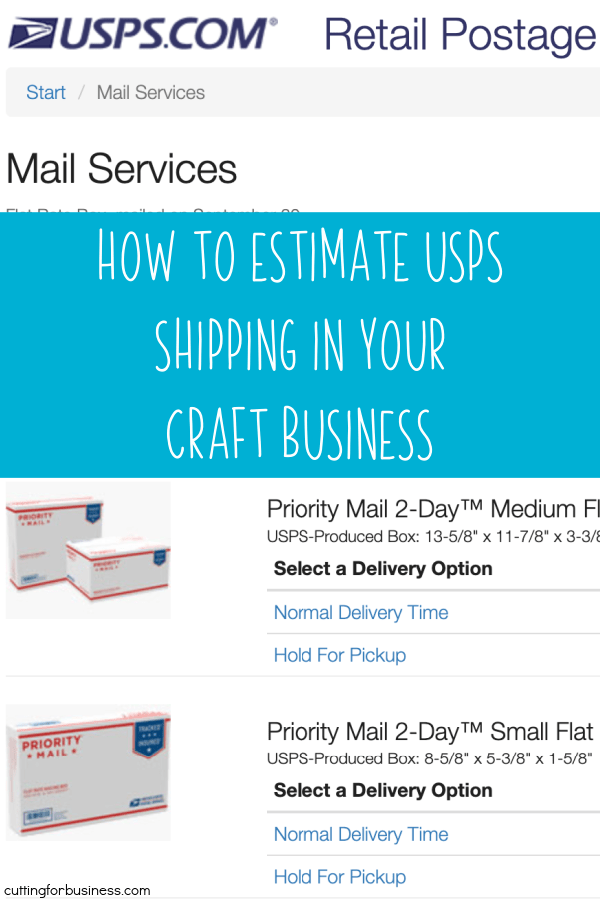
    How to Estimate USPS Shipping in Your Craft Business - Silhouette Cameo, Curio, Mint or Cricut Explore, Maker, or Joy Small Business Owners - by cuttingforbusiness.com
  • Cheap Tee Shirt Packaging + How to Fold a Shirt

    Here’s a fun fact that you definitely don’t know: When I was a teenager, I worked at Sears in the children’s department. This is where I learned to properly fold a shirt for retail. Since that was quite a few years ago (I won’t tell you how many!), I might be a bit rusty – but I’m showing you to properly fold a shirt today.

    How to Properly Fold a Shirt for Retail

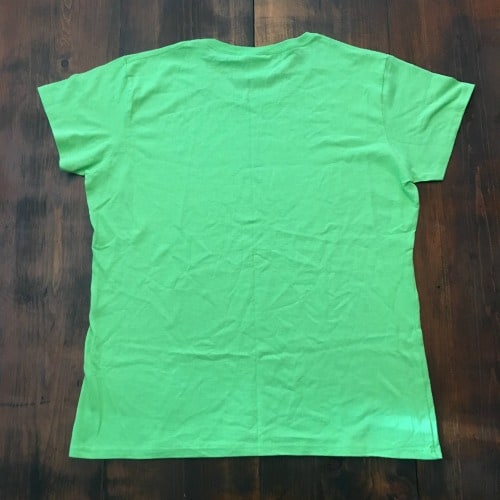
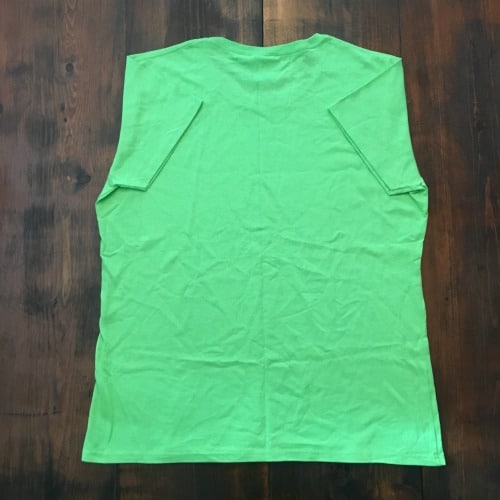
    1. Lay the shirt face down on a flat surface. Cheap Tee Shirt Packaging for Silhouette Cameo and Cricut Explore or Maker Crafters + How to Fold a Shirt - by cuttingforbusiness.com
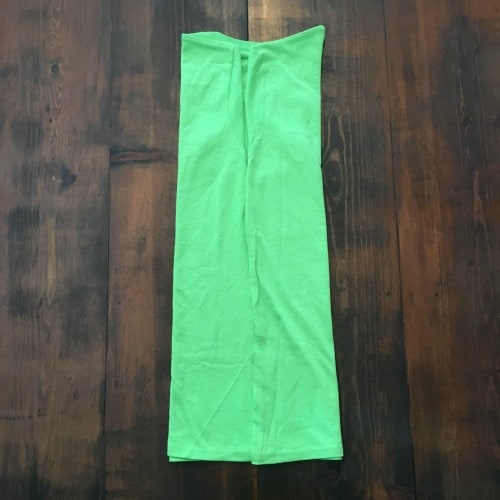
    2. Fold the sleeves inward. Cheap Tee Shirt Packaging for Silhouette Cameo and Cricut Explore or Maker Crafters + How to Fold a Shirt - by cuttingforbusiness.com
    3. Fold each side of the shirt towards the center. The edges should meet at the middle of the shirt. Cheap Tee Shirt Packaging for Silhouette Cameo and Cricut Explore or Maker Crafters + How to Fold a Shirt - by cuttingforbusiness.com
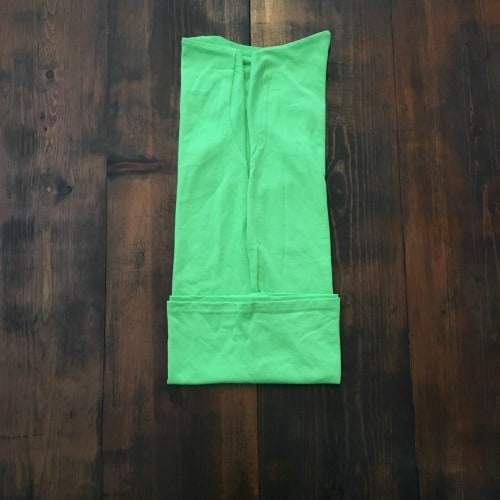
    4. Fold the bottom portion of the shirt up – about 1/4 of the way. (Note: On smaller shirts, you can often skip this step.) Cheap Tee Shirt Packaging for Silhouette Cameo and Cricut Explore or Maker Crafters + How to Fold a Shirt - by cuttingforbusiness.com
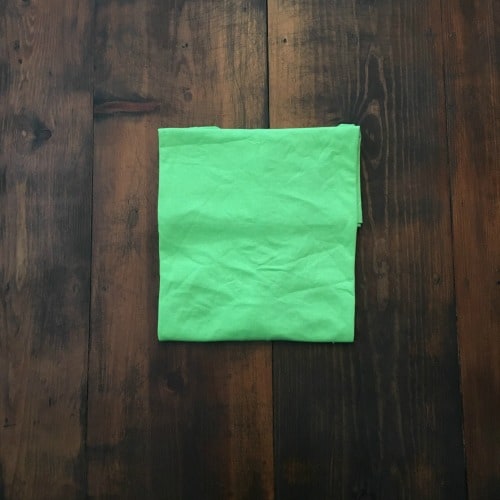
    5. Fold the bottom corners of the shirt in half to meet with the top corners. Cheap Tee Shirt Packaging for Silhouette Cameo and Cricut Explore or Maker Crafters + How to Fold a Shirt - by cuttingforbusiness.com
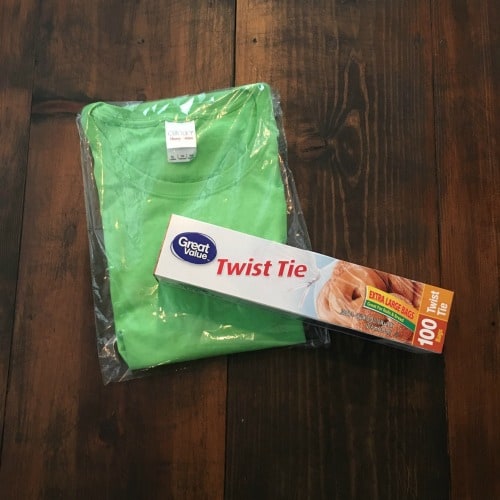
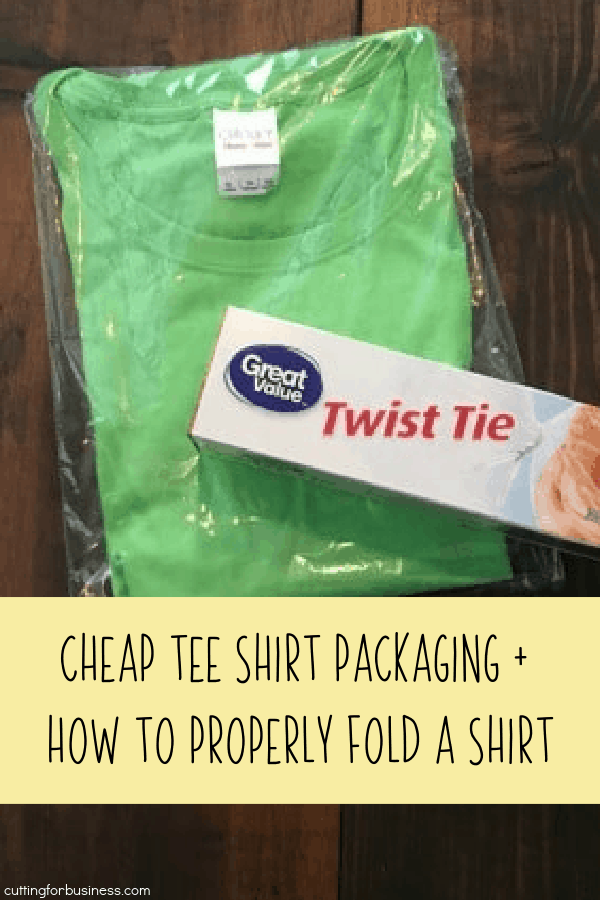
    6. Slide the shirt into a bag. Now, there are a lot of wholesalers and retailers that sell bags and packages. I know that many small sellers simply cannot meet the minimum order quantities. If you can’t, head to your local big box retailer and pick up some Twist Tie Bags. The ones shown in the photo below are from Walmart, and are perfect for tee shirts! A box of 100 cost $2.96, which is $0.03 each. To hold them closed, tape the edge or finish with a sticker with your brand name.Cheap Tee Shirt Packaging for Silhouette Cameo and Cricut Explore or Maker Crafters + How to Fold a Shirt - by cuttingforbusiness.com

    That’s it – it is really that cheap and easy! Struggling with folding shirts? You can buy shirt folding boards to help you save time and get perfect creases – click here to view them.

    Looking for other cheap packaging ideas? Click here.

    Love this post? Share it on Pinterest:

    Cheap Tee Shirt Packaging for Silhouette and Cricut Crafters + How to Fold a Shirt - by cuttingforbusiness.com
  • Review: Custom Printed Tape from Sticker Mule

    I’ve talked before about packaging products on the blog, but today, we are going to look at an easy way to jazz up your packages – custom printed packing tape!

    I talked to a handful of companies about custom printing packing tape in small batches before writing this post. I found that most companies have really high minimum orders – and most are simply too high for an at home business to meet.

    Minimum Order

    Then, I started talking to the team at Sticker Mule. The minimum order at Sticker Mule for custom printed packing tape is one roll (which is 3 inches wide and 300 feet long). Now, it costs $39 for only one roll – which is a little high. However, the pricing goes down the more you order.

    FYI: It’s Paper Tape

    Before we go any farther, let me tell you that there are two different types of packing tape: plastic shipping tape and paper shipping tape called “gummed tape”. At Sticker Mule (and many of the other printing companies) you’ll get gummed shipping tape that has to be moistened to use. You can either use a sponge (included from Sticker Mule) or a tape dispenser like this one.

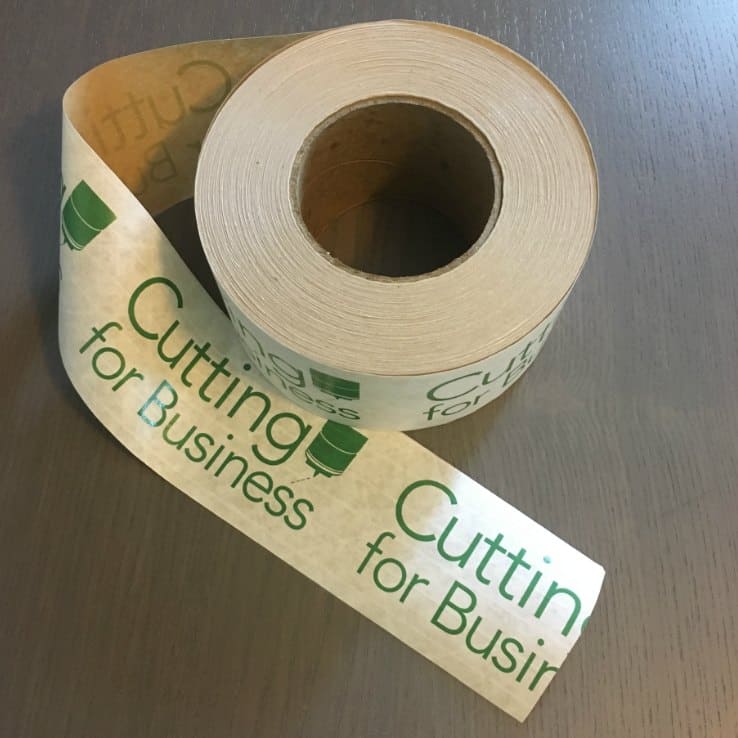
    Here’s a peek at my custom printed gummed tape from Sticker Mule:

    Packaging: All About Custom Printed Tape - by cuttingforbusiness.com

    Order Process

    The process was easy: I visited Sticker Mule, selected the quantity of tape I wanted, and uploaded artwork. Within 1 hour, I received a proof of my tape order to approve, then it was off to print. My tape arrived 4 days later. I’m now shipping all of the packages in my Etsy shop with custom printed tape!

    Save $10 on Your Order

    Interested in ordering from Sticker Mule? Enjoy $10 on me when you visit their site using this link. If you aren’t in the market for custom printed tape, you can use the $10 towards stickers, labels, buttons, magnets, and more.
    Review: Custom Printed Tape from Sticker Mule - A good way to brand packages in your craft business - by cuttingforbusiness.com.
  • Shipping Internationally: What You Need to Know

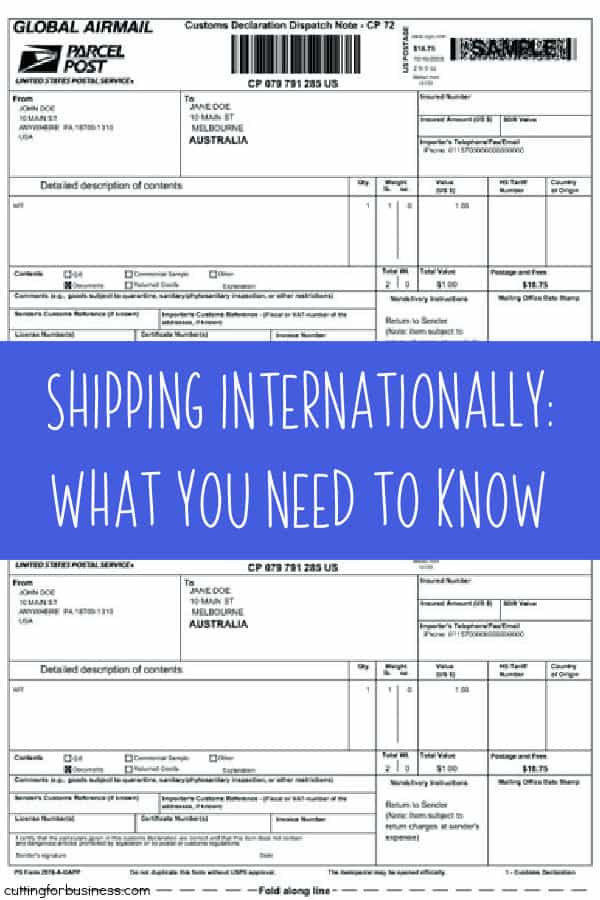
    If you are looking for an easy way to expand your Silhouette or Cricut small business, consider shipping your products worldwide. It isn’t difficult, so let’s look at what you need to know before you dive in!

    Checklist Before You Start Shipping Internationally

    • Choose your shipping provider. The USPS, FedEx, and UPS all ship internationally. Do research on what it costs to ship your products with each carrier, then decide which one is a best fit for your business.
    • The USPS offers flat rate International Priority Mail boxes. They are usually a good deal if your items will fit inside.
    • Research prohibited items. All countries have lists of items that are prohibited to be shipped to their country. Additionally, there may be specific labeling requirements.
    • Understand estimated shipping times. Obviously, the farther a package has to travel; the longer it will take. You’ll need to be sure to advertise correct shipping estimates to your international buyers.
    • Understand customs paperwork. Customs paperwork must be completed. The good news? When you ship online through USPS, FedEx, or UPS – there is a online wizard that walks you through the paperwork.
    • Understand the customs process. When packages arrive in a foreign country, they will be subject to a search. This could mean x-ray or physically being opened and looked at. Fragile items may be unwrapped and not rewrapped in the same manner.
    • Familiarize yourself with import/duties fees. Know the estimated fees for the country you are shipping to. The buyer will pay these fees when their package arrives in their country. You should advertise that the buyer is responsible for import duties and fees.

    Great! That’s a lot of information, now how exactly do you get started? If I were starting out with shipping Internationally, I would choose 3 to 5 countries to add to my “ship to” countries. For example, in addition to the USA – I could also add United Kingdom, Australia, and Canada. I’d then research the costs and prohibited items, then add these countries to my listings. As time goes on, I’d add new countries or continents.

    Tell me in the comments, do you ship internationally? Why or why not?

    Looking for more shipping information? Head to this section of the blog.

    Save this post to Pinterest:

    Shipping Internationally: What You Need to Know for Silhouette and Cricut Craft Business Owners - by cuttingforbusiness.com.