Blog

  • CPSIA Exemptions, Labeling, and CPCs for Crafters

    Let’s continue on our talks about CPSIA exemptions, labeling, and Children’s Product Certificates (CPCs) from yesterday. If you haven’t read this post yet, you’ll need to read it or nothing in today’s post will make sense.

    Again, my legal team would like me to remind everyone that I’m not an attorney and not giving out legal advice. The purpose of this post is to make you aware of the CPSC and the CPSIA. This post should serve as awareness and offer a place and reason for you to start or continue your own research.

    CPSIA Exemptions

    I detailed the CPSIA Small Batch Manufacturing exemptions in yesterday’s post. If you are exempt from lab testing under the exemptions, you’ll need to register for the exemption at this link on the CPSC website.

    Creating Children’s Product Certificates (CPCs) for CPSIA

    Children’s Product Certificates (or CPCs) are documents that you create for each of your children’s products. They basically state that your product complies with children’s product safety rules.

    CPCs must:

    • Be written.
    • Be in English.
    • Describe your product so that it can be identified.
    • Cite each Children’s Product Safety Rule the pertains to your product.
    • Contact information for the manufacturer (that’s you).
    • Date and place you manufactured the product.
    • Date and place that applicable testing occurred.
    • Identify any third party labs used in testing the product in the CPC. For small batch manufacturers, include your registration number instead.

    See sample CPCs from the CPSC at this link.

    Children’s Product Tracking Label Requirements Under CPSIA

    Children’s products must be permanently labeled with the following information:

    • Manufacturer name (that’s you).
    • Where and when the product was manufactured.
    • A batch number, run number, or other identifying information for determining the source of manufacturing. Now, for an at home crafter – the CPSC notes that you don’t need a new system with batch or run numbers. You just need enough information on your product that a customer would know who made it and how to reach you – even years down the road.

    Get more help from the CPSC at this link.

    Where to Get More Help

    The CPSC Regulatory Robot

    The CPSC has a great tool for small business owners called the Regulatory Robot. It asks you a series of questions about your product and gives you a guide to walk through to get compliant. Access it at this link.

    The CPSC Official Links

    Was this information helpful? Save the image below to Pinterest.
    CPSIA Exemptions, Labeling, and CPCs for Crafters - by cuttingforbusiness.com

  • Do You Need Suffocation Warnings on Packaging in Your Craft Business?

    Serious stuff today, craft business friends. Every year, babies and toddlers die from suffocating on plastic packaging. Today, let’s take a look at the laws surrounding what warnings you need on your plastic packaging. This is especially important for at home craft businesses, because most of us create our own packaging.

    Laws Related to Suffocation Warnings on Packaging

    • There are no Federal laws that govern suffocation warnings on bags in the USA.
    • There are State laws that govern suffocation warnings on bags in the USA.
      • States currently with laws in place: California, Massachusetts, New York, Rhode Island, and Virginia.
    • Several cities across the USA have also adopted laws for suffocation warnings on bags.
      • The major cities include Chicago, Illinois and New York, New York. There are a handful or so of additional cities in the USA that have their own laws.
    • Canada has similar laws related to suffocation warnings.
    • Some marketplaces (namely Amazon) has its own requirements for FBA products. Currently, Etsy has no such policy in place.

    Legal Requirements for Suffocation Warnings

    • Unfortunately, the requirements in each of the cities and states vary. I’m posting this information to make you aware. Now that you are aware that there are laws in place, I want you to take a few minutes today and look up information related to where you live and sell. A search on Google for ‘suffocation warning bags YOUR STATE or YOUR CITY’ works well.
    • In general, suffocation warnings are required on bags that are 1 mil or less in thickness and have an opening of 5 inches or more.
    • Suffocation warnings can be preprinted on the bag or attached with a label.
    • Warnings are generally not required on outer packaging (like a poly mailer) because it is usually thicker than 1 mil.
    • Ziploc bags generally do not require suffocation warnings because they are thicker than 1 mil.

    Sample Warning

    • ‘To avoid danger of suffocation, keep this plastic bag away from babies and children. Do not use this bag in cribs, beds, carriage, or playpens. This bag is not a toy.’

    My Thoughts

    Many bag retailers offer bags that are preprinted with suffocation warnings. For example, this Amazon search brings up hundreds of preprinted bags you can use in your craft business. This is a quick and easy step you can take to take the liability off of your business in case an injury occurs related to your packaging.

    As the world is beginning to get away from plastic packaging (like bags and straws), consider skipping the plastic altogether and offering no inner packaging or paper based inner packaging. You could even use 100% recycled papers for packaging and advertise that your company is eco-friendly!

    Was this information helpful? Save the image below to Pinterest to let others crafters know.

    Do You Need Suffocation Warnings on Packaging in Your Craft Business? A good read for Silhouette Portrait or Cameo and Cricut Explore or Maker crafters - by cuttingforbusiness.com

  • Fall Marketing Themes & Ideas for Your Craft Business

    Crafty friends, fall is coming. If you’ve got a craft business – it is time to switch from Summer and all things Back to School and head into Fall.

    Good news though: Fall is usually a high time for consumer spending. Shoppers spend quite a bit on Halloween and Thanksgiving as they head into the ultimate spending period: Christmas. Today, let’s take a look at the themes you can market around for the coming months.

    Fall Marketing Themes for Craft Businesses - by cuttingforbusiness.com.

    Fall Marketing Themes

    Use these marketing themes throughout the Fall months in your products, social media posts, and promotions.

    Fall Icons

    Design with leaves, pumpkins, hay, gourds, apple, pies, and more all sell well.

    Cooler Weather

    As the temperature drops, keep the thoughts of warmth in your marketing. Use words like cozy, warm, or toasty in your text and captions. This works especially well if you are advertising throws, pillows, hoodies, and other gear for cooler months.

    Youth Sports

    The start of school means the start of football, hockey, golf, soccer, and more. Sell non-trademark infringing spirit wear to local teams. Better yet? Get yourself a contract with one of the sports teams to handle their gear.

    Cool Colors

    Use browns, deep reds, dark yellows, and burnt oranges in your product designs and marketing colors. Consider making fall banners with deep, rich colors to spruce up your shop.

    Time Change

    Use the time change (1 hour backwards) to host a sale. Text like, “You might lose an hour today, but you’ll gain XYZ at (name of business)” will work well.

    Halloween

    Think all things spooky and scary. Halloween is always a large spending time for consumers. For Halloween, purples, greens, blacks, and oranges work well in both products and marketing.

    Thanksgiving

    Consumers express gratitude around this time. Share things you are grateful for in your social media. Continue the grateful theme in your product lines.

    Christmas

    Of course, you can’t forget that Christmas is coming. Begin listing Christmas products during Fall time for the early bird shoppers looking to get a jumpstart on the holidays. Wording like, “Only XX shopping days left before Christmas” is a great call to action to use.

  • Tips for Bundling Products in Your Craft Business

    Yesterday I talked about bundling Christmas products like elves, but don’t forget that you can bundle other products, too! I mentioned yesterday that one way to increase the amount of money that your craft business is making is to upsell through bundling. Here are my additional tips for bundling products in your business.

    Tips for Bundling Products in Your Craft Business

    • Give a discount on your bundled products. If the savings are small, express the discount in terms of a percentage rather than a monetary dollar amount.
    • Offer products separately, too. Continue to offer your products not in the bundle for customers that want to buy them ‘a la carte’. Of course, be sure they are priced higher than inside the bundle.
    • Give them top placement. Feature your bundles in ‘Featured Listings’ spots on your website or shop.
    • Don’t bundle things together that don’t work together. Only bundle products together that make sense. For example, a small bundle of monogrammed products like a tumbler, a large decal, and a small decal make sense. Alternatively, a set of adult shoes, an infant bib, and a wood sign don’t make much sense.
    • Don’t put too many products together. Keep your bundles small. Ideally 2 to 5 products work well together.
    • Name your bundle. Consider giving your product bundle a catchy name.
    • Offer bundles on a time limited basis. I’m sure you’ve seen various font resellers offering limited time bundles on groups of fonts. Consider doing the same with your bundles.
    • Put them all in one picture. Photograph your bundled products together in one shot; rather than creating a collage. This helps your listing look intentional and not thrown together.
    • Know when to sell bundles. Bundled products sell especially well around the holidays. You can see this in action in many large retailers who offer bath sets, coffee cups and coffee, snack baskets, and more.
    • Pretty packaging will help them sell. Pay attention to the packaging of your bundle. Similarly to photographing your products together, package the products together.

    Are these tips helpful? Save the image below to Pinterest.
    Tips for Bundling Products in Your Silhouette or Cricut Craft Business - by cuttingforbusiness.com

  • 9 Ways to Scale Your Craft Business

    What do you do when your business is going well, you are getting regular orders, you have happy customers, quality products, growing social media numbers, and an awesome website – but you still want more? You start working to scale your craft business.

    Today I’m sharing 9 ways you can scale your craft business.

    9 Ways to Scale Your Craft Business - by cuttingforbusiness.com.

    9 Ways to Scale Your Craft Business

    Get Your Products Into Stores

    Everyone has local stores around them that carry handmade products. Get my tips for getting your products into stores.

    Team Up with Other Small Businesses

    If getting your products into stores isn’t up your alley, team up with other small businesses that need what you make.

    For example, realtors always need gifts.

    Similarly, landscaping, plumbing, and similar trades always need shirts.

    Add Video Marketing to Your Business

    Have you been noticing a trend that more and more companies – both big and small – are using video marketing? Add videos to your business with my video marketing tips.

    Use Paid Advertising

    If people don’t know about your business, how can they buy from you? There is paid advertising available on Google, Etsy, Facebook, Instagram, TikTok, and Pinterest. Figure out which platform your potential customers are most likely to use – and set up some advertising campaigns.

    Take on Brand Reps or Enthusiasts

    Brand reps and enthusiasts are like super fans that use your products and help you promote them on social media. Instead of paying them in money, they are usually compensated in product. Read more about brand reps.

    I wrote about Help a Reporter Out (HARO) recently. It’s a source to connect with journalists, TV producers, news stations, and bloggers who are looking for new stories.

    Connect with a Blogger/TikToker/Internet Personality

    Bloggers, TikTokers, and other internet personalities can be a great way to reach new potential customers. Expect to pay for the exposure they can provide. Learn more in this post.

    Get into a New Niche

    If you do work in a small niche, broaden it with a new line of products.

    For example, if you mainly make shirts for kids – break into the adult niche. Similarly, if you make wood signs – consider making Christmas tree ornaments.

    Choose something in your local town to sponsor. But, don’t just sponsor anything! Sponsor something where potential customers will notice you.

    For example, if you make jerseys and kid’s sports products, sponsor a local sports team. Similarly, if your products revolve around breast cancer, you might sponsor a 5K breast cancer walk.

  • 19 Tasks a Virtual Assistant Can Do in Your Craft Business

    Since 2020, virtual working and virtual assistants have been all the rage. If you get bogged down in your craft business with day-to-day tasks, a virtual assistant might be perfect for you.

    If you’ve never considered a virtual assistant for your craft business, read on for a list of tasks you could have a virtual assistant do.

    19 Tasks a Virtual Assistant Can Do in Your Craft Business - cuttingforbusiness.com

    19 Tasks a Virtual Assistant Can Do in Your Craft Business

    Social Media

    From posting on Instagram or Facebook to creating pins for Pinterest, a virtual assistant can handle these tasks. If you aren’t confident in letting someone take over your social media, have them schedule the messages so you can look over them before they post.

    Answering Emails

    Emails take a lot of time away from creating. And of course, it is best to answer emails as quickly as possible. Have your virtual assistant take over for you.

    Video Editing

    A virtual assistant can edit videos into reels, stories, or TikTok content. All you have to do is upload raw video and let your virtual assistant get to work.

    Creating Invoices

    Creating invoices can be time consuming. For your business to keep running, you obviously need to send them out to get paid. Have your virtual assistant help you out.

    Input Listings

    Virtual assistants can list products on Etsy, Shopify, or your website. The time you would have spent doing this can be used for creating.

    Proofreading and Editing

    Not the best with grammar? Have your virtual assistant read and edit materials before you post them online.

    Printable or SVG Creation

    Whether you want to add a line of printables to your store or need SVG cut files created, a virtual assistant could help with these tasks.

    Newsletter Creation

    We know that emails sell. Use a virtual assistant to create a newsletter and email it to your list.

    Event Planning

    Whether you are hosting a craft night out or a weekend long retreat, a virtual assistant can do everything from researching event spaces to menus, and registration to printed materials.

    SEO Audits and Updating

    Search Engine Optimization can be time consuming. Why not put your virtual assistant on it?

    Website Maintenance

    After your virtual assistant completes an SEO audit, have them get to work on editing or updating your website.

    Researching Help for Services

    If something is out of the realm of your virtual assistant, he or she can hit the internet and find someone that can help you out.

    For example, if your virtual assistant isn’t familiar with SEO tactics, they can surely scour the internet looking for the best priced service to complete the task.

    Placing Supplier Orders

    I don’t know about you, but when I sit down to order supplies I search several websites for the best deal. Obviously, this is time consuming. Put your virtual assistant on the job!

    Creating Advertising

    If you use Facebook Ads, Google Ads, Etsy Promoted Listings, or Pinterest Ads you can have your virtual assistant create and manage those ads for you.

    Market Research

    If you are trying to break into new demographics, put your virtual assistant on the job! He or she can dig into the internet and see what is selling and what is not.

    Entering Data

    Working on inventory in your craft room? Write it down one a piece of paper and snap a picture. Let your virtual assistant organize the information into a nice and tidy spreadsheet for you. He or she can also help you keep it up to date.

    Bookkeeping and Accounting

    A virtual assistant can manage invoices, track expenses, reconcile accounts, and prepare financial reports for you to review.

    Survey Creation and Analysis

    Want to know something from your customer base? Use a virtual assistant to design a survey, collect responses, and analyzing the survey data.

    Honestly, a virtual assistant can do anything that can be done offsite using a phone or a computer.

    Online Course Creation and Management

    If you’ve always wanted to create a course but don’t have the time, use a virtual assistant to help create and manage the course and other educational materials.

    Where to Find a Virtual Assistant?

    When hiring a virtual assistant, you’ll need to decide whether you will hire an assistant to complete a single job, or a day-to-day assistant.

    I’ve hired virtual assistants for help along the way while maintaining Cutting for Business. I’ve successfully used Upwork. You can sign up and post a job, or simply look through the users. They list their specialities and their price per hour. You’ll find that prices vary greatly; but remember – the quality of work is directly tied to the price you pay.

    Not ready to hire a virtual assistant but need to save some time in your craft business? See if ChatGPT can help.

  • Small Business Hack: Adding Coupon Codes to Coupon Sites

    Looking for some new customers in your Silhouette or Cricut craft business and don’t have a large budget? You can usually drum up some extra exposure for your smallbusiness if you add coupon

  • 5 Ways to Improve the Workflow in Your Craft Business

    We’ve talked a lot about craft shows this week. There is one thing in common that every craft show has: You have to stock up your inventory before you go. Stocking up inventory while getting out every day orders, managing accounting and social media promotions, and running your daily life can be a challenge. However, if you do a few things regularly you can make the process easier.

    5 Ways to Improve the Workflow in Your Craft Business

    1. Organize your craft space so that it is efficient. I talked about this in depth and even showed you how I made my own craft space more efficient in this post. Being more efficient cuts down minutes. Wasted minutes add up and can affect your productivity. Put simply, you’ll be able to create more products when you don’t waste time.
    2. Maintain an accurate inventory. While setting up inventory can be a daunting task, it’s something you need to do. When you have an accurate inventory of every supply you have in your craft room, you don’t have to stop crafting to make a trip to the store or place an online order. I mean, having to stop crafting because you ran out of supplies puts a definite stop in your workflow. You can use a simple spreadsheet to keep track of each supply or use your accounting program if an inventory feature is offered.
    3. Keep your craft space clean and organized. If I’ve ever been guilty of giving advice that I don’t always stick to, it’s keeping my space clean. Unfortunately, there is no point in keeping an accurate inventory of your craft space if you can’t find the supplies when you need them. Have fun with your organizing: Use your Silhouette or Cricut to decorate and label your space. Need some tips from professional organizers? Jump to this post.
    4. Set a schedule. I prefer to work in time blocked days. You can read more about how I personally structure my day in this post. If time blocking doesn’t work for you, find another way to organize your days – then stick to it.
    5. Start and end with a note. When I first arrive in my craft space, I write a detailed list of everything I want to get done. I work my way through the list while I’m in my space. When I’m ready to end my day, I write the list for the next day. This saves time so that when I arrive in my space, I already know what I need to do and I can get started right away.

    If you have the luxury of time when you are prepping for a craft show, you can try my sell one, stock one method as well. Read more about it in this post.

    Were these tips helpful? If so, save the image below to Pinterest.
    5 Ways to Improve the Workflow in Your Silhouette or Cricut Craft Business - by cuttingforbusiness.com


  • All Things Silhouette Conference in Pictures – June 2019

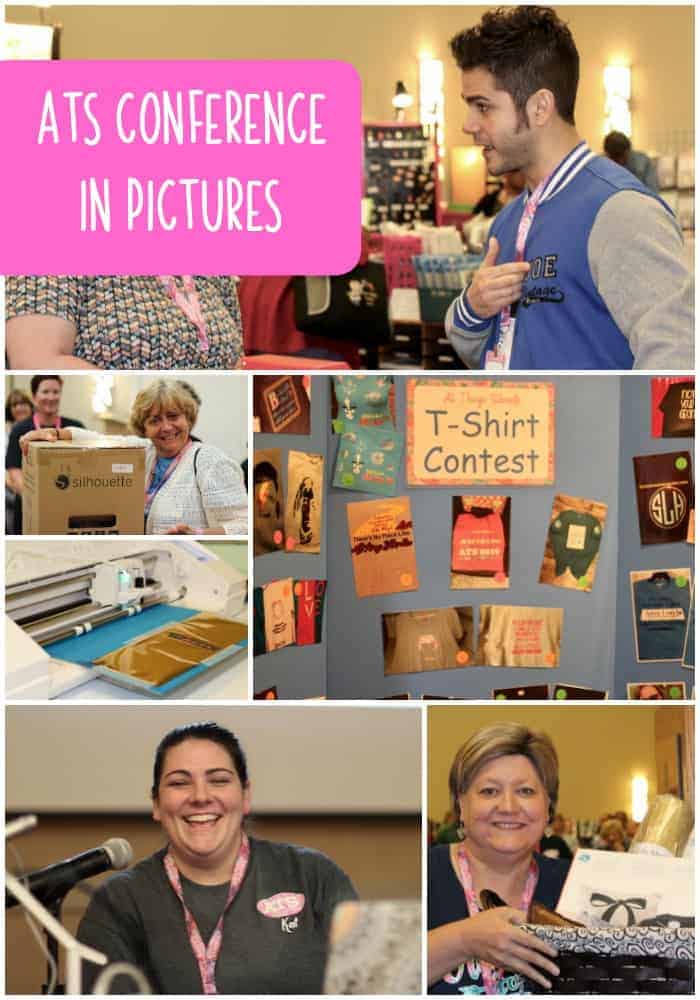
    After each All Things Silhouette Conference I put together a slideshow to show off pictures I’ve snapped throughout the weekend. Over the years, I’ve taken a lot of photos of the conference. This year, instead of capturing the conference as a whole – I set out to capture the moments. The hard work put into the setup of the conference, the incredible amount of knowledge each instructor brings, the joy of attendees when they’ve won something, and much more.

    All Things Silhouette Conference in Pictures – June 2019

    Setup

    Vendor Hall is one of the most popular areas of the whole conference. What most attendees might not realize is that it takes hours and lots of hands to set up each booth.

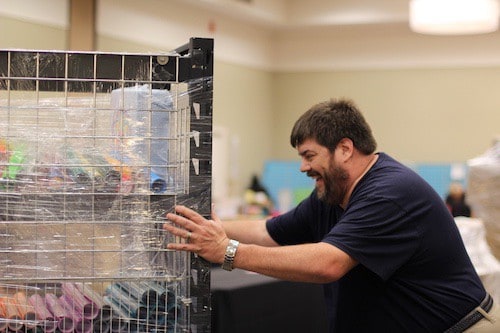
    Richard Bloedow, from sewingmachine.com, pushes a cart full of vinyl for sale.

    All Things Silhouette Conference in Pictures - June 2019 - A weekend experience for Cameo, Portrait, Curio, and Mint users. By cuttingforbusiness.com.

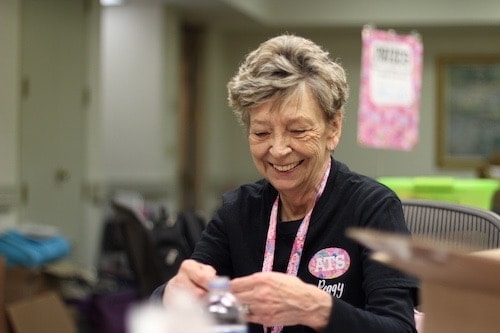
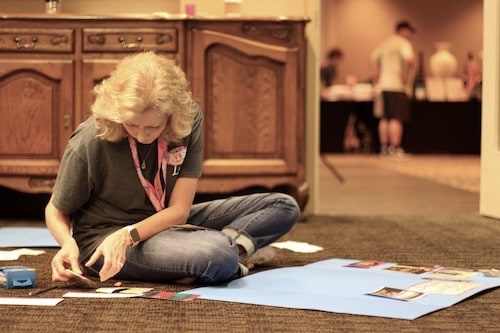
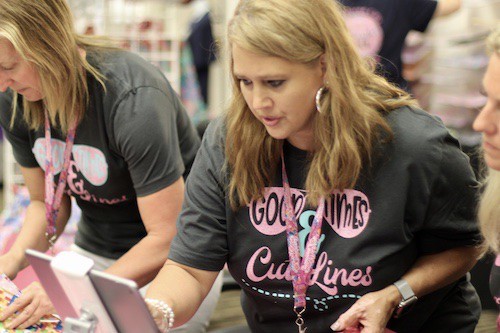
    Peggy, an ATS staff member and Craft Chameleon staffer, works on last minute details before registration opens.

    All Things Silhouette Conference in Pictures - June 2019 - A weekend experience for Cameo, Portrait, Curio, and Mint users. By cuttingforbusiness.com.

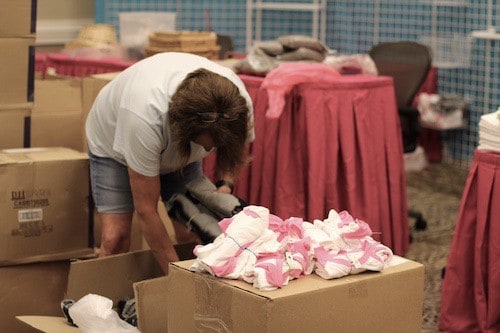
    Vendors unpack boxes and boxes of goods to be sold during the conference.

    All Things Silhouette Conference in Pictures - June 2019 - A weekend experience for Cameo, Portrait, Curio, and Mint users. By cuttingforbusiness.com.

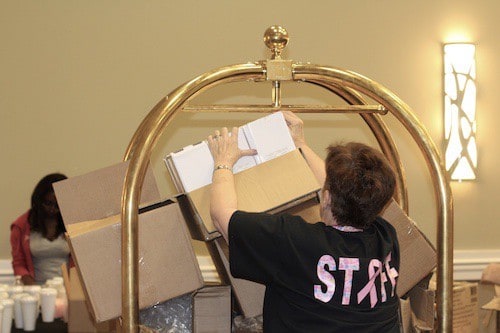
    Lisa, an ATS staff member, saves boxes from toppling off a luggage cart during setup.

    All Things Silhouette Conference in Pictures - June 2019 - A weekend experience for Cameo, Portrait, Curio, and Mint users. By cuttingforbusiness.com.

    Lycia, an ATS staff member and blogger at Caught by Design, organizes entries for the t-shirt contest.

    All Things Silhouette Conference in Pictures - June 2019 - A weekend experience for Cameo, Portrait, Curio, and Mint users. By cuttingforbusiness.com.

    Instructors and Classes

    If you ever find yourself in need of some technical help in Silhouette Studio – track down Cindy Eckhoff from Smart Sillhouette. She used to work in Silhouette’s customer service department and knows her way around Silhouette Studio better than most.

    All Things Silhouette Conference in Pictures - June 2019 - A weekend experience for Cameo, Portrait, Curio, and Mint users. By cuttingforbusiness.com.

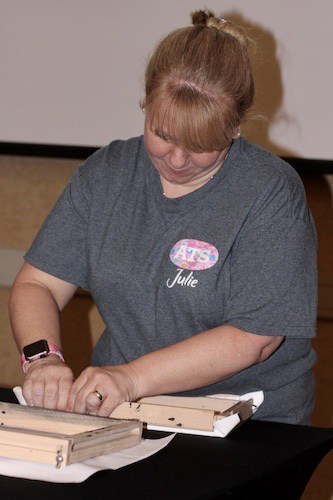
    There is nothing better than hands on instruction. Here, Julie Huggins, from Sew Craft N’Spired Creations, walks attendees through creating a reverse canvas.

    All Things Silhouette Conference in Pictures - June 2019 - A weekend experience for Cameo, Portrait, Curio, and Mint users. By cuttingforbusiness.com.

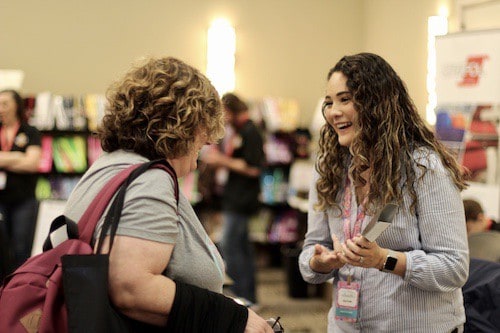
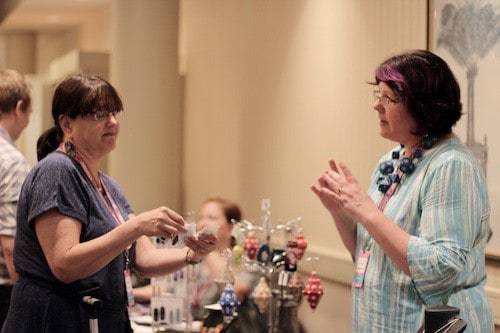
    Lisa Potts, of The Rhinestone World, talks rhinestone related products with a conference attendee.

    All Things Silhouette Conference in Pictures - June 2019 - A weekend experience for Cameo, Portrait, Curio, and Mint users. By cuttingforbusiness.com.

    Melissa Viscount, from Silhouette School, demonstrates Foil Quill on a Cameo 3.

    All Things Silhouette Conference in Pictures - June 2019 - A weekend experience for Cameo, Portrait, Curio, and Mint users. By cuttingforbusiness.com.

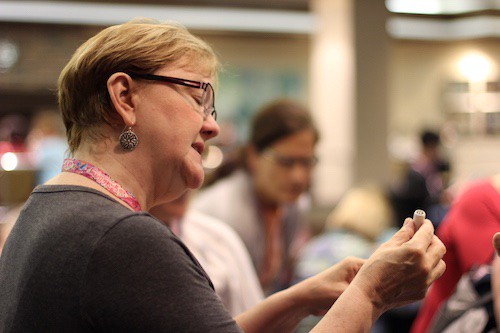
    Mags Bonham, from Really Unique Creations, talks using polymer clay to create jewelry with the Silhouette Curio with an attendee.

    All Things Silhouette Conference in Pictures - June 2019 - A weekend experience for Cameo, Portrait, Curio, and Mint users. By cuttingforbusiness.com.

    Lori Whitlock, from Lori Whitlock, teaches how to design cards during a session.

    All Things Silhouette Conference in Pictures - June 2019 - A weekend experience for Cameo, Portrait, Curio, and Mint users. By cuttingforbusiness.com.

    Cindy Pope discussing using a Curio to make artisan style jewelry.

    All Things Silhouette Conference in Pictures - June 2019 - A weekend experience for Cameo, Portrait, Curio, and Mint users. By cuttingforbusiness.com.

    Ashley, from Specialty Materials, answers questions about their products.

    All Things Silhouette Conference in Pictures - June 2019 - A weekend experience for Cameo, Portrait, Curio, and Mint users. By cuttingforbusiness.com.

    The Live Stream

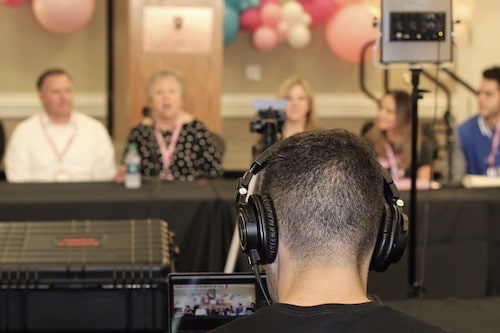
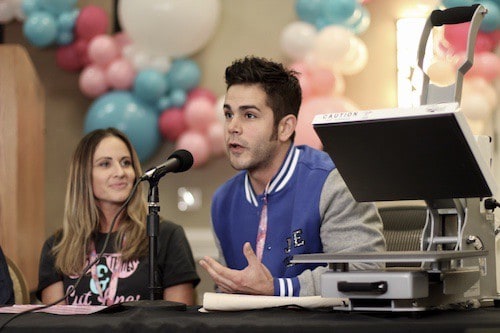
    I wasn’t at the last conference when they started doing a question and answer live stream right from the conference. I was thoroughly impressed with Heat Press Nation who set up and hosted the panel. Participants in the panel included: Jared Barbosa (Heat Press Nation), Spencer Livingston (Silhouette), Terri Johnson (Terri Johnson Creates), Lori Whitlock (Lori Whitlock), Mandy Graham (Sparkleberry Ink), and Joe Piazza (Siser North America).

    All Things Silhouette Conference in Pictures - June 2019 - A weekend experience for Cameo, Portrait, Curio, and Mint users. By cuttingforbusiness.com.

    All Things Silhouette Conference in Pictures - June 2019 - A weekend experience for Cameo, Portrait, Curio, and Mint users. By cuttingforbusiness.com.

    All Things Silhouette Conference in Pictures - June 2019 - A weekend experience for Cameo, Portrait, Curio, and Mint users. By cuttingforbusiness.com.

    Shopping

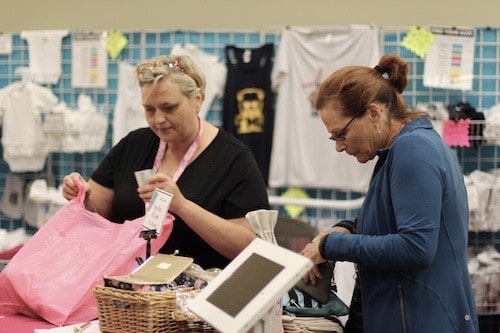
    No matter how many times I passed the Sparkleberry Ink booth, they were always busy checking out customers.

    All Things Silhouette Conference in Pictures - June 2019 - A weekend experience for Cameo, Portrait, Curio, and Mint users. By cuttingforbusiness.com.

    Vendors stayed busy while shoppers received raffle tickets for every $50 they spent in Vendor Hall.

    All Things Silhouette Conference in Pictures - June 2019 - A weekend experience for Cameo, Portrait, Curio, and Mint users. By cuttingforbusiness.com.

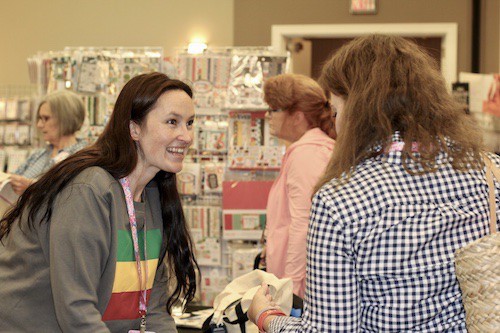
    Being able to ask for recommendations from vendors is invaluable to attendees. Plus, their excitement is contagious!

    All Things Silhouette Conference in Pictures - June 2019 - A weekend experience for Cameo, Portrait, Curio, and Mint users. By cuttingforbusiness.com.

    Upcoming Product Sneak Peeks

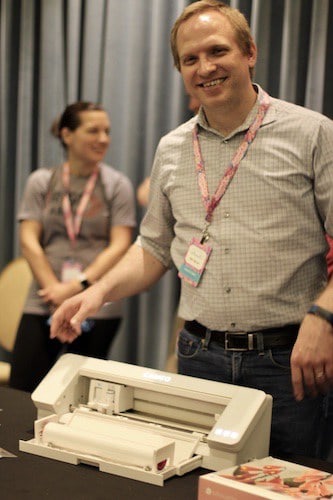
    Ben, from Silhouette, shows off the prototype of the Silhouette Cameo 4 – hopefully releasing Fall of 2019.

    All Things Silhouette Conference in Pictures - June 2019 - A weekend experience for Cameo, Portrait, Curio, and Mint users. By cuttingforbusiness.com.

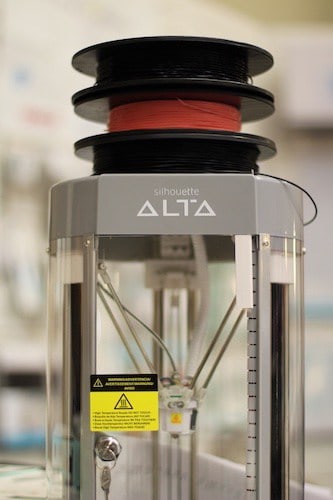
    The Silhouette team also had the prototype of the Silhouette Alta 2 on hand to look at.

    All Things Silhouette Conference in Pictures - June 2019 - A weekend experience for Cameo, Portrait, Curio, and Mint users. By cuttingforbusiness.com.

    The Giveaways and Prizes

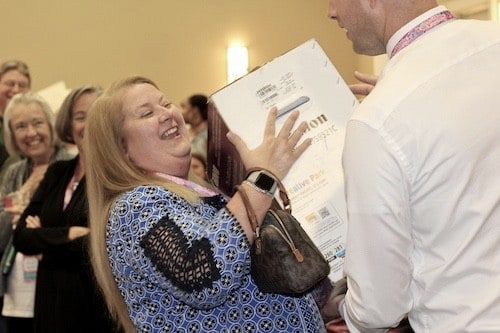
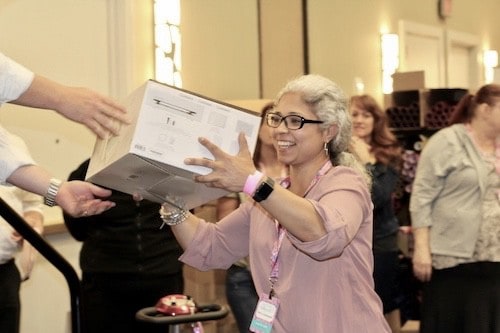
    The prizes for this conference were amazing. From Cameo 3’s to a presale Cameo 4 and a year long subscription to the Silhouette Design Store along with baskets and bags full of products.

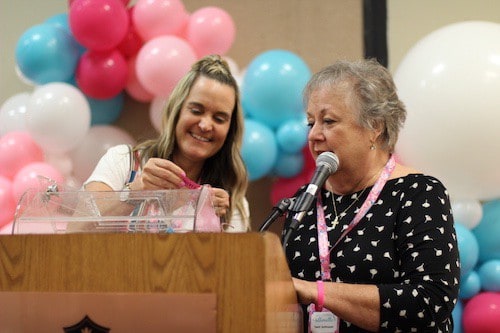
    Here, Terri gets some help from Sarah Cannon, Silhouette, pulling tickets out to give away prizes.

    All Things Silhouette Conference in Pictures - June 2019 - A weekend experience for Cameo, Portrait, Curio, and Mint users. By cuttingforbusiness.com.

    Terri Johnson may be the guru behind the conference, but her husband Frank can be seen doing anything and everything anyone needs. From driving a golf cart shuttle in the rain to moving supplies from room to room he was everywhere – all the time! Here, he plays security to the raffle tickets.

    All Things Silhouette Conference in Pictures - June 2019 - A weekend experience for Cameo, Portrait, Curio, and Mint users. By cuttingforbusiness.com.

    If you go to a conference in the future, remember this: The more you buy – the more chances you have to win great prizes.

    All Things Silhouette Conference in Pictures - June 2019 - A weekend experience for Cameo, Portrait, Curio, and Mint users. By cuttingforbusiness.com.

    All Things Silhouette Conference in Pictures - June 2019 - A weekend experience for Cameo, Portrait, Curio, and Mint users. By cuttingforbusiness.com.

    There it is, my favorite moments from the June All Things Silhouette Conference. Interested in going to the next one? Sign up at this link for the November 2019 conference.

    See other recaps on previous conferences at this link.

    Loved this post? Share it on Pinterest.
    All Things Silhouette Conference in Pictures - June 2019 - A weekend experience for Cameo, Portrait, Curio, and Mint users. By cuttingforbusiness.com.

  • Crafting with the US Flag: What You Need to Know

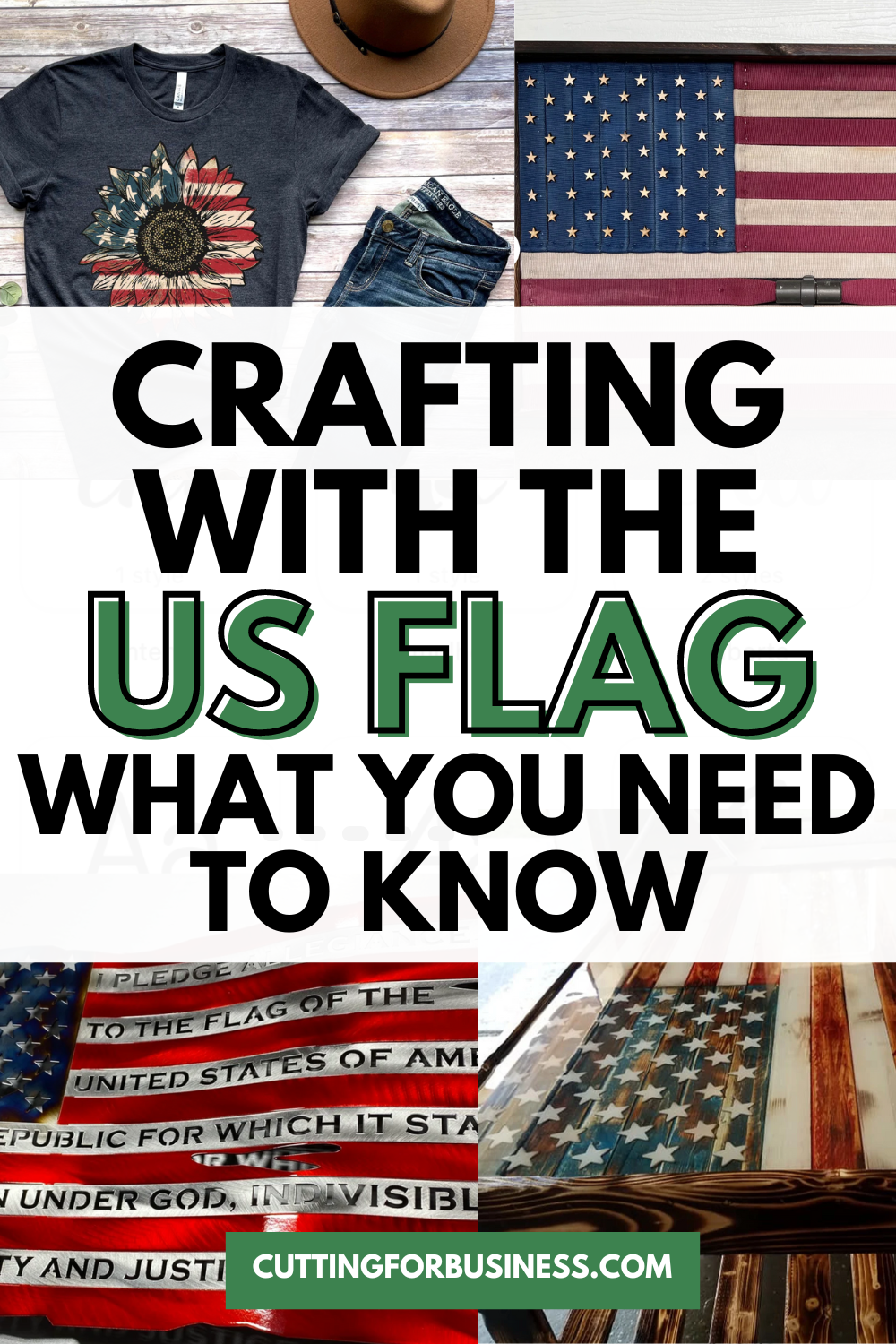
    With summer upon us, buyers will be seeking patriotic products to celebrate. If you are thinking of crafting with the US flag, read on for some best practices.

    Crafting with the US Flag: What You Need to Know - cuttingforbusiness.com

    The Flag Code

    All rules and regulations having to do with the United States flag are handled through the Flag Code which was adopted on June 14, 1923. The Flag Code lays out how to fly a flag, the design of the US flag, how to dispose of a worn out US flag, and much more. However, the Flag Code does not impose penalties for misuse of the flag. This is handled on a state to state basis.

    Read the Flag Code.

    Crafting with the US Flag: Design Specifics

    • The US flag has 13 equal sized stripes. The top stripe should be red and alternate red and white.
    • The United States flag has 50, five point stars that should be arranged in 9 rows staggered horizontally and 11 rows staggered vertically.
    • The blue part of the flag is called the union. Whether you create your flag design vertically or horizontally, the union should always be in the top left corner. (The exception to this is when the flag is on the right side of a vehicle or a service person’s uniform. In these cases, the union appears on the right side.)
    • The bottom of the union should line up with the bottom of a red stripe.
    • The official hexadecimal colors for the US flag are: white: #FFFFFF, Old Glory Red: #B22234, and Old Glory Blue: #3C3B6E.
    • It’s acceptable to craft with previous versions of the US flag.
    • According to the Flag Code, the US flag should not be used on clothing, drapes, bedding, costumes, uniforms, and more. However, it’s become more popular in modern times to do this. Here’s a great discussion of flags on clothing.
    • Government works (such as the US flag design) are public domain.
    • It’s acceptable to make artistic renderings of the US flag.

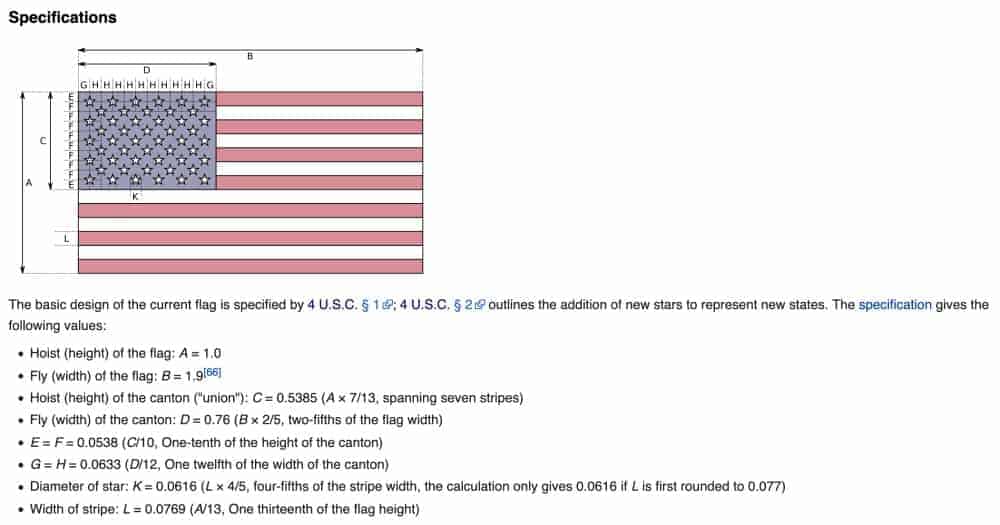
    US Flag Design Diagram

    I found this great diagram of the exact dimensions of the flag. While these specifications are only for official governmental use flags, I thought it was fun to share.

    Things to Know When Crafting with an American Flag Design - by cuttingforbusiness.com
    Image Source: Wikipedia

    Free Patriotic SVG Cut Files

    [mv_create key=”16″ type=”list” title=”Free Patriotic SVG Cut Files” thumbnail=”” layout=”hero”]