Category: Uncategorized

  • Tutorial: Engraved Coin with xTool F1 Ultra

    One aspect of the xTool F1 Ultra is the machine’s ability to engrave embossed designs. Let’s take a look at how to set it up in xTool’s XCS (xTool Creative Studio) software and how it works with the xTool F1 Ultra laser.

    Tutorial: Engraved Coin with xTool F1 Ultra

    Setting Up the Engrave in the XCS Software

    To create an embossed engrave design, you’ll need a depth map. This special graphic breaks an image down into many layers for the machine to engrave – giving it depth.

    You’ve got three options:

    1. Use the built in AI (Artimind) in XCS to create a depth map.
    2. Use a third party site to create your own depth map and import it.
    3. Choose an image from the XCS library.

    Let’s use the built in AI with my own image in XCS to create a depth map.

    First, open the XCS software, and click the AI icon on the left hand side toolbar.

    Next, choose ‘Embossment’.

    Upload your design, click the ‘Generate’ button and let the software transform your image.

    Hover over the newly created depth map, and select the 3rd icon (Import to Canvas).

    Setting Up the Engrave in the Machine

    Perfect! Now that the image is loaded into the software as a depth map, put your material to be engraved onto the machine.

    (add photo of material in the machine)

    Choose your settings. For this tutorial, I’m using the built in settings for ‘Commemmorative Coin’.

  • 20 Low Content Products to Make & Sell in Your Craft Business

    You probably encounter low content products every day in your life, you just don’t know that they have a name.

    What Are Low Content Products?

    Amazon defines low content books as, “A low-content book has minimal or no content on the interior pages. Low-content books are generally repetitive, and designed to be filled in by the user.”

    While many low content products are books, they don’t have to be an entire book. Low content products can be a single page. For example: This free habit tracker on Cutting for Business is a low content product.

    20 Examples of Low Content Products

    Journals & Diaries

    Journals are one of the most well known low content products.

    1. Journals & Diaries
    2. Logbooks
    3. Planners
    4. Habit trackers
    5. Business calendars
    6. Worksheet
    7. Content calendars
    8. Checklists

    Where Can You Sell Low Content Products?

    Low content products can make great products to sell both digitally and in print.

    How Can You Design Low Content Products if You Don’t Have Design Skills

  • Tutorial: How to Put Etsy Shop in Vacation Mode

    Whether you are heading out of town, have family or friends coming into town, or just need a break from your Etsy shop – there are a variety of reasons why you might want to put your Etsy shop into vacation mode.

    Today, I’ll share step by step instructions.

    How to Put Your Etsy Shop in Vacation Mode

    1. Log into your Etsy Shop Manager.

  • Pros and Cons of Opening a Second Etsy Shop

    Thinking of opening a second Etsy Shop? Today, let’s look at some of the pros and cons.

    Why Would You Want to Open a Second Etsy Shop?

    What Does Etsy Say About Opening a Second Etsy Shop?

    10 Pros to Opening a Second Etsy Shop

  • Earlier in the summer, I purchased a Remarkable tablet to better organize my life. After using it for the entire summer, I’m ready to share my thoughts on the Remarkable 2.

    What is a Remarkable 2?

    Never heard of the Remarkable2? Remarkable is an e-ink tablet. If you are familiar with a Kindle, a Remarkable 2 looks like a larger Kindle that you can write on. Put simply, it can replace your paper notebooks.

    How Am I Using the Remarkable 2?

    To understand how I’m using my Remarkable, you have to understand how I (used) to manage everything in my life. I used to use spiral notebooks. I had a spiral notebook for Cutting for Business. I had a notebook for family stuff – like meal planning, grocery lists, and kid’s stuff. I had a notebook for each aspect of my life.

    This system worked well and served me well for years. But, there were a few problems: 1) Sometimes I would find myself without the notebook I needed. For example, I’d be at the store and I would have a great idea for a blog post. But, I wouldn’t have the Cutting for Business notebook with me. 2) Carrying around different notebooks

    Features of the Remarkable 2

    • Screen writing surface feels like pencil and paper
    • 10.3 inch screen
    • Weighs 14.1 ounces
    • 8 GB storage capacity
    • Can open PDF files
    • Syncs to a cloud

    How Long is the Battery Life on the Remarkable 2?

    Remarkable notes that the battery lasts for around 3 weeks when used for 3 hours daily. I’ve found this battery life estimate to be correct. I’ve been charging my Remarkable2 about once a month.

    How is it Different from an iPad and Apple Pencil?

    A Remarkable2

    FAQ About Remarkable2

    Q: Does the Remarkable 2 have a camera?
    A: No, the Remarkable 2 does not have a camera.

    Q: Can you browse the internet on the Remarkable 2?
    A: No, the Remarkable 2 does not have a web browser.

    Q: Can you watch movies on the Remarkable 2?
    A: No, the Remarkable 2 does not play movies.

    Q: How long does the battery last?
    A: Remarkable claims that the Remarkable 2 lasts for approximately 3 weeks with daily usage of

    marker plus170.52
    170.56
    140.52
    remarkable app130.54
    mobile apps120.52
    google drive110.52
    100.52
    book folio100.51
    power button100.54
    pdf files90.52
    80.53
    marker tips80.52
    mobile device80.51
    handwritten notes70.54
    levels of pressure sensitivity70.50
    remarkable desktop app70.53
    ballpoint pen70.52
    e-ink display60.53
    usb-c port60.51
    digital devices60.56
    monthly subscription50.54
    app store50.54
    great addition50.52
    ipad pro50.51
    screen share50.51
    writing experience50.50
    remarkable marker50.57
    cloud services50.53
    e ink tablet50.54
    to-do lists40.54
    e-ink tablet40.53
    direct sunlight40.53
    connect subscription40.52
    wi-fi connection40.52
    ghz dual-core arm processor40.52
    mah battery40.52
    note-taking experience40.52
    unlimited cloud storage40.51
    real time40.51
    connect plan40.51
    chicken scratch40.51
    glass screen40.51
    new notebooks40.51
    day planners40.51
    different pens40.51
    paper notebooks40.50
    legal pads40.50
    regular tablet40.50
    feel of paper30.57
    use case30.56
    digital note-taking30.56
    high price tag30.55
    ipad mini30.54
    web pages30.54
    email address30.54
    brush strokes30.54
    note-taking device30.54
    e-ink screen30.53
    standard marker30.53
    great device30.52
    world’s thinnest tablet30.52
    subscription service30.52
    weeks of use30.52
    feel of writing30.52
    google chrome extension30.52
    extra tips30.52
    additional cost30.51
    sheet music30.51
    regular marker30.51
    meeting notes30.51
    remarkable cloud30.51
    subscription fee30.51
    samsung galaxy tab s30.51
    chrome plugin30.51
    new features30.51
    gb of internal storage30.51
    remarkable device30.51
    built-in eraser30.51
    bottom line30.51
    onedrive integration30.51
    grey polymer weave30.51
    full refund30.51
    remarkable account30.50
    screen sharing30.50
    calligraphy pen30.50
    ghz wi-fi30.50
    pen types30.50
    original remarkable30.67
    stylus-sensitive layer20.71
    remarkable’s own cloud storage20.69
    electronic writing tablet20.65
    touch layer20.60
    only tablet20.58
    customer support team20.57
    onyx boox note air20.57
    so-called marker20.56
  • Birthday Bundle Ebook Sale

    You missed it! This sale is over! Click here to see the entire collection of ebooks at Cutting for Business.


    Happy birthday to me, happy birthday to me, happy birthday dear Chhhrrriiissstttiiinnnneeeee, happy birthday to me.

    Yep! You may not have known, but today is my birthday! This year, I’m offering my entire collection of craft business ebooks in a (never-done-before-and-won’t-happen-anytime-soon-again) bundle!

    What’s Included

    Diving In: 30 Days to Start Your Silhouette or Cricut Business ($20)

    Diving Deeper: 30 Days to Grow Your Silhouette or Cricut Business ($20)

    15 Home Parties to Host with Your Silhouette or Cricut ($20)

    Pinterest Boot Camp ($10)

    Instagram Boot Camp ($10)

    Etsy Shop Boot Camp ($10)

    Regularly priced for $90, pick up your set for $50.

    Of course, since my birthday only happens once per year, you have to be fast. This deal ends at midnight tonight (1-22-21).

    Cutting for Business Ebook Bundle Sale - cuttingforbusiness.com
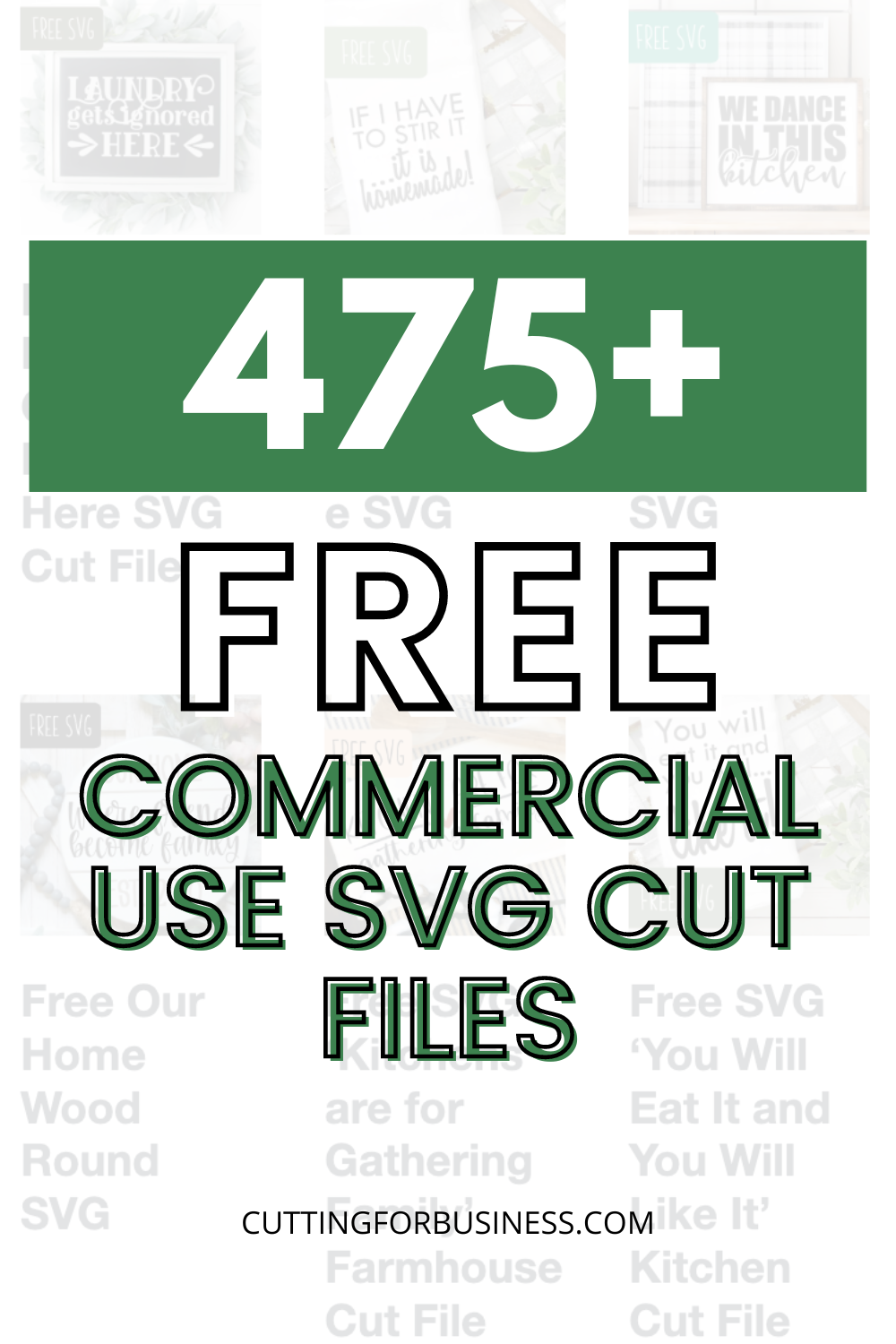
  • 475+ Free Commercial Use SVG Cut Files

    Love crafting and free stuff? Me, too! Cutting for Business has nearly 500 free commercial use SVG cut files. To download them, visit each page and download them in the green box.

    SVG License

    Commercial use is included for most free SVG cut files on Cutting for Business. Commercial use is extended only to at home or small business crafters with less than 5 employees.

    Design copyright remains with Cutting for Business, OCLE Enterprises. The digital files cannot be uploaded elsewhere on the internet, distributed for free, disassembled and used in other designs, or sold.

    Neither print on demand services or including SVG designs in an app or behind another paywall is included without written permission.

    Questions or comments? christine@cuttingforbusiness.com.

    As a reminder, this license can be found at the bottom of every page on this website.

    Free Commercial Use SVG Cut Files

    New Year

    Valentine’s Day

    Love & Wedding

    St. Patrick’s Day

    Easter

    Want to Learn How to Design Your Own SVG Cut Files?

    My free SVG files have been downloaded thousands of times. Many crafters were asking how I create the SVGs. I created a class, How to Design SVGs. Get more information about the online class that you can take at your leisure. Then, join our private class Facebook Group.

    Spring & Gardening

    Patriotic

    Summer & Vacation

    Outdoors

    Pets

    Taking Too Long to Download Each SVG?

    I know it can be time consuming to visit each page to download the free SVG. If you are short on time and want to download all the free SVG cut files shown on this page quickly, I offer a bundle.

    Home

    Family

    Birthday

    Coffee

    Wine

    Crafting

    Buy Me a Coffee

    As you can imagine, designing free commercial use SVG cut files takes an enormous amount of time. I not only share them with you for free, but I allow you to use the files to make and sell products. Don’t you think you should Buy Me a Coffee?

    Small Business

    Motivational

    School & Graduation

    Sports

    Cancer Awareness

    Halloween

    Where to Find More Free SVG Cut Files

    Still looking for more SVG cut files? I have created a list of websites and blogs that offer free commercial use SVG files.

    Fall

    Thanksgiving

    Winter

    Christmas

    Miscellaneous

    475+ Free SVG Cut Files with Commercial Use for Silhouette, Cricut, Glowforge, Juliet, and xTool users - cuttingforbusiness.com.
  • 30 Things to Learn Now to Help Your Craft Business Later

    Have some extra free time? If you are like most craft business owners, you’ll got some extra time right now. Rather than spend it binge watching tv or aimlessly scrolling through social media, I’ve rounded up 30 things you can learn right now that will benefit your business in the future. 

    30 Things to Learn Now to Help Your Craft Business Later

    1. Product Photography.
    2.  
    3. Font Design.
    4.  
  • All Things Silhouette Conference in Pictures – June 2019

    After each All Things Silhouette Conference I put together a slideshow to show off pictures I’ve snapped throughout the weekend. Over the years, I’ve taken a lot of photos of the conference. This year, instead of capturing the conference as a whole – I set out to capture the moments. The hard work put into the setup of the conference, the incredible amount of knowledge each instructor brings, the joy of attendees when they’ve won something, and much more.

    All Things Silhouette Conference in Pictures – June 2019

    Setup

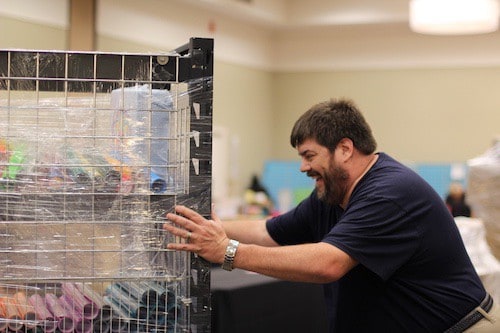
    Vendor Hall is one of the most popular areas of the whole conference. What most attendees might not realize is that it takes hours and lots of hands to set up each booth.

    Richard Bloedow, from sewingmachine.com, pushes a cart full of vinyl for sale.
    All Things Silhouette Conference in Pictures - June 2019 - A weekend experience for Cameo, Portrait, Curio, and Mint users. By cuttingforbusiness.com.

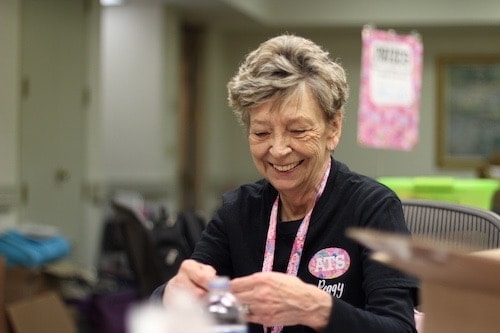
    Peggy, an ATS staff member and Craft Chameleon staffer, works on last minute details before registration opens.
    All Things Silhouette Conference in Pictures - June 2019 - A weekend experience for Cameo, Portrait, Curio, and Mint users. By cuttingforbusiness.com.

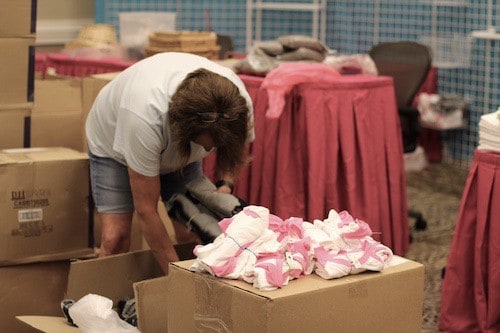
    Vendors unpack boxes and boxes of goods to be sold during the conference.
    All Things Silhouette Conference in Pictures - June 2019 - A weekend experience for Cameo, Portrait, Curio, and Mint users. By cuttingforbusiness.com.

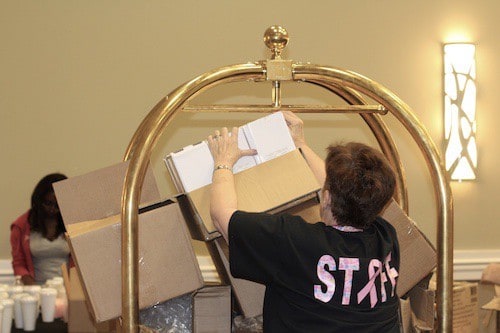
    Lisa, an ATS staff member, saves boxes from toppling off a luggage cart during setup.
    All Things Silhouette Conference in Pictures - June 2019 - A weekend experience for Cameo, Portrait, Curio, and Mint users. By cuttingforbusiness.com.

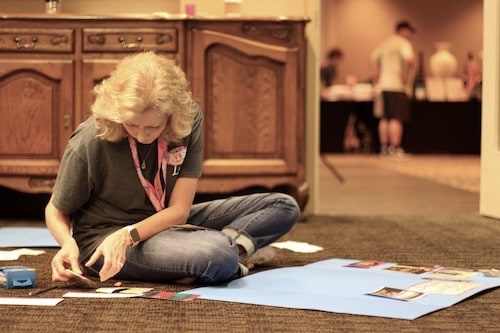
    Lycia, an ATS staff member and blogger at Caught by Design, organizes entries for the t-shirt contest.
    All Things Silhouette Conference in Pictures - June 2019 - A weekend experience for Cameo, Portrait, Curio, and Mint users. By cuttingforbusiness.com.

    Instructors and Classes

    If you ever find yourself in need of some technical help in Silhouette Studio – track down Cindy Eckhoff from Smart Sillhouette. She used to work in Silhouette’s customer service department and knows her way around Silhouette Studio better than most.

    All Things Silhouette Conference in Pictures - June 2019 - A weekend experience for Cameo, Portrait, Curio, and Mint users. By cuttingforbusiness.com.

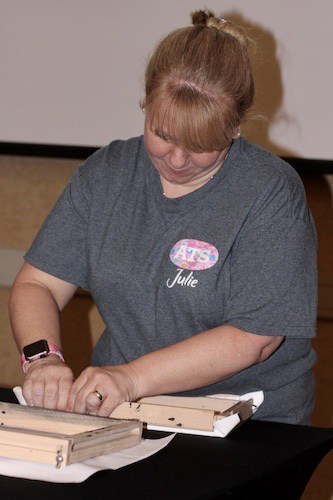
    There is nothing better than hands on instruction. Here, Julie Huggins, from Sew Craft N’Spired Creations, walks attendees through creating a reverse canvas.
    All Things Silhouette Conference in Pictures - June 2019 - A weekend experience for Cameo, Portrait, Curio, and Mint users. By cuttingforbusiness.com.

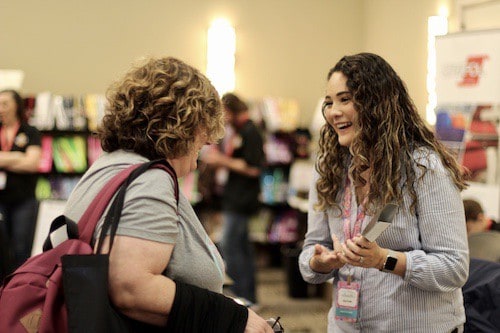
    Lisa Potts, of The Rhinestone World, talks rhinestone related products with a conference attendee.
    All Things Silhouette Conference in Pictures - June 2019 - A weekend experience for Cameo, Portrait, Curio, and Mint users. By cuttingforbusiness.com.

    Melissa Viscount, from Silhouette School, demonstrates Foil Quill on a Cameo 3.
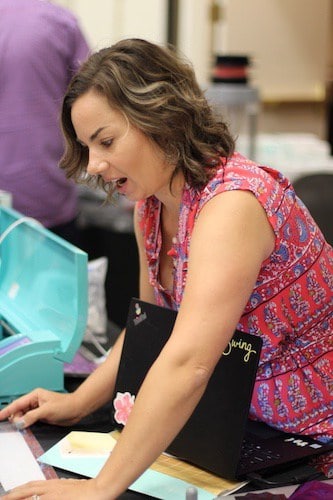
    All Things Silhouette Conference in Pictures - June 2019 - A weekend experience for Cameo, Portrait, Curio, and Mint users. By cuttingforbusiness.com.

    Mags Bonham, from Really Unique Creations, talks using polymer clay to create jewelry with the Silhouette Curio with an attendee.
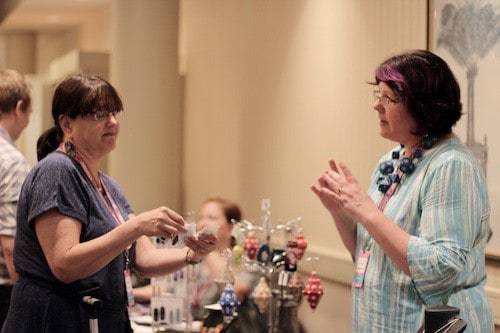
    All Things Silhouette Conference in Pictures - June 2019 - A weekend experience for Cameo, Portrait, Curio, and Mint users. By cuttingforbusiness.com.

    Lori Whitlock, from Lori Whitlock, teaches how to design cards during a session.

    All Things Silhouette Conference in Pictures - June 2019 - A weekend experience for Cameo, Portrait, Curio, and Mint users. By cuttingforbusiness.com.

    Cindy Pope discussing using a Curio to make artisan style jewelry.
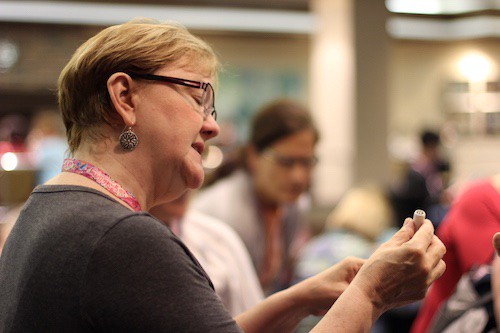
    All Things Silhouette Conference in Pictures - June 2019 - A weekend experience for Cameo, Portrait, Curio, and Mint users. By cuttingforbusiness.com.

    Ashley, from Specialty Materials, answers questions about their products.
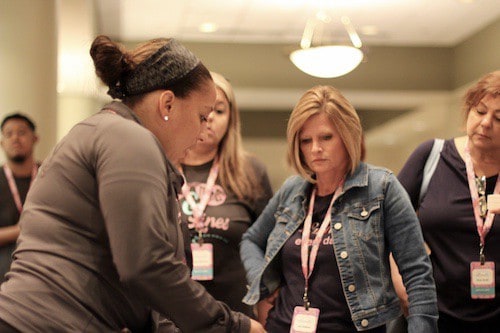
    All Things Silhouette Conference in Pictures - June 2019 - A weekend experience for Cameo, Portrait, Curio, and Mint users. By cuttingforbusiness.com.

    The Live Stream

    I wasn’t at the last conference when they started doing a question and answer live stream right from the conference. I was thoroughly impressed with Heat Press Nation who set up and hosted the panel. Participants in the panel included: Jared Barbosa (Heat Press Nation), Spencer Livingston (Silhouette), Terri Johnson (Terri Johnson Creates), Lori Whitlock (Lori Whitlock), Mandy Graham (Sparkleberry Ink), and Joe Piazza (Siser North America).
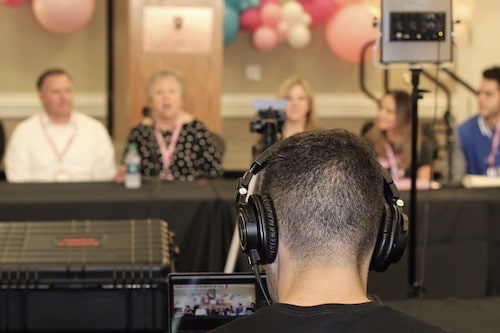
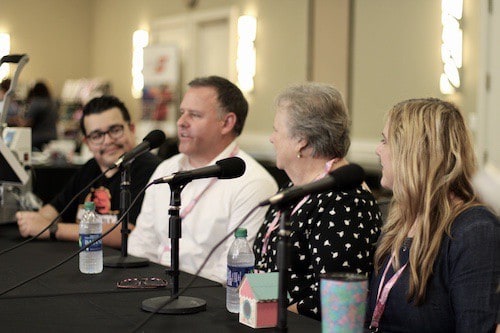
    All Things Silhouette Conference in Pictures - June 2019 - A weekend experience for Cameo, Portrait, Curio, and Mint users. By cuttingforbusiness.com.

    All Things Silhouette Conference in Pictures - June 2019 - A weekend experience for Cameo, Portrait, Curio, and Mint users. By cuttingforbusiness.com.

    All Things Silhouette Conference in Pictures - June 2019 - A weekend experience for Cameo, Portrait, Curio, and Mint users. By cuttingforbusiness.com.

    Shopping

    No matter how many times I passed the Sparkleberry Ink booth, they were always busy checking out customers.
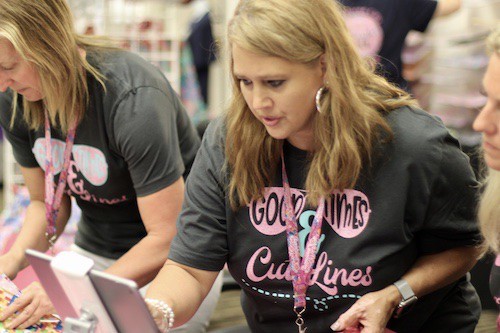
    All Things Silhouette Conference in Pictures - June 2019 - A weekend experience for Cameo, Portrait, Curio, and Mint users. By cuttingforbusiness.com.

    Vendors stayed busy while shoppers received raffle tickets for every $50 they spent in Vendor Hall.
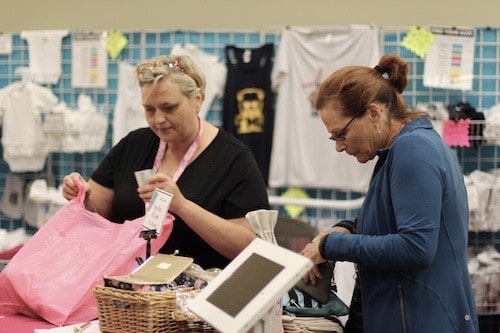
    All Things Silhouette Conference in Pictures - June 2019 - A weekend experience for Cameo, Portrait, Curio, and Mint users. By cuttingforbusiness.com.

    Being able to ask for recommendations from vendors is invaluable to attendees. Plus, their excitement is contagious!

    All Things Silhouette Conference in Pictures - June 2019 - A weekend experience for Cameo, Portrait, Curio, and Mint users. By cuttingforbusiness.com.

    Upcoming Product Sneak Peeks

    Ben, from Silhouette, shows off the prototype of the Silhouette Cameo 4 – hopefully releasing Fall of 2019.
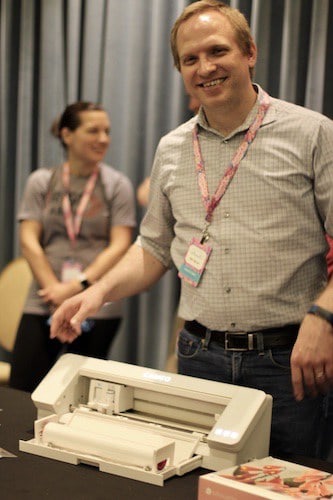
    All Things Silhouette Conference in Pictures - June 2019 - A weekend experience for Cameo, Portrait, Curio, and Mint users. By cuttingforbusiness.com.

    The Silhouette team also had the prototype of the Silhouette Alta 2 on hand to look at.

    All Things Silhouette Conference in Pictures - June 2019 - A weekend experience for Cameo, Portrait, Curio, and Mint users. By cuttingforbusiness.com.

    The Giveaways and Prizes

    The prizes for this conference were amazing. From Cameo 3’s to a presale Cameo 4 and a year long subscription to the Silhouette Design Store along with baskets and bags full of products.

    Here, Terri gets some help from Sarah Cannon, Silhouette, pulling tickets out to give away prizes.
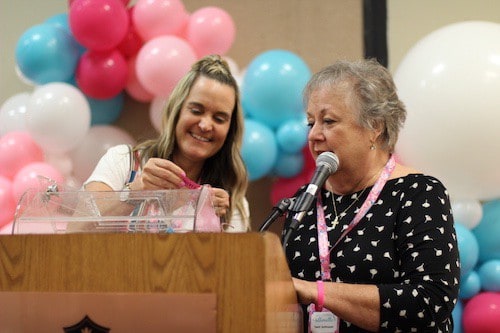
    All Things Silhouette Conference in Pictures - June 2019 - A weekend experience for Cameo, Portrait, Curio, and Mint users. By cuttingforbusiness.com.

    Terri Johnson may be the guru behind the conference, but her husband Frank can be seen doing anything and everything anyone needs. From driving a golf cart shuttle in the rain to moving supplies from room to room he was everywhere – all the time! Here, he plays security to the raffle tickets.

    All Things Silhouette Conference in Pictures - June 2019 - A weekend experience for Cameo, Portrait, Curio, and Mint users. By cuttingforbusiness.com.

    If you go to a conference in the future, remember this: The more you buy – the more chances you have to win great prizes.

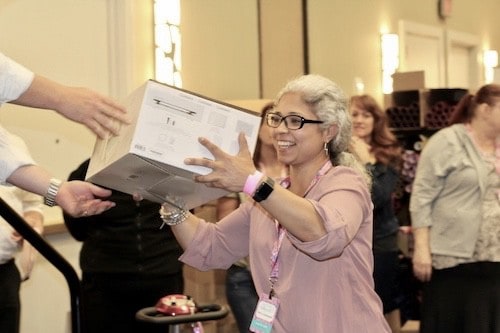
    All Things Silhouette Conference in Pictures - June 2019 - A weekend experience for Cameo, Portrait, Curio, and Mint users. By cuttingforbusiness.com.

    All Things Silhouette Conference in Pictures - June 2019 - A weekend experience for Cameo, Portrait, Curio, and Mint users. By cuttingforbusiness.com.

    There it is, my favorite moments from the June All Things Silhouette Conference. Interested in going to the next one? Sign up at this link for the November 2019 conference.

    See other recaps on previous conferences at this link.

    Loved this post? Share it on Pinterest.
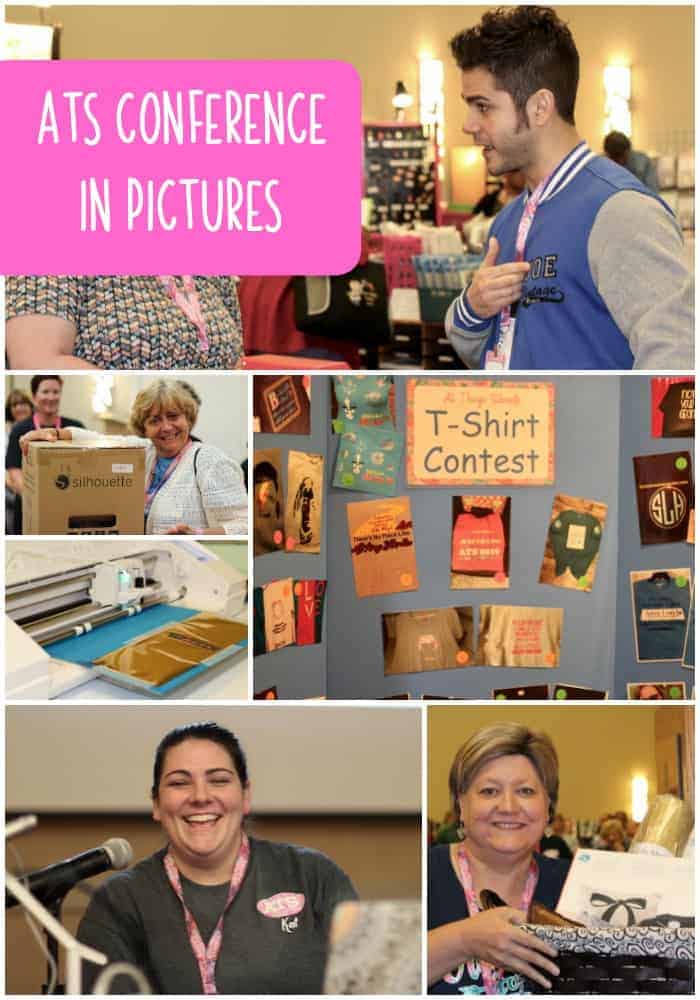
    All Things Silhouette Conference in Pictures - June 2019 - A weekend experience for Cameo, Portrait, Curio, and Mint users. By cuttingforbusiness.com.

  • Small Business Hack: Adding Coupon Codes to Coupon Sites

    Looking for some new customers in your Silhouette or Cricut craft business and don’t have a large budget? You can usually drum up some extra exposure for your smallbusiness if you add coupon