Since it’s craft show season, there are lots of crafters ordering mobile credit card readers to use at shows and fairs. Since the last time I wrote about them, Paypal has introduced a number of new card readers. Let’s take a look at the differences.
First, know that all the Paypal card readers do the same thing: Accept payments from customers and put the money into your Paypal account. To use any of the Paypal credit card readers, you’ll need the free Paypal Here app for your tablet or smartphone. Get it here in the App Store or here in Google Play.
Differences Between Paypal Card Readers
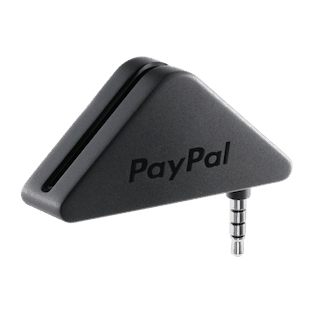
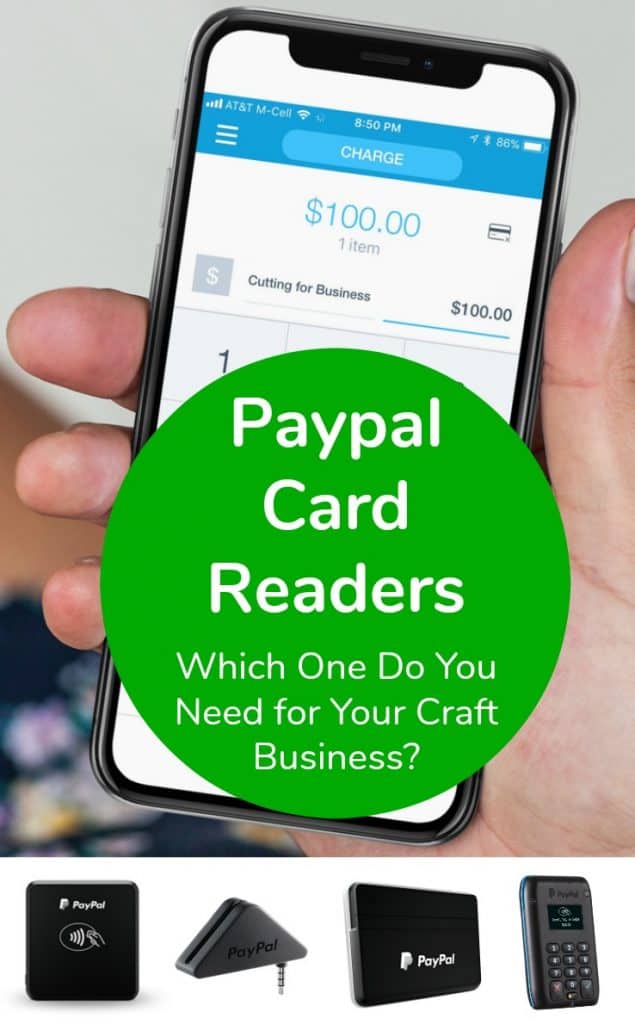
This is the most basic Paypal card reader. It accepts cards that are swiped using the magstripe. This Paypal card reader connects to the headphone jack or your tablet or smartphone. (This means that some iPhone owners will need to use an adaptor to your lightning port since you don’t have a headphone jack.) This also means that you cannot dip chip cards. Cost: $14.99, but is often offered free when you download the app.
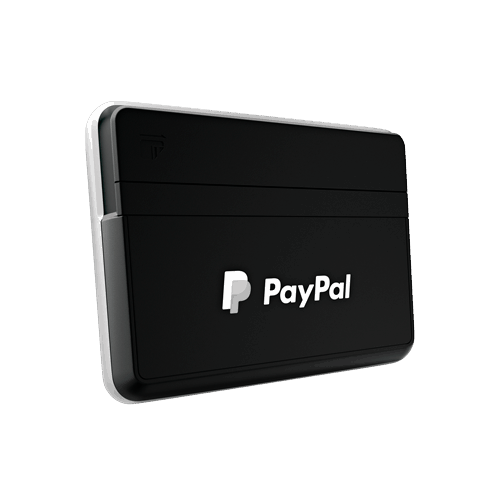
The next Paypal card reader accepts both magstripe cards and chip cards. It is important to be able to accept chip cards using the chip instead of swiping it. Unfortunately, in the case of fraudulent charges you will be held liable if you accept a card that has a chip and you swipe it instead. For more information on this, see this post on the blog. Instead of using a headphone jack, it connects via Bluetooth on your tablet or smartphone. Cost: $24.99. This is the Paypal card reader that I recommend most.
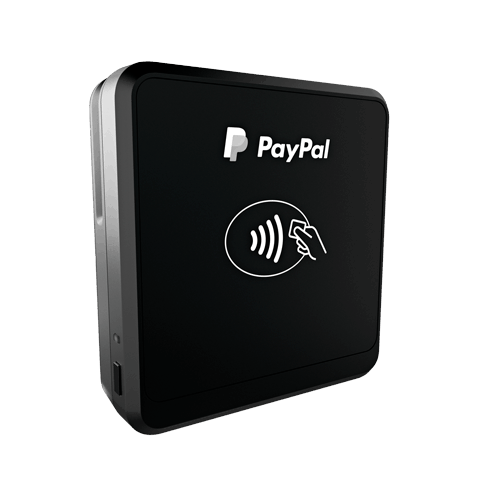
This Paypal card reader also accepts both magstripe cards and chip cards. Again, it connects through Bluetooth connection to your tablet or smartphone. It also has the capability to accept contactless payments; like those from Apple Pay. For the average craft show seller, there’s no reason you’d need to offer contactless payments. Cost: $59.99.
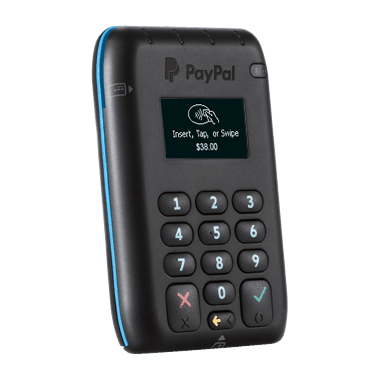
Last, this Paypal card reader does everything above: Accepts payments through magstripe, chip cards, Samsung Pay, and contactless pay. It connects through Bluetooth to your tablet or smartphone. It also features a numerical keyboard. Again, for the average craft show seller, there’s no real reason you’d need this reader. Cost: $79.00.
Cost of Using the Paypal Card Readers
2.7% per US swipe for magnetic stripe, chip card, or contactless transactions.
For keyed transactions, the fee is 3.5% plus $0.15, per US transaction.
Accept non-US cards for the standard 2.7% per swipe plus 1% cross-border fee.
Prefer to use Square instead of Paypal? Click here to read my post on the magstripe and chip card reader from Square – and get $1000 in free processing.
Love helping other small business owners? Save this post to Pinterest:
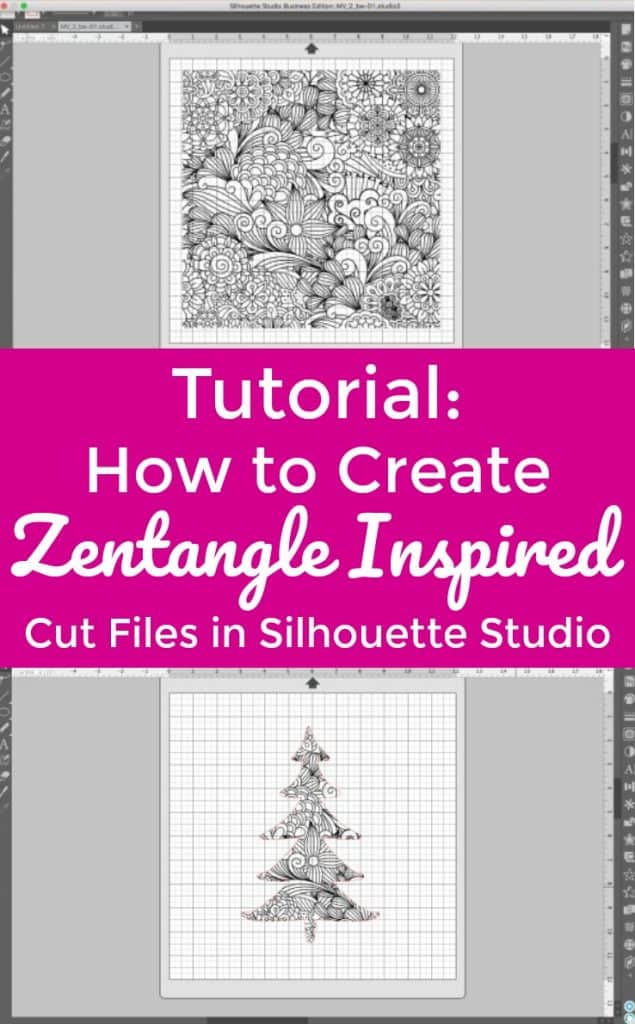
Hey small business owners, I know that December is absolutely the busiest time of year for you. Take a quick break with a fun tutorial today: How to create faux Zentangle cut files!
What is Zentangle?
Before we get started, what exactly is Zentangle? Zentangle is an art form that involves creating pictures using repetitive, doodled patterns. The creators of Zentangle, Maria Thomas and Rick Roberts, offer a step by step system to follow to create the designs. They offer live classes and instructor certification programs. You can find more information about official Zentangle at this link.
So, the easiest way to create a true Zentangle pattern to use with your Silhouette is to draw one on paper or your iPad Pro and Apple Pencil; then open and cut it on your Silhouette (or Cricut). But, you can also make Zentangle inspired cut files.
How to Create Zentangle Inspired Cut Files in Silhouette Studio
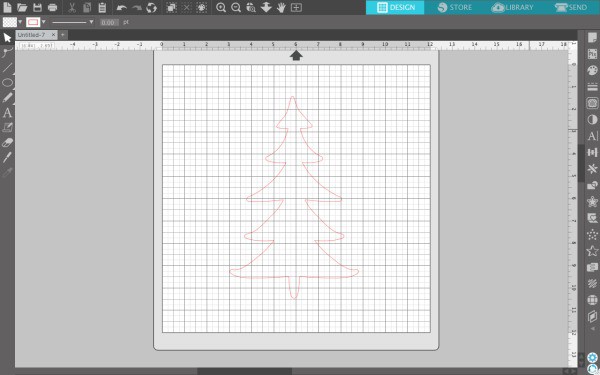
Draw the outline of a shape in Silhouette Studio. If you cannot draw a shape, feel free to trace a piece of commercial use clipart or use a dingbat font. (This tutorial uses a dingbat font from the Amastery Extras font.)
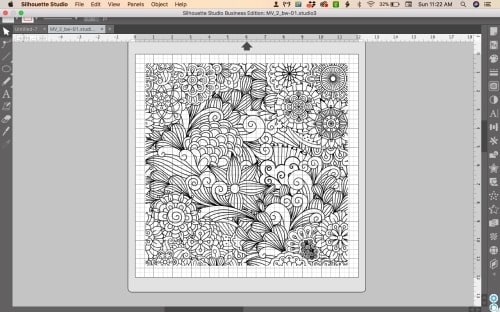
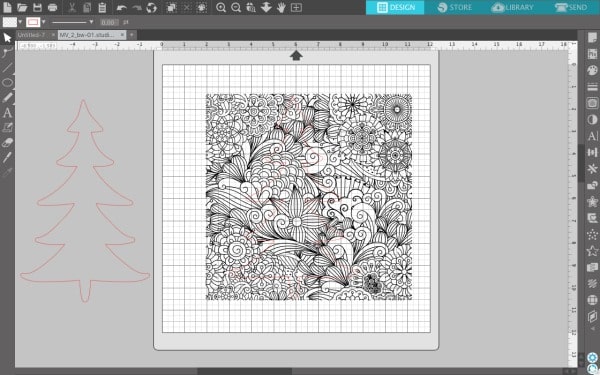
Purchase a Zentangle inspired pattern from Etsy or Creative Market and open it in Silhouette Studio ‘File’, then ‘Open’. (I’m using this one.) I purchased a file in .eps format. This format is similar to .svg and is ready to cut. If you purchase a pattern in .jpg or .png format, you will need to trace it before being able to cut it. Your pattern should open now:
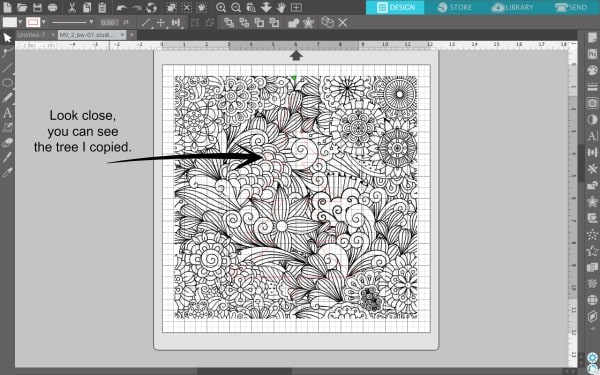
Copy and paste the shape from your first mat onto your Zentangle inspired pattern. (On Mac, ‘Command + C’, and ‘Command + V’. On Windows, ‘Control + C’, and ‘Control + V’.) Resize your pattern and shape as needed.
Make a copy of your shape and set it off to the side.
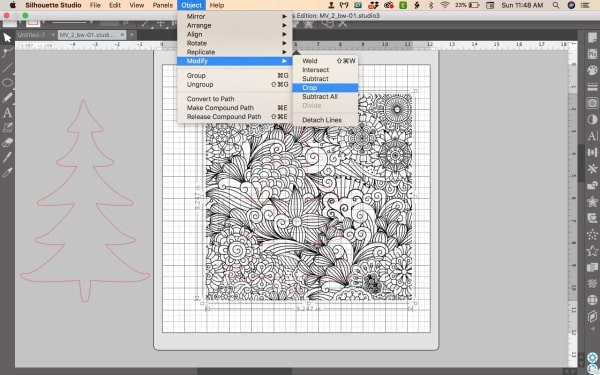
Select your pattern and your shape. (Hold down the ‘Shift’ key to select both at the same time.) Then, navigate to ‘Object’, ‘Modify’, ‘Crop’.
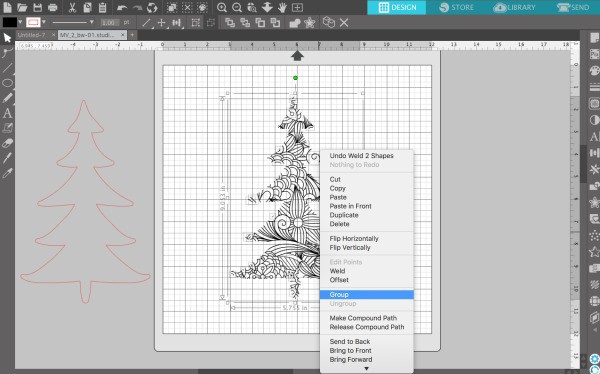
Your shape should now be cut out and and filled with the Zentangle inspired pattern. Right click and select ‘Group’ to group all the pieces together.
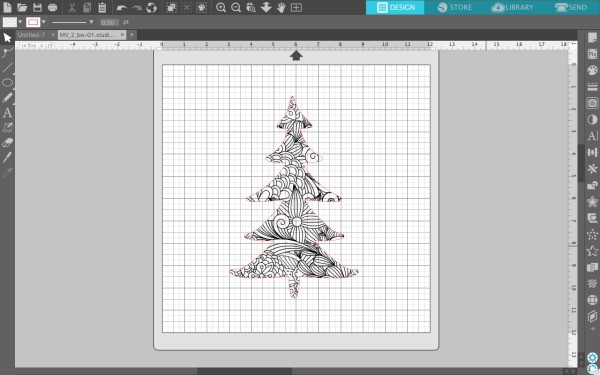
Drag the shape you copied onto your Zentangle inspired pattern and ‘Group’ it together. This step gives you a finished edge around the Zentangle.
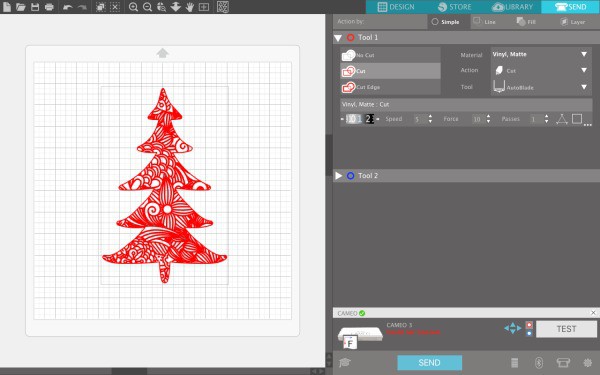
Add additional text or design elements if desired. Your Zentangle inspired cut file is ready to cut:
Love this tutorial? Share it with fellow crafters on Pinterest:
About once a week, I get an email from a Cutting for Business reader asking where to buy clear umbrellas at good prices to embellish with your Silhouette or Cricut and adhesive vinyl. Honestly, I don’t buy many umbrellas. However, I don’t mind doing the research for you.
The umbrella you’ll want to use is the clear dome that measures around 46 inches. This gives you plenty of
Happy New Year! 2018 marks the 3rd year that I’ve been working with Silhouette and Cricut small business owners through Cutting for Business. One thing that I’ve noticed in these years is that many Silhouette and Cricut small business owners are not as organized as they should be.
I truly want 2018 to be your year. To help you get (and stay!) organized throughout the whole year I’m giving you a free printable 2018 business planner!
This planner includes:
2018 yearly overview
Dates to remember
Weekly planner
Monthly goal setting
Daily habit tracker
Monthly sales recording
Monthly expenses recording
Yearly category expense recording
Sales tax tracker
Yearly profit calculator
Inventory worksheet
Business wish list
Favorite supplier list
Username and password log
Newsletter tracker
Promotions planner
Monthly statistics tracking
Emergency planning
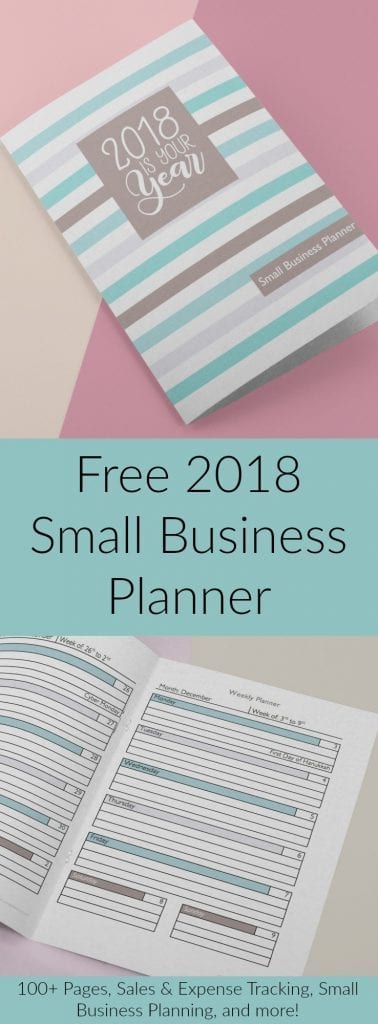
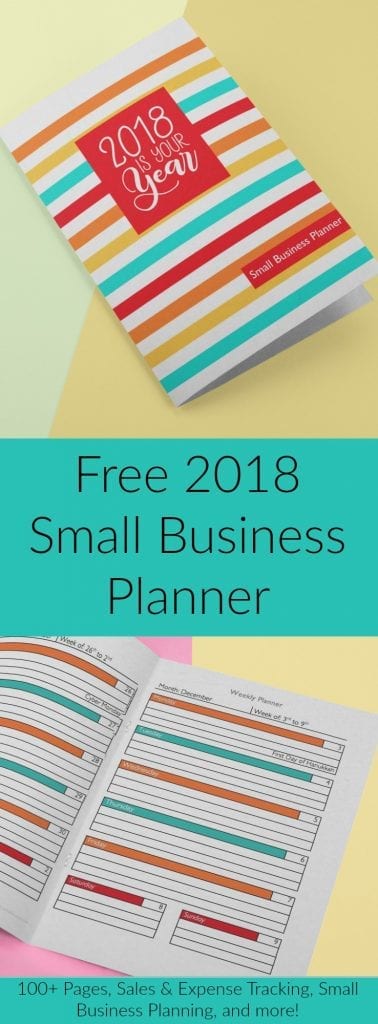
This free printable planner is available in a bold, bright color scheme or a muted, relaxing scheme.
Ready to download? First, save your favorite image below to Pinterest. Then, sign up to receive your new planner in your inbox below.
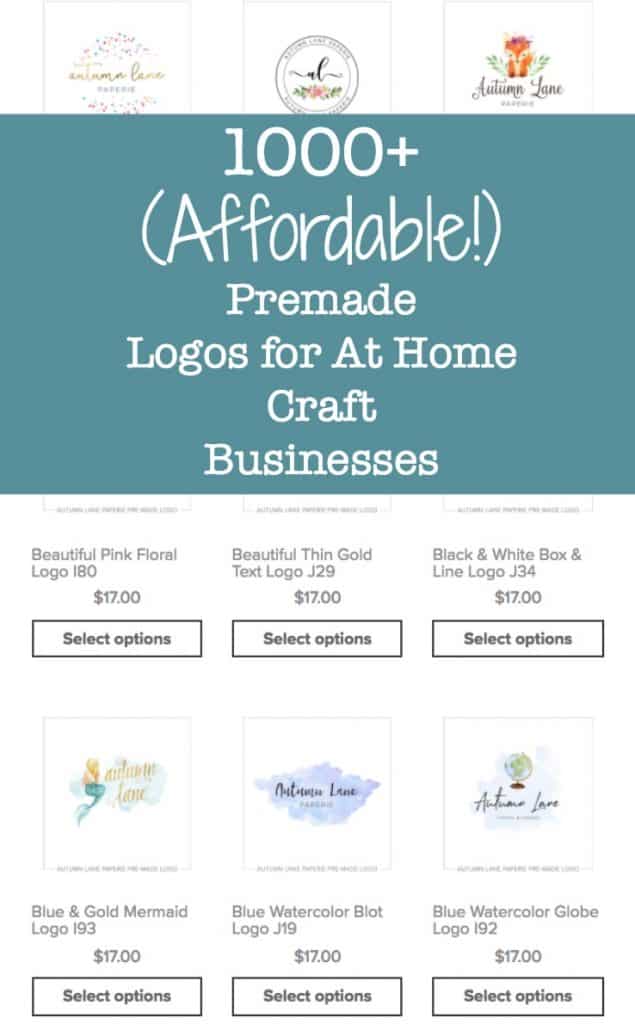
I have a fantastic post on ways to create a logo for your Silhouette or Cricut small business. (Read it here.) However, I know there are a lot of small business owners who are intimidated to create a logo or just don’t know where to start. The other day when I was browsing online, I found a small business site, Autumn Lane Paperie, that offers trendy, premade logos for only $17! Here’s a few of my favorites:
Good to Know
When placing your order:
You’ll need to include your business name and tagline.
You can request up to two font changes.
You can request a font color change.
You get two revision rounds to fine tune your logo.
You’ll receive your logo in .psd, .png, .jpg, and .pdf formats.
You can request your logo in .ai, .eps, and .svg for no charge. I’d recommend you get your logo in .svg format so that it is easily cut on your Silhouette or Cricut.
Your logo design is not exclusive. This means that other small businesses may have the same/similar logo to yours.
Are you looking for free SVG cut files with commercial use? Good news! I’ve compiled a list for you!
Commercial Use vs Personal Use Licenses
Finding free SVG cut files with commercial use is harder than finding free SVG cut files with personal use. Why? I don’t think as many designers offer free commercial use cut files.
Not sure of the difference between commercial use and personal use? Commercial use licenses allow you to use the SVG on products you sell; while personal use licenses only allow you to use the file on projects you make for your own use.
When you shop for free SVG cut files with commercial use licenses, you need to be sure to read the license for each file and at each site. Unfortunately, the terms from one website to another will vary greatly. Since designers are able to create their own licenses, one designer may say you can only create 10 products using the file – while another may say you can create an unlimited number of products. Still another designer may require a link back to their site, while another doesn’t allow print on demand.
If you are selling products using a free commercial use SVG cut file, you should keep a record of the license. This is as simple as saving the license included in the zip file to a folder on your computer.
Free SVG Cut Files on Cutting for Business
Shameless plug for this website! Did you know I offer nearly 500 free SVG cut files with commercial use? I have free files for all the major holidays like Valentine’s Day, 4th of July, Thanksgiving, Christmas, and more. I also offer free files for the seasons – Winter, Spring, Summer, and Fall. I have several free files for crafters, business owners, adoptive families, sports teams, and so many more.
Do you have a favorite site for commercial SVG cut files that isn’t listed below? There are several sites that offer free SVG cut files for commercial use that have obvious trademark infringements. For example, if I come across a site with free commercial use Disney files, or sports teams files – I do not list them below. Unfortunately, these sites do not have your best interest in mind and are likely selling files illegally with the promise of you being able to use them for sale.
Where to Find Free Commercial Use Cut Files
LoveSVG – A design company that offers three free commercial use SVG flash freebies daily.
Happy Crafters – An online craft supply shop that offers 6 pages of free commercial SVG cut files.
JoySVG – A design company that offers many pages of free SVG cut files. A note at the bottom of the website notes that commercial use is included.
The Scrap Shoppe Blog – Michelle shares a page of free SVG cut files. Towards the end of the post, it states, “You may not share or sell the files as your own, but you may use them on physical items for sale.”
The Hungry JPEG – A font and design marketplace that offers a different weekly SVG freebie. All weekly freebies include commercial use.
Bird’s Cards – Claina has hundreds of cut file elements, many geared towards paper crafters and card makers. Find commercial use restrictions at this link.
SoFontsy – Font and design marketplace with a small collection of free rotating SVG cut files. Read the details of the commercial use license.
SVGCuts – A design company that offers 40 pages of free SVG cut files. To use commercially, follow the rules listed on this page and fill out the form for approval.
Ready to Cut – Rebecka shares a small collection of SVG freebies. Some are marked commercial use allowed.
Craft House SVG – A designer with a large collection of SVG freebies with commercial use.
Craft Bundles – Font and design marketplace with regularly updated SVG freebies that include commercial use.
SVG Files Free – Karen has a collection of SVG cut files that include commercial use.
Kelly Lollar Designs – Kelly shares a single page of commercial use SVG freebies.
Better Life Blog – Nancy has a collection of SVG cut files that include commercial use.
SVG Cutting Files – Smaller collection of SVG freebies made by a design team. Most are licensed for commercial use. Learn more here.
Love Paper Crafts – Chelsea offers SVG freebies. Commercial license included but limited to 200 completed products for sale. Read the complete license.
Dreaming Tree (formerly 3D SVG) – Leo and his team have a collection of three dimensional SVG paper crafting freebies. Commercial usage requires a stamp. Read more about commercial use.
Ruffles & Rainboots – Sarah shares 120+ free SVG cut files with commercial use.
The Girl Creative – Diana has a collection of free commercial use SVG cut files with commercial use.
APEX Cuttable Designs – An embroidery design company that also has a regularly updated collection of SVG cut files with commercial use.
Scarlett Rose Designs – A small design company offering a collection of free commercial use SVG cut files.
Design Bundles – A marketplace with regularly updated freebie SVG’s with commercial use included.
Chameleon Cuttables – Sabine offers a handful of rotating commercial use SVG freebies.
Craft with Sarah – Sarah has many layered paper cutting SVG freebies, along with others. License terms are included in the zip file.
Creative Fabrica – Subscription site for fonts and cut files. Offers many free SVG cut files.
Master Bundles – A marketplace with a large collection of SVG cut files with commercial use.
Cutting for Business – I (Christine!) offer hundreds of free commercial use cut files in many categories.
Where You Can Find Even More Freebies
I’ve spent hours going through blogger and designer websites looking for free commercial use cut files. If you are still looking for more, there are other ways to find them. First, join the Facebook Groups of your favorite designers, sign up for their newsletters, follow them on social media, and register with their websites.
Did I miss your favorite website for free SVG cut files with commercial use? Let me know in the comments.
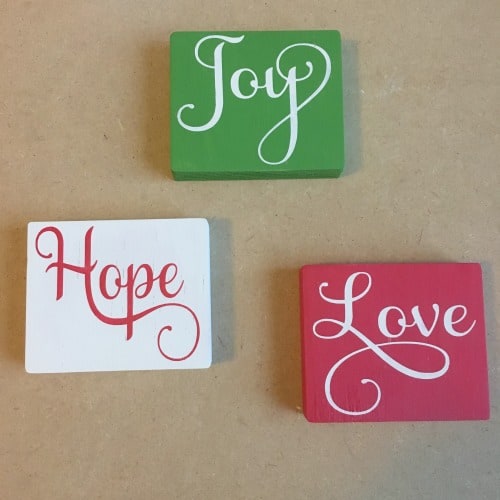
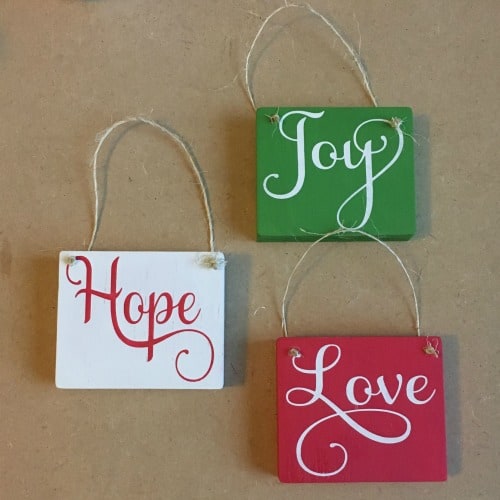
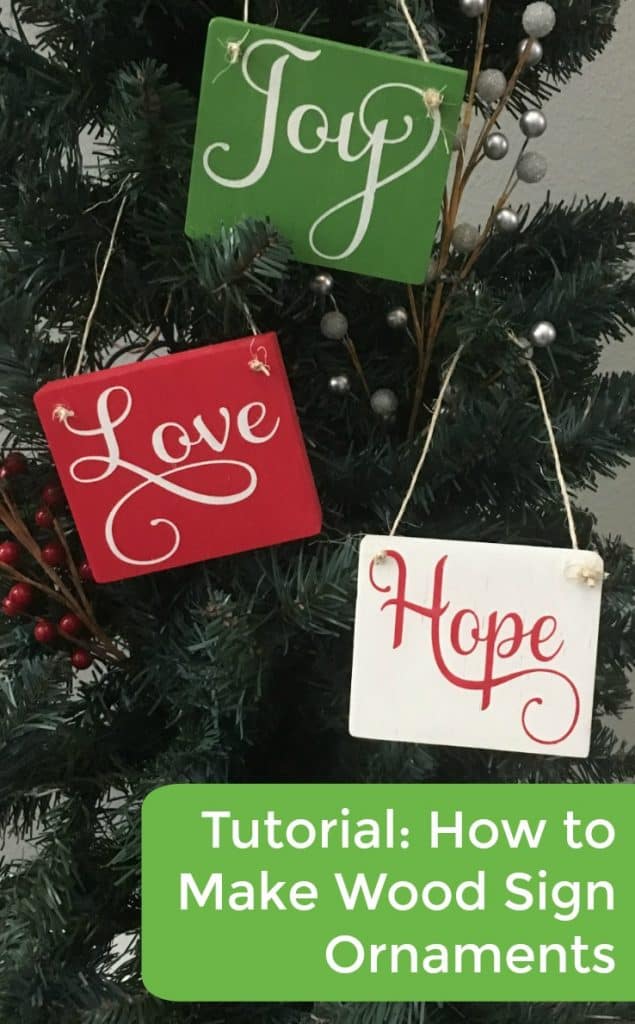
When I share tips for selling at craft shows, I always remind small business owners to bring a variety of products in all price ranges. However, if you sell painted wooden signs made with your Silhouette or Cricut, it isn’t always easy to bring products in the under $5 range. It certainly doesn’t make sense to sell glass ornaments if your entire brand is wood signs! Today, I’m sharing how I created some mini wood sign ornaments that would sell for less than $5.
Tutorial: How to Make Wood Sign Christmas Ornaments
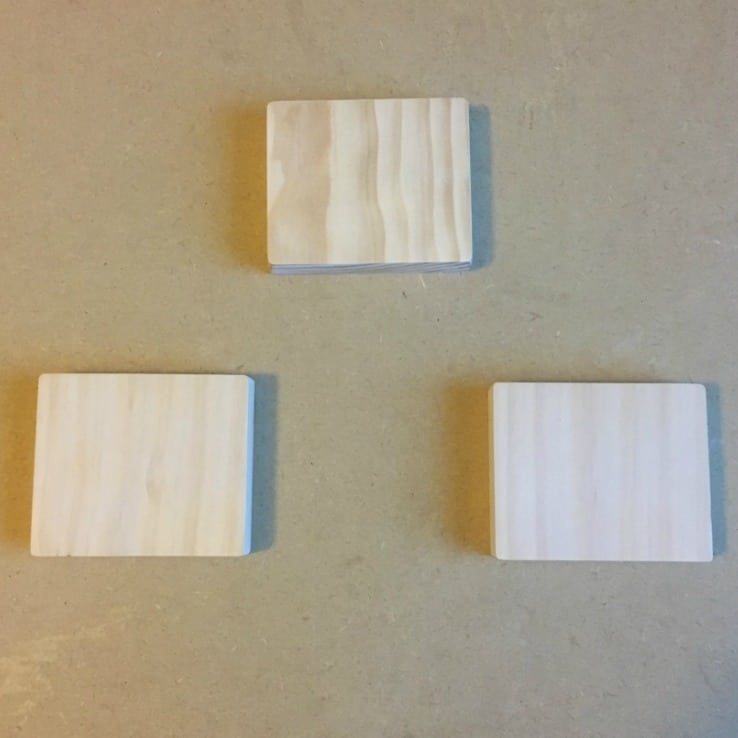
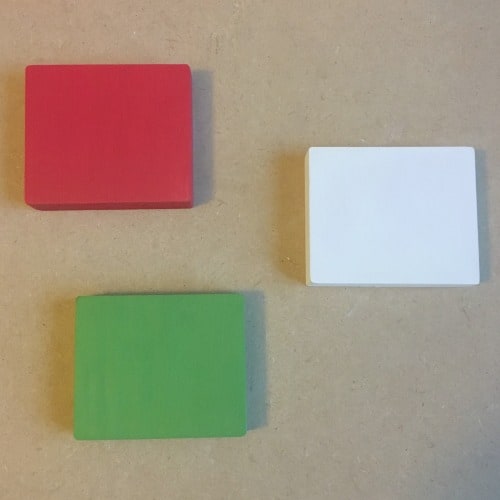
Cut and sand your wood. I used 1 inch by 3 inch common pine and my signs measure 3 inches by 3.5 inches. For a refresher on sanding your wood properly, head to this post.
Paint your wood blanks. Feel free to use your favorite paint.
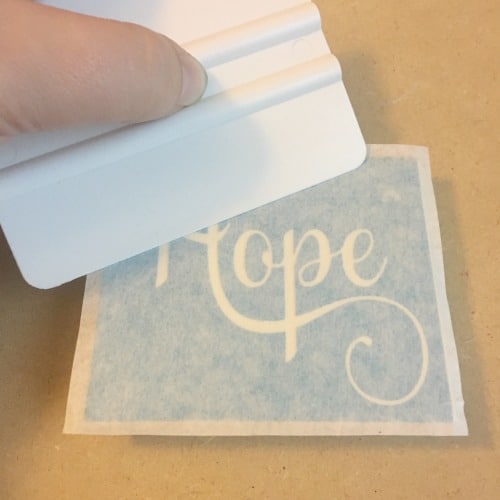
Cut your stencil, weed it, and apply it to your wood blank. I used Oramask stencil film.
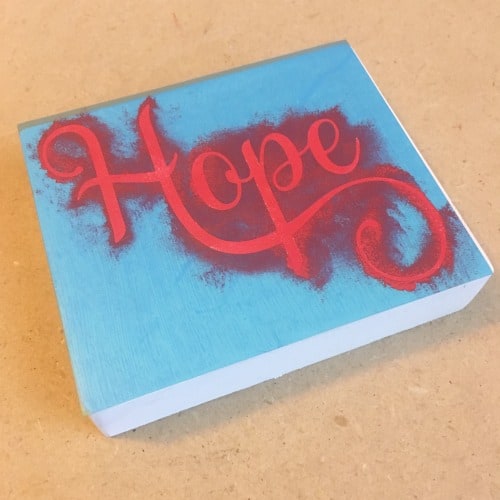
Paint your wood sign.
Remove your stencil film immediately after painting.
After the signs are dry, drill holes in the corners and string a piece of twine through the holes and tie it off.
Cost to Make Wood Sign Ornaments
Let’s talk numbers. Here’s a general cost breakdown to make wood sign ornaments:
Wood. A 1″ x 3″ that is 8 feet long costs $8.72 at my local Home Depot. That means you’d be able to get 20 to 25 mini signs from one board. (I lose about 1/8 of an inch for every cut due to the thickness of my saw blade – yours may vary if it’s thinner or thicker.) If I get 20 mini sign blanks, they’d cost me $0.44 each. Don’t forget to check your wood scrap pile – this is a great way to use odds and ends pieces.
Paint, twine, transfer tape, and stencil vinyl. Since it literally takes a few drops of paint to complete each one, a small amount of stencil vinyl, a few inches of twine, and one piece of transfer tape that I reused – I’m going to estimate the costs at $0.50 (although I think that’s a bit high).
Labor. I like to make $20 an hour when making wood signs. I could paint at least 20 in one hour. So, for one sign, the labor costs are about $1.
When added together, my total cost becomes $1.94 per wood sign ornament. If I sold at $4 each, that’s a profit margin of 51.5%. At $5 each, the profit margin goes up to 61.2%. While you won’t get rich selling them, it’s a good margin – especially if you can sell many.
I recommend that you put your business information on the back so that customers can shop with you for a larger sign down the road. I use a Silhouette Mint to stamp the backs of mine.
If you are wondering, I used the Samantha font for the designs. You can pick up the font (usually on sale!) at this site.
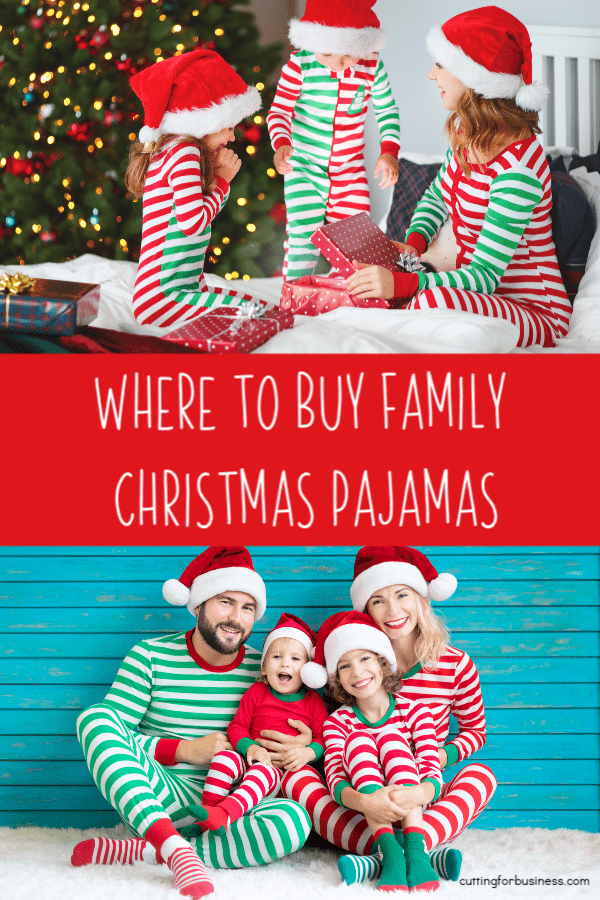
Absolutely one of my favorite holiday products to make with my Silhouette or Cricut is matching pajamas for Christmas Eve night. And, they sell great around the holiday season! If you’d like to make and sell your own, grab your machine, some heat transfer vinyl, and your heat press. Today, I’m sharing a handful of places to purchase blank Christmas pajama sets.
Kohl’s, Target, and Old Navy usually carry matching family pajamas closer to the holiday season.
If you can arrange a deal with a seller on Alibaba or AliExpress and get them shipped fast, you could order Christmas pajamas from overseas. See more about this in this post.
Look for Solids – Not Prints
When shopping for blank pajamas to embellish with heat transfer vinyl, you’ll want to look for tops that are a solid color. In general, designs show up better on solid colors than prints.
I’ve said it many times before, but as a reminder, the cheapest and easiest customer to obtain is a repeat customer. Repeat customers already know about your business and they love your product. Today, we are talking about customer loyalty programs for at home craft businesses.
There’s a number of ways to implement a customer loyalty program – but many are expensive or time consuming. Among these are punch cards that the business owner keeps track of and 3rd party apps and programs that are, quite frankly, much too expensive for an at home craft business owner.
Luckily, I’ve come up with an easy solution that’s both inexpensive to implement and requires little effort from the business owner: Loyalty sticker cards!
How to Implement a Customer Loyalty Program
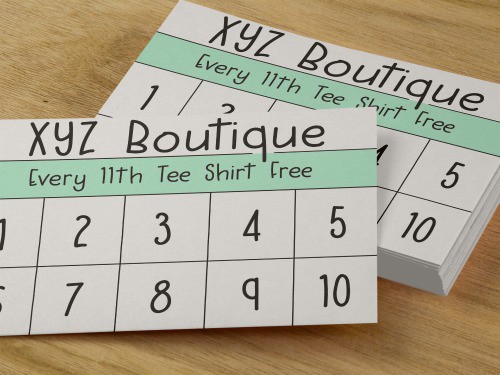
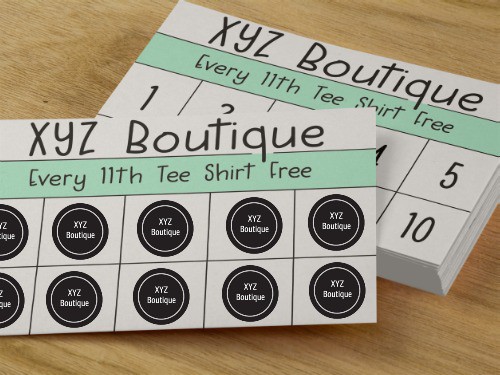
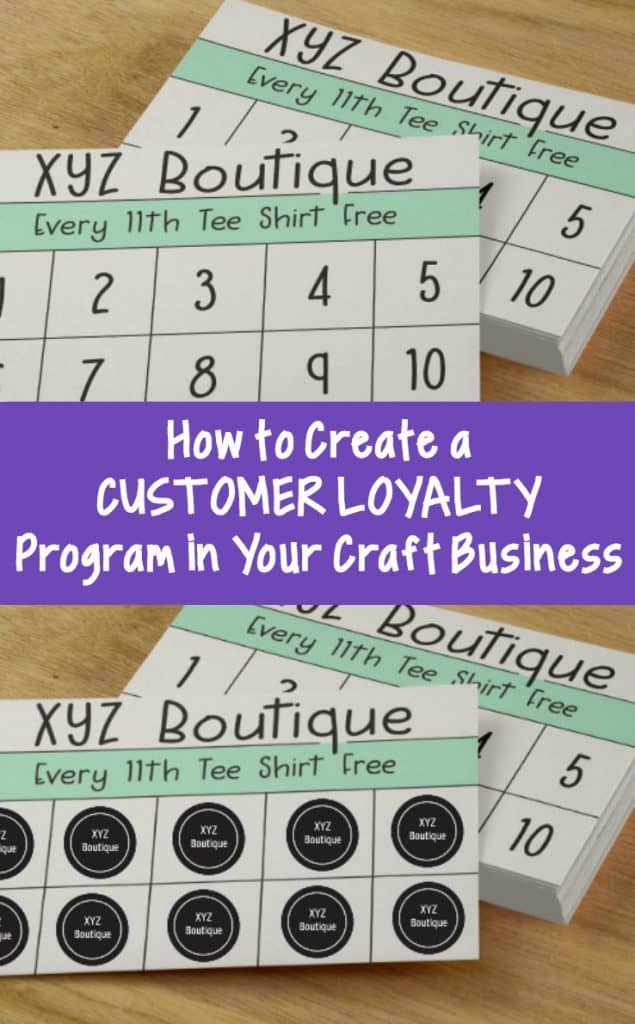
Design business cards or postcards through a printing service like Vistaprint or Moo. I envision them to look similar to these:
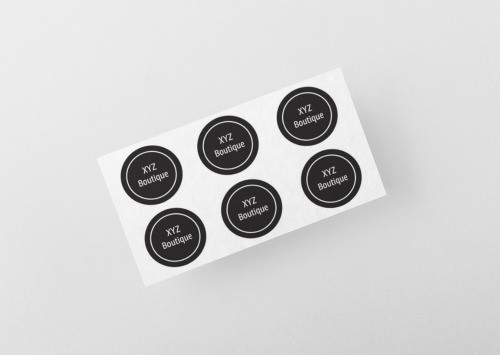
Make stickers with your Silhouette or Cricut using Print and Cut or Print then Cut (or order some).
Include one loyalty card in each order and the appropriate number of stickers. For example: If a customer earns 1 sticker per $25 spent and places a $100 order, you’d include 4 stickers. As another example: If a customer earns 1 sticker for each tee shirt ordered and they order two tee shirts, you send them two stickers.
When a customer fills their card with stickers, they simply snap a photo of the completed card and send it to you. You give them their reward as a thank you for their loyalty to your small business.
How to Set Up the Rewards
It’s up to you to determine rewards that work well for your business and your customers. A quick word of caution: Don’t make the rewards too difficult to reach or your customers may lose interest.
Loyalty Program Fraud Prevention
If you feel that your customers may try to redeem the card more than once (or give it to a friend to redeem), simply have them tear up the card and send you a picture. Additionally, don’t forget that you can always check the orders against your records to make sure that the customer has placed the orders before redeeming.
Do you teach classes on Silhouette or Cricut instead of selling products? If so, you can still make this kind of loyalty program work. For example, every 6th class could be free with 5 paid classes.
Christmas season is here and for many Silhouette and Cricut crafters, this means it’s time to trek down to the local Dollar Tree to (hopefully) score some plush elves that you can add a name to and sell for $5 or $6. Unless you are selling a ton – which some crafters are – it’s not too exciting to make $4 or $5 per elf.
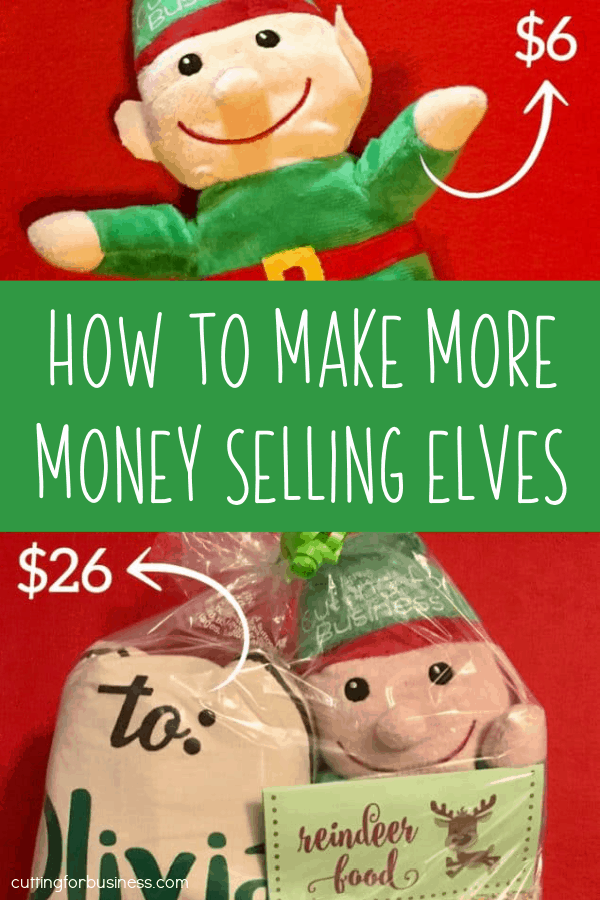
However, you can easily make more money with the elves by simply bundling them with other small products.
Ideas to Bundle Plush Elves with Other Handmade Products
Two matching masks: One for the elf and one for the child
Personalized adoption certificate
Elf facts card (I’m thinking a baseball style card with facts about elves.)
Reindeer food (this is usually oatmeal mixed with bird seed and sprinkles and finished off with a nice tag.)
Personalized glitter ornament
Personalized letter from Santa
Personalized Santa bags
Fake Santa camera
Depending on what you put into your bundle, give it a snappy name like “Santa’s Surveillance Kit” or “North Pole Elf Care Kit” or “Santa’s Coming Soon Kit”.
By bundling 2 to 3 products together, you are increasing the value of your product and this will demand a higher price.
Bundling Examples
Example 1: Personalized elf ($1.00) + reindeer food ($.50) + glitter ornament ($2.00) + packaging ($1.00). Your cost is about $4.50 and this bundle could sell for up to $20. Instead of making $4 or $5 for a single elf, you’ll make $15.50.* (Assumes selling price of $6.00 for elf, $2.00 for reindeer food, and $12 for glitter ornament.)
Example 2: Personalized elf ($1.00) + fake Santa camera ($5.00) + Santa bag ($4.00) + packaging ($1.00). Your cost to create this bundle is around $11 and this bundle could sell for $36. In this case, you are profiting $25.00.* (Assumes selling price of $6.00 for elf, $12.00 for fake Santa camera, and $18.00 for Santa bag.)
Example 3: Personalized elf ($1.00) + personalized glitter ornament ($2.00) + packaging ($1.00). Your cost to create this bundle is $4.00 and this bundle could sell for $18.00. In this example, you are profiting $14.00.* (Assumes selling price of $6.00 for elf and $12.00 for glitter ornament.)
*These are simplified examples that do not take into account taxes or selling fees.
Psst, bundling isn’t just great around Christmas time. You can regularly bundle products together to create a higher price point.