Author: christine

  • 5 Ways to Stand Out in a Saturated Craft Market

    Let’s look at a few different ways to stand out in a saturated craft market.

    Surely you’ve noticed that so many crafters buy a Silhouette or a Cricut and then decide to go into business. While I’m one of their (and yours!) biggest fans and cheerleaders, the amount of new home based craft businesses opening in the last few years is high. Unfortunately, this leads to market saturation.

    While I’ve warned you before about some of the most overcrowded markets in the past, what do you do if you really want to sell in a saturated market?
    5 Ways to Stand Out in a Saturated Craft Market - cuttingforbusiness.com.

    5 Ways to Stand Out in a Saturated Craft Market

    1. Go Above and Beyond

    Think of the last time you had an amazing experience with a company. What made the experience amazing? Was it the personalized customer service? Extras they included with your order? Whatever the reason you loved them, there are two things that are likely to happen: 1) You remember their name and products and 2) You recommend them to others.

    Strive to go above and beyond so that you’ll gain word of mouth recommendations.

    2. Brand Yourself Well

    Of course you’ll need a business name and a logo, but your branding should go beyond that. Branding includes the colors you use in your business, the packaging you create, and the feel of your social media outreach.

    When you are selling in a marketplace, like Etsy, your branding must be top notch to stand out among other similar sellers. Remember, you want your customer to remember your business name – not that they purchased it on Etsy.

    Here’s an example conversation I see all the time: Person 1: I love your XYZ thing. Where did you get it? Person 2: I got it on Etsy. All the makers out there can groan now. You want your customer to remember that they bought from you – a seller on Etsy – not just Etsy.

    Take time to truly invest in your brand.

    3. Be Unique – But Not that Unique.

    In a saturated market, make your products unique. For example, let’s think towards Christmas. During the Christmas season, many Silhouette and Cricut small businesses make and sell personalized plush elves. If you’d like to jump on this successful bandwagon, consider finding a different blank elf to use to help stand out from everyone else or create a bundled product to attract attention. What you don’t want to do is be too unique. If you’ve identified elves as a product you want to sell – don’t go making Christmas dragons and thinking they will sell.

    4. Zero in on Your Niche

    I’ve talked niches on the blog before – here and here. If you’ve identified a saturated niche as your thing, you’ll have to work a but harder to get seen. For example, let’s take t-shirts. There are so many creators making and selling t-shirts. So, you’ve got to find yourself in the t-shirt niche by zeroing in on less served markets. (Every niche has less served markets within the niche.) These could be: Group event t-shirts, family reunion t-shirts, cancer survivor t-shirts, occupation related t-shirts, dance team t-shirts, sports mom t-shirts, and so many more. Whatever you decide on, become the expert in it.

    5. Watch the Market for New Craft Materials and Use Them

    That’s right, if a new material is released and it financially makes sense to use it in your craft business, go for it! Early adapters have the benefit of not having as much competition as there might be after the craft material has been on the market for a year.

    As an added bonus, new things often get shared on social media. And, who doesn’t want a little extra social media boost?

    Tell me, how do you stand out in a saturated market?
  • 8 Money Wasters in Your Craft Business

    Be honest with yourself: When was the last time you did a spending audit in your business? If you cant say recently, you need to go do one. And, if you don’t know what a spending audit is – or how to do one – I’ve written about spending audits in this article.

    Now that that is out of the way, let’s talk money today.

    There’s a fine balance between spending money wisely versus wrecklessly in your craft business – especially when you are first starting it. Today, I’m sharing my opinions on eight things that you shouldn’t waste money on.

    8 Money Wasters in Your Craft Business - cuttingforbusiness.com.

    8 Money Wasters in Your Craft Business

    New Equipment

    I’d never buy a new piece of equipment without first looking around for it used. You can save hundreds or even thousands on everything from a second or third cutting machine to heat presses and fancy printers if you find someone getting rid of theirs. My favorite places to look are: Craigslist, local Facebook groups, Mercari, Offerup, and LetGo.

    Digital Design and Font Bundles

    Gasp! I said it. The same rule we used above for supplies works for digital purchases, too. There’s no reason to buy a bundle of 30 or 40 designs for your Silhouette or Cricut if you only have a plan for a few of them. Price them out individually and see if you can save yourself a few dollars.

    Supplies that You Don’t Have a Plan For

    At the craft store and see a supply you love? Awesome! If you have a plan for it – buy it. If you don’t – take a picture of it and make a plan for it. Then, come back and purchase it later. Bonus: This also reduces clutter in your work and storage space!

    Expedited Shipping for Your Online Purchases

    With a little planning ahead of time, you shouldn’t ever need to pay for expedited shipping of anything. While it is usually only a few dollars here and there, it can really add up.

    Software Subscriptions

    Like equipment, for almost every piece of paid software out there, you can find something that does the same job for free.

    If you do need a specific software for a task, see if they offer a free trial. But, be sure to set a reminder to cancel the free trial before you get billed.

    Fancy Desk Supplies

    If you are like me and work from home, I promise you that you don’t need colored paperclips, shaped thumb tacks, or fancy staples. Stick to the basics, they work the same.

    Credit Card Interest

    If your craft business can’t afford it right here and now, don’t buy it. You should strive to pay off your business expenses before interest starts accruing. Read more about starting your craft business without debt.

    I’ve seen many small businesses throw money at paid advertising without a solid marketing plan. Yes, paid advertising can be a great way to reach customers. In most cases, craft businesses can thrive with a good social media plan. There’s no need to pay for additional social media exposure unless you have a well thought out marketing plan behind it.

    Tell me: What have you found to be a money waster in your Silhouette or Cricut business?

  • What is TalkShopLive™?

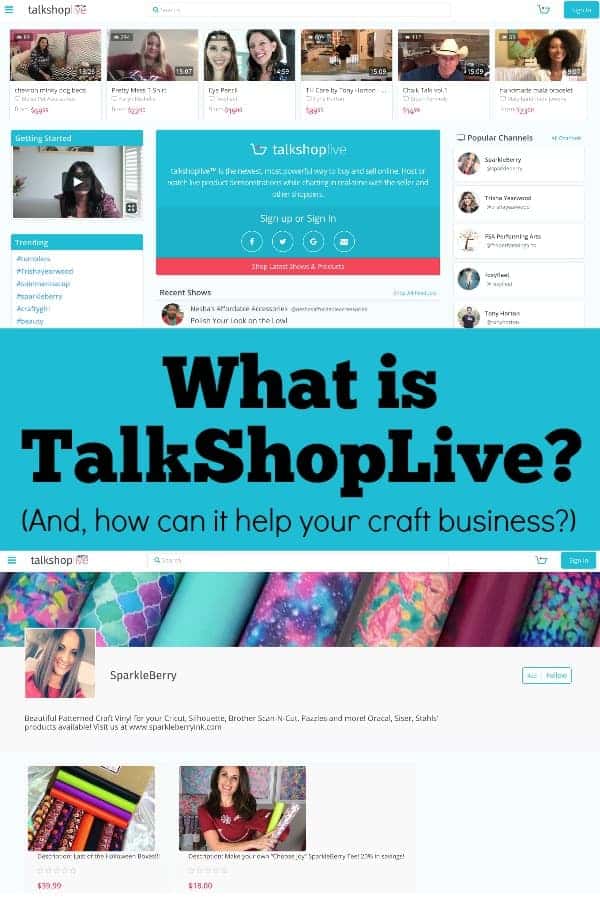
    I’ve gotten several reader questions about a new selling platform called TalkShopLive™. Today, let’s sort out this new service.

    What is TalkShop™ Live?

    TalkShopLive™ is a selling platform that launched in March 2018. It boasts itself as the first of it’s kind, “…live streaming, social buying and selling platform for anyone, anywhere.”

    In easier to understand terms: Think of TalkShopLive™ as your own Home Shopping Network or QVC show. You do live shows and promote your products to viewers in up to a 15 minute show. People watching can interact with you during the show using a chat box.

    TalkShopLive™ Cost

    TalkShopLive™ is free to use, you only pay when you sell an item. The fee is 10.25% plus $0.30. This fee is built into the retail cost of the product.

    Facebook Live or YouTube vs. TalkShopLive™

    If you are thinking that TalkShopLive™ sounds a lot like Facebook Live, you are right. The biggest difference is that TalkShopLive™ gives you a one click button for customers to order then and there – with just a click. In contrast, for Facebook Live or YouTube, you have to direct viewers where to go to purchase the product. Also, your TalkShopLive™ shows can be accessed in one easy to view page called your channel profile.

    TalkShopLive™ Beta

    TalkShopLive™ is currently still in the beta testing phase. If you aren’t familiar, beta testing means that the service was just released. Some features may not work correctly and access to the site may go down as they are sorting out details.

    See TalkShopLive™ in Action

    I’ve taken the time to start exploring the TalkShopLive™ platform, but Mandy from Sparkleberry Ink uses it frequently. Check out her channel profile to view her shows or shop the Sparkleberry Ink website.

    I’m excited for this new service and think that everyone from a shop owner selling their own products to a instructor selling kits or supplies can use it. It’s definitely one that I will keep my eye on. Before you go live for the first time, read these tips.

    Was this post helpful? Share it on Pinterest!

    What is TalkShopLive? An overview for Silhouette and Cricut crafters. By cuttingforbusiness.com.

  • 8 Ways to Use Behind the Scenes Marketing in Your Craft Business

    Social media for craft business owners. It’s a delicate push and pull: You need to promote your business using it, but if you over promote, you’ll lose the interest of your followers. Followers will (and do!) get tired of you simply saying “Buy this!”, “And this one!”, and “I’m having a sale on this one!”

    I’ve said it before and I’ll say it again: Diverse content on social media is the most successful way to keep your followers engaged. Since the earliest days of advertising, customers have responded well to behind the scenes looks at businesses. (As an aside: If you’ve never seen the Schlitz Beer advertising campaigns of the early 1900’s – look them up. They are testaments of how powerful behind the scenes marketing can be.)

    Now, let’s get onto it: How can you use behind the scenes marketing in your craft business?

    8 Ways to Use Behind the Scenes Marketing in Your Craft Business

    1. Share concept drawings. If you create your product designs from scratch, show how you do it. Or, if you doodle out concepts before ever starting your products, snap a few pictures as you draw. Real life example: If you create handlettered designs, take pictures of your rough drawing, take pictures of the digitizing steps, and take pictures of the final product.
    2. Show yourself creating a product. A lot goes into creating a product – take pictures of the product from start to finish. Better yet, create a sped up time lapse video! Real life example: A wooden sign. Record everything from the initial wood cutting and sanding to the painting and attaching embellishments.
    3. Show off your workspace. Whether it is sparkling clean or on the messy side, your customers want to see where your products are created. Real life example: I bared it all when I revealed my new craft space on the blog!
    4. Share your inspiration. Creators need inspiration. Share with your followers what inspires YOU. Real life example: If you are inspired by the seasons, share a few great landscape shots. Better yet? Photograph your finished product in a spot that inspired you.
    5. Tell customers what is going on in your personal life. Yes, you are a maker. But before that, you are a human. By sharing tidbits of your life on your social media networks, you connect with your customers on a different level. If you juggle young kids all day while working, so off a picture or two. Real life example: I have connected with and made several friends with strangers online whom read this blog all because we are caretakers of loved ones with cancer.
    6. Introduce your employees. If you have employees, give them their 15 minutes of fame and introduce them on your social media. If you are a one person operation, it doesn’t mean you have to skip this one! Show off the mail carrier who pics up your packages, your husband or wife who runs to the store to grab something, or your kids who unpack your supplies.
    7. Show your outgoing packages. Customers like what other customers like. So, don’t be bashful if you’ve got a big stack of outgoing packages. Snap a picture and share it on social media. Real life example: Take a peek at this Instagram post.
    8. Share your blunders. While you won’t be showing your finest moments, share your mistakes, your trial and error, and your clumsiness. Why? Again, it’s fostering that connection between you as a human and your customers. Real life example: Do you remember that cringe worthy Valentine’s Day project using Silhouette’s chipboard? If not, view it here.

    Was this post helpful? Save it to Pinterest:

    How to Use Behind the Scenes Marketing in Your Craft Business - A good read for Silhouette Portrait or Cameo and Cricut Explore or Maker crafters - by cuttingforbusiness.com

  • What is Etsy Plus?

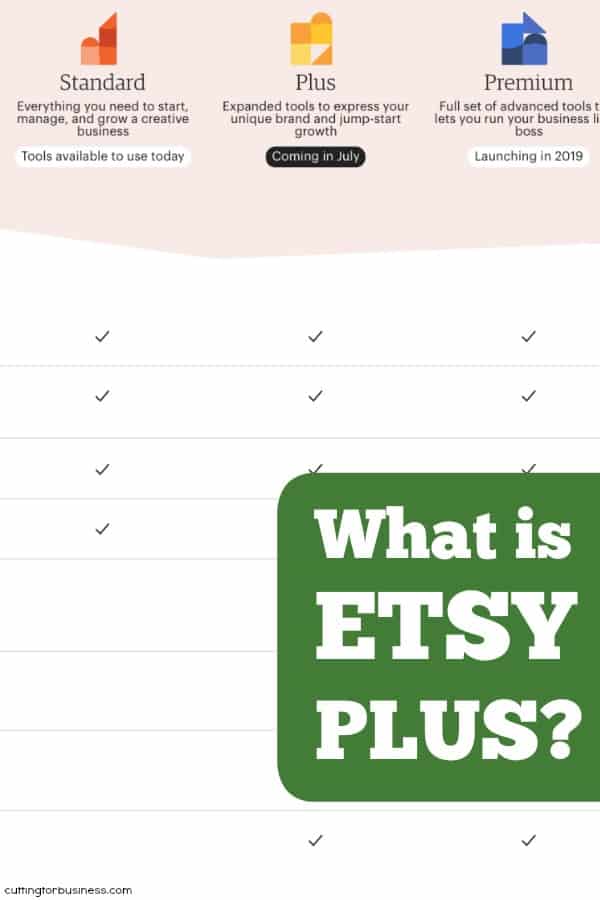
    Over the summer, Etsy has made a few changes. First, they’ve slowly rolled out a new service called Etsy Plus. Etsy Plus is the first step in their new pricing format which will be subscription based and tiered. Etsy Standard (what you’ve always been used to), and Etsy Plus are now available. In 2019, Etsy Premium will launch.

    Now, I’ve noticed some questions and concerns about Etsy Plus from craft business owners. Today, let’s look at what it is… and isn’t!

    FAQ: Etsy Plus

    What is Etsy Plus?

    • Etsy Plus is an optional subscription plan that gives you credits and extra features. You are not required to subscribe to Etsy Plus to have an Etsy shop.

    What is Included with Etsy Plus?

    • Etsy Plus subscribers receive:
      • 15 free Etsy listings per month (savings of $3 per month).
      • $5 per month in free promoted listings (savings of $5 per month).
      • Discounts on a web domain through Hover. Personally, I’ve been telling you to do this for years. Here’s a link to a blog post tutorial on how to do it – without the need for Etsy Plus.
      • Advanced customization abilities within your shop:
        • Linking banners. You will be able to link your banner to a specific product of section of your shop.
        • Ability to choose from a banner, carousel, or multiple product photos on the front page of your shop.
        • A new featured area.
      • Restock Requests – I love this feature! Basically, when someone visits a listing that is out of stock in your shop, they can sign up to receive a notification when you restock it.
      • Shipping box discounts for USA, Canada, European Union, and the United Kingdom.
      • 30% discount with Moo.com for business cards and other promotional materials.

    How Much Does Etsy Plus Cost?

    • Now through December 31st, 2018, Etsy Plus costs $10 per month. After that, Etsy Plus will cost $20 per month.

    Is Etsy Plus Worth It?

    This will be a personal decision for each craft business owner. My favorite feature is the restock requests, but I do like the advanced customizations, too. I don’t see much value in the other offerings unless you order often from Moo.com, or can’t find good pricing for boxes on your own. The domain through Hover isn’t a feature that makes me bat an eye. Personally, I like the $10 per month price point, but think that $20 is high without more additional features. Since Etsy Premium isn’t yet available, we will have to see what other features it offers.

    Want to read more about Etsy Plus? Here’s the official link.

    Was this post helpful? Save it to Pinterest:

    What is Etsy Plus? By cuttingforbusiness.com.

  • FAQ: Printers in Crafting

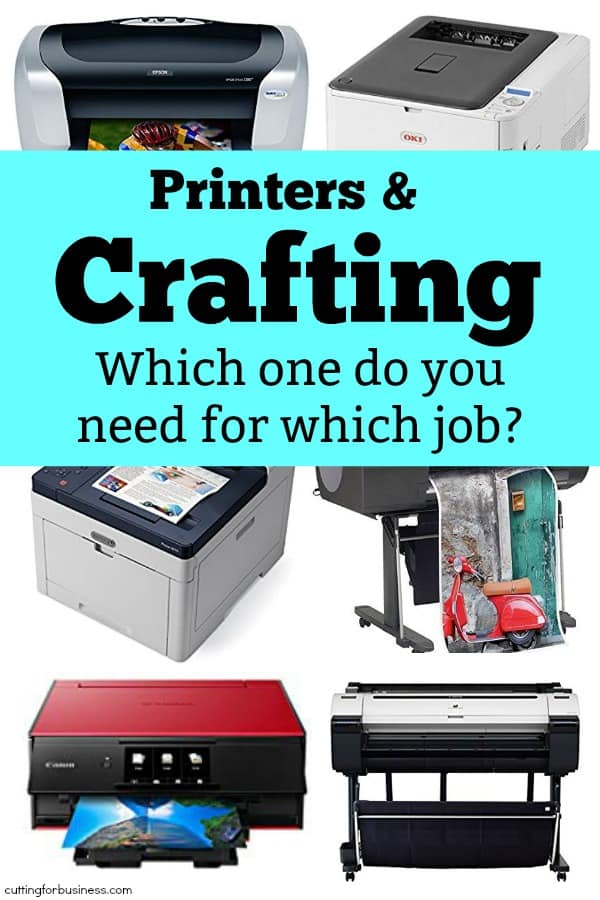
    I get asked a lot about printers. And, the number one thing I’ve noticed is that crafters don’t know what type of printer they need to tackle which projects. Let’s get this all sorted out today.

    Crafting: What Printers Do What?

    Inkjet – An inkjet printer is what most people will likely have at home. Inkjet printers use ink and print in black and white or color. Inkjet printers are perfect for Print and Cut (Silhouette) and Print then Cut (Cricut). I have an older model Epson Workforce. It’s been with me to several years and still works as good as the first day I hooked it up. If you’d like to try vinyl printing for your own use, you can buy inkjet printable vinyl like thisCosts: Up to a few hundred dollars.

    Laser – Laser printers are like miniature photo copy machines. Like inkjet, they print in black and white or color. Instead of ink, they use toner cartridges. You’ll want a laser printer if you want to do foiling. Costs: Up to a few hundred dollars.

    Sublimation – Sublimation printers use a special type of ink meant for transferring designs onto blank products. You first print onto a heat transfer paper, then use a heat press to put the design onto your final polyester based or specially treated blank product. Costs: You can buy kits to ‘hack’ some types of printers. For this type of setup, expect to spend a few hundred dollars. Otherwise, a sublimation printer often runs in the high hundreds. (Learn more about sublimation in this series on the blog.)

    Direct to Garment – This type of printer does exactly what it says it does – prints directly onto your finished product. Costs: Expect to spend $15,000 and up on these printers.

    Solvent and Eco Solvent – These printers are commercial grade. Using a solvent or eco solvent printer, you can create your own vehicle wraps, large banners, and custom printed vinyls. Costs: Expect to spend $7,000 and up on these printers.

    Oki – Oki printers are also known as ‘white printers’. They use a white toner to print to transfer paper. You can then use a heat press to transfer your white ink design to your final product. Costs: Expect to spend $2,000 and up on these printers.

    If you are interested in making a large investment in a printer, I’d recommend you attend an apparel making tradeshow like ISS (Imprinted Sportswear Show) to see the different types of printers in action, talk with the sales representatives, and then make an informed decision.

    Was this post helpful? Save it to Pinterest:

    FAQ: Printers in Crafting - Sublimation, Oki, Eco Solvent, and more - by cuttingforbusiness.com

  • How to Price 3D Printed Designs

    Thinking of selling designs you’ve printed with your Silhouette Alta? Awesome! But first, you’ll need to learn how to price your printed design. Let’s take a look at it today.

    How to Price 3D Printed Designs

    Unlike pricing other handmade goods, you’ll need a scale to price your 3D printed designs. Why? PLA filament is bought by weight, not by foot or inches.

    Here’s the formula that you’d use to find out how much your 3D design cost you in materials:

    (Cost of PLA spool) divided by (Weight of the spool) = (Material cost of PLA) multiplied by (1000 to convert to grams if needed*) = Material cost of PLA in grams
    *You must figure the weight of the spool in the same measurement as you weigh your finished 3D design. If you weigh your design in kilograms, there’s no need to convert to grams. If your finished product weighs less than a kilogram, you must convert to grams.

    then,

    (Material cost of PLA) multiplied by (Weight of your 3D Design) = Material cost of finished printed design

    then,

    (Material cost of finished printed design) + (Cost of your time to design, electricity used, packaging materials, and so on) = Total Costs

    and finally, 

    (Total Costs) x 2 = Wholesale Price
    (Wholesale Price) x 2 = Retail Price

    An Example

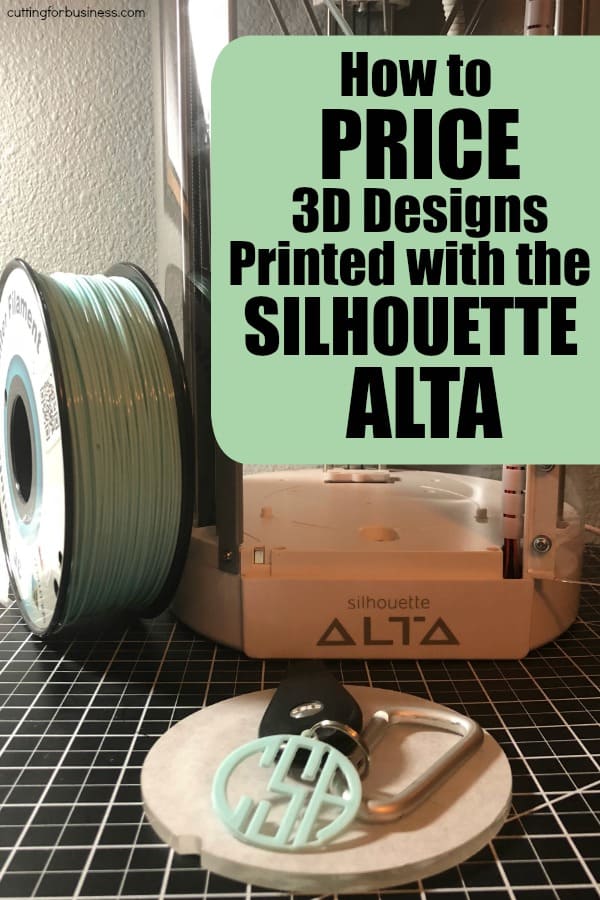
    I recently purchased this (gorgeous!) Mint PLA filament. It cost $17.99 for 1 kilogram of material. Let’s pop those numbers into the formula above:

    ($17.99) divided by (1 kilogram) = $17.99 per kilogram. However, my printed design is quite small, so we must convert this to grams. There are 1000 grams per kilogram. So, $17.99 divided by 1000 is 0.01799. In dollars this works out to $0.02 per gram (rounded).

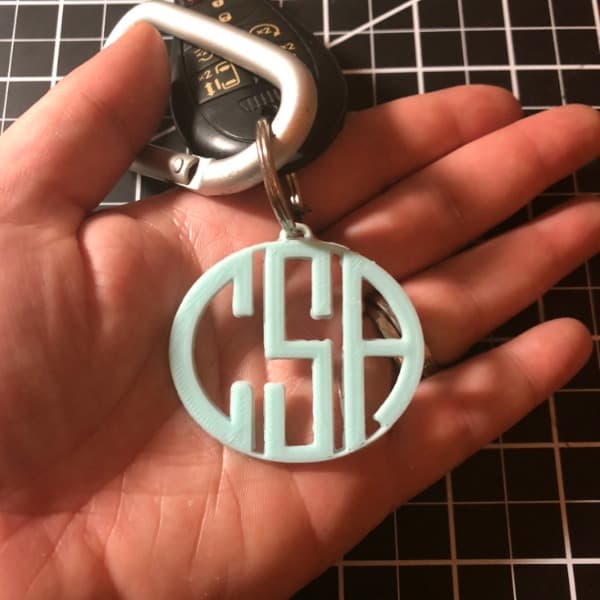
    Then, I printed this 3D monogram keychain. How to Price 3D Printed Designs with Silhouette Alta - 3D Printer - 3D Printed - by cuttingforbusiness.com

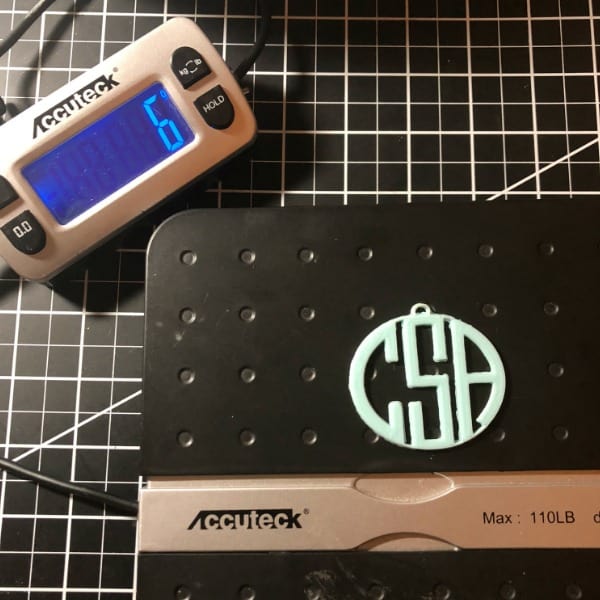
    It weighs 6 grams using my Accuteck scale.How to Price 3D Printed Designs with Silhouette Alta - 3D Printer - 3D Printed - by cuttingforbusiness.comTo put those numbers into the formula above:
    ($0.02) multiplied by (6) = $0.12 in material costs.

    Now, $0.12 is the cost of your PLA materials. It doesn’t take into account your design and print time, consumable materials (like tape), electricity used, packaging materials, shipping and selling fees, and so on.

    Let’s give those numbers a value:

    • Design time and checking in on the machine: 10 minutes at $10 an hour ($1.70 rounded)
    • Consumables: Packaging materials, tape, and electricity would be less than $1.
    • To simplify the example, I have no shipping or selling fees as I’m selling it locally.

    Then, I add those together and I get $2.82. That gives me a wholesale price of $5.64 and a retail price of $11.28.

    Could I sell a customized monogram keychain for $11.28? Absolutely!

    Shapeways

    If you are interested in selling 3D printed designs but don’t have a Silhouette Alta, or the Alta isn’t large enough for a design you have to do, I urge you to look into Shapeways. Shapeways is well known company that you can outsource your 3D designs to. Find them at shapeways.com.

    Was this post helpful? If so, save it to Pinterest.

    How to Price 3D Printed Designs with Silhouette Alta - 3D Printer - 3D Printed - by cuttingforbusiness.com

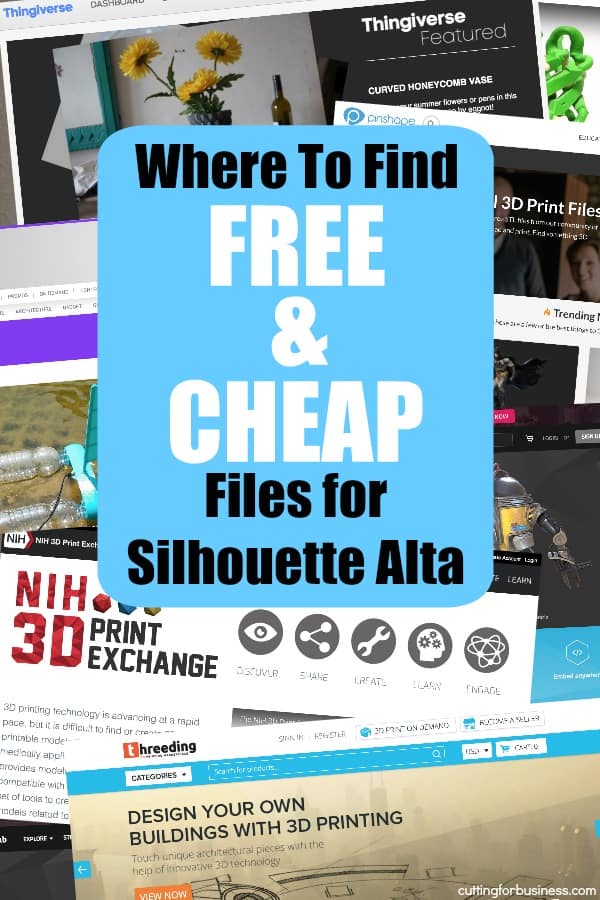
  • 15 Places to Find Free (and Cheap!) Files for Silhouette Alta

    Ready to start using your Silhouette Alta? First, don’t forget that your purchase comes with a $25 credit to the Silhouette Design Store. Next, I’ve scoured the internet for websites where you can download .STL files to print on your Silhouette Alta.

    15 Places to Find Free (and Cheap!) Files for Silhouette Alta

    Search Engines for 3D Files

    The sites above are websites and marketplaces that offer 3D files for free and purchase. There are also a few search engines that will search the sites above, forums, and other places on the internet. They are helpful if you are looking for a specific type of design instead of browsing. They are:

    Just a gentle reminder: Be sure to read the licensing information included with any file you download on the internet. Similarly to cut files and fonts, 3D files are available for personal use and commercial use. (Need a refresher on the difference? See this post.)

    That’s it! Thanks for sticking with me all week long during my unofficial ‘Alta Week’! I’m excited to watch crafters push the limits of the Silhouette Alta to see what it can do.

    Why not share this post with another 3D crafter?

    15 Places to Find Free (and Cheap!) Files for Silhouette Alta - 3D Printer - 3D Printing - by cuttingforbusiness.com

  • 25+ Things to Print with a Silhouette Alta

    Getting excited about the new Silhouette Alta? If you’ve been following along all week, I’ve given you a FAQ about the Alta and things I wish I knew about it. Now, let’s look at some ideas to get you started with 3D printing.

    25+ Things to Print with a Silhouette Alta

    • Jewelry – From earrings and necklaces to charms and rings, the lightweight nature of PLA lends itself well to jewelry making.
    • Beads – While we are talking jewelry making, don’t forget you can make your own beads if you like stringing projects.
    • Headbands – Again, the lightweight material makes for great headbands.
    • Keychains – Keychains are easy enough for a first project.
    • Magnets – Like keychains, magnets are good beginner projects.
    • Cookie cutters/Stamps – The Silhouette 3D program even has a setting for cookie cutters!
    • Scrapbook/Hair bow embellishments – Can’t find the flat back piece you need? Print a custom one.
    • 3D Flowers – Move over rolled flowers, there’s a new flower in town and it is 3D printed!
    • Stamps – Grab a stamp pad and print out some custom reusable stamps. You can easily glue them to a block of wood. Or, if you’ve got a Silhouette Mint, use this link to make more stamp blocks!
    • Leather stamps – If you work with leather, try printing your own leather stamps.
    • Texture plates for embossing and clay – Nothing better than having the ability to print any pattern you want.
    • Reusable stencils – I’m a child of the 1980’s and loved my stencils and colored pencils. I may whip up a few for my kids (and reminisce the whole time they print)!
    • Board game pieces – Love making custom game boards with your Portrait or Cameo? Now you can make custom board game pieces.
    • 3D names – From desk decor to place cards, 3D printed names are perfect for those who like to customize. Don’t stop with names, you can create 3D monograms, too!
    • Cupcake and cake toppers – While paper based cupcake and cake toppers are popular, 3D printed ones might hold up better.
    • Figurines – Be sure to avoid trademark and copyright infringement if you plan to sell them.
    • Molds – If you like to work with clay, resin, or soap, you could print your own molds.
    • Containers – Need a container to hold your vitamins, safety pins, staples, or more? Use the Silhouette Alta.
    • Miniatures – Love crafting miniature goods? Love furnishing dollhouses? The Silhouette Alta will be invaluable to you!
    • Christmas ornaments – Making customized Christmas ornaments is pretty easy with a 3D printer.
    • Bookmarks – Love to read? Make your own bookmarks.
    • Decor – I’ve already got a stash of decor items I can’t wait to print. From a desk organizer to some light switch covers, there’s a million projects.
    • Vases – There are so many different vases available online for 3D printers, I almost feel obligated to print one.
    • Bookends – Lightweight decorative bookends are possible with the Alta.
    • Phone and tablet stands – Need a holder for your device? 3D print it!
    • Replacement hardware and pieces – Something break around your house? Fix it with a custom printed 3D replacement.
    • Tools – Need a certain size tool and can’t use what you have? 3D print yourself what you need, whenever you need it!
    • Large models – You could conquer a large model if you broke each piece down into smaller pieces. Then, snap or glue them together after you print them. Everything from houses and people to castles and planes would be possible.

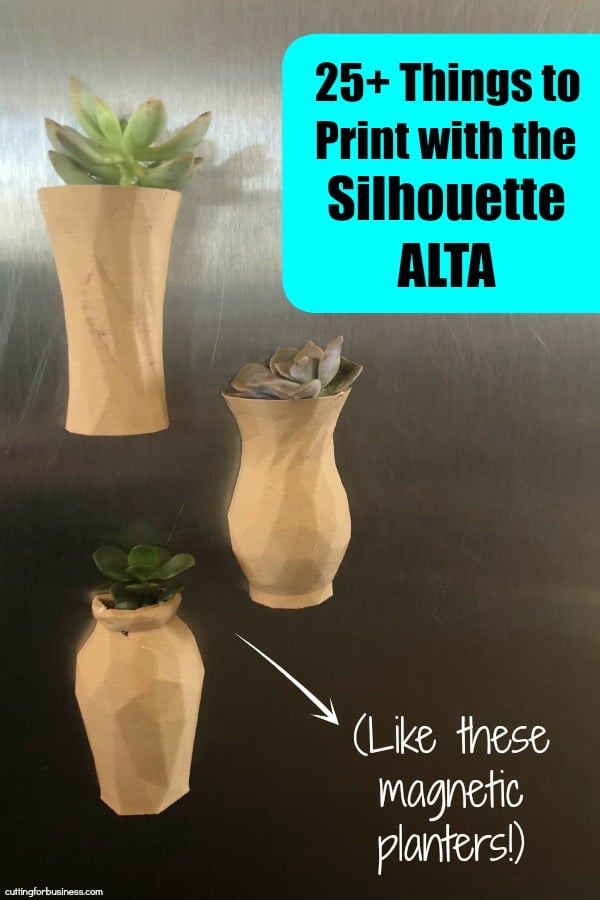
    My most recent 3D print was this set of 3 half vases. I used this wood like PLA filament. After they printed, I attached these round magnets to the back using E6000 glue. Now, they are home to live succulents and hang on my refrigerator.

    Love these ideas? Save the image below to Pinterest!

    25+ Things to Print with a Silhouette Alta - 3D Printer - by cuttingforbusiness.com

  • FAQ: Silhouette Alta – What Is It and What Can It Do?

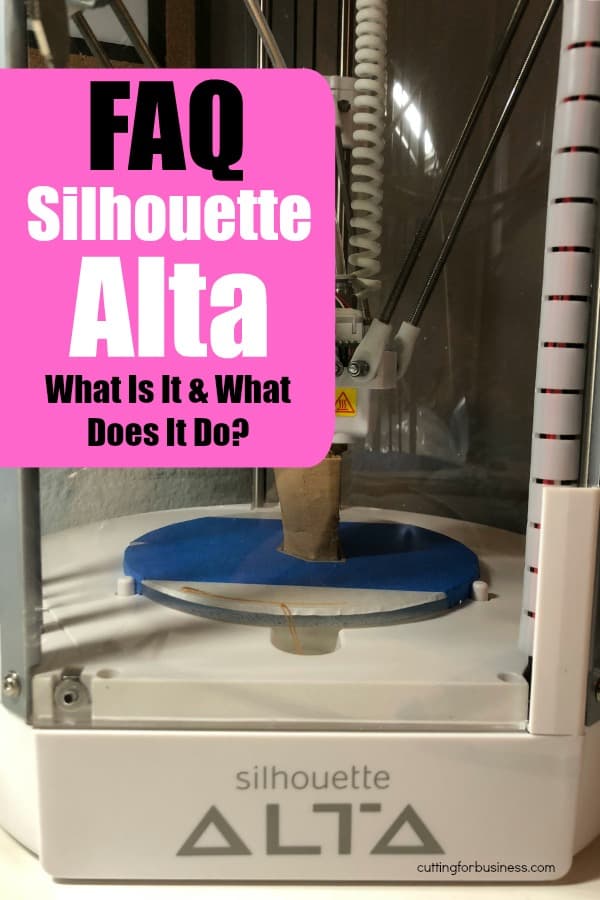
    Earlier this summer, Silhouette released the Silhouette Alta. In contrast with the Portrait, Cameo, and Curio, this machine doesn’t cut materials. Instead, it is a 3D printer that prints designs. Today, I’ll go over some basic information about the machine. Later in the week, I will share some tidbits of information I’ve discovered while using my Silhouette Alta, ideas about things to print, how to price your 3D printed designs, and a list of places to find free 3D print files.

    FAQ: Silhouette Alta

    Q: How much does it cost?
    A: The Silhouette Alta retails for $299.99 as of August, 2018. You can purchase it at this link on Amazon or through Swing Design at this link.

    Q: How does the machine work?
    A: The Silhouette Alta heats up and melts the PLA filament. It prints your 3D model from the bottom up in very thin layers.

    Q: How big is it?
    A: The Silhouette Alta measures 19 inches by 10 inches by 9 inches.

    Q: What material does it use?
    A: The Silhouette Alta uses a common plastic called PLA filament. PLA filament is biodegradable and BPA free. Silhouette offers white label PLA in seven colors: black, blue, red, green, yellow, pink, and white that you can purchase at this link.

    Q: Can you use other filament that is not Silhouette brand?
    A: Yes. You can use any 1.75 inch PLA filament. I’ve tested this multipack that includes bronze, marble, gold, and wood, and have had great results with all four PLA filaments. (It also includes a sample pack of color changing PLA!)

    Q: How large can it print?
    A: The Silhouette Alta can print up to 4.7 inches tall and 4.2 inches wide.

    Q: What are the computer requirements?
    A: You’ll need at least Windows 10 or Mac 10.8 and 4GB of free space on your hard drive.

    Q: How hard is it to use?
    A: I was surprised when I set up my Silhouette Alta that it is pretty much plug and play. The machine comes prebuilt (unlike many 3D printers) and leveled. Once you upload or create a design, you load the PLA filament and click the ‘Print’ button. The Silhouette Alta then prints your design.

    Q: How do you set it up anyway?
    A: There’s no need for anyone to recreate a setup tutorial. Silhouette offers one at this link.

    Q: What about the software?
    A: The software, Silhouette 3D, is offered free. If you’d like to try it before you buy it, download it (free!) at this link.

    Q: Can you design in the software?
    A: Currently, the software is limited in what you can do with it. It is also glitchy and shuts down often. Unfortunately, this is pretty common with any new electronic device/software when it is first debuted. To use my own designs with the Silhouette Alta, I’ve been first creating them in Silhouette Studio, then using Silhouette 3D to print it. That’s one awesome thing about Silhouette 3D – it will convert .studio files to a 3D version. I expect that over the coming months and years that the software will improve. I still remember those days when Silhouette Studio was pretty basic!

    Q: What kind of files can you use?
    A: The Silhouette Alta/Silhouette 3D accepts .STL, .OBJ, and .S3D file formats.

    Q: Can you use other software with the Silhouette Alta?
    A: Yes. You can use other popular 3D modeling software and save it as a compatible file. Then, open it in Silhouette 3D and print it on the Alta.

    Still want more information about the Silhouette Alta? Check back tomorrow when I share a list of tips I’ve learned so far using the Silhouette Alta.

    Love this post? Share it!

    FAQ: Silhouette Alta - What Is It and What Can It Do? - by cuttingforbusiness.com