Category: Growing Your Business

  • How to Add Rhinestones to Your Silhouette Cameo Business

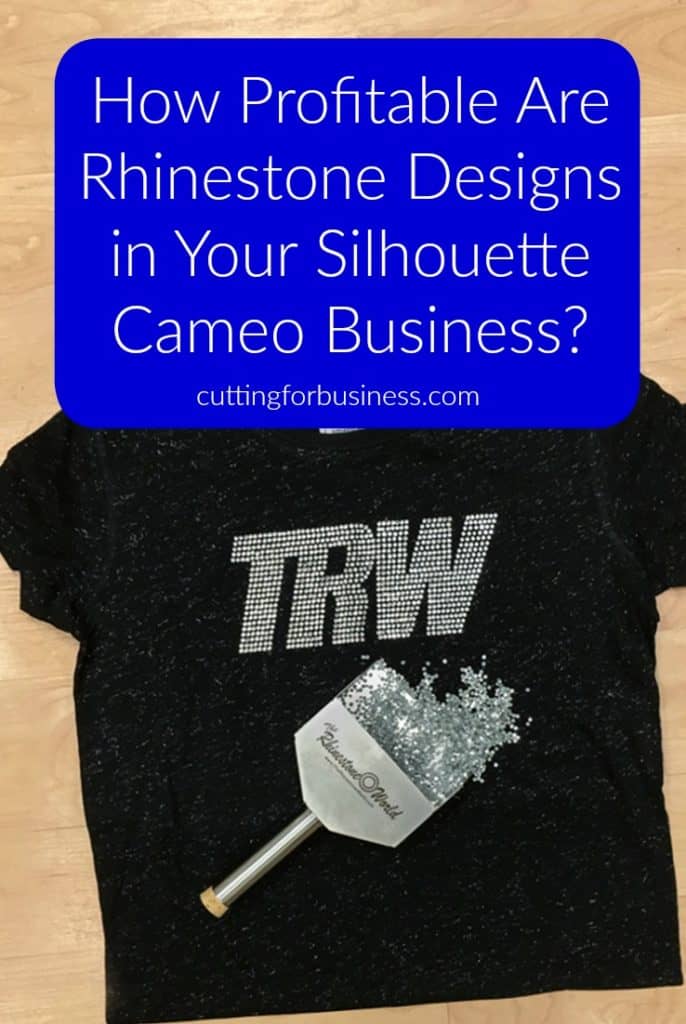
    I’ve had several Cutting for Business readers ask me about rhinestones, more specifically – are rhinestones a profitable addition to my Silhouette or Cricut business? I’ll be honest with you, I am not much of a “bling” person. However, I know someone who is! Welcome Lisa Potts from The Rhinestone World. I’ll turn it over to her:

    One of the most common statements I hear from people is, “I have always wanted to do rhinestones, but I am too intimidated!” In your Silhouette business, rhinestones are an easy item to start using with high profits. Due to the demand of bling shirts with weddings, dance moms, and sport moms; a Silhouette business can quickly increase their profits by simply adding rhinestones to their existing offerings.

    What do you need to get started?

    If you already own a Silhouette, then the biggest investment is already purchased! With just a few more items, you’ll be ready to start cranking out some awesome bling!

    Rhinestones

    This is the most obvious item needed, of course. Be advised, there is a difference in rhinestone quality. Your products carry your business’ reputation, so make sure you are purchasing the best quality stones for your customers so you can proudly stand behind your work. Apparel rhinestones are called “hot-fix” rhinestones. These have a heat activated glue on the back and are best applied with a heat press. They can be pressed to most fabrics and Bling N-E-Thing decal material. Rhinestones are not recommended to be pressed to 100% nylon, ribbed garments, satin, or denim due to the likelihood of the stones falling off over time. TRW uses and recommends Korean low lead rhinestones for customers and businesses as they are the best quality for an affordable price. While rhinestones can be applied with a home iron, a heat press is the best option because you can regulate the pressure and temperature.

    Rhinestone Sizes and Types

    Rhinestones come in a variety of sizes, measured in “ss” units. The larger the number, the bigger the stone. SS10 rhinestones are the most common stones with the widest variety of colors.

    • SS6: 2mm
    • SS10: 3mm
    • SS16: 4 mm
    • SS20: 5 mm

    Rhinestones can come in other sizes, but SS6, SS10, SS16, and SS20 are the most commonly found and easiest to work with. In addition to the basic colors, you can also purchase Korean low lead stones in Arora Borealis or “AB” colors. These stones have an iridescent coat on the stone that reflects light more and creates a more “sparkling” appearance.

    Machine cut rhinestones contain more facets than our Korean low lead stones, which results in a higher quality and a brighter shine. These are most commonly used for accent pieces in designs due to their higher cost.

    Template Material

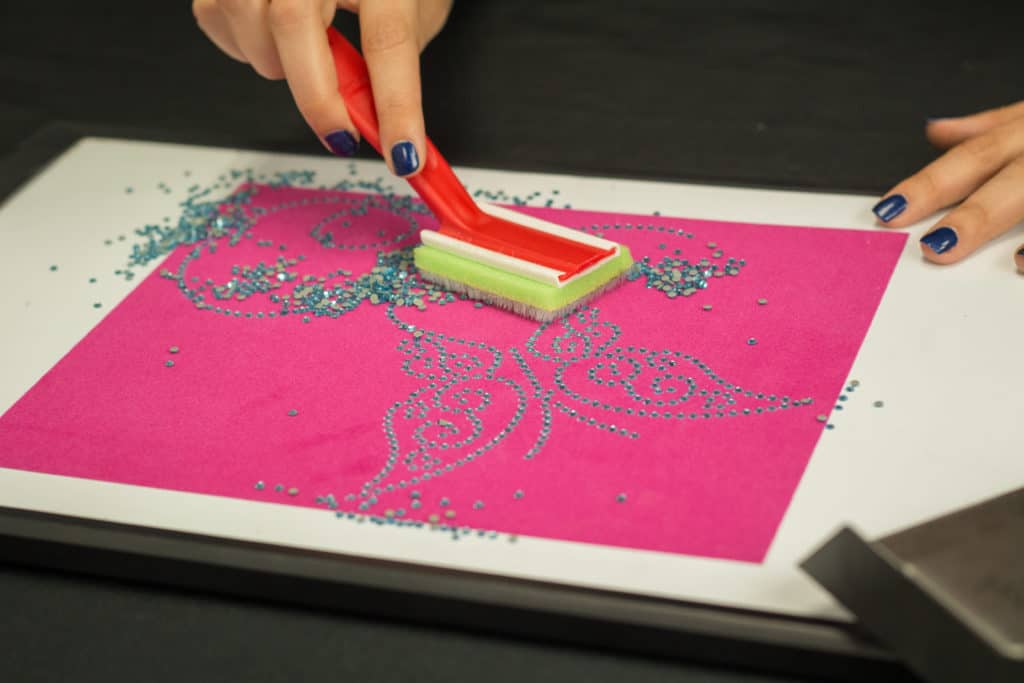
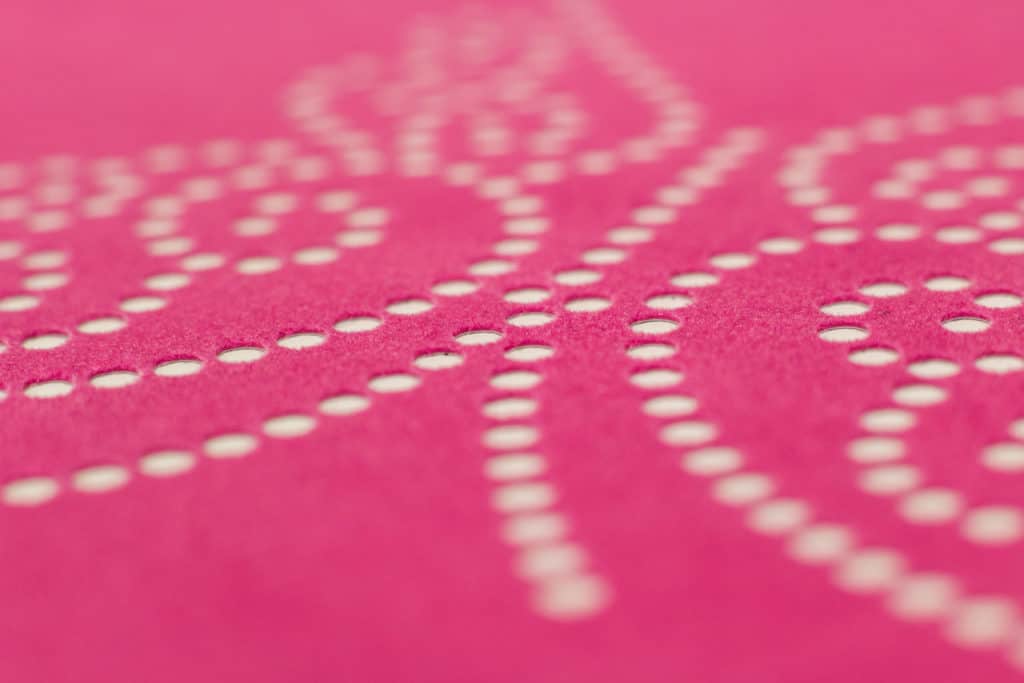
    Let’s be honest here, you’re thinking that these rhinestones are going to be hand placed, right? That’s the beauty of template material. Cut out a template with holes, brush the stones in, and you’ve got a rhinestone transfer ready in minutes! A common complaint about template material is that not all the stones go in and you will have to flip over the stones. We recommend Sticky Flock template material. A brush is needed to make your template. A simple paint brush from the hardware store will be perfect for the job. Brush your stones in, and it will be nearly perfect, requiring minimal adjustments. The best part? The template material is reusable! Cut it one time and you can use it over 50 times!
    How to Add Rhinestones to Your Silhouette Business by therhinestoneworld.com for cuttingforbusiness.com

    How to Add Rhinestones to Your Silhouette Business by therhinestoneworld.com for cuttingforbusiness.com

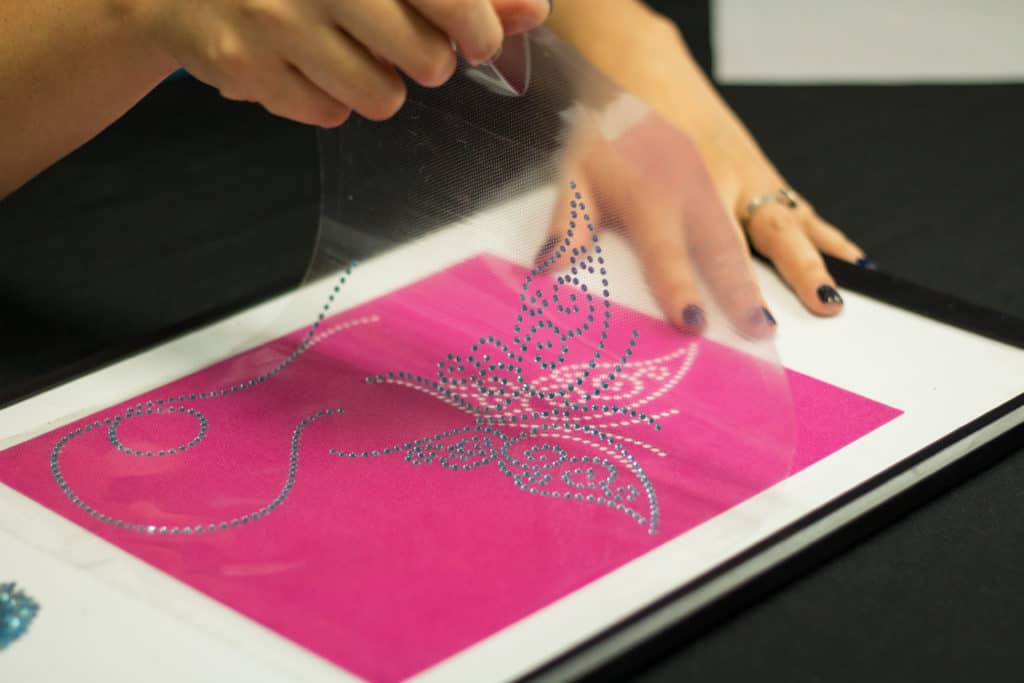
    Just like adhesive vinyl, transfer tape is used to move your design onto the item you are putting it on. Acrylic Hot-Fix Tape is needed to move rhinestones and is made to withstand the heat of your application. Like Sticky Flock, Hot-Fix Tape can be reused a few times.
    How to Add Rhinestones to Your Silhouette Business by therhinestoneworld.com for cuttingforbusiness.com

    The Cost and Profits

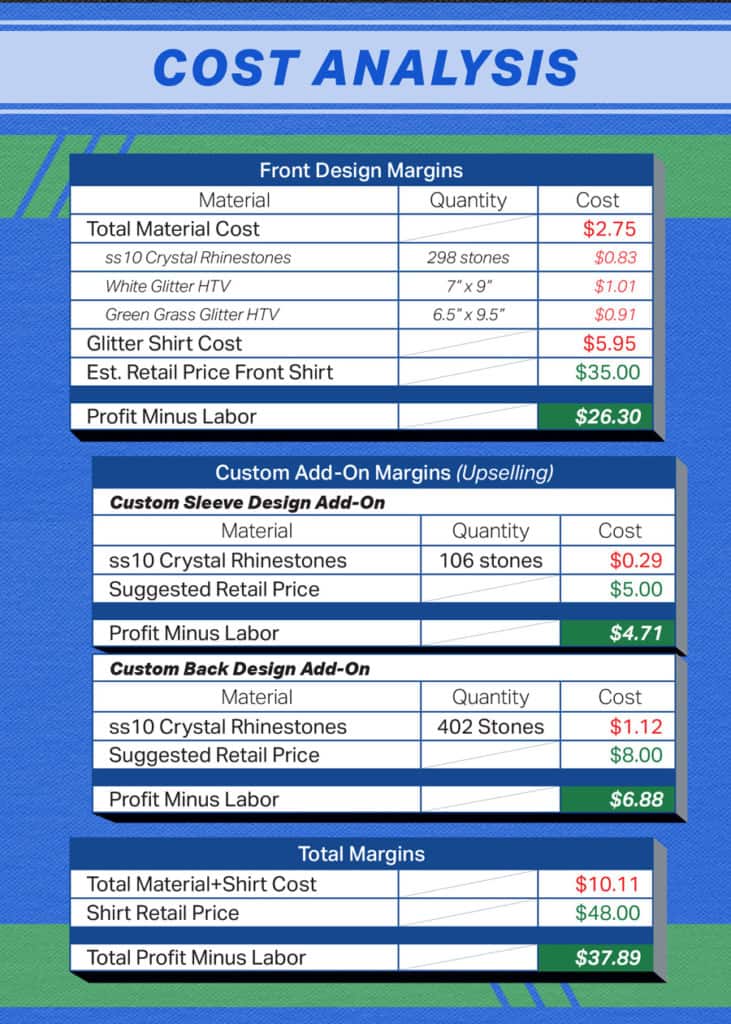
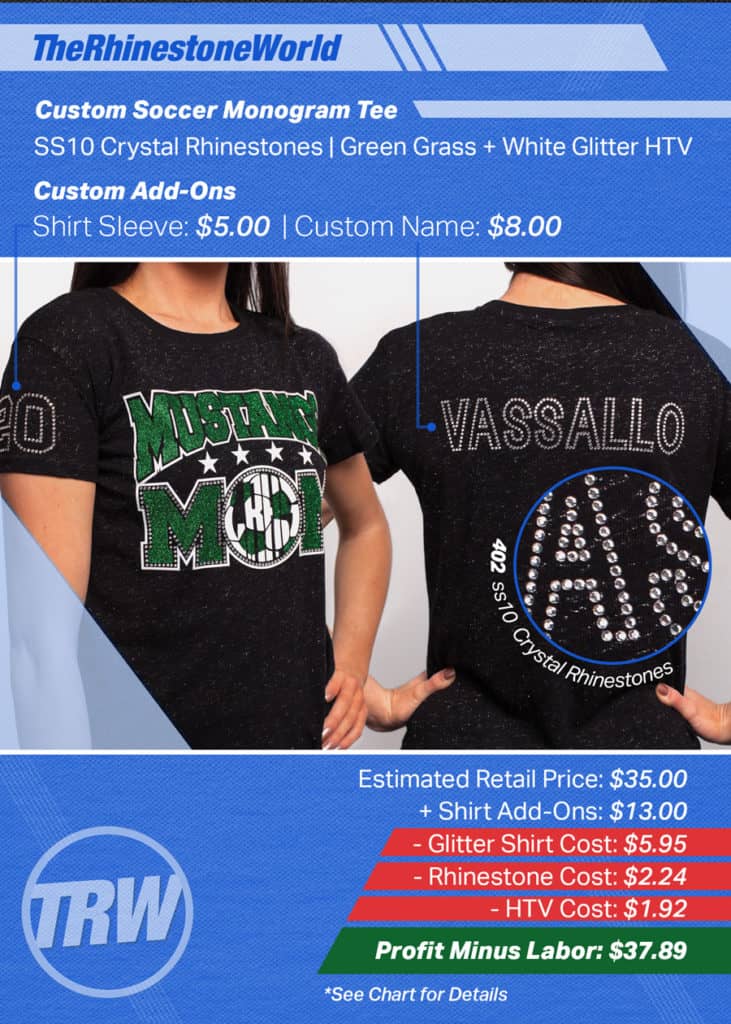
    The highest up front cost you would have for rhinestones is the Sticky Flock template material, which is normally around 7-8 dollars a foot. The good part is that because the material is reusable, your cost will be made up in just a few shirts. The average material cost in a shirt could range from 5-9 dollars, but can sell for over $30. Customizations, like an added name or number, can easily raise your retail price with an even lower material cost. Cutting an alphabet in advance (called pre-cuts) can allow you to piece together names for any customization, further increasing the profits you can make from your material.

    The following images are one example of a shirt cost and what it can retail for:
    How to Add Rhinestones to Your Silhouette Business by therhinestoneworld.com for cuttingforbusiness.com

    How to Add Rhinestones to Your Silhouette Business by therhinestoneworld.com for cuttingforbusiness.com

    A special thanks to Lisa (from The Rhinestone World) for stopping in and showing us how profitable (and easy!) rhinestones can be to add to your existing product line up. Be sure to thank her by pinning the image below on Pinterest or sharing with a friend on Facebook (just hover or tap the image below):
    How to Add Rhinestones to Your Silhouette Business by therhinestoneworld.com for cuttingforbusiness.com

  • How To Easily Build Up Stock in Your Craft Business

    Are you planning on a craft show in the future, but thinking of making all the products daunting? Don’t worry, I’ve got an idea for you.

    Today, I’m going to share how to easily build up stock in your craft business. The best thing about this method is that it works whether you are prepping for a craft show or just wanting to build up ready to ship inventory.

    How To Easily Build Up Stock in Your Craft Business - cuttingforbusiness.com

    Sell One, Stock One Method

    My method for building up stock is called Sell One, Stock One. If you’ve never heard of it before, don’t worry – I made it up (kind of like the product based business cards).

    The basic premise is that you carry on with your business as usual. Each time you get an order, make two of the product. If the product is custom, make a generic version if possible.

    Then, you ship one to your customer and set the other one aside to sell at a later time. Easy as that! Before you know it, your stockpile of ready to ship products or inventory for your next craft fair is overflowing.

    Tip: You can also use this method to get ready for handmade holiday gift giving.

  • Copywriting Tips for Craft Businesses

    Words are powerful. We’ve all seen this through famous speeches, literary works, and quotes. Words can also be powerful in our product descriptions and social media marketing. Today, let’s look at copywriting – specifically in our product descriptions.

    Not sure what copywriting means? It’s just a fancy term for the words that you use to describe your products to your customers or get your message across in marketing. Good copywriting can go a long way, so let’s look at a few tips:

    Tips for Copywriting in Your Craft Business

    • Find a voice and use it. Small and micro businesses (those run by one or two people) are special. Many customers seek out small businesses – so talk like a small business. Use first person language like, “I created this product” or “I chose this design”. You aren’t a large corporation, so don’t try to make yourself sound like one.
    • Tell a story. Since your customer can’t see your item, put it in their virtual hands. You can do this by highlighting the texture, colors, smell, and usefulness of your product.
    • Be to the point. Customers are busy and won’t take the time to read overly wordy descriptions. When customers don’t read descriptions, problems arise. You can help customers read things by being to the point. I also find that using lists or bullet points helps customers get the main points.
    • Steer clear of empty words. Words like “best”, “finest”, “prettiest”, and more. Couldn’t every seller say their product was the “best”? Empty words don’t help your listing, so skip them.
    • Use a diamond pattern of information. When creating your listings, put the most important information at the top. Put supporting information and details in the middle, and repeat your important information at the end.
    • Qualify your information. This means that you tell your customer the why behind your listing. There is an older psychology study that highlights the importance of qualifying information to people and using the word “because”. Take 5 minutes and read it here. The shortened version is that people respond better to phrases when you use the word “because”. Try it out in your descriptions. A few examples: “This framed vinyl quote will look great on your wall because the neutral colors blend with any decor.” Or: “Be sure to buy today because the sale ends tomorrow.”
    • Rhyming works. Think of some large brands or companies. Do they have rhyming jingles? They probably do because rhyming helps your brain remember things. Try it out in your social media.

    Have a few free hours today? Why not take a few minutes to look over your product descriptions and see where you can improve them? Need more tips? Here’s 11 questions your product description must answer.

    Love this post? Save it to Pinterest:


    Copywriting Tips for Craft Businesses - Silhouette Portrait or Cameo and Cricut Explore or Maker - by cuttingforbusiness.com

  • 25 Calls to Action to Use in Your Craft Business

    Previously, I’ve talked about basic copywriting tactics to use in your Silhouette or Cricut small business. Today, let’s look at some calls to action. A call to action is the words you use to get your customer to do something. The something could be click a button, buy a product, like your Facebook page, share something with a friend, or anything else. Calls to action are great within your product descriptions, social media, emails, and more.

    With the holidays creeping closer, good calls to action can help you make more sales. (And, who doesn’t want more sales?)

    25+ Calls to Action to Use in Your Craft Business

    Share this post with a friend.
    Like this picture if you can relate.
    Limited number available, order today.
    While supplies last, order now.
    Message me now to start your custom order.
    Email me to learn more.
    Order today and get free shipping.
    Sign up for our mailing list and get a coupon in your inbox.
    Double tap if you agree. (Great for Instagram!)
    Click here for a sneak peek of a new product.
    Tag a friend that would love (name of your product).
    Order now to get your free gift.
    Learn more about (your product).
    Discover how to (do something). (Great for how to videos!)
    Watch this video to learn more.
    Follow (name of company/us) on (social media network).
    Browse the entire collection.
    Click here to receive a quote.
    Share why you love (product name).
    Upload a photo of your new (product name).
    Preorder to make sure you get one.
    Hurry, sale ends at midnight.
    Get one before I run out.
    Shop with us now.

    When you are creating your own calls to action, be sure to use verbs. If you need a refresher, verbs are action words like join, click, order, stop, or start.

    Before you go, consider using negative calls to action, too. Words such as worried, sick, or confused work well. Here’s a few examples:

    Worried that your package won’t arrive on time? Upgrade to overnight shipping.
    Sick of searching for the perfect birthday gift? Click here.
    Confused about the choosing the perfect colors? Email me now.

    Save this post to Pinterest so you can find it when you need it.

    25 Calls to Action to Use in Your Craft Business - Silhouette Portrait or Cameo and Cricut Explore or Maker - by cuttingforbusiness.com

  • How to Use Peek in your Craft Business

    On most Saturdays, I host Etsy Shop critiques in the Insider’s Club on Facebook. Why? I think that anytime that you can get unbiased eyes on your shop or website; both you and your shop will benefit. Today, I’m sharing a service called Peek, by User Testing. I recently got a peek at my own website – and found it beneficial so I’m thrilled to pass this resource on to Cutting for Business readers. After my Peek review, I made several changes to my website based on the experience of my tester. The changes were tiny, but they were things that I’d never notice because I look at my website every day.

    How Does Peek Work?

    Peek, by User Testing, pays testers to visit your website or Etsy Shop. While on your website or shop, the tester records a live video of them using your site and they narrate it – telling you things that they don’t understand or don’t care for. When the tester has completed their video, they upload it to Peek for you to view.

    How Much Does It Cost?

    Peek is a free service by User Testing. You simply visit their website and enter your URL. You are emailed a link to the 5 minute video once it is completed by a tester. User Testing also offers paid versions of their service, costing $49 per video. Unlike the free version, you can select a target audience as well as specific aspects for the tester to look at, and more.

    Ah, ha!

    After you view your video, why not take a peek into a few competitor’s websites or shops? That could give you great information to use in your own website or shop!

    Go, get your peek at this link and then share this post with a friend (it’s easy, just hover or tap the image below).

    How to Use Peek in your Craft Business - Great for Silhouette Cameo or Cricut business owners - by cuttingforbusiness.com

  • Are Custom Products Worth It in Your Craft Business?

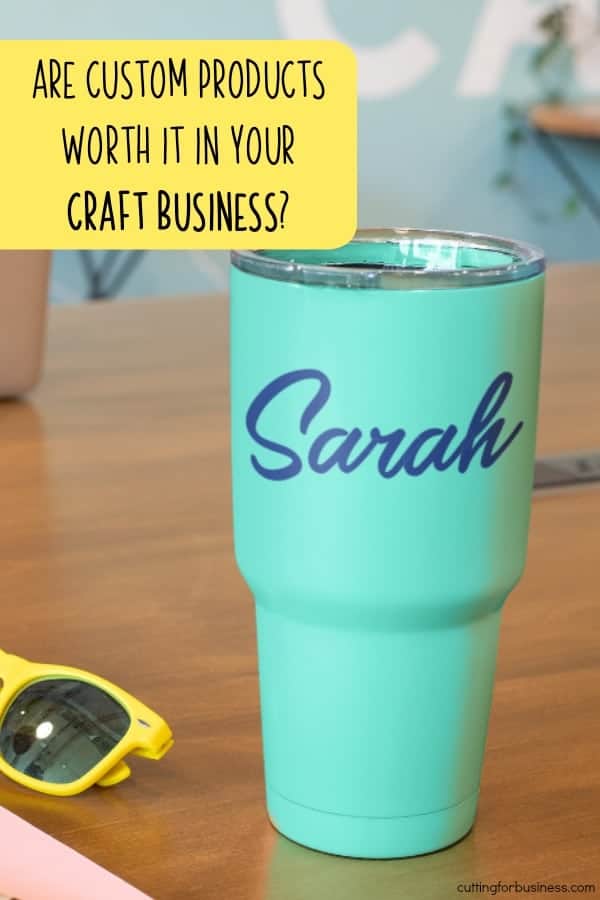
    Today’s post is to get you thinking about the products you offer in your Silhouette or Cricut small business – and the time it takes you to process each order. I’m asking you to think about whether or not custom made or personalized products are worth your time in your business. For the purpose of this post, custom products are defined as orders where the customer chooses what goes on the product and you create one, unique product. (Example: 1 personalized tumbler cup or 1 personalized tee shirt.)

    To start, let’s take a look at the process of creating a custom or personalized product.

    Process for Custom Products

    1. Make a sample of the product (which you may or may not be able to sell) or create a mockup of the product.
    2. List the product online.
    3. Get an order from a customer.
    4. Make a mockup of the product.
    5. Wait for customer approval.
    6. Get customer approval or make changes as desired by the customer, possibly wait for customer approval again.
    7. Create the product and mail it to the customer.

    And don’t forget about the customers that don’t specify their customization and you have to chase them down to get their order; or even the customer who incorrectly enters their desired customization and blames you for the error. In the event that the customer returns the item, it is unlikely that you’ll be able to resell it to another customer.

    Now, let’s take a look at the process for selling a ready to ship product.

    Process for Selling a Ready to Ship Product

    1. Create the product.
    2. Photograph and list the product for sale.
    3. Get an order from a customer.
    4. Package and ship the order.

    Are Custom or Personalized Orders Worth It?

    I can’t argue that the customization and personalization niche is huge (think large brands like Things Remembered or Personalization Mall). However, for one woman (or one man!) operations, this niche may not be as profitable unless you can sell at a high price point and large profit margin or you can sell hundreds of products. If you are a one person business, it can be more profitable to work assembly line style and create many ready made products at a time. If you browse Etsy, you may notice that many of the largest online shops do not only sell custom made or personalized products.

    Unfortunately, I can’t decide if custom orders are right for your business – but I hope I got you thinking. Does your business sell only custom orders, only ready made products, or a mix of both? Let me know in the comments, and read on for an alternative approach to selling on Etsy.


    Was this information helpful? Save the image below to Pinterest.

    Are Personalized or Custom Products Worth It in Your Silhouette Portrait or Cameo and Cricut Explore or Maker Craft Business? By cuttingforbusiness.com.

  • Starting a Rental Business with Your Silhouette or Cricut

    On Cutting for Business, I’ve shared several ways to make money with your Silhouette or Cricut that don’t include making and selling products to customers. Some of those ideas are in these posts: Hosting a Workshop, Hosting a Holiday Craft Market, and Hosting a Home Craft Party. Today, I’ll share my thoughts on creating products to rent to your customer. Most Cutting for Business readers will not know this, but my primary business is a rental company (which was run from my garage in its infancy and we delivered and picked up all rental products).

    Choosing a Good Rental Product

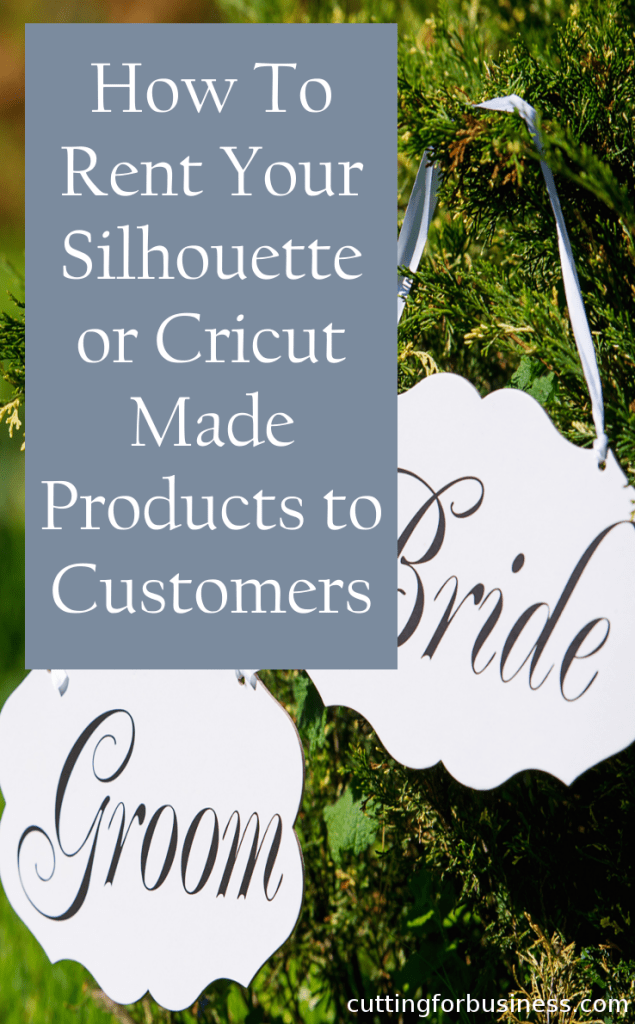
    Obviously, not all Silhouette or Cricut made products will work well in a rental market. But, some products will. Look for non-customized products that you sell to a buyer and the buyer only uses the product one time or for a short period of time. For example, signs for weddings, decor or centerpieces for a party or special event, gender reveal props or baby announcement signs, props for photographers to use at photo shoots, holiday or seasonal decor for a restaurant or office, props for a theater production, or generic home decor for someone staging their home for sale. As an aside, with the holidays coming up I think sellers could do quite well offering a few different packages of handmade holiday decor for customers to use until January and return after. It would be easy to deliver the products to their home, pick them up in January, and pack them up to rent again next year. Near my home, there is a local company that offers holiday decorations for rent and they do quite well. Not everyone wants to use the same decor each year – or to store it when not in use.

    Pricing Rental Items

    Offering products for rent is a profitable business model because you only make a few of the product and earn income from selling the same product over and over again. For example, instead of selling your customer a sign for her wedding reception for $80, you rent it to her for $50. After the event, she returns the sign and you rent it again the following weekend for another $50. You’ve now generated $100 in income from creating one sign, you still have the product, and you can rent it out many more times. Rental items are priced well below that retail value of the product.

    Depending on your rental products, rental rates can be priced several different ways:

    • One time charge for use at an event. Great for parties or other one day events.
    • Per day/week/month charge. Great for longer events like staging a home or renting out decor.
    • Delivery and/or pick up fees. Decide if you will need to charge your customer for delivering or picking up the products.
    • Deposits. Consider charging customers a refundable fee to ensure that your products are returned on time and without damage. When the products are returned, refund the deposit.

    Delivery and Return of Products

    You have two options for getting the rental products to your customer and back from your customer: deliver it to them and pick it up from them, or have them pick it up and return it to you. If you are a home based business, it may be easier to deliver and pick up the product; while someone with a small storefront (or someone renting to friends or family) could have the customer pick it up and return it.

    Other Considerations

    When first starting out your rental business, you’ll need keep good records on a calendar of what products need to be where and when. As your rental business grows, you’ll want to look into a scheduling system like Checkfront or Booking Bug . These systems will allow customers to book their rentals online and will prevent you from overbooking (renting out more products than you have on hand). Additionally, you’ll need to write out business policies for what happens if a customer damages or loses a product, what happens if a product is returned late, and what price the customer will pay if they decide to keep the product.

    I hope this post got you thinking of another “out of the box” idea to use your Silhouette Portrait, Cameo, or Curio to make you money. Leave a comment and let me know if you will try renting out products to your customers.

    Starting a Rental Business with Your Silhouette or Cricut by cuttingforbusiness.com

  • Should You Cross Promote Other Businesses in Your Craft Business Customers?

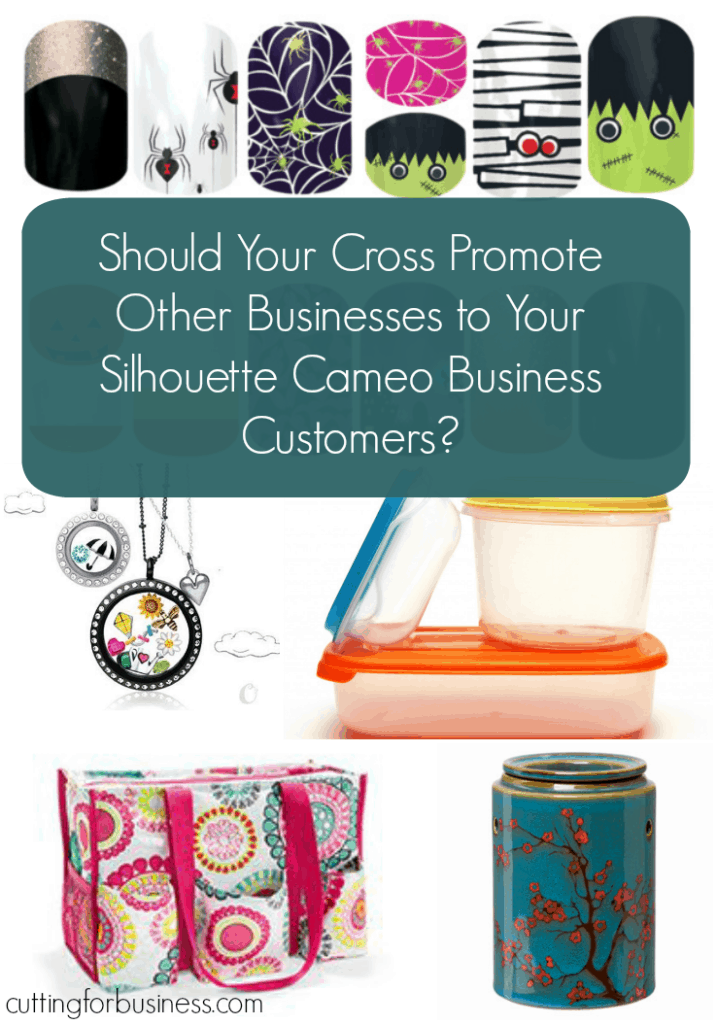
    A Cutting for Business reader emailed me asking my opinions on cross promoting her items when she sells her handmade products on Etsy. Specifically, she is an independent distributor of body wraps and wanted to include a small sample of the wrap material, a pamphlet, and a business card when someone buys her paper party banners and favors.

    I found the timing of this reader’s question ironic because I had just received something the day before from a seller cross promoting what I (assume) was the seller’s other business. I had ordered a handmade greeting card and when I opened the package, a business card for false eyelashes was presented on top of the handmade card I ordered. I found it slightly tacky and actually thought I was mailed the wrong package until I opened it and found my card.

    I think cross promotion is a great tool for small businesses, when it is done correctly. Unfortunately, when cross promotion isn’t done correctly buyers may be confused or offended and advertising materials are wasted.

    6 Things to Consider With Cross Promotions

    1. Whether the businesses are both yours, or yours and someone elses, make sure they work together. In the example above, I purchased a gender neutral, handmade greeting card and was sent marketing materials on eyelashes/mascara. I don’t see any connection between the two.
    2. Tell the customer why they are receiving the marketing material. This is as simple as a note or printed postcard that thanks them for their purchase or one that explains the connection between the two businesses.
    3. Don’t let the secondary business overshadow the primary business – which is the one that the customer ordered the product from. I may not have been confused by the marketing material that was enclosed with my greeting card if it was placed under my greeting card and not front and center on top of it.
    4. Make sure the secondary product is not offensive. If your secondary business only appeals to a small audience and some people would find it offensive, it is best to skip cross promoting.
    5. Be sure that the other business is not in direct competition to yours.
    6. Lastly, and maybe most importantly, people are bombarded by MLM (multi level marketing) programs all day long – and many people grow tired and distrustful of them. Don’t let a MLM overshadow your handmade products. Anyone can do MLM, not everyone can create gorgeous, one-of-a-kind handmade products.

    P.S. The Cutting for Business reader who emailed this question ultimately decided that marketing her weight loss wraps to customers that buy her paper goods was not good for either of her businesses. What do you think of cross promoting businesses?

    Save this post to Pinterest:

    Should you cross promote other businesses to your Silhouette Cameo small business customers? by cuttingforbusiness.com

  • How to Offer Subscription Products in Your Silhouette or Cricut Business

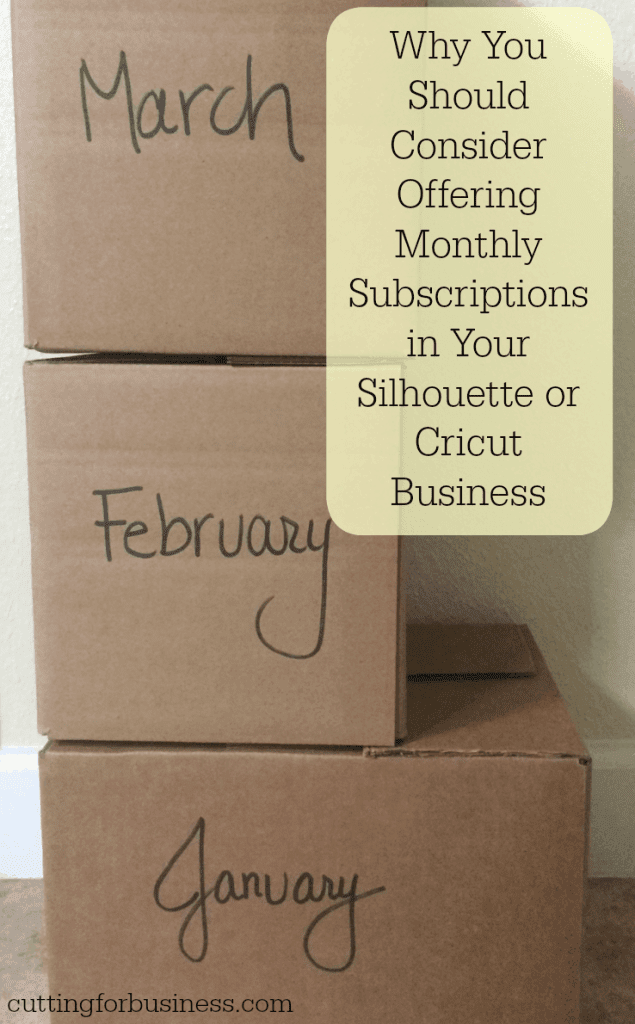
    Cutting for Business readers: What do Dollar Shave Club, Beer of the Month Club, Nature Box, and Smart Art Box have in common? They are all successful businesses that operate on a subscription based model. In this model of business a customer signs up to receive a different product each month for a defined length of time. Over the last few years, subscription service based companies have been popping up everywhere and they are currently one of the hottest trends in retail. Why am I telling you this? I feel that offering a subscription based service is a great way to produce extra income in your Silhouette or Cricut business. Depending on how you set up the billing in your subscription based business, this model can also guarantee you a set amount of money each month in your business.

    Monthly Subscription Ideas for Your Silhouette or Cricut Business

    Card/Stationary of the Month Club – Customers receive a different handmade card, or stationary pack each month.

    Monogram of the Month Club – Customers receive a different product each month with their monogram on it. This could be a tumbler one month, a shirt one month, an umbrella one month, and so on.

    Front Door Decor of the Month Club – Customers receive a different front door decoration each month. Plan to make a variety of products that are themed to the season or upcoming holiday.

    Wooden Sign of the Month Club – Customers receive a different wooden sign each month. Consider having customers sign up for a certain sign size, and offer several options, for the duration of their subscription plan. This is another idea that lends itself well to the seasons or holidays.

    Tumbler/Wine Glass/Drinkware of the Month Club – Customers receive a different tumbler/wine glass/or drinkware item each month. Again, theming the items to the current season or holiday would be easy in this case.

    I could literally go on and on with this list because there are so many products that could work with a subscription based business. Now, how do you implement a subscription based service in your Silhouette or Cricut based business?

    How to Sell Handmade Products by Subscription

    • If you sell in a marketplace (like Etsy.com) create several listings with membership durations in your shop. Customers prepay for a certain amount of months in your club. You send them their first product immediately and have a set mailing date for the remaining months (example: the 1st or the 15th). Specifically, you could offer a 3 month, 6 month, 9 month, or 12 month membership for your club.
    • If you sell your products through your website or anywhere else and accept Paypal, you could create listings like I described above, or you can have Paypal automatically bill your customer each month. Many customers actually prefer this, because they don’t have to pay a large amount upfront. Paypal has information online on how to set this up so I won’t go over the specifics, but you can visit this link for more information.

    Alright readers, tell me which product that you make with your Silhouette or Cricut that you plan to offer in a subscription based business. I can’t wait to hear!

    How to Offer Subscription Products in Your Silhouette or Cricut Business by cuttingforbusiness.com

  • 15 Do’s and Don’ts for Selling SVG Cut Files for Silhouette or Cricut

    If you are not interested in making and selling physical products with your Silhouette or Cricut, you could sell digital cut files.

    If you are creative enough to make high quality designs for others, there’s always a need for original cut files. And, selling SVG cut files is a great way to set up passive income (this is income that you make when you aren’t actively online, like while you are sleeping!).

    Today, let’s look at some of the things you should know before you set out to sell cut files.

    Do's and Don'ts for Selling SVG Cut Files for Silhouette or Cricut - by cuttingforbusiness.com.

    Do’s and Don’ts for Selling SVG Cut Files

    DO’s for Selling SVG Cut Files

    • Create your cut files from scratch. This ensures that your design is unique from all others – and eliminates potential trademark and copyright infringements.
    • If you are using phrases, be sure to check the US Trademark Database to be sure the phrase isn’t trademarked. However, in some cases, you can sell trademarked phrases in your cut files. For example, if you look up a trademark registration and it states that the trademark is only protected for use on tee shirts, you can make and sell a cut file to be used on other goods.
    • Price your cut file accurately. Remember that you will only create the design once and (hopefully) sell it multiple times. The going rate for SVG cut files is between $1 and $5.
    • Include a license with your file. Make sure you let other crafters know if it is okay for personal, commercial, or limited commercial use. If you need help deciding, read this post about licenses.
    • Remind buyers that their license does not allow them to sell/trade/gift the file.
    • Test your file by cutting it on your Silhouette or Cricut machine before you sell it.
    • Watermark your images. You do not want non-buyers to simply trace your design and use it without paying for it.
    • Offer your cut files for instant download. When customers don’t have to wait, they are more likely to purchase.
    • Offer your designs in several formats. It is standard to include a .png, an .svg, and a .dxf file at minimum. While I have this listed as a DO, you may notice that here on Cutting for Business, I only offer SVG files. I’d guess that over the years, for every 1000 downloads someone asks me if I can send them in another format. I usually suggest they use a converter and convert the file themselves. Not offering all formats cuts down on my design time. However, I may be missing out on shoppers looking for formats I do not offer. I’ll leave this decision to you – but know that your competition offers files in various formats.

    DON’Ts for Selling SVG Cut Files

    • Trace images/clipart from the internet and sell it.
    • Don’t make changes to a file you have purchased and sell it as your own.
    • Don’t use portions of images/cliparts in your cut file without checking the file license.
    • Don’t use fonts in your design that you don’t have a commercial license for.
    • Don’t use trademarked or copyrighted material in your cut file – this includes popular cartoon characters, company logos, and other copyrighted/trademarked materials.
    • Don’t sell .studio or .studio3 files. These are proprietary file formats exclusive to Silhouette and cannot be sold.

    How Do You Sell in the Cricut Design Store?

    If you’d like to sell your designs through the Cricut Design Store, you’ll want to become a contributing artist. When filling out the application, you’ll need to submit three original designs.

    How Do You Sell in the Silhouette Design Store?

    If you would like to sell your designs through the Silhouette Design Store, you can view information about becoming a contributing artist. Similar to the Cricut contributing artist application, you’ll need to submit five original designs on the application.

    Additional Marketplaces to Sell SVG Designs

    There are several other marketplaces outside of the Cricut and Silhouette Design stores that you may want to join. Here are the links you’ll want to visit:

    While it is free to open a store or shop on most of the above sites, many of them keep a percentage of your sales.

    Looking for other ways to make money in the craft world without making and selling products? I’ve got an article with eight more ideas to make money without selling handmade products.