With Valentine’s Day gone, the next thing to look towards is St. Patrick’s Day and spring.
Let’s take a look today at creating shamrocks – the staple of St. Patrick’s Day celebrations.

Tutorial: How to Draw a Shamrock
- In Silhouette Studio, use Flexishapes to draw a heart.
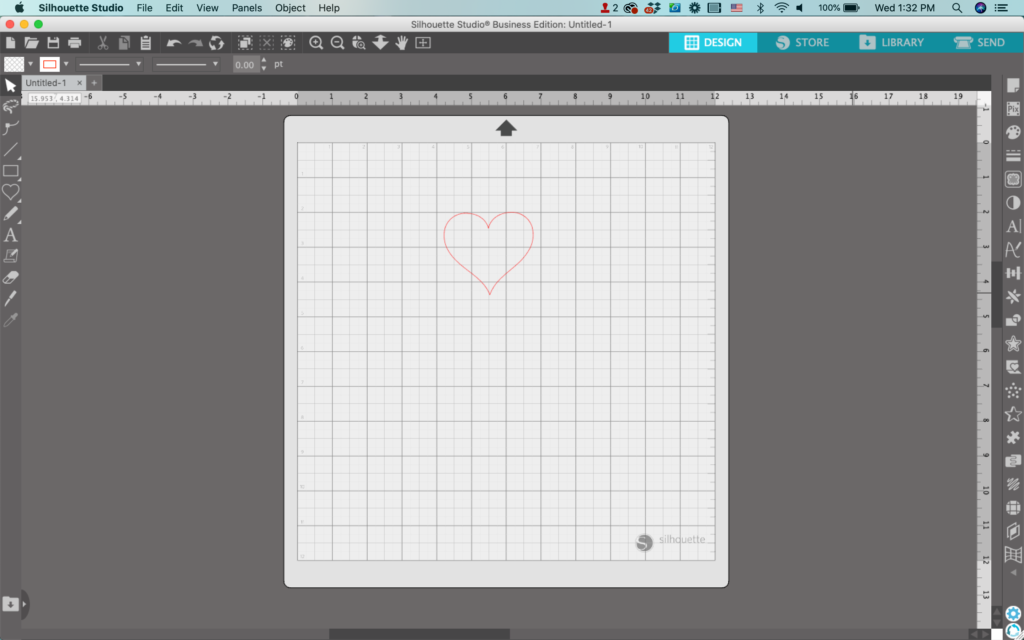
2. Select the heart, right click, then select ‘Duplicate’. Create two additional copies.
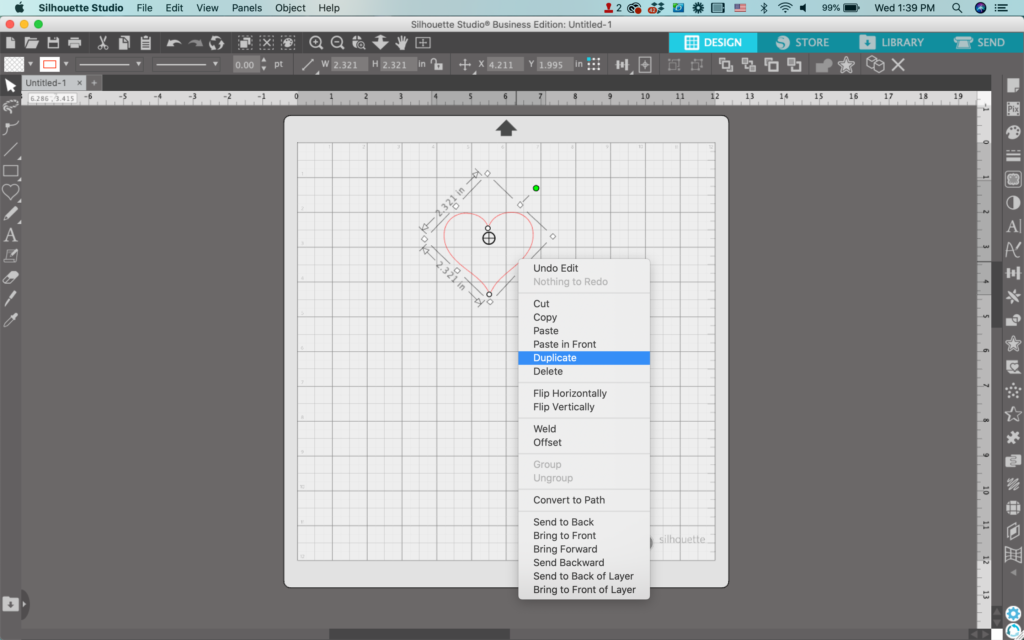
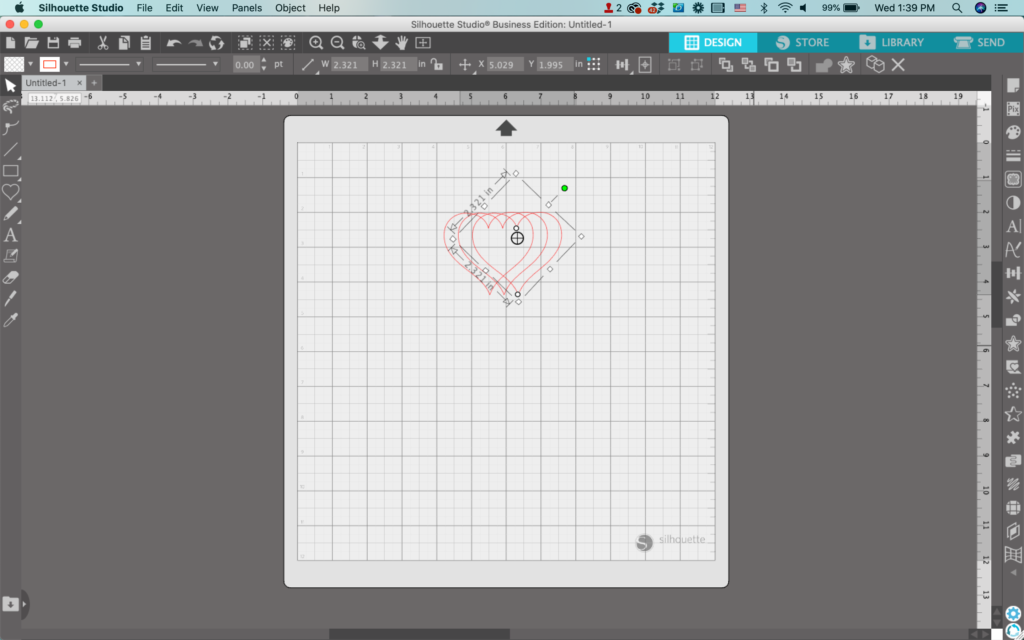
3. Arrange and rotate the hearts tip to tip, so that the tips all overlap slightly.
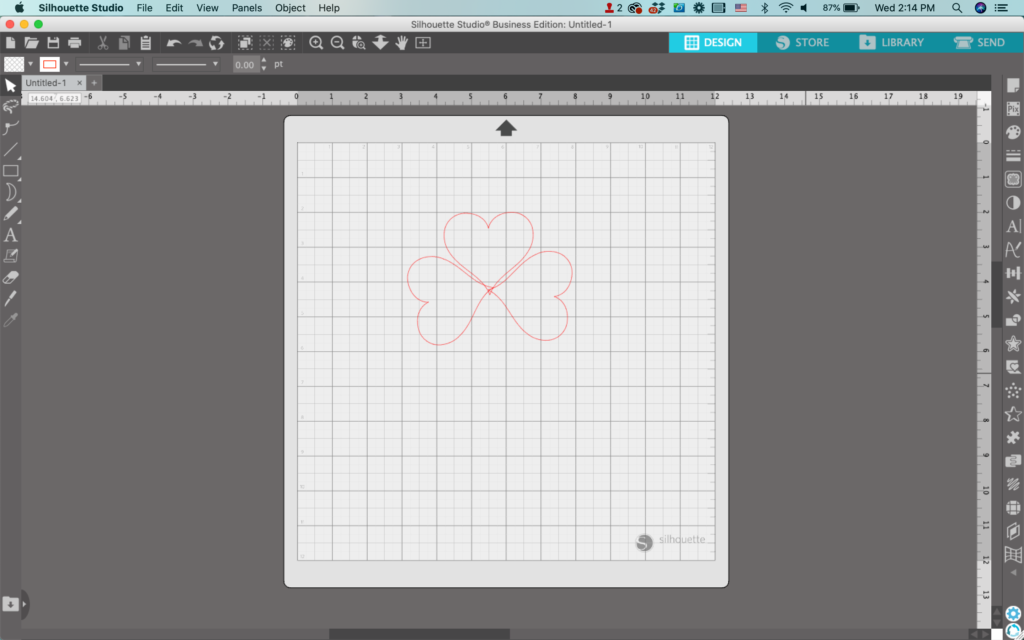
4. Select all the hearts, right click, and select ‘Weld’.
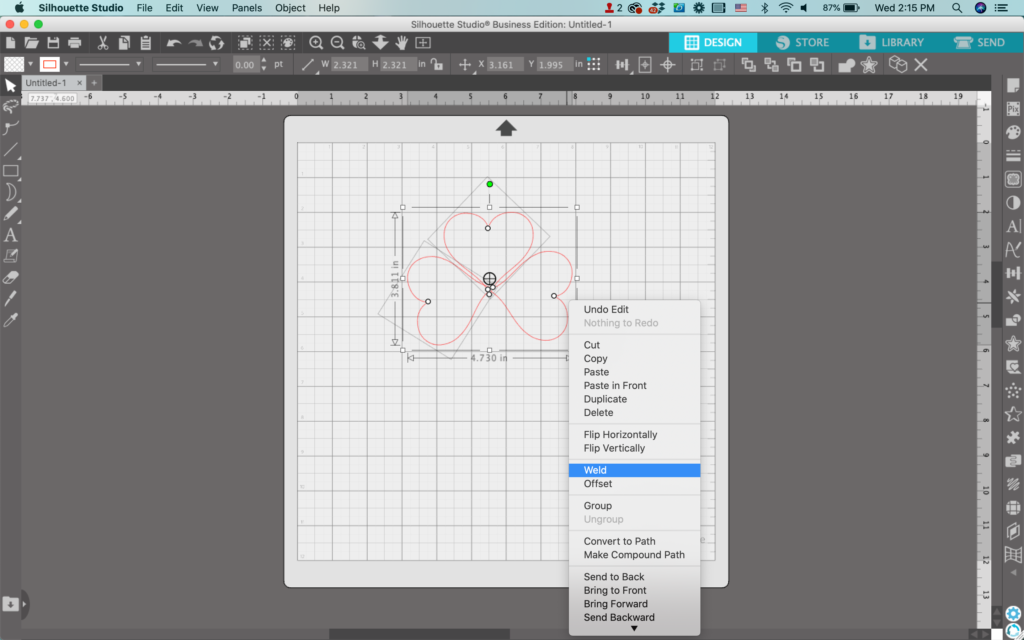
5. Using Flexishapes, draw a moon shape.
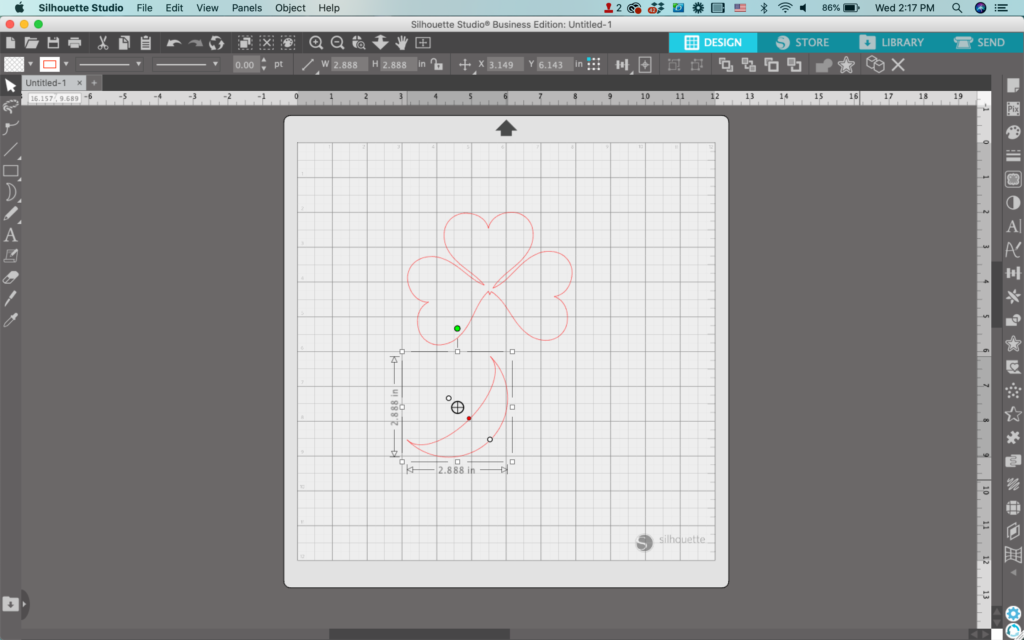
7. Drag the red dot on the moon to make it thinner.
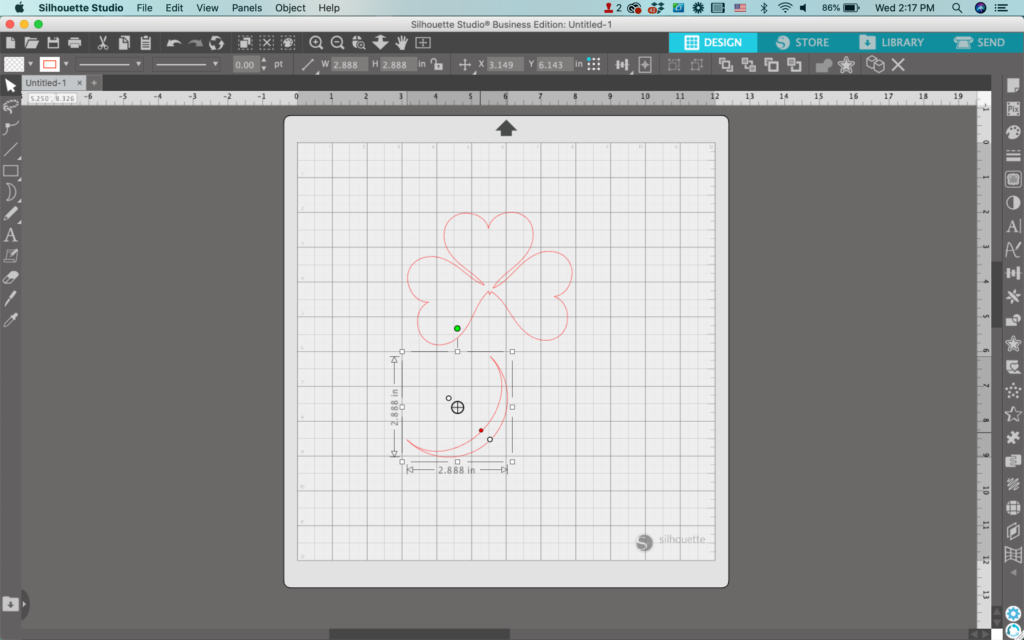
8. Use the knife tool to slice the moon in half and delete one half.
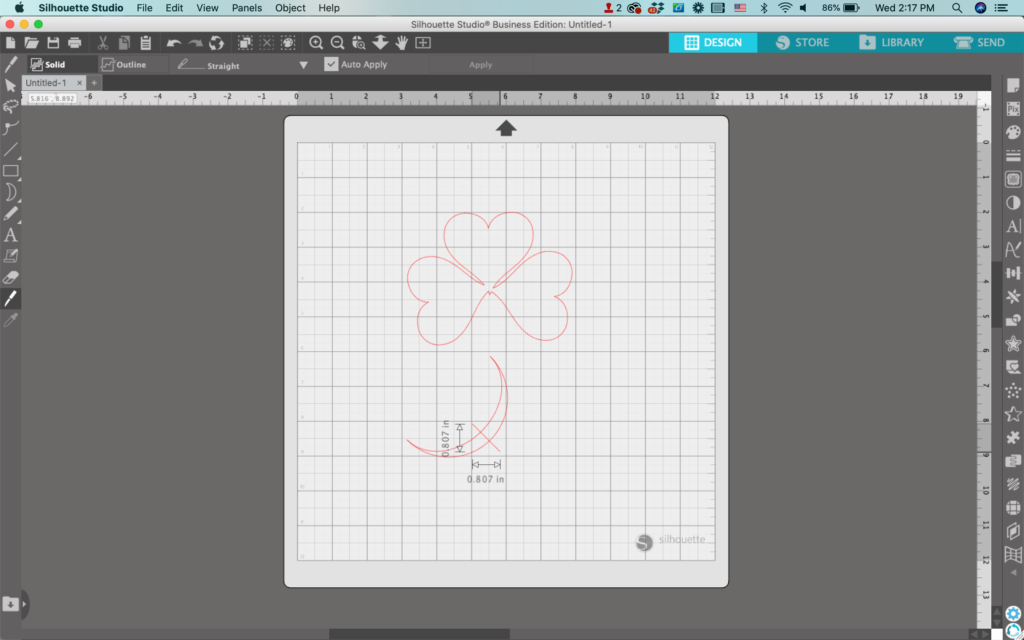
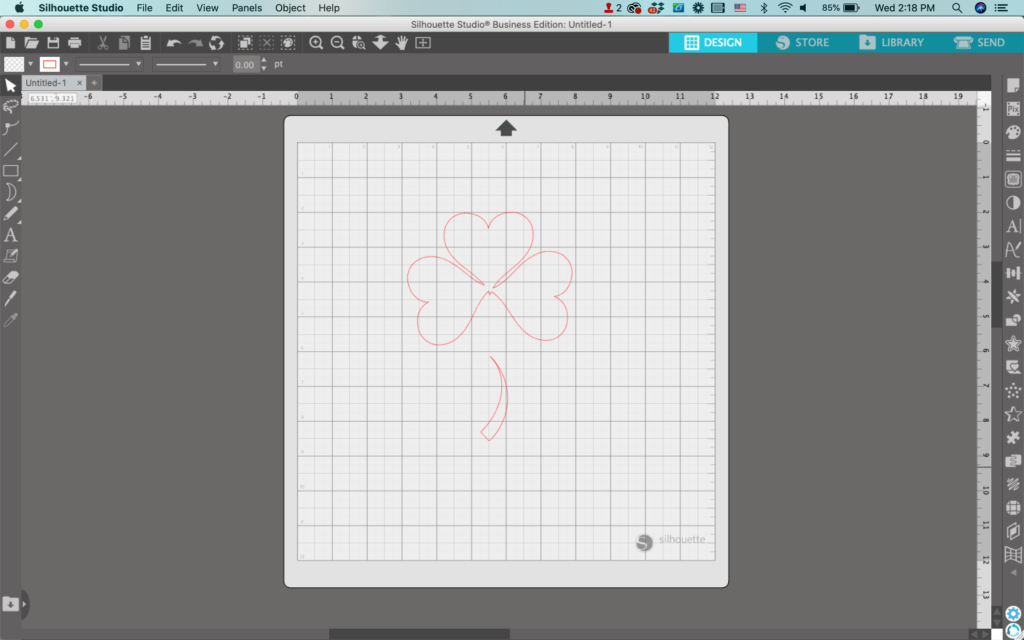
9. Move the stem into place and resize as needed.
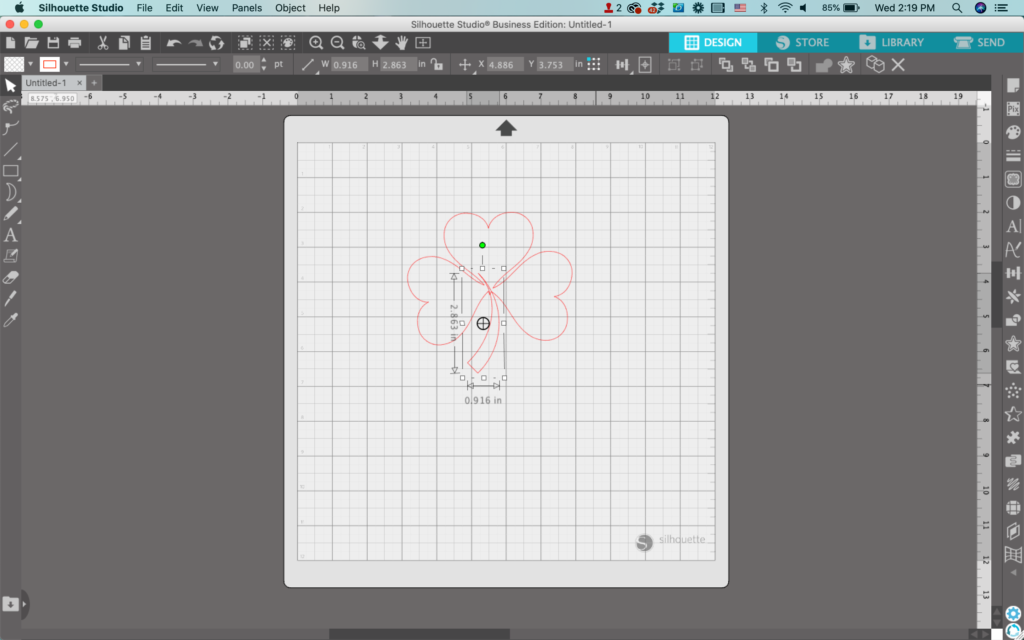
10. Select both the leaves and the stem, right click, and choose ‘Weld’ to lock them together.
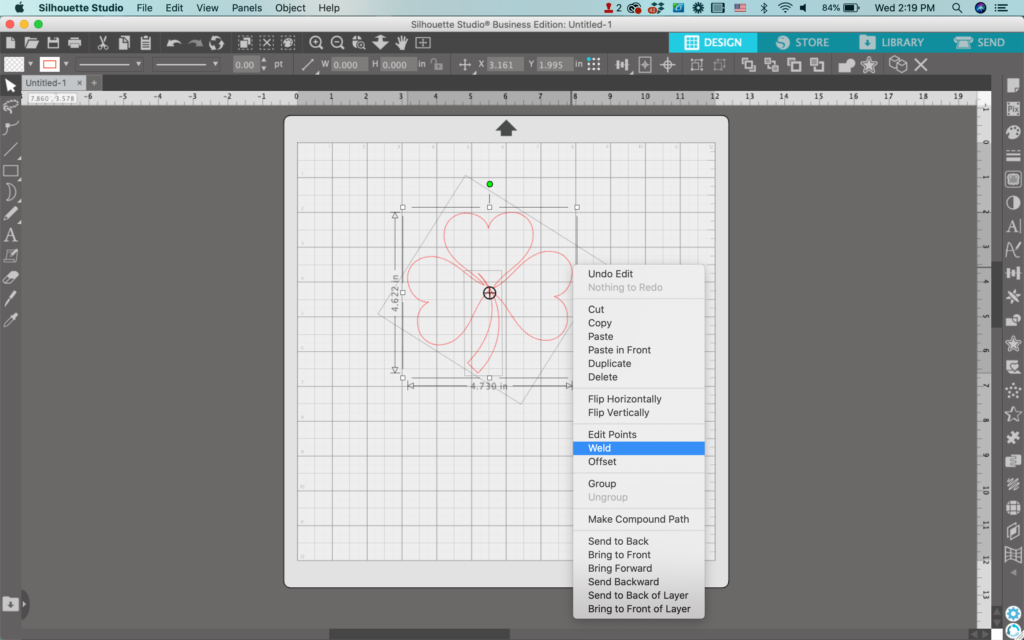
Add color and additional details to finished the design. My completed shamrock looks like this:

And don’t forget – shamrocks only have 3 leaves – never 4!
Don’t Forget to Save!
To save your new SVG creation, head to ‘File’, ‘Save As’, ‘Save to Hard Drive’, name the file, then select ‘SVG’ from the dropdown menu.
Want More SVG Tutorials?
View more Design with Me SVG tutorials.
Leave a Reply