Author: christine

  • Silhouette or Cricut Business Start Up Costs

    I’ve had a lot of business owners-to-be ask me how much the typical start up costs are for a Silhouette or Cricut home based business. Today, I’m offering a general list of items to consider if you are starting a business with your die cutting machine. The lists below are general overviews to give you an idea of the things you will need to buy to start your business.

    General Supplies

    • Silhouette Cameo ($270) or Silhouette Curio ($220) or Cricut ($250)
    • Cutting blades (Silhouette $8 each, Cricut $3.50 each)
    • Cutting mats (Silhouette: $9 each, Cricut: $6 each)
    • General craft supplies
    • General office supplies (paper, folders, envelopes, etc.)
    • Shipping supplies (tape, label paper, packing materials, boxes, shipping scale – $50)
    • Computer and printer – varies greatly
    • Silhouette Studio Upgrade (Designer Edition $25 or read more about Business Edition)
    • Accounting program (about $15 per month)
    • Packaging materials – (about $100)
    • Business cards and advertising materials ($50)
    • Supply storage – varies ($100)
    • Camera – varies greatly

    Supplies

    For Adhesive Vinyl Crafters

    • Adhesive Vinyl – Purchase in rolls for cheapest pricing. Generally, around $1.30 per yard. You should estimate that you’ll need several colors to begin creating.
    • Transfer paper or tape ($35 for an industrial roll)
    • Weeding tools ($10)
    • Blanks for products ($200)

    For Garment Crafters

    • Heat transfer vinyl – Purchase in rolls, about $7 per yard – specialty materials cost more. You should estimate that you’ll need several colors to begin creating.
    • Heat press –  ($225) – It’s a must if you are selling products. Read more about that in this post.
    • Weeding tools ($10)
    • Blanks for products ($300)

    For Scrapbook, Card, Paper Crafters

    • Papers – cost varies greatly ($100)
    • Paper crafting tools – spatula, paper cutter, glue ($100)

    Remember, you may have some of the necessities on hand, especially if you are already crafting as a hobby. Next week, I’ll show you how I started my small business without any debt – and very little cash on hand.
    Silhouette or Cricut Business Start Up Costs by cuttingforbusiness.com

  • Product Based Business Cards in Your Craft Business

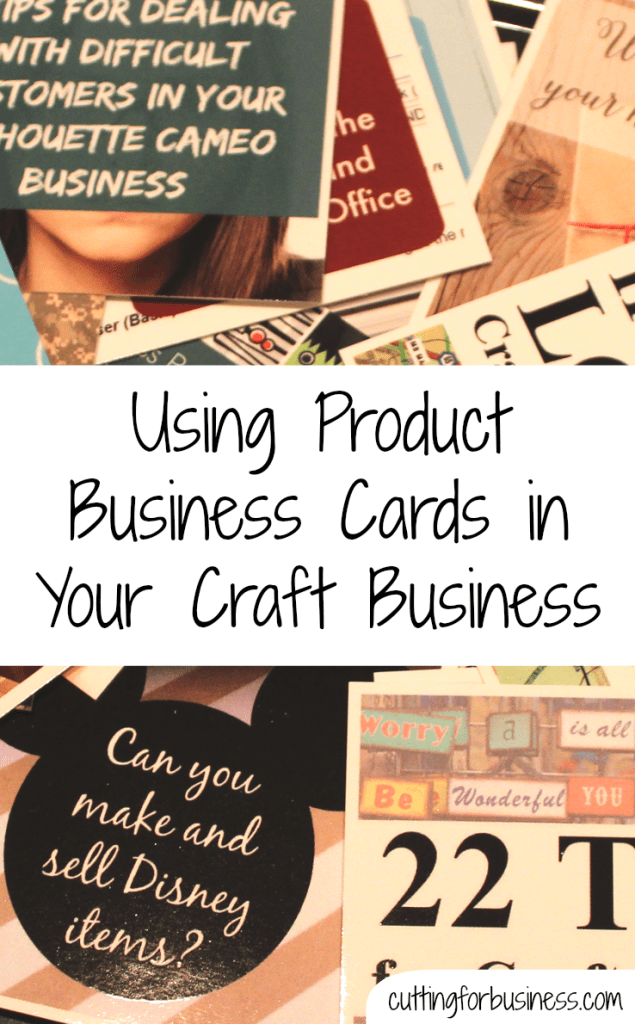
    What is a product based business card? I’ll be honest, I just made that term up – but I think it is fitting for what I am going to show you today. I debuted my latest business card designs at the All Things Silhouette Conference – and everyone LOVED them.

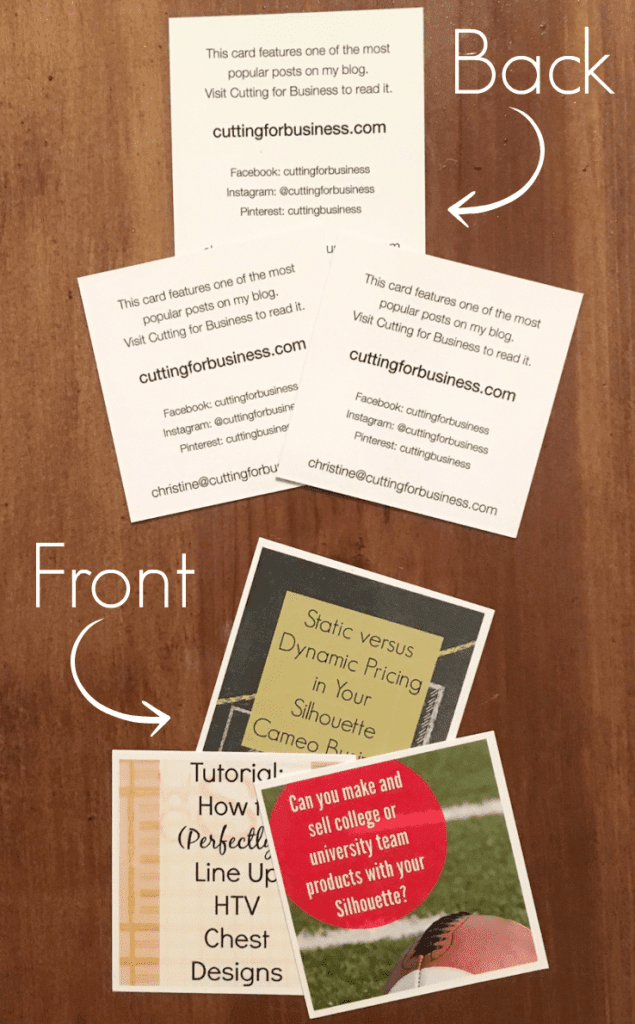
    So, what made them special? Well, each of my business cards has a different image on them. In my case, I put a different blog post on each of them and my contact information on the other side. But, for your small craft business, you can put a different product on each and your contact information on the other side. Why would you do this? Well, when customers go to craft shows they pick up lots of business cards. When they get home, they may not remember what business sells what product. However, if you have a photo on your card of one of your products, your customer will know exactly why they grabbed your card.

    Below is a photo of a few of the cards.

    Product Based Business Cards in Your Craft Business by cuttingforbusiness.com

    How did I do this you ask? I used Moo.com’s square business cards. Moo allows you to upload up to 50 different designs to use on your business cards. This sounds like a daunting project you say? It actually only took about 20 minutes because Moo can link into your Instagram account. Since Instagram photos are already square, they are perfect for Moo’s square business cards! Then, I just chose the images I wanted to use, looked over the online proofs, and placed the order. Pricing is dependent on what options you choose for your card. Head over to Moo and make your own product based business cards!

    Product Based Business Cards in Your Craft Business by cuttingforbusiness.com

  • All Things Silhouette Conference 2015 Recap

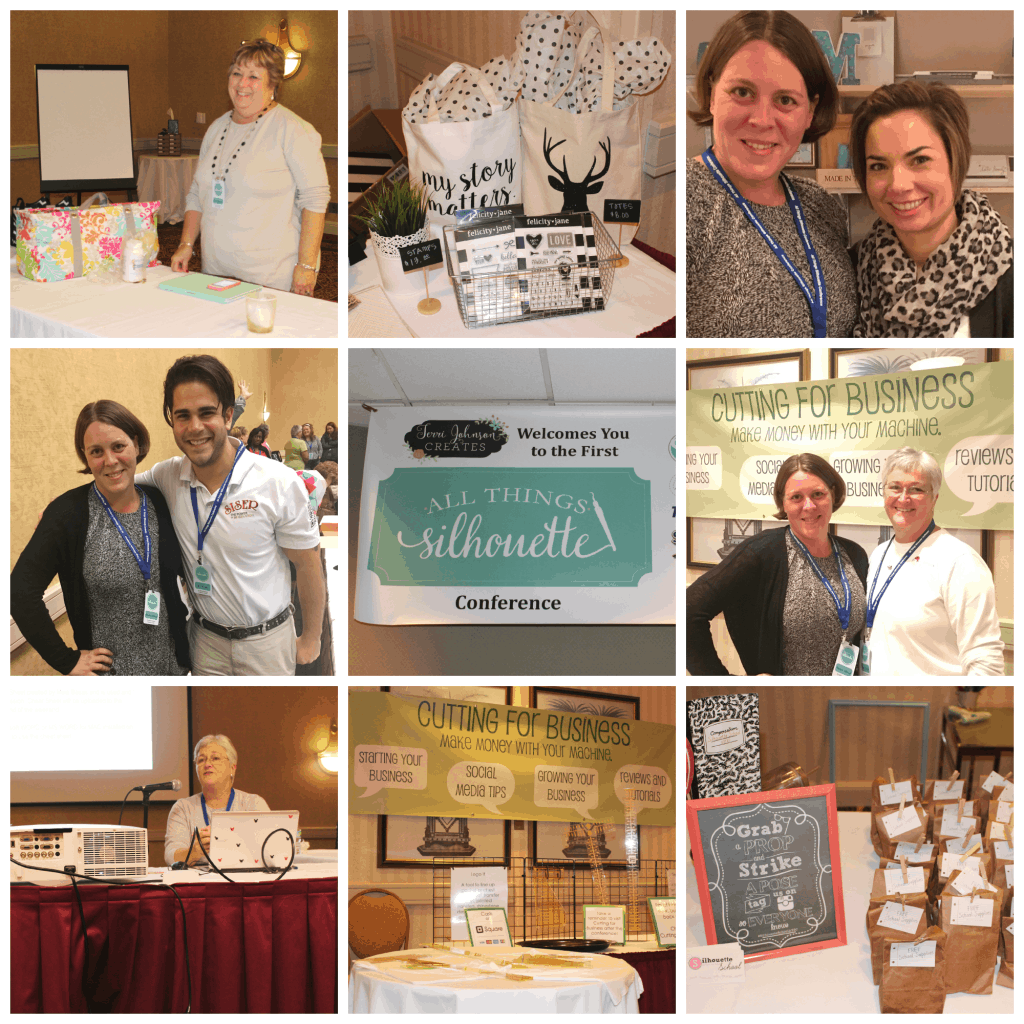
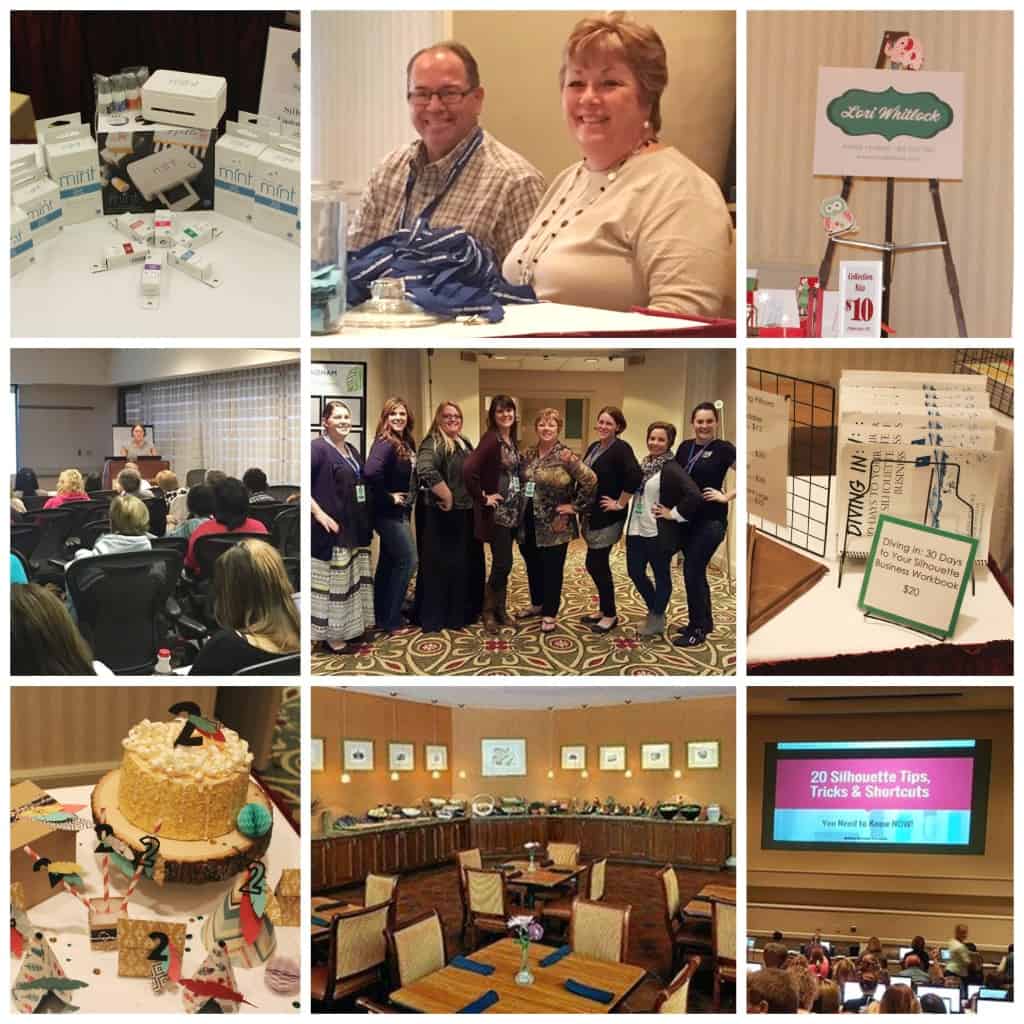
    Hey everyone – I’m just in from the All Things Silhouette Conference in Peachtree City, Georgia! Today, I’ll give you a look around the conference and the dates for the next TWO conferences!

    The conference was organized by mastermind Terri Johnson from Terri Johnson Creates. The event featured classes by an awesome collection of instructors, which included:

    Some of the classes included:

    • Designing in Silhouette Studio
    • Rhinestone Workshops
    • Designer & Business Edition Software
    • Tips and Tricks for Silhouette Studio
    • Scrapbooking with the Silhouette
    • Txtile Decorating
    • Adhesive and Heat Transfer Vinyl
    • Machine Embroidery
    • Point Editing
    • Glass Etching
    • Small Business Tips
    • …and many more!

    The vendors included:

    Included in the conference was buffet style breakfasts, lunches, and snacks, class sessions, admission to the vendor hall with make and take projects and plenty of shopping, admission into the Silhouette Hospitality Suite, plus lots of fun door prizes (including Cameos, Curios, and Mints) and more! I snapped a lot of photos throughout the event:

    All Things Silhouette Conference 2015 Recap - and NEWS! by cuttingforbusiness.com

    All Things Silhouette Conference 2015 Recap - and NEWS! by cuttingforbusiness.com

    I’ve heard fantastic feedback from everyone about the conference and I enjoyed sharing my business knowledge, answering tons of business questions, and pre-releasing and autographing my book! If you’d love to join in the fun next year, the conference dates are April 2-3, 2016 AND November 4-5, 2016. Watch Terri Johnson Creates for registration details and act early – this first conference sold out quickly. See you next year!

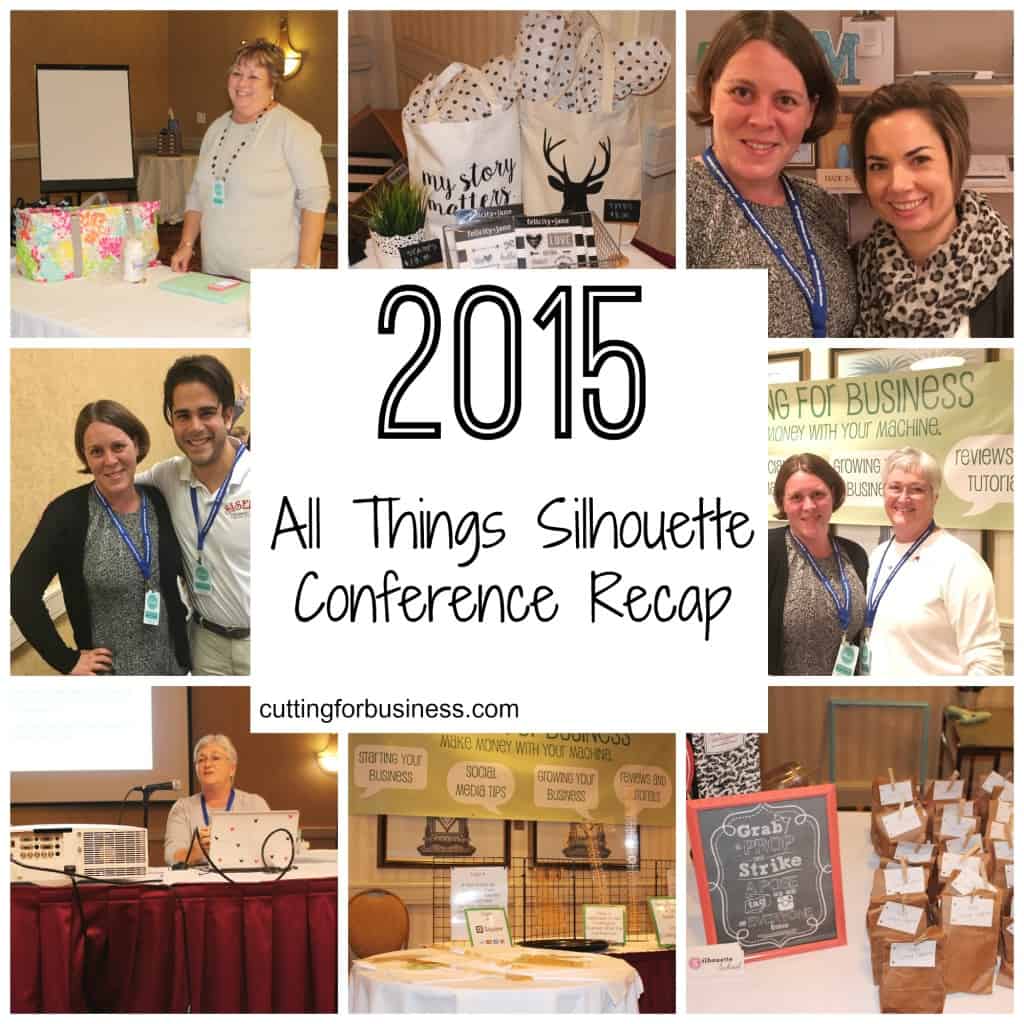
    Don’t forget to pin it and spread the word:

    All Things Silhouette Conference 2015 Recap - and NEWS! by cuttingforbusiness.com

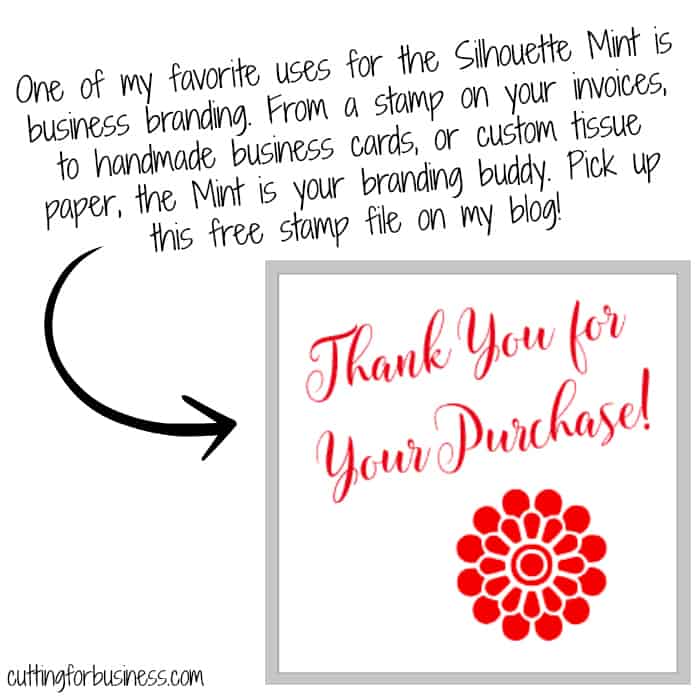
  • Free Thank You for Your Purchase Silhouette Mint Stamp File

    Good morning Cutting for Business readers! By now, I’m enroute from Florida to Georgia for the All Things Silhouette Conference near Atlanta! If you’ve recently gotten your Silhouette Mint, or are picking yours up this weekend, I’ll help you get started with a thank you stamp for use in your business. After you “mint” it, stamp it on invoices, tissue paper, your packaging, and much more. You can read more about the Silhouette Mint in this post or this post.

    Have a wonderful weekend and be sure to follow along all the conference fun from Instagram @cuttingforbusiness.

    Download it here.

    Free Thank You for Your Purchase Silhouette Mint Stamp File by cuttingforbusiness.com

  • Starting a Rental Business with Your Silhouette or Cricut

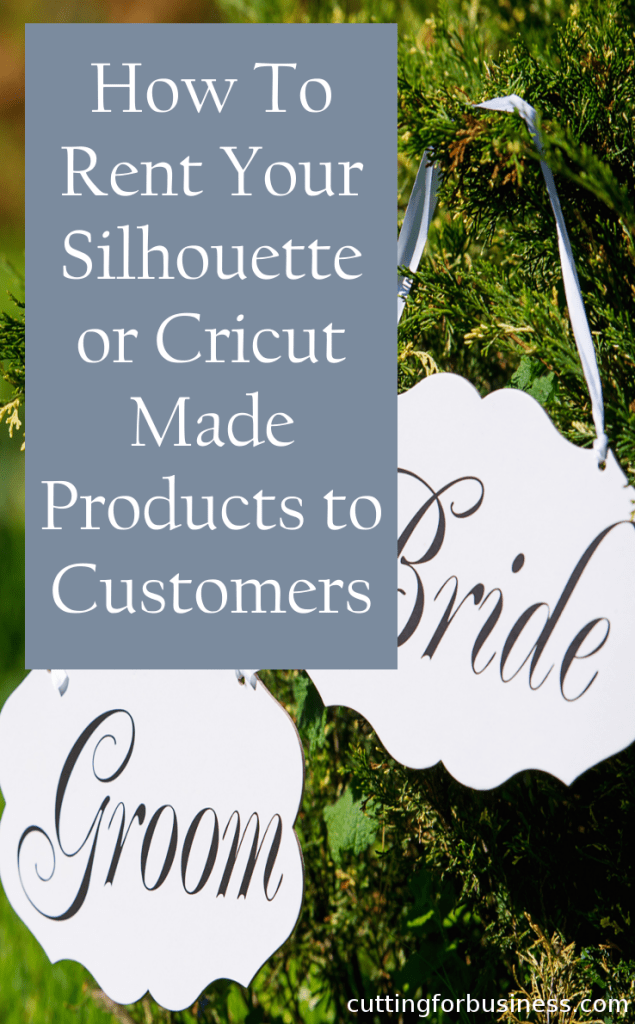
    On Cutting for Business, I’ve shared several ways to make money with your Silhouette or Cricut that don’t include making and selling products to customers. Some of those ideas are in these posts: Hosting a Workshop, Hosting a Holiday Craft Market, and Hosting a Home Craft Party. Today, I’ll share my thoughts on creating products to rent to your customer. Most Cutting for Business readers will not know this, but my primary business is a rental company (which was run from my garage in its infancy and we delivered and picked up all rental products).

    Choosing a Good Rental Product

    Obviously, not all Silhouette or Cricut made products will work well in a rental market. But, some products will. Look for non-customized products that you sell to a buyer and the buyer only uses the product one time or for a short period of time. For example, signs for weddings, decor or centerpieces for a party or special event, gender reveal props or baby announcement signs, props for photographers to use at photo shoots, holiday or seasonal decor for a restaurant or office, props for a theater production, or generic home decor for someone staging their home for sale. As an aside, with the holidays coming up I think sellers could do quite well offering a few different packages of handmade holiday decor for customers to use until January and return after. It would be easy to deliver the products to their home, pick them up in January, and pack them up to rent again next year. Near my home, there is a local company that offers holiday decorations for rent and they do quite well. Not everyone wants to use the same decor each year – or to store it when not in use.

    Pricing Rental Items

    Offering products for rent is a profitable business model because you only make a few of the product and earn income from selling the same product over and over again. For example, instead of selling your customer a sign for her wedding reception for $80, you rent it to her for $50. After the event, she returns the sign and you rent it again the following weekend for another $50. You’ve now generated $100 in income from creating one sign, you still have the product, and you can rent it out many more times. Rental items are priced well below that retail value of the product.

    Depending on your rental products, rental rates can be priced several different ways:

    • One time charge for use at an event. Great for parties or other one day events.
    • Per day/week/month charge. Great for longer events like staging a home or renting out decor.
    • Delivery and/or pick up fees. Decide if you will need to charge your customer for delivering or picking up the products.
    • Deposits. Consider charging customers a refundable fee to ensure that your products are returned on time and without damage. When the products are returned, refund the deposit.

    Delivery and Return of Products

    You have two options for getting the rental products to your customer and back from your customer: deliver it to them and pick it up from them, or have them pick it up and return it to you. If you are a home based business, it may be easier to deliver and pick up the product; while someone with a small storefront (or someone renting to friends or family) could have the customer pick it up and return it.

    Other Considerations

    When first starting out your rental business, you’ll need keep good records on a calendar of what products need to be where and when. As your rental business grows, you’ll want to look into a scheduling system like Checkfront or Booking Bug . These systems will allow customers to book their rentals online and will prevent you from overbooking (renting out more products than you have on hand). Additionally, you’ll need to write out business policies for what happens if a customer damages or loses a product, what happens if a product is returned late, and what price the customer will pay if they decide to keep the product.

    I hope this post got you thinking of another “out of the box” idea to use your Silhouette Portrait, Cameo, or Curio to make you money. Leave a comment and let me know if you will try renting out products to your customers.

    Starting a Rental Business with Your Silhouette or Cricut by cuttingforbusiness.com

  • Resources to Create Your Own Paper Boxes with Cricut or Silhouette

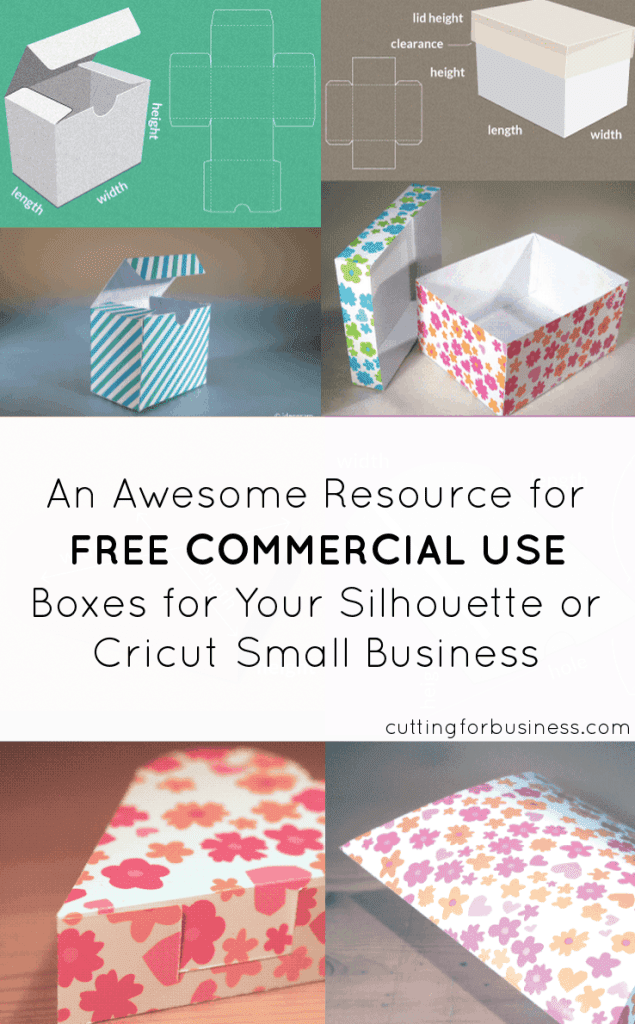
    Several Cutting for Business readers have asked me if I knew about creating your own boxes for products created with your Silhouette. I have a few resources to share for making your own boxes.

    First, the Silhouette Design store has tons of boxes in all shapes and sizes to choose from. Click here to see the various boxes in the Silhouette Design store.

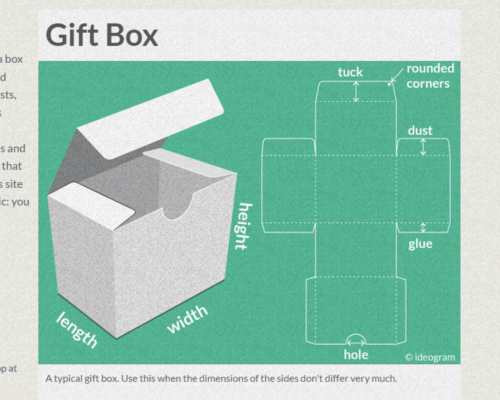
    Next, there’s a website called Template Maker that will allow you to create various boxes in whatever size you need. The files are all licensed for commercial use and no credit back to the site is required.

    Tutorial to Use Template Maker

    Step 1) Click on the box that you are interested in creating.

    Creating Your Own Paper Boxes for Silhouette Products by cuttingforbusiness.com

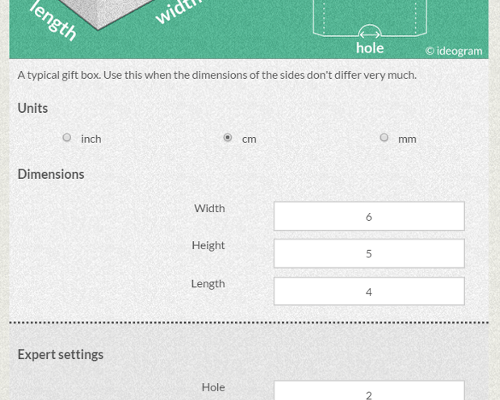
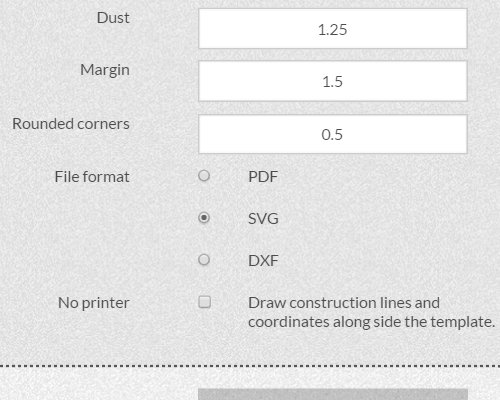
    Step 2) Enter the dimensions for your box.

    Creating Your Own Paper Boxes for Silhouette Products by cuttingforbusiness.com

    Step 3) If you are using Silhouette Studio Designer or Business Edition or a Cricut, choose .svg and click “Create”. If you are using Silhouette Studio Basic Edition, choose .dxf and click “Create”. Save your box. You can now open it in Silhouette Studio or Cricut Design Space, cut it out, and put it together.

    Creating Your Own Paper Boxes for Silhouette Products by cuttingforbusiness.com

    I love free resources online, and this one is awesome! Make sure to head to one of the social media links at the bottom of Template Maker to say thanks for providing this super helpful site!

    Creating Your Own Paper Boxes for Silhouette Products by cuttingforbusiness.com

  • What are Instagram Brand Reps or Enthusiasts?

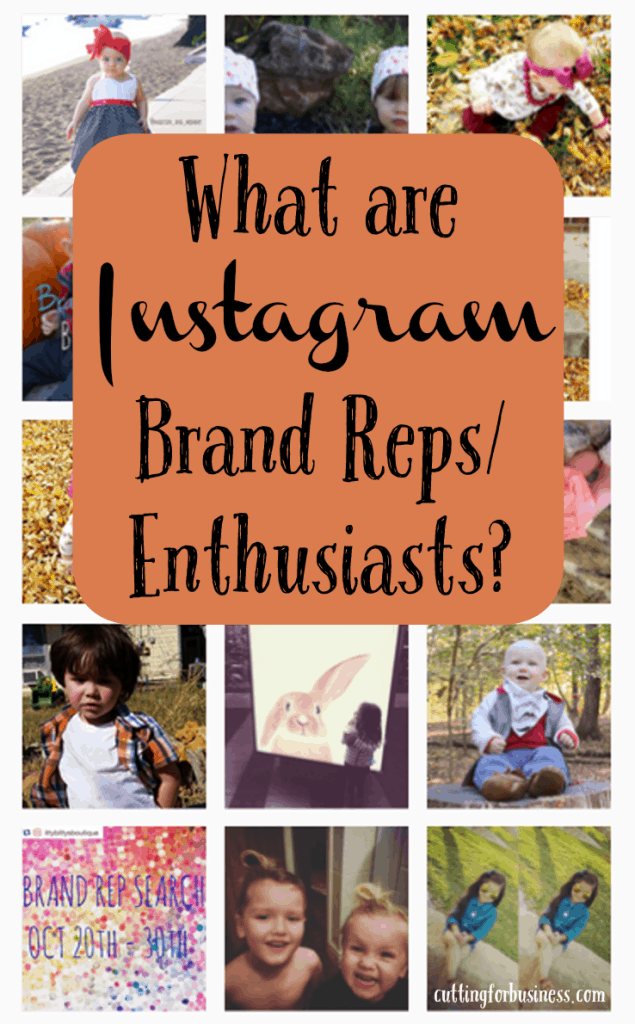
    Brand reps (representatives) or brand enthusiasts are people that you send free products or discounted products to in exchange for them taking pictures and posting them on their Instagram account. Brand reps or enthusiasts can be highly effective in growing small businesses on Instagram because they can help the shop’s following grow organically. This post will tell you everything you need to know about using brand reps or enthusiasts on Instagram.

    Getting Ready to Use Brand Reps or Enthusiasts on Instagram

    • Decide if you would like brand reps or brand enthusiasts. Brand reps are usually given products free of charge, while brand enthusiasts are generally offered a discount on products and must order regularly. You could use one type or a combination of both.
    • Write a basic contract that outlines what products they will receive, how long you will use their services, how many posts you expect the rep or enthusiast to post during that time period, and when they will post the images.
      • I’d suggest using brand reps in 3 or 6 month increments and starting over with your brand search as the term expires.
      • I suggest having a signed contract with any brand rep or enthusiast.
    • Write out requirements for brand reps or enthusiasts. Are you searching for moms or dads with babies, those with fabulous home decor, or someone trendy that loves the latest accessories? Feel free to ask for specific age or size ranges. The more specific you are when advertising the search, the better applicants you will receive.
    • Create an image that states you are looking for brand reps or brand enthusiasts.
    • Create a hashtag that incorporates your business name and “brandrep” or “brandenthusiast”. Be sure to search the hashtag on Instagram to make sure that it isn’t already in use.

    How to Find Brand Reps or Enthusiasts on Instagram

    • Post your image on Instagram along with dates for your brand rep or enthusiast search. From here, you have a few different options:
      • Direct potential brand reps or enthusiasts to email you with information about them and why they want to be a brand rep or enthusiast.
      • Direct potential brand reps or enthusiasts to an application on your website.
      • (This method is generally most effective) Have potential reps or enthusiasts repost your brand search image and hashtag on their Instagram feed. Then, have them tag 2-5 pictures on their feed with your hashtag. Their tagged photos become their entries into the search. Last, have them tag friends that may be interested in your brand rep or enthusiast search.

    What to Look for When Selecting Brand Reps or Enthusiasts

    • Since Instagram is highly visual, look for someone who posts great photos.
    • Look for someone who is active on Instagram (posting at least every other day) and has a large following.
    • Brand reps and enthusiasts should have public accounts rather than private accounts.

    Sample Brand Rep and Enthusiast Search Post

    Brand Rep Search: (Name of business) is holding a Brand Rep and Enthusiast Search! We are looking for (number of reps) and (number of enthusiasts). We are specifically looking for (criteria you are looking for). Brand Reps will receive (number of items each month), while Enthusiasts will receive a discount of (choose discount, usually between 30 and 50%) each month and are required to purchase 1 item per month. In exchange you will post clear photos that show off (name of business) products at least once per week to help promote the brand. This term will last from (dates of term). How to enter: 1) Follow us (Instagram username). 2) Repost this image with hashtag (#yourhashtag) and tell us about (you, your child, your home, your decor, etc). 3) Tag 3 photos from your feed with (#yourhashtag). 4) Tag 2 friends that may be interested in (Name of business) Brand Rep and Enthusiast Search. Search ends on (date).

    Will you use brand reps or enthusiasts to help grow your business? Let me know in the comments!

    What are Instagram Brand Reps or Enthusiasts? by cuttingforbusiness.com - Make money with your Silhouette Cameo!

  • 6 Ways to Use a Silhouette Mint in Your Business

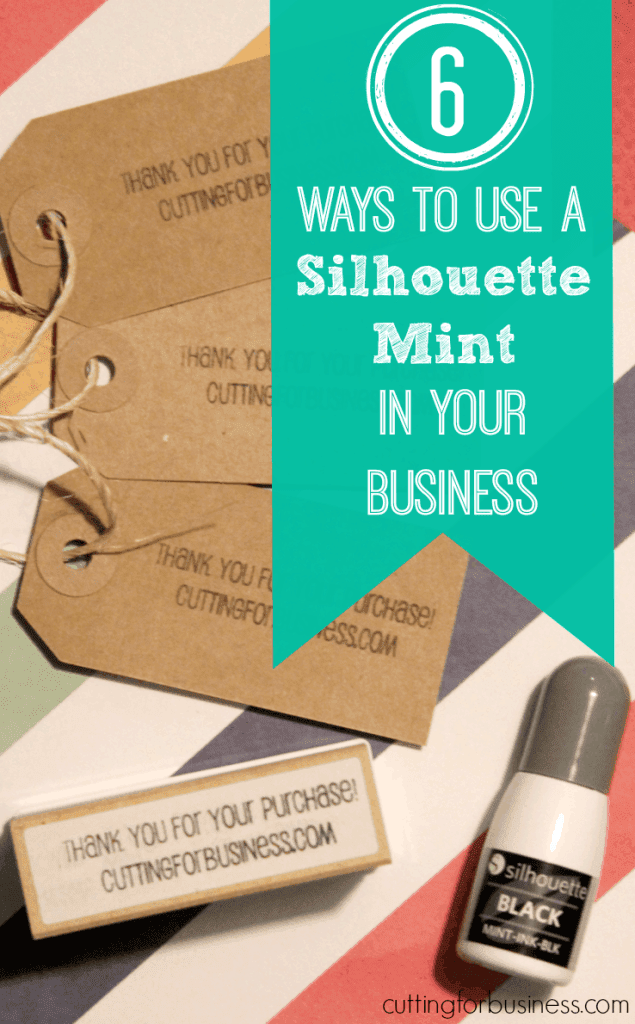
    Yesterday, I unboxed my Silhouette Mint stamping machine. Today, I’ll tell you more about using the Silhouette Mint in your business.

    6 Ways to Use a Silhouette Mint in Your Business

    1. Sell custom designed stamps – There’s already a market on Etsy for handmade stamps from address stamps to “handmade by” or “handcrafted by” stamps and everything in between. Take advantage of the Mint’s unique ability to make custom detailed stamps, like stamps from photos. With the current Mint refill and stamp block pricing, stamps will need to sell for between $30 and $50 (depending on the stamp size) to make a decent profit. You would also have to offer re-inking for a small fee or sell ink bottles to customers and provide instructions for re-inking.
    2. Make business cards – Every small business should have business cards, but I think handmade business cards add a nice touch in a Silhouette based business.
    3. Packaging – In addition to business cards, you can expand your business’ branding onto your packaging with tags, custom bags, custom tissue paper, and more.
    4. Paper crafting – If your business sells custom stationary, cards, cupcake toppers, tags, or anything else with paper you can expand your product lines with new products created with your Silhouette Mint.
    5. Marking products – From cards to wooden signs, you can stamp the back of your products with your company logo and website.
    6. Personal touch – Create a custom stamp with a handwritten sentiment and stamp it on your packing slips for a quick way to customize orders.

    What do you plan to do with your Silhouette Mint? Let me know in a comment.

    6 Ways to Use a Silhouette Mint in Your Business by cuttingforbusiness.com

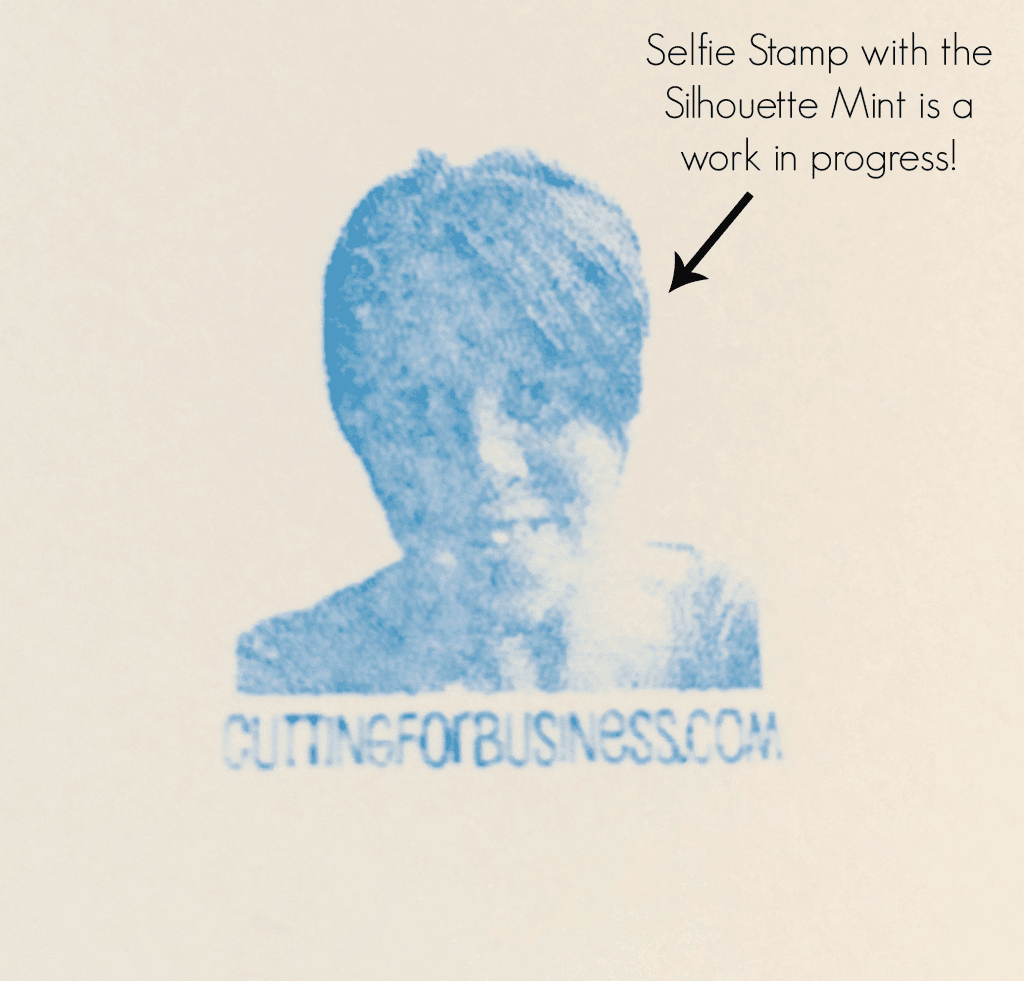
    P.S. Here’s my Mint project in progress, it’s a selfie stamp. I still need to fine tune it, but the possibilities are endless! Pick up your Silhouette Mint or Silhouette Mint refill kits on Amazon.

    Silhouette Mint: Selfie stamp from a photo is a work in progress - cuttingforbusiness.com

  • Silhouette Mint Stamping Machine: What’s in the box?

    If you follow me on Instagram, you’ll know that my Silhouette Mint stamping machine arrived last week. I spent the weekend experimenting with my Silhouette Mint – and I think it is pretty neat! If you aren’t familiar with the Silhouette Mint, it is a stand alone machine from Silhouette that creates custom stamps. Today, I will show you what is in the box.

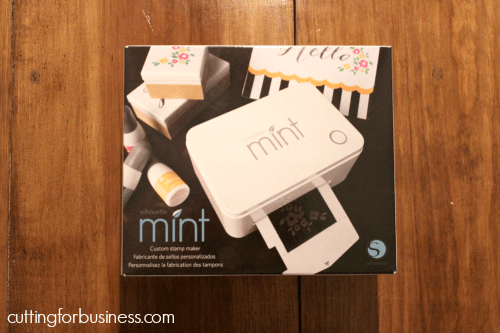
    First, the box:

    Silhouette Mint Stamping Machine: What's in the box? by cuttingforbusiness.com

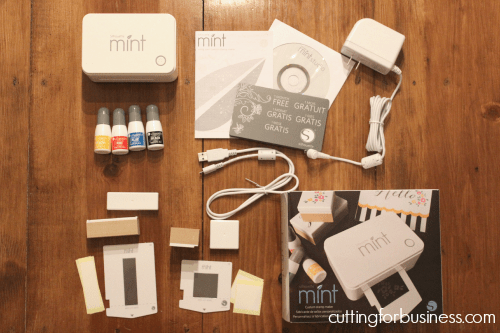
    Now, the contents of the box. This is a non-bundle pack and includes: (1) Silhouette Mint, (1) USB Cable, (1) power adapter, (4) bottles of ink, (1) Card for 50 free designs for Silhouette Mint Studio, (1) 15mm by 60mm stamp kit, (1) 30mm by 30mm stamp kit, (1) user’s manual, and (1) Silhouette Mint Studio CD installation disc. You can install Silhouette Mint Studio if you’d like to test drive it before your Mint arrives, on Silhouette’s website.

    Silhouette Mint Stamping Machine: What's in the box? by cuttingforbusiness.com

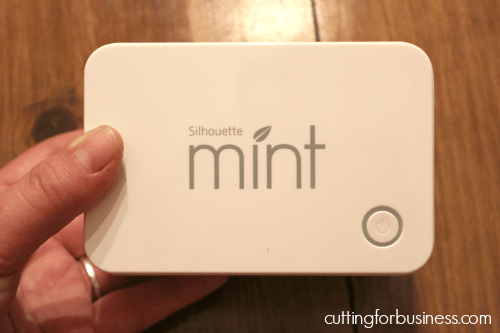
    The machine itself is small and fits into my hand.

    Silhouette Mint Stamping Machine: What's in the box? by cuttingforbusiness.com

    4 bottles of ink are included (5 ml each) in yellow, red, blue, and black.

    Silhouette Mint Stamping Machine: What's in the box? by cuttingforbusiness.com

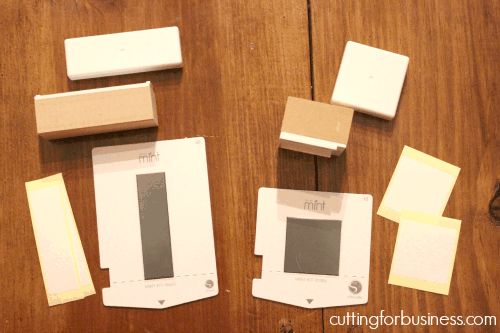
    Next, the machine includes 2 stamp kits (one 15mm by 60mm stamp and one 30mm by 30mm stamp). Each kit includes a base and cap for the stamp, two labels for the stamp, and the stamp material mounted to a cardstock material.

    Silhouette Mint Stamping Machine: What's in the box? by cuttingforbusiness.com

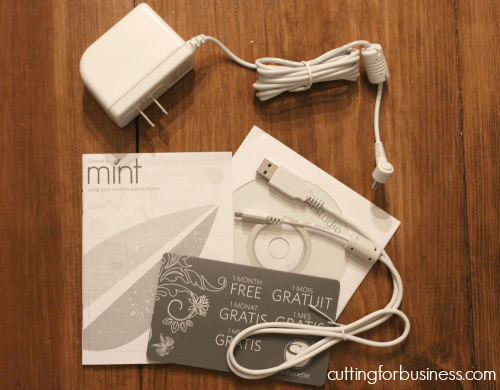
    Lastly, an A/C adapter, USB cord, 50 free designs card, and Silhouette Mint Studio CD is included.

    Silhouette Mint Stamping Machine: What's in the box? by cuttingforbusiness.com
    The Silhouette Mint shown above is priced at $119.99 on Amazon.com. Additionally, there is a refill kit on Amazon for $139.99, and larger bundle kits starting at $229.99. Single stamp kits are available and pricing varies. I expect (and hope!) that the material pricing will decrease over time like other Silhouette products.

    Tomorrow, I’ll give you a list of ways you can use the Silhouette Mint for business. Leave a comment letting me know if you will be buying one.

    Hover over the image below to pin it:

    Silhouette Mint Stamping Machine: What's in the box? by cuttingforbusiness.com

  • Static Pricing vs Dynamic Pricing for Craft Businesses

    Want to make more money selling the products you already have online? Of course you do, who doesn’t?

    Today, let’s talk about static pricing vs dynamic pricing. This may sound complicated, but you come across dynamic pricing in the real world every single day.

    Static Pricing vs Dynamic Pricing in Your Craft Business - cuttingforbusiness.com.

    Basic Definitions of Static Pricing vs Dynamic Pricing

    Static Pricing

    A price is determined and the price stays at a set rate the entire time a product is for sale.

    Dynamic Pricing

    In contrast to static pricing, dynamic prices fluctuate based on the demand of the product.

    Real Life Examples of Dynamic Pricing

    Like I mentioned above, we are surrounded by dynamic pricing in our every day lives.

    • Hotels – As the amount of rooms available for certain days decrease, the prices for the remaining rooms are increased.
    • Airfare – As seats on planes fill up, the pricing for the remaining seats are increased.
    • Sporting Events – The more in-demand a sporting event is, the higher the price for tickets (World Series, Superbowl, or Stanley Cup)

    Examples of Static and Dynamic Pricing in Your Craft Business

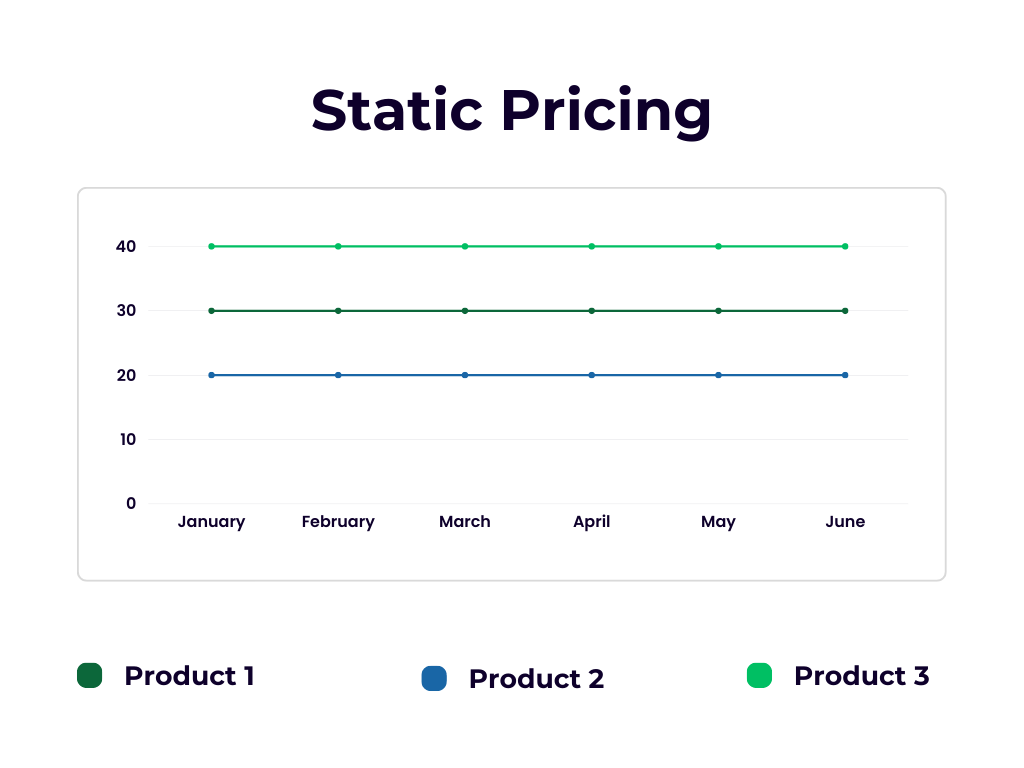
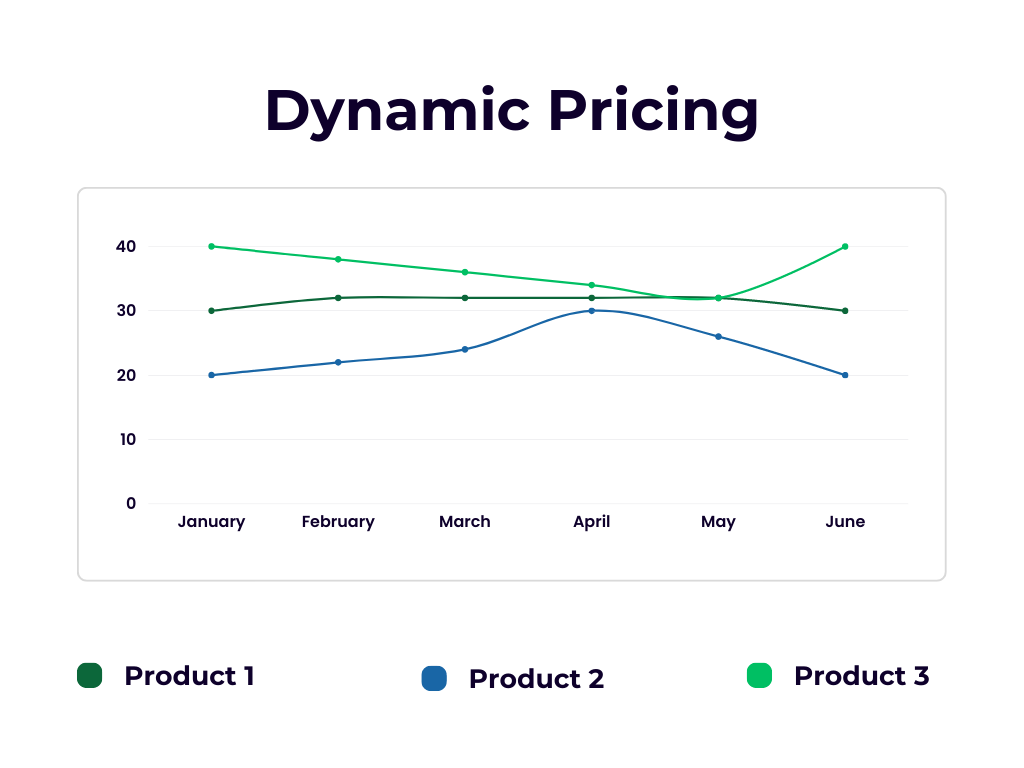
    This is what a chart looks like when a small business owner uses static pricing. You’ll see that no matter what time of year it is, the business owner offers the same price on their product.

    This is what a chart looks like when a small business owner uses dynamic pricing. You’ll see that in busier periods, the business owner raises the price of the product. In contrast, in slower times, the price is decreased.

    How to Use Dynamic Pricing in Your Craft Business

    It’s easy to implement dynamic pricing in your craft business: When your business is busier or your product is in demand: Raise your prices. When your business is slower or your product is not in demand: Lower your prices.

    The Benefits of Dynamic Pricing

    Obviously, the benefit of dynamic pricing is that you increase revenue and profits by raising the prices during the right times. The change is quick and easy in your Etsy or online store, and no other details with your product changes. I call that a win for craft business owners!

    Real Life Craft Business Examples

    Dynamic Pricing for an SVG Cut File Bundle

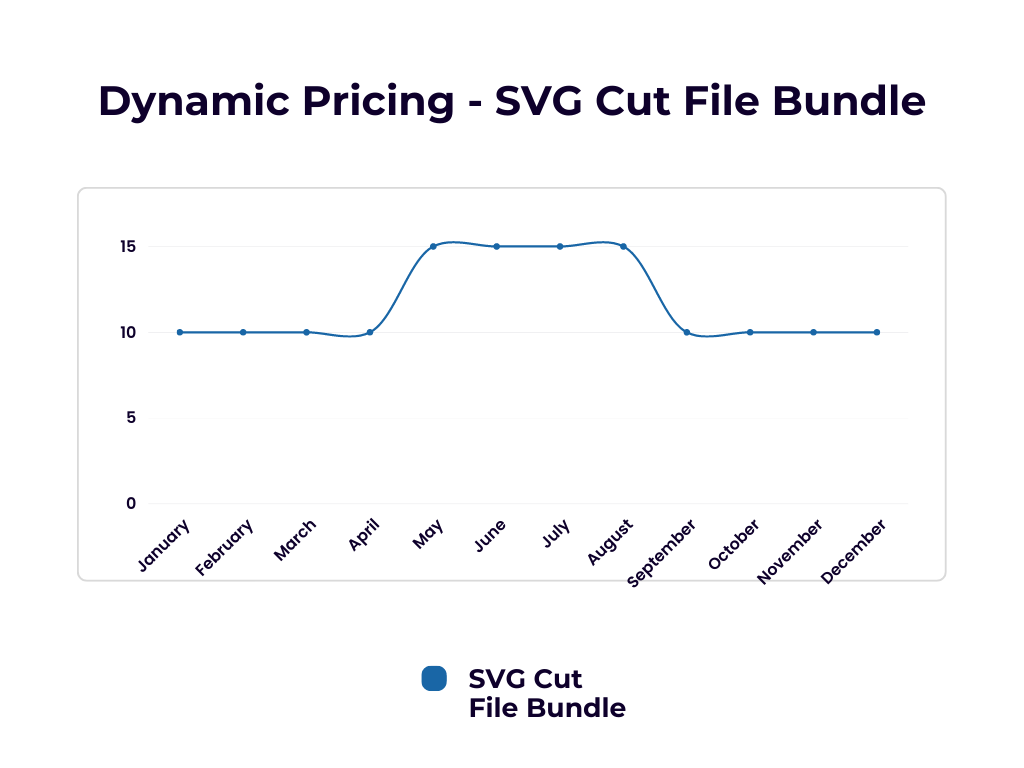
    Let’s take a look at another chart. Let’s pretend that I’m selling a bundle of SVG cut files with a summer theme. During the months of January through April, this bundle is not going to be in demand. I set the price at $10.

    But, during the summer months (May through August), I price the bundle at $15 when the SVG cut file bundle is more in demand.

    Look at the chart:

    Dynamic Pricing for a Christmas Sign

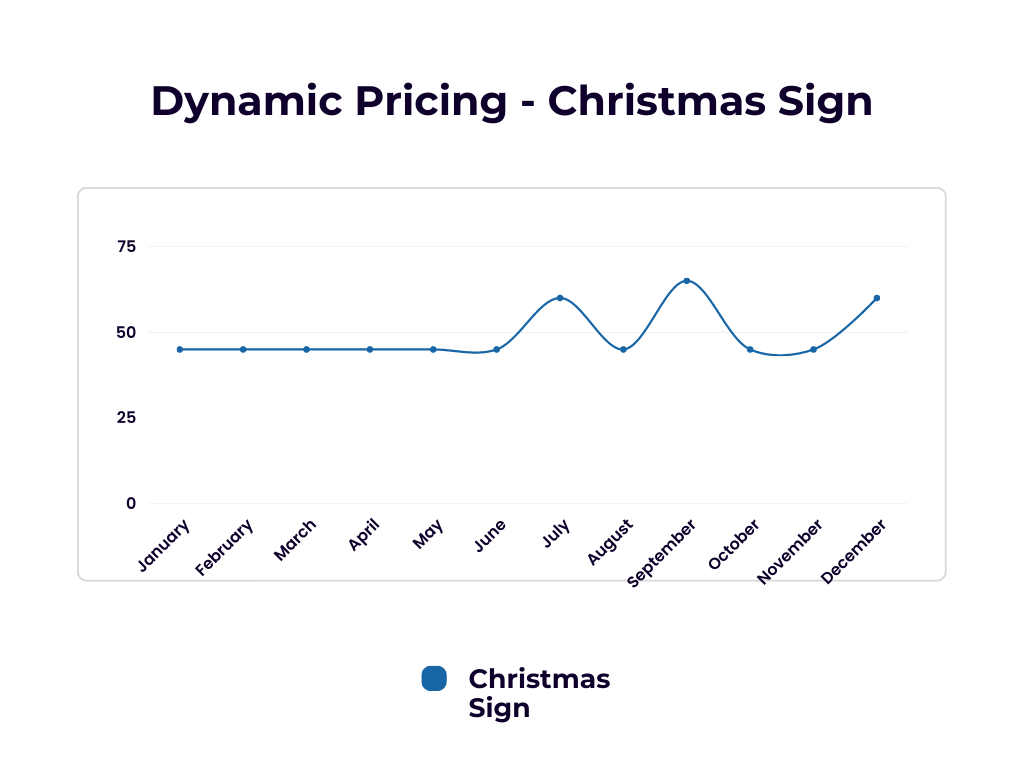
    Instead of an SVG cut file bundle, let’s look at a wood Christmas sign. In this case, in the month of December, you’ll see I’m selling my sign for its highest price $60. You’ll also see a high price in July, during my Christmas in July sale. But look at September. You’ll notice an increase in pricing when my sign design went viral and it was in high demand – so I raised the price. Finally, in January, I lowered the price to clear out the extra signs I had.

    Look at the chart:

    Do You Need to Announce Price Changes to Customers?

    Could you imagine if every store you shop at sent an email or posted on social media when they increased the price on something? Oh my! You would be inundated with messages and posts!

    No, you do not need to announce price changes, or even justify your pricing to customers. If a customer has an issue with the price, they aren’t the customer for you.

    However, if you want a bump in sales before you raise your prices – you could offer some information to your customers. For example, you could post on social media: “Tomorrow is the last day to get XYZ widget for $40.”

    Need help pricing your products? Read an article on How to Price Your Handmade Products.