Category: Starting Your Business

  • FAQ: Printers in Crafting

    I get asked a lot about printers. And, the number one thing I’ve noticed is that crafters don’t know what type of printer they need to tackle which projects. Let’s get this all sorted out today.

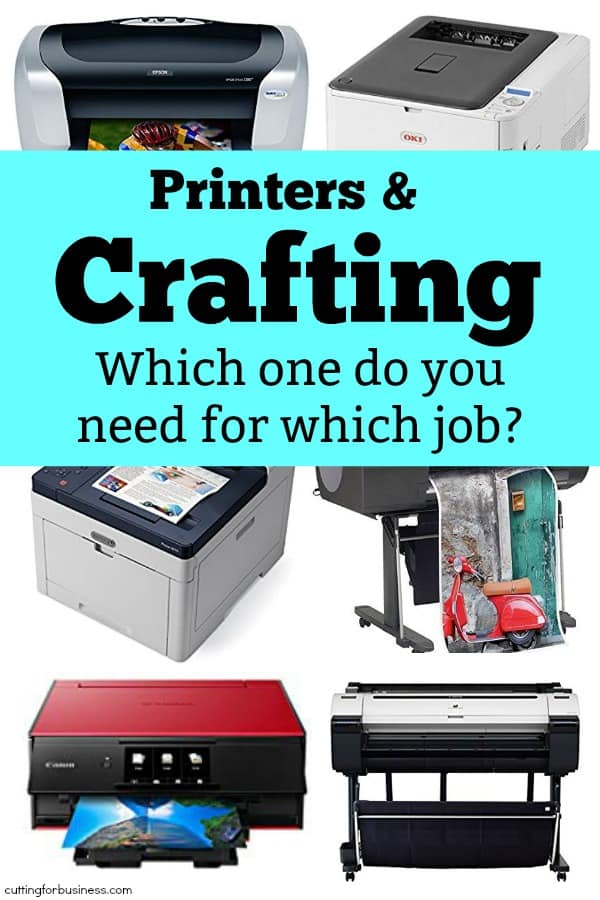
    Crafting: What Printers Do What?

    Inkjet – An inkjet printer is what most people will likely have at home. Inkjet printers use ink and print in black and white or color. Inkjet printers are perfect for Print and Cut (Silhouette) and Print then Cut (Cricut). I have an older model Epson Workforce. It’s been with me to several years and still works as good as the first day I hooked it up. If you’d like to try vinyl printing for your own use, you can buy inkjet printable vinyl like thisCosts: Up to a few hundred dollars.

    Laser – Laser printers are like miniature photo copy machines. Like inkjet, they print in black and white or color. Instead of ink, they use toner cartridges. You’ll want a laser printer if you want to do foiling. Costs: Up to a few hundred dollars.

    Sublimation – Sublimation printers use a special type of ink meant for transferring designs onto blank products. You first print onto a heat transfer paper, then use a heat press to put the design onto your final polyester based or specially treated blank product. Costs: You can buy kits to ‘hack’ some types of printers. For this type of setup, expect to spend a few hundred dollars. Otherwise, a sublimation printer often runs in the high hundreds. (Learn more about sublimation in this series on the blog.)

    Direct to Garment – This type of printer does exactly what it says it does – prints directly onto your finished product. Costs: Expect to spend $15,000 and up on these printers.

    Solvent and Eco Solvent – These printers are commercial grade. Using a solvent or eco solvent printer, you can create your own vehicle wraps, large banners, and custom printed vinyls. Costs: Expect to spend $7,000 and up on these printers.

    Oki – Oki printers are also known as ‘white printers’. They use a white toner to print to transfer paper. You can then use a heat press to transfer your white ink design to your final product. Costs: Expect to spend $2,000 and up on these printers.

    If you are interested in making a large investment in a printer, I’d recommend you attend an apparel making tradeshow like ISS (Imprinted Sportswear Show) to see the different types of printers in action, talk with the sales representatives, and then make an informed decision.

    Was this post helpful? Save it to Pinterest:
    FAQ: Printers in Crafting - Sublimation, Oki, Eco Solvent, and more - by cuttingforbusiness.com

  • Spending Audits: Why You Need to Do Them Regularly

    Yesterday I talked about separate bank accounts in your craft business. Today, let’s look at expenses. Do you ever ask yourself: Where does all my money go? Or, why don’t I have as much money as I thought I did in my business bank account? I know I do! A spending audit is an easy way to see where your money is going.

    How to Conduct a Spending Audit in Your Craft Business

    I do spending audits every single month. If that’s too much for you, feel free to do them quarterly.

    1. Log into your online accounting program and print out an expense statement. How you do this will vary depending on what system you use.
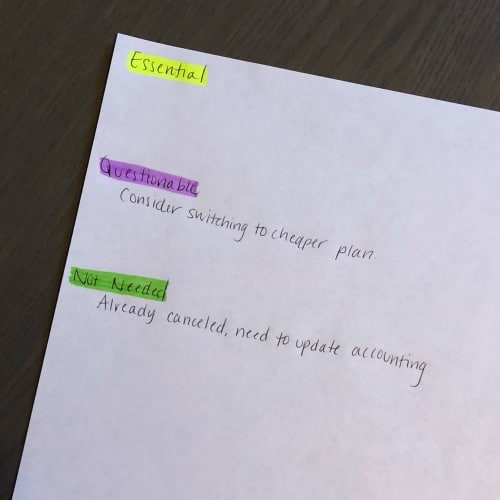
    2. Get out a blank piece of paper and three different highlighters or markers. On the piece of paper, write Essential, Questionable, and Not Needed. Highlight each of them using a different color. This will serve as your ‘key’ while you are going through your expenses. Also, it serves as a place to write any notes as you go. Spending Audits: Why You Need to Do Them Regularly - A good read for small home craft businesses - by cuttingforbusiness.com
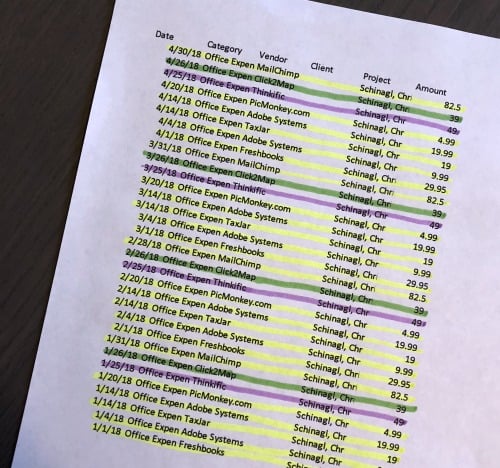
    3. Grab that log of expenses and one by one start going through each line item. Highlight each expense with the appropriate color for Essential, Questionable, and Not Needed. Spending Audits: Why You Need to Do Them Regularly - A good read for small home craft businesses - by cuttingforbusiness.com

    Taking Action on Your Spending Audit

    1. After you’ve finished your spending audit, take action:
      1. For things you’ve highlighted as Essential: Leave them alone. These are the things that you need to run your business.
      2. For things you’ve highlighted as Questionable: Decide whether or not you need to purchase these items again. Or, you could find a new supplier for the item that is cheaper.
      3. For things you’ve highlighted as Not Needed: Immediately remedy the problem. For example, if you’ve found that you are on autopay for a service that you no longer use. Cancel it right then and there! Or, if you’ve recently purchased something you are never going to use, return it or resell it to recoup the money in your business.

    It simply isn’t enough to record your expenses as you go. You need to monitor them. You may just find that regular spending audits will kelp you stay laser focused in your spending.

    Tip: The more often that you do spending audits, the easier it will get. If you need help with accounting, head to this post.

    Was this post helpful? Save the image below to Pinterest.

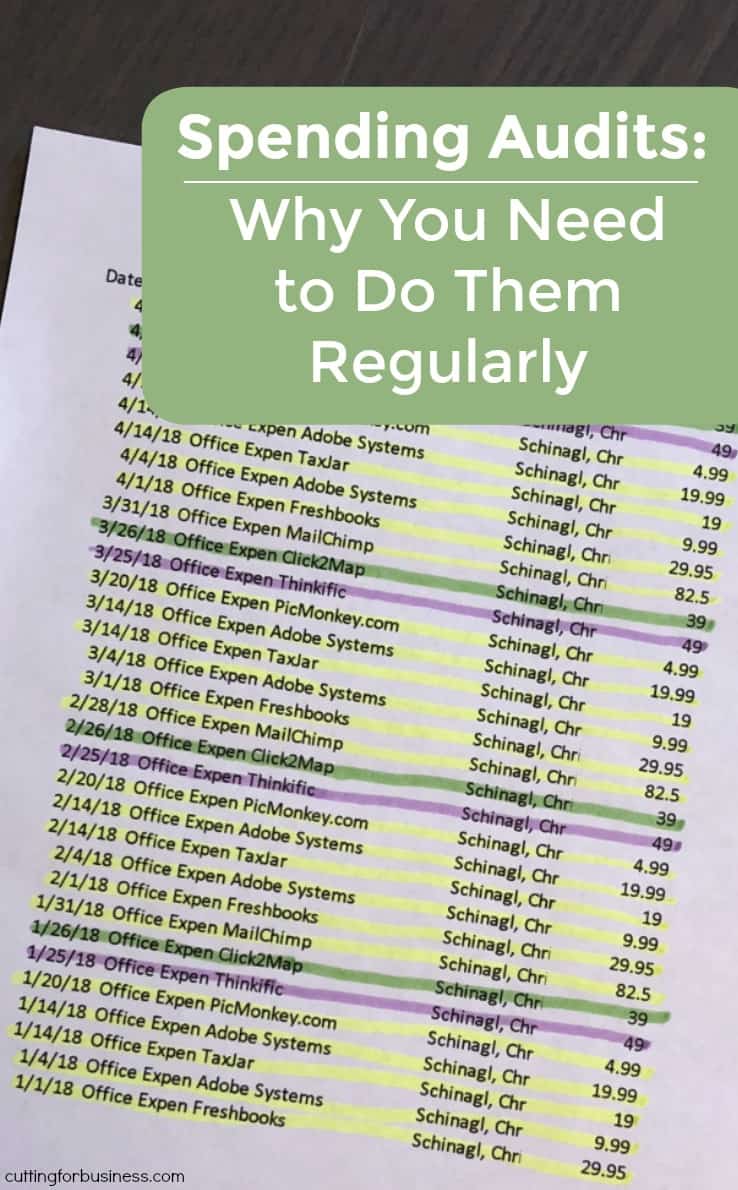
    Spending Audits: Why You Need to Do Them Regularly - A good read for small home craft businesses - by cuttingforbusiness.com

  • 11 Questions Your Handmade Product Description Should Answer

    Yesterday I detailed the importance of the words we as handmade sellers use to get our message to buyers. This is called copywriting. Today, let’s look at all the information that should be included in your product description. Most importantly when selling online: It is your job as the seller to virtually put your product into the hands of the buyer.

    11 Questions Your Handmade Product Description Should Answer

    1. What is it? You should be clear in your product description what item is for sale.
    2. Who is the product for? Is your product best suited for kids, teens, adults, or everyone?
    3. What does the customer do with it? Give examples of how your customer can use your product. This can either be in the text, in the accompanying photos, or both.
    4. What size is it? In addition to listing the physical size in your product description, take a photo of your product in use or next to something that buyers know the size of. It’ll help them visualize.
    5. What colors are available? If you offer your product in multiple colors, be sure the options are clear.
    6. What is it made from? Buyers need to know what material the product is. If it is vinyl, state that. If it is paper, let them know that.
    7. How long will it last? If your product has a limited lifespan, be sure that your customer understands this.
    8. How much does it cost? While it doesn’t have to be written out in your descriptions, the price has to be on the page. If you aren’t selling through a marketplace or website, you’ll need to put it in the description.
    9. How many does the buyer get? Whether the customer gets one item or ten, be sure it’s clear.
    10. How long will it take before it will ship? Customers want their products and they want them fast. Let them know how long to expect before they receive their product.
    11. What makes it special/better/different? Last but not least, let the customer know what makes your product special. Is it the way you made it? Is it your customer service? Whatever it is, let them know.

    Struggling with product descriptions? My best advice is to have a few non-crafters read your product descriptions. If after reading the product description they have a good idea of what the product is and can tell another person about it, you’ve done a good job.

    If you haven’t read the post on copywriting, head here.

    Was this post helpful? Save the image below to Pinterest.

    11 Questions Your Handmade Product Description Should Answer in Your Silhouette Cameo or Portrait and Cricut Explore or Maker Small Business - by cuttingforbusiness.com

  • 4 Reasons Your Craft Business Needs a Separate Bank Account

    Let’s talk bank accounts and your Silhouette or Cricut craft business for a few minutes. Earlier in the year, I had a craft business owner email me for advice about the easiest way to separate her business expenses from her household expenses when she was preparing to file her federal taxes. She told me that she had already spent hours trying to go through account statements to see how much she had spent for business purposes. After giving her a few tips, I also advised her to open a business account for her business so that she wouldn’t have the same issues next year.

    Let’s take a look at some of the reasons why you want to have a separate bank account solely for your business.

    4 Reasons Your Craft Business Needs a Separate Bank Account

    1. It’s timesaving. As I mentioned above, having a separate bank account allows you to easily see how much you are spending and making in your craft business. Come tax time, it’s pretty easy to locate all your expenses and income.
    2. It’s easier to control your business cash flow. When your business and personal transactions are all mixed together, how can you tell how profitable or not profitable your business is? I mean, you can’t log in and check your business bank account balance if you don’t have one!
    3. It’s required for most registered businesses. For most business structures (like LLC, Corporation, or Partnership), you are required to keep separate business accounts and not comingle business and personal transactions. (Note: For sole proprietorships in most states, you are not legally bound to have a separate bank account since the sole proprietorship is an extension of yourself.) Additionally, if you ever have an IRS audit, they may argue that expenses you’ve deducted as business related are personal related. For example, what about monthly bank charges? In a comingled account, do they fall under personal expense or business expense? If you had a business account, they’d definitely fall under business expenses.
    4. It’s against the bank policies. If you read to ‘fine print’ terms and conditions for your personal bank account, you are likely to find out that it’s against the bank’s policies for you to use a personal account for business purposes.

    Now, where to find an inexpensive business account? Start with the bank that you use for your personal accounts. Since you are an existing customer, they may be able to give you a good deal or free business account.

    Was this post helpful? Save the image below to Pinterest.

    4 Reasons Your Craft Business Needs a Separate Bank Account - A good read for Silhouette Portrait or Cameo and Cricut Explore or Maker crafters - by cuttingforbusiness.com

  • 4 Reasons to Not Prewash Apparel Before Applying Heat Transfer Vinyl (HTV) in Your Craft Business

    To prewash or not to prewash before you apply heat transfer vinyl (HTV)… that is the question.

    If you are making and selling shirts or other apparel in your Silhouette or Cricut craft business, you may receive conflicting advice. I hear this is often disputed in the sewing world, too.

    I say no prewashing apparel before embellishing it.

    Below, I’ve listed my four reasons.

    4 Reasons to Not Prewash Apparel Before Applying Heat Transfer Vinyl (HTV) in Your Craft Business - cuttingforbusiness.com.

    4 Reasons to Not Prewash Apparel Before Applying Heat Transfer Vinyl (HTV)

    After Washing, Shirts Become Used – Not New

    Shirts that have been washed feel different than shirts that haven’t been washed. Customers expect a brand new item when purchasing. Similarly, prewashing can lead to shrinking.

    Most Manufacturers Don’t Recommend It

    Most manufacturers note that there is no reason to prewash a shirt before applying heat transfer vinyl (HTV) to it.

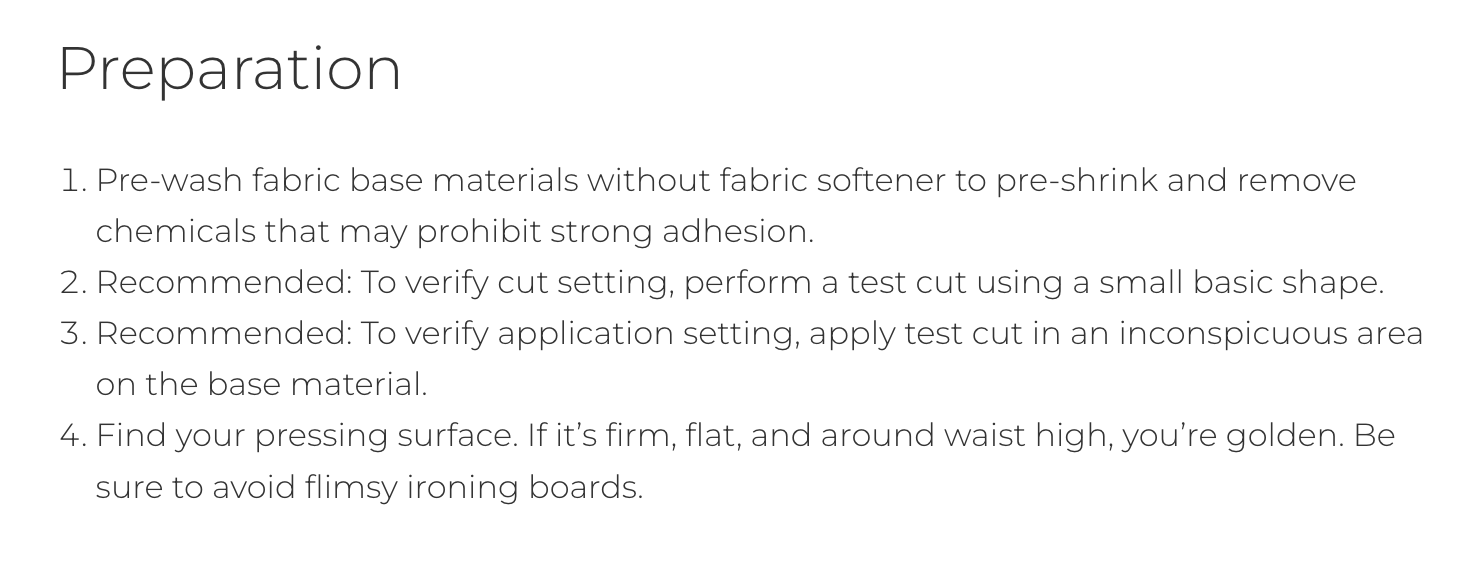
    The only manufacturer that recommends prewashing your garment is Cricut. And honestly, I have no idea why they have this recommendation. They elude in the screenshot below to not getting a strong adhesion if not washed. Honestly, if your heat transfer material is not sticking, you have either a temperature, time, or pressure issue.

    Cricut says:

    Source: cricut.com

    Siser says:

    siserna.com

    Customers May Have Allergies or Sensitivities

    Many people are allergic or sensitive to dyes and fragrances. Even if you opt to use a fragrance free or dye free detergent, you can not guarantee your customer won’t have an allergic reaction. To prevent these issues, skip prewashing.

    It’s Time Consuming

    I don’t know about you, but I have enough laundry to do with 4 kids, a husband, and a few dogs. Honestly, the last thing I need is more laundry.

    Pre-pressing

    While I recommend you don’t prewash, I do recommend you pre-press. Pre-pressing (which means to iron or use your heat press on your blank before you apply the heat transfer vinyl design) removes wrinkles and moisture and shrinks the material.

    Pre-pressing is recommended for most materials.

    Tell me in the comments: Do you pre wash apparel before embellishing?

  • How Crafters Can Use Free AI Tools as Grammar Checkers

    I recently wrote an article on how to make names plural for crafters. Now, it’s time to talk about grammar. Specifically, grammar on your website, product listings, social media, and more.

    Remember, everything you write or say online is a direct reflection of your business. Customers will not take you seriously if you have spelling or grammatical errors in your texts.

    This article used to highlight four different paid, online grammar checkers. But, with the creation of free online AI tools – there is no needs for crafters to pay for these services.

    Below, I’ll show you how to use both ChatGPT and Gemini to proofread. However, there are many AI bots that can proofread.

    How Crafters Can Use Free AI Tools as Grammar Checkers - cuttingforbusiness.com

    How to Use Free AI Tools for Grammar Checking

    ChatGPT

    You can use the popular, free chatbot to proofread your text. It’s easy! First, tell ChatGPT what you want it to do. Then, copy and paste your text.

    ChatGPT Examples

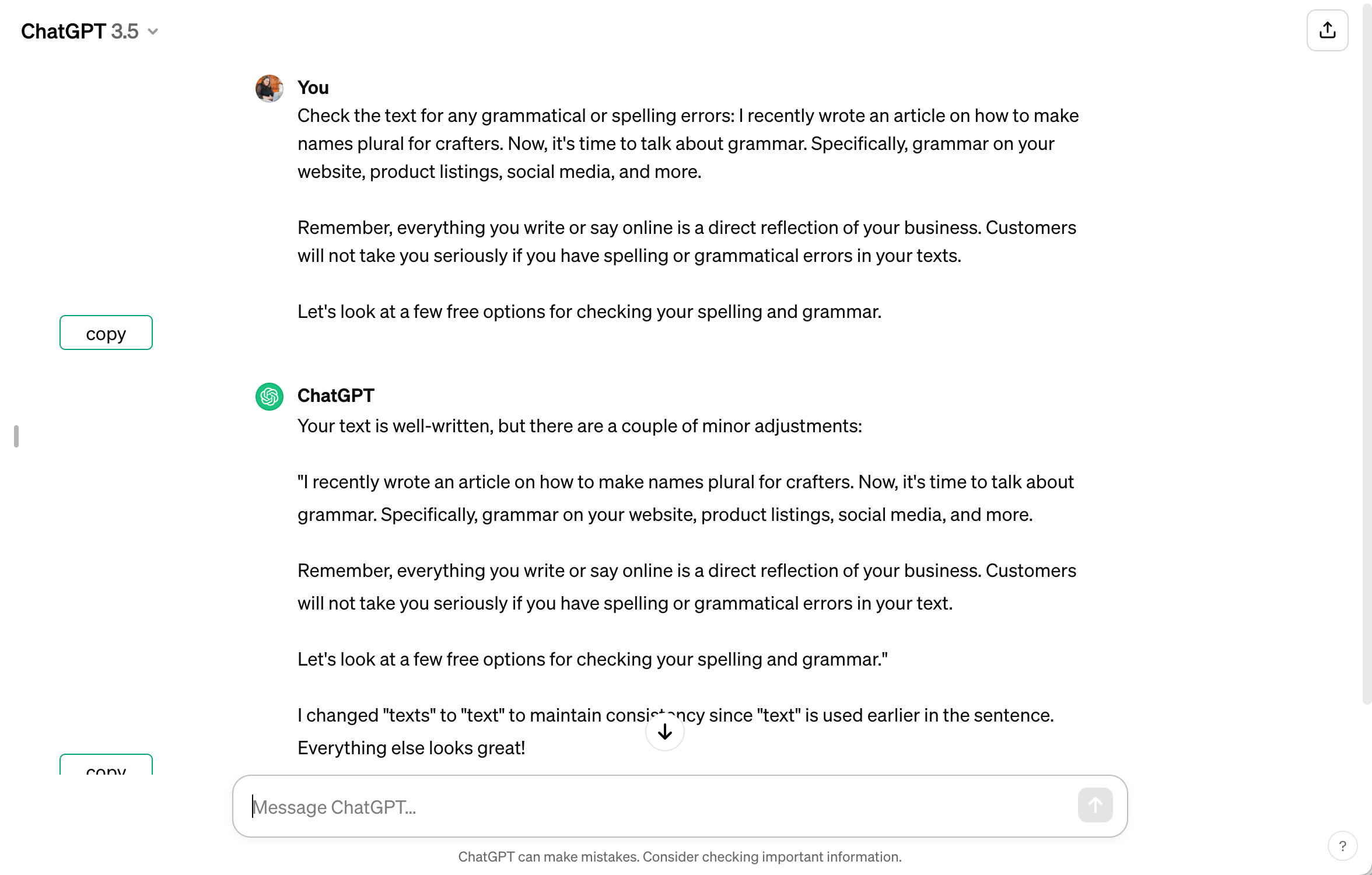
    Use ChatGPT to correct spelling and grammar errors:

    ChatGPT Screenshot - cuttingforbusiness.com

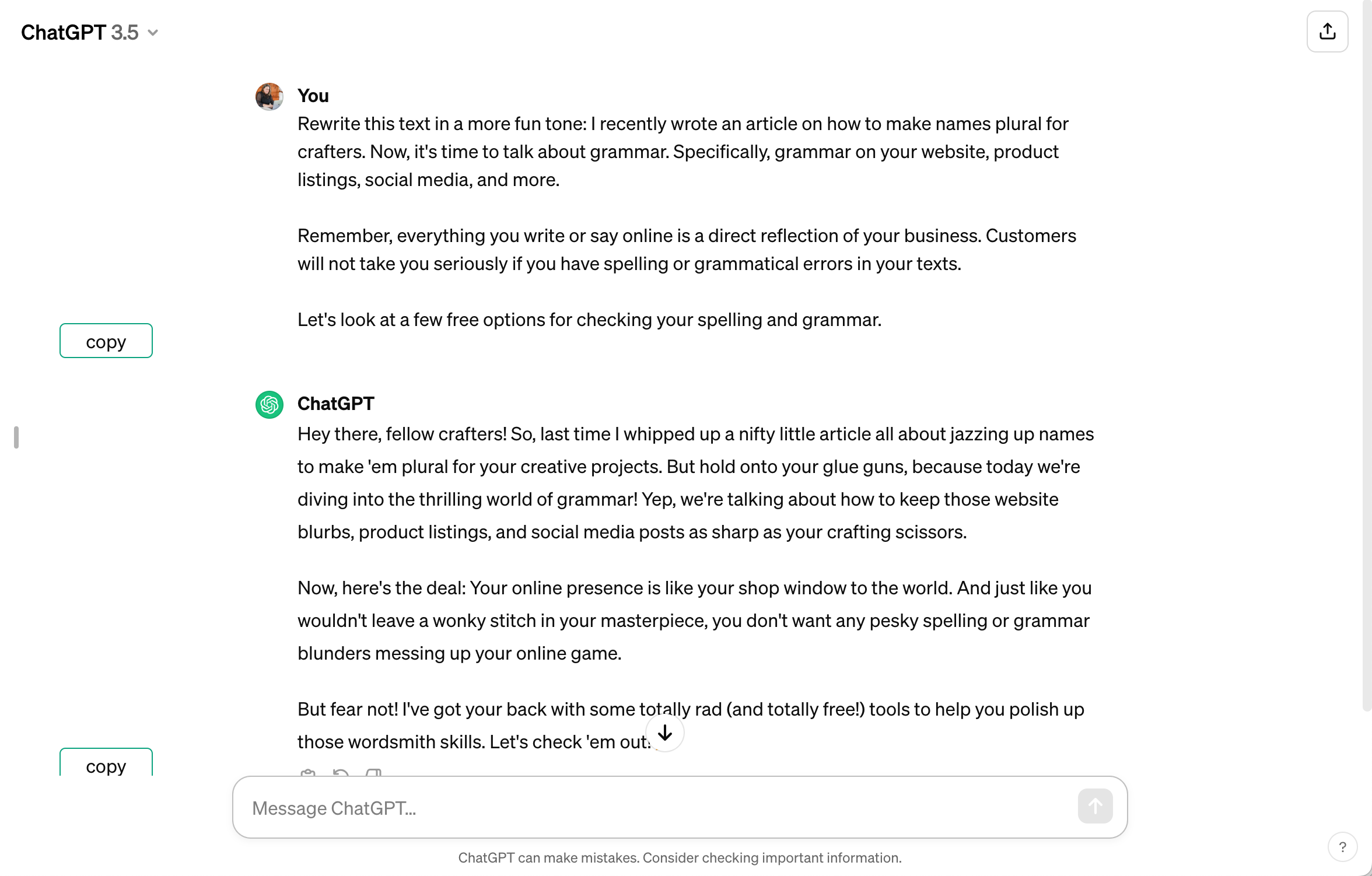
    Ask ChatGPT to rewrite your text in a certain tone:

    ChatGPT Screenshot - cuttingforbusiness.com

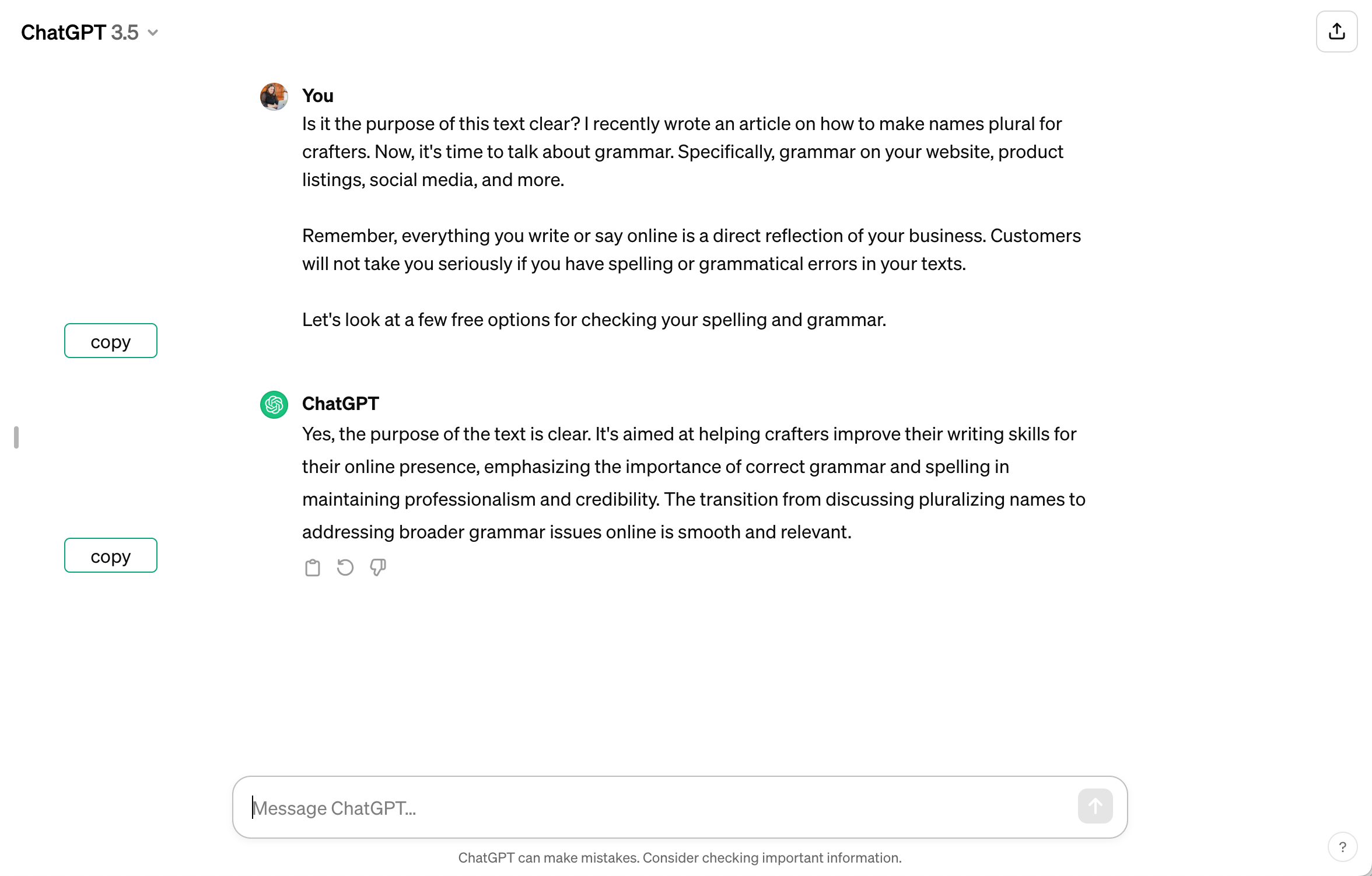
    Check to make sure your point is clear in ChatGPT:

    ChatGPT Screenshot - cuttingforbusiness.com

    Gemini

    If you don’t like ChatGPT, try Google’s Gemini. Gemini works the same way as ChatGPT.

    Gemini Examples

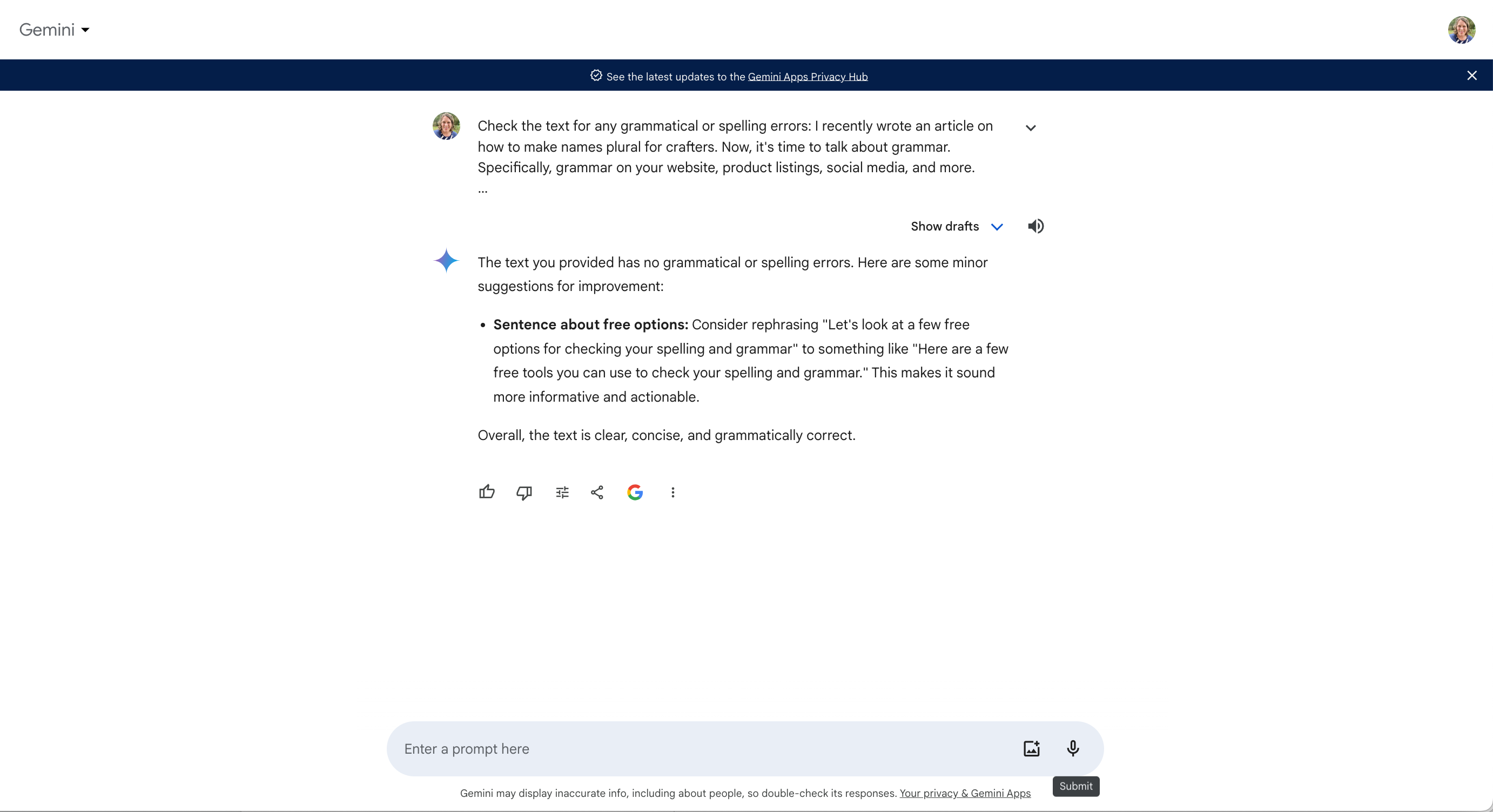
    Use Gemini to correct spelling and grammar errors:

    Gemini Screenshot - cuttingforbusiness.com

    Ask Gemini to rewrite your text in a certain tone:

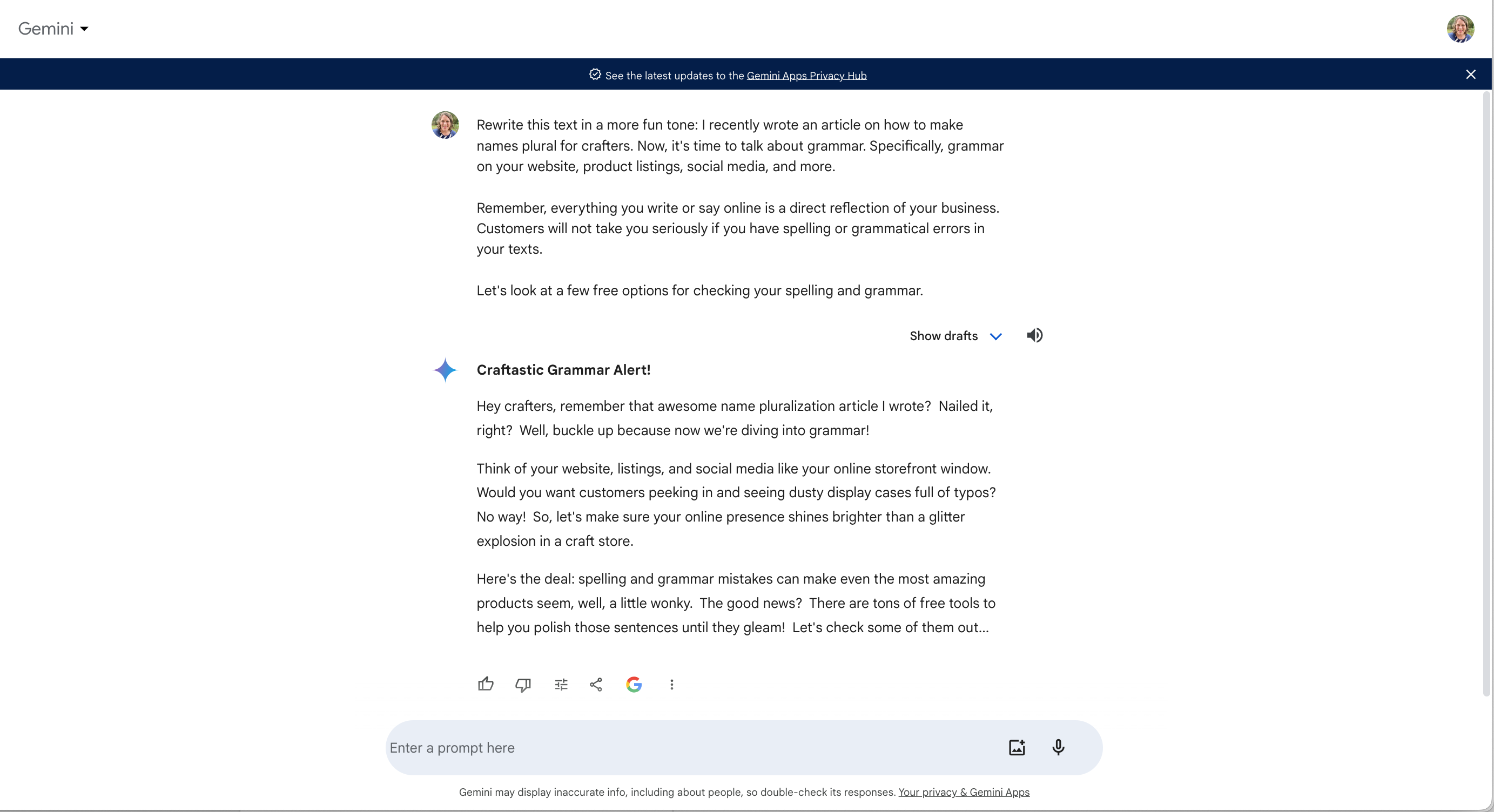
    Gemini Screenshot - cuttingforbusiness.com

    Check to make sure your point is clear in Gemini:

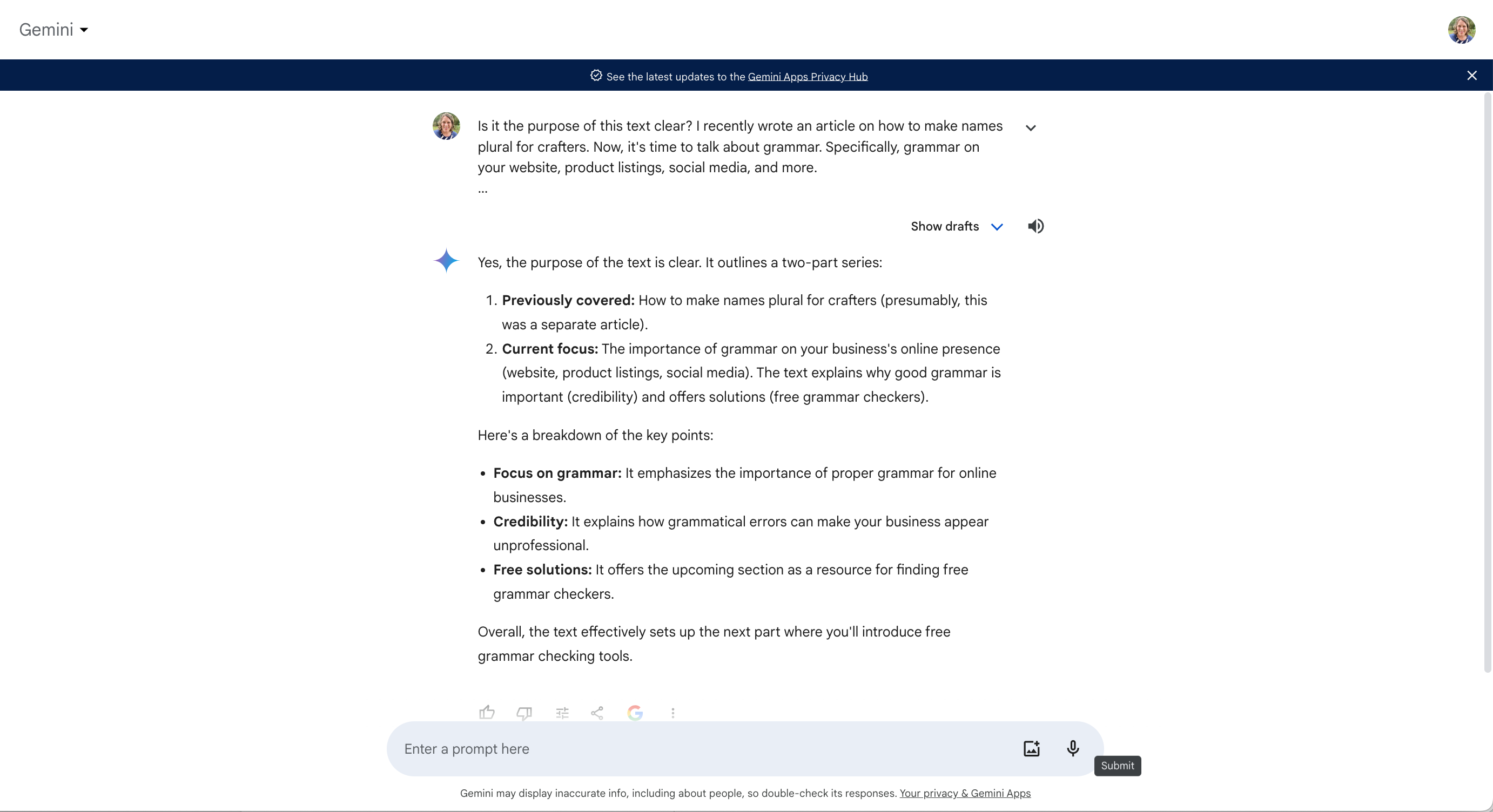
    Gemini Screenshot - cuttingforbusiness.com

    That’s it! Using an online grammar checker takes only minutes, but is often overlooked. Why not take a few minutes today to grammar check your About Me page, your product listings, and other important pages in your craft business?

    More Uses for ChatGPT in Your Craft Business

    I’ve written several articles about creative ways to use ChatGPT in your craft business.

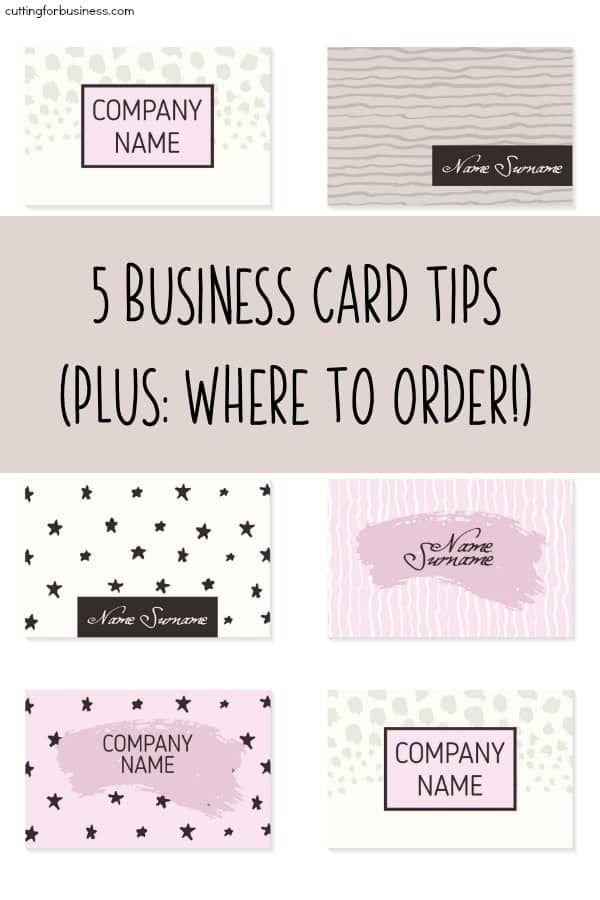
  • 5 Business Card Tips + Where to Order Business Cards for Your Craft Business

    I had an interesting conversation recently with a Silhouette business owner. She detailed to me how she spent hours printing and cutting her own business cards using her Silhouette Cameo 3 every week. She was looking for advice on being able to speed up the process so she could take care of others things in her business. My exact comment to her was: “Stop making your own business cards and just order them.”

    There’s a few things I want to share with you:

    1. Unfortunately, most business cards ultimately end up in the trash. This is especially true at craft shows and fairs when buyers walk around and pick up cards here and there.
    2. Your time can be better spent doing creating, designing, marketing, packaging, and shipping in your business – rather than making business cards.

    5 Best Practices for Business Cards in Your Craft Business

    1. Make your cards unique. I just shared with you that most business cards end up in the trash. Make yours stand out and keep it out of the trash.
    2. Consider an upgrade. Most sites offer upgrades. From types of paper, to colored edges, and different shapes, upgrades can make your cards stand out from the rest.
    3. Include relevant information. Include the important details (Business name, what you do, how to contact you) – but don’t include everything. No need to list every social media profile you own, your fax number (because who uses faxing anymore?), event schedule, and so on.
    4. Have a few different versions. I often design business cards for the occasion. For example, if you will be selling at a senior center – there’s really no reason to include your Instagram account. The demographic of Instagram and the senior center don’t mesh well. Instead, consider printing your text slightly larger than you normally do for ease of use for the customer base.
    5. Put pictures of your products right on your card. It might be a small space, but you’ve both sides. This reminds me of that blog post about product based business cards

    The best tip of all? You can’t promote yourself through business cards if you don’t carry them with you. Have a small stack of business cards on you at all times.

    Recommended Places to Order Business Cards

    • Vistaprint – Cost effective and widely used by all types of businesses. But, buyer beware! Complete the checkout process carefully because they try to sell you all kinds of other things.
    • Moo – This is where I get my business cards. My favorite thing about Moo? You can print multiple business card images in each box.

    Was this post helpful? Save the image below to Pinterest.


    5 Business Card Tips + Where to Order Business Cards for Your Silhouette Portrait or Cameo and Cricut Explore or Maker Craft Business - by cuttingforbusiness.com

  • Recommended Path for New Sellers

    Last month, many crafters received Silhouettes and Cricuts under their Christmas trees. (If you didn’t go buy yourself one: Silhouette Cameo 3 or Cricut Maker!) Every January that I get tons of emails asking, “Christine, how do I start selling products made with my Silhouette or Cricut?” Today, I’m sharing my recommended path for new sellers of handmade goods. If you’ve ever gotten the chance to hear me speak in person – this will be a review. If not, this path is the same one I recommend to novice sellers who attend my speaking functions.

    Recommended Path for New Craft Sellers

    1. Start with your family and friends. By starting with your family and friends, you’ll get a taste of deadlines, customer service, and product and pricing feedback. The best part? Friends and family will likely tell you the truth about your products. If your products or pricing aren’t up to par, they will let you know. Also, this is a great time to evaluate and find out if you even enjoy selling products. If you decide selling crafts online isn’t for you – it’s ok.
    2. Move to acquaintances. After you’ve mastered selling to friends and family, move out of your circle of friends and family to people like teachers, coworkers, hair dressers, and so on. Most of your sales so far will have been through work of mouth. Now is a good time to officially decide on a business name and start your social media accounts.
    3. Head to a marketplace. Now that you are feeling confident with selling to people you know – it’s time to sell your products to strangers. The best way to do this is through a marketplace like Etsy. Why Etsy? Etsy can provide you traffic that will get your listings seen. Unfortunately in the online world, it can be very difficult (and expensive!) to get enough traffic to a new website to sustain a business. After you’ve been selling to friends and family and acquaintances, it’s time to get yourself onto a marketplace like Etsy.
    4. Create your own website. As your business grows, I highly recommend switching from Etsy to your own website. Why? It’s cost effective. While having your own website is challenging and will constantly need work; it’s cheaper in the end because you aren’t paying selling or listing fees. Feel free to leave your Etsy shop in place to help bring traffic to your website.

    Whatever path you choose, remember to take it one step at a time. “Rome wasn’t built in a day, but they were laying bricks every hour.” -John Heywood

    Hey, before you start a business – ask yourself these questions.

    Love this post? Save the image below to Pinterest.

    Recommended Path for New Silhouette Portrait or Cameo and Cricut Explore or Maker Sellers - by cuttingforbusiness.com

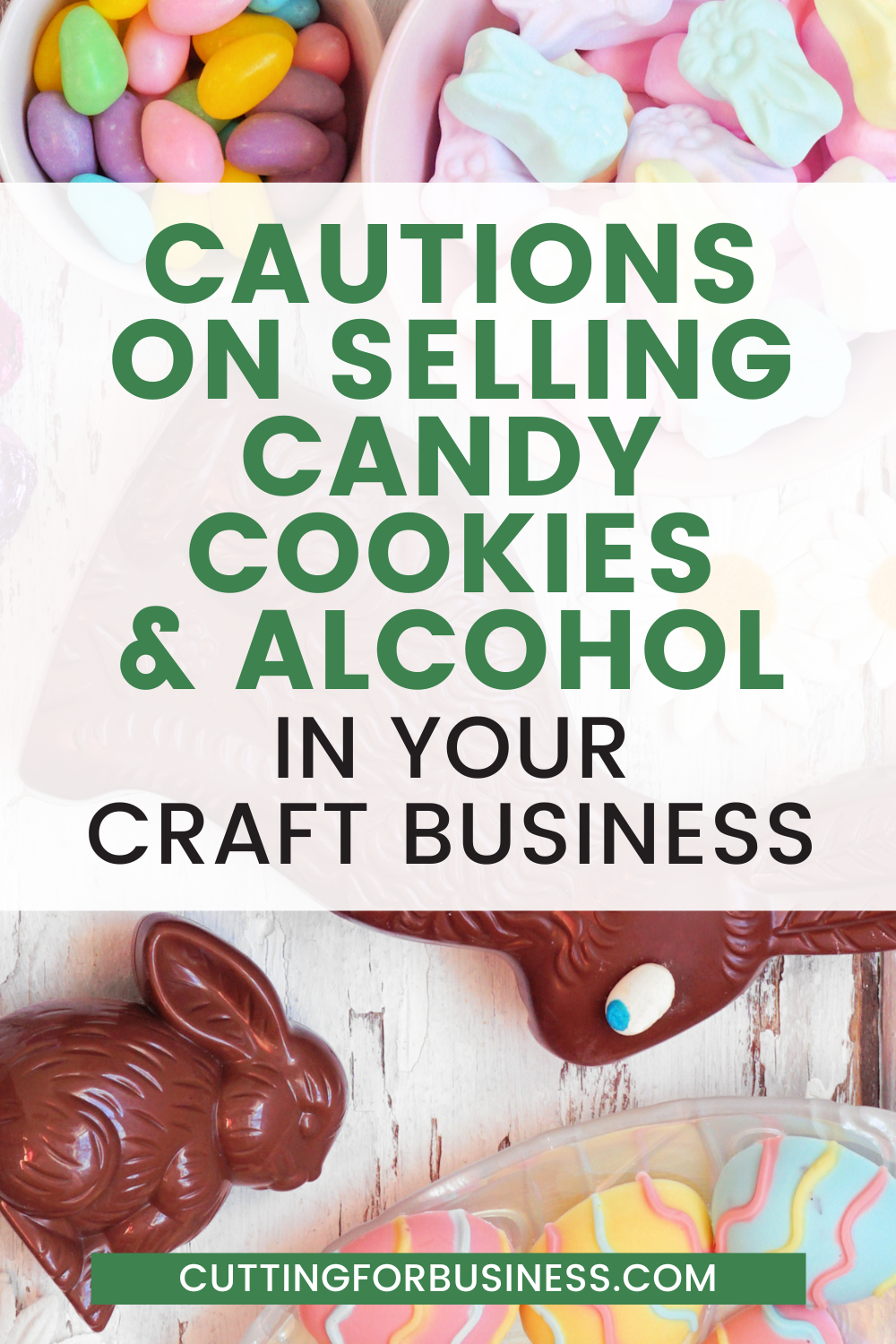
  • Cautions on Selling Candy, Cookies, and Alcohol in Your Craft Business

    Around Valentine’s Day, Easter, and Christmas, I see craft businesses selling baskets or product bundles that include candy, cookies, and alcohol. If you remember, I love product bundles (see my article How to Make More Money Selling Personalized Christmas Elves from Christmas) as a way to make your products stand out and increase your cart totals – but crafters have to be careful what is bundled together.

    While we are talking food and drinks, I’ve also seen many Silhouette and Cricut users making stencils with their machines and using them to decorate homemade cookies and pies.

    Let’s take a look at some cautions related to selling candy, cookies, and alcohol in your craft business.

    Cautions on Selling Candy, Cookies, and Alcohol in Your Craft Business - cuttingforbusiness.com.

    Cautions on Selling Candy, Cookies, and Alcohol in Your Craft Business

    Selling Candy in Your Craft Business

    In most cases, there are no problems with including candy to create bundles in your home business. Be sure that your candy meets the requirements below.

    • The candy you sell packaged with your products should be store bought.
    • The expiration/best by date should be current, not expired, and the expiration date should be clearly visible.
    • The candy should be sold sealed in the manufacturer package.
    • I’d opt for candy where the packaging isn’t easily altered. For example, let’s look at foil wrapped chocolates like Hershey’s Kisses. It’s easy to upwrap the candy, tamper with it, and rewrap it. If you want to include something like this, leave it sealed in the manufacturer bag to increase customer confidence.
    • You should offer your products without the candy option. Put simply, the world is a crazy place. Some consumers are more cautious than others and won’t buy candy from a home business. (Myself included.) You could be missing sales if you don’t offer a consumable free option.

    Selling Alcohol in Your Craft Business

    • Your product bundles should not include alcohol for sale, unless you have a permit from your state/county/city.
    • Selling alcohol without a permit has steep legal ramifications in all states.
    • If your product bundle is related to alcohol, here’s a few options:
      • Use alcohol in your photos but clearly note in your item description that the alcohol is not included with the product purchase.
      • Offer your bundle with non alcoholic beer or wine or sparkling cider.
      • Include a gift card to a local liquor store with your product.

    Selling Homemade Food in Your Craft Business

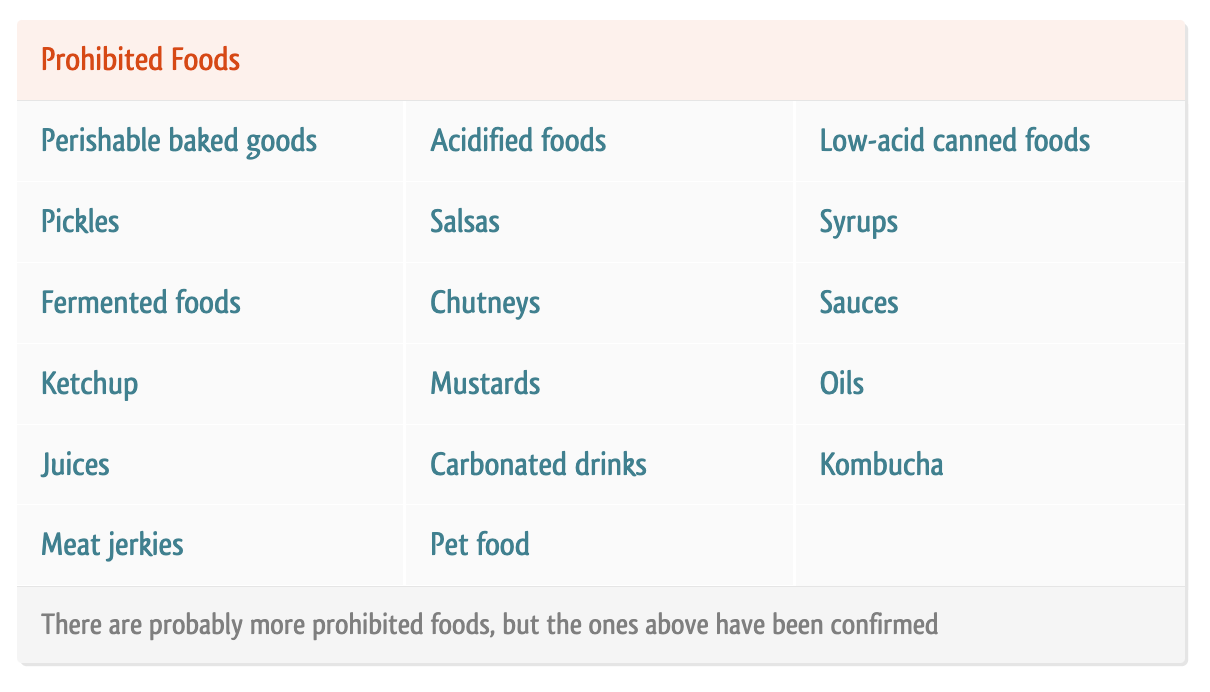
    If you’d like to use your Silhouette or Cricut to decorate homemade cookies (or other foods), you need to do some homework about requirements in your state, county, and city. The best website around the web for this is Forrager.

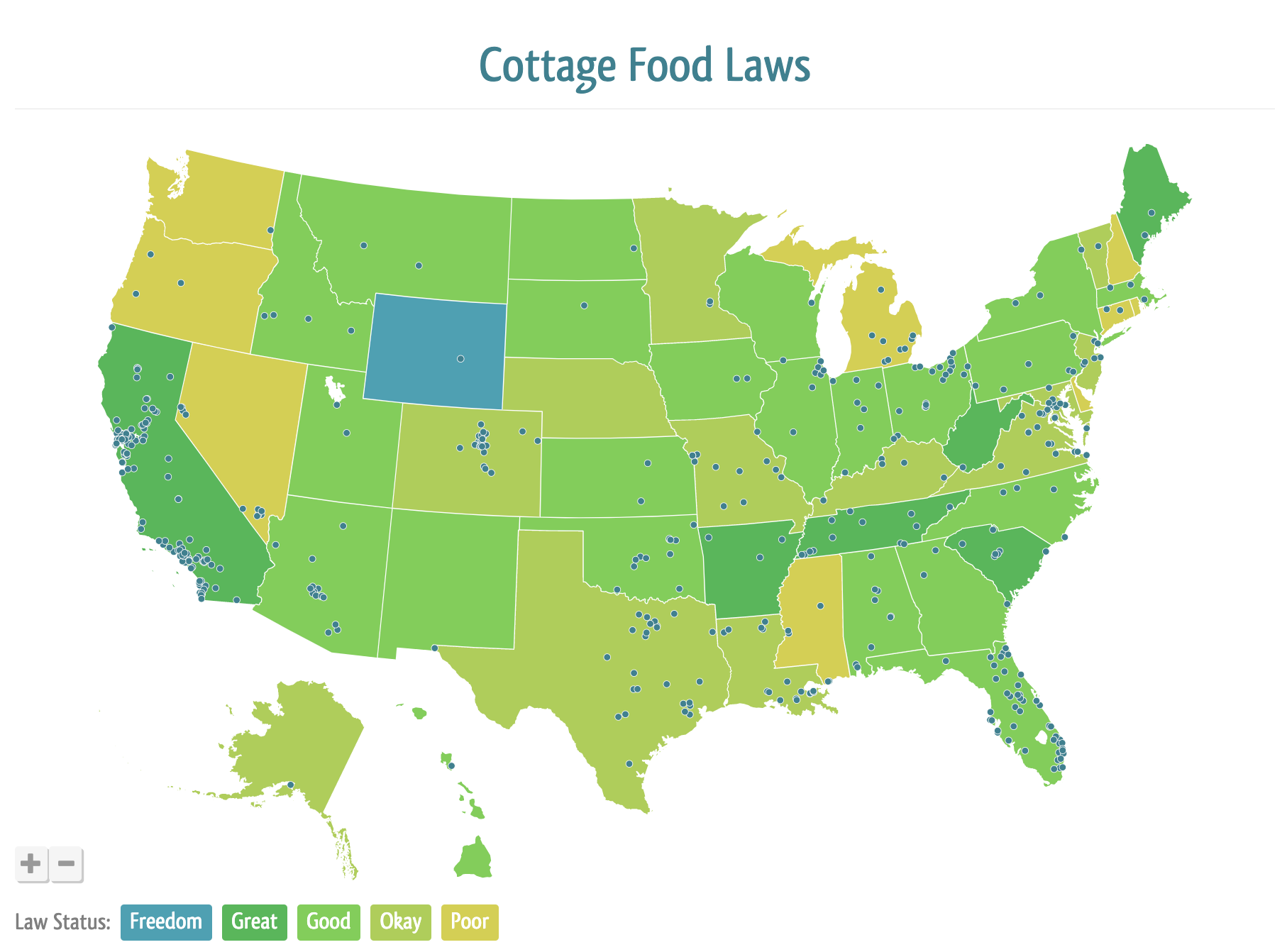
    On the Forrager website, click on the state where you live and will be selling your homemade goods. 

    Screenshot from Forrager.com - Cottage foods allowed in Florida - cuttingforbusiness.com.

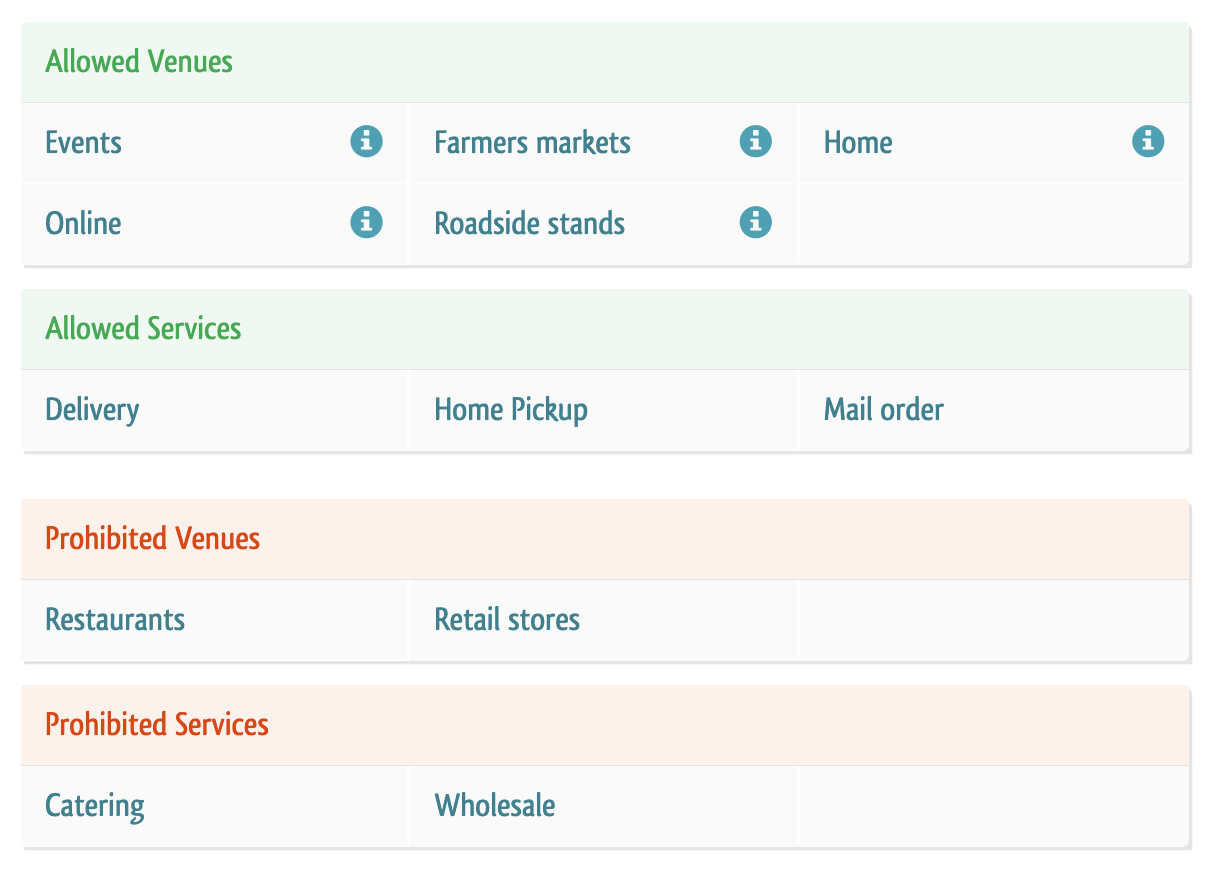
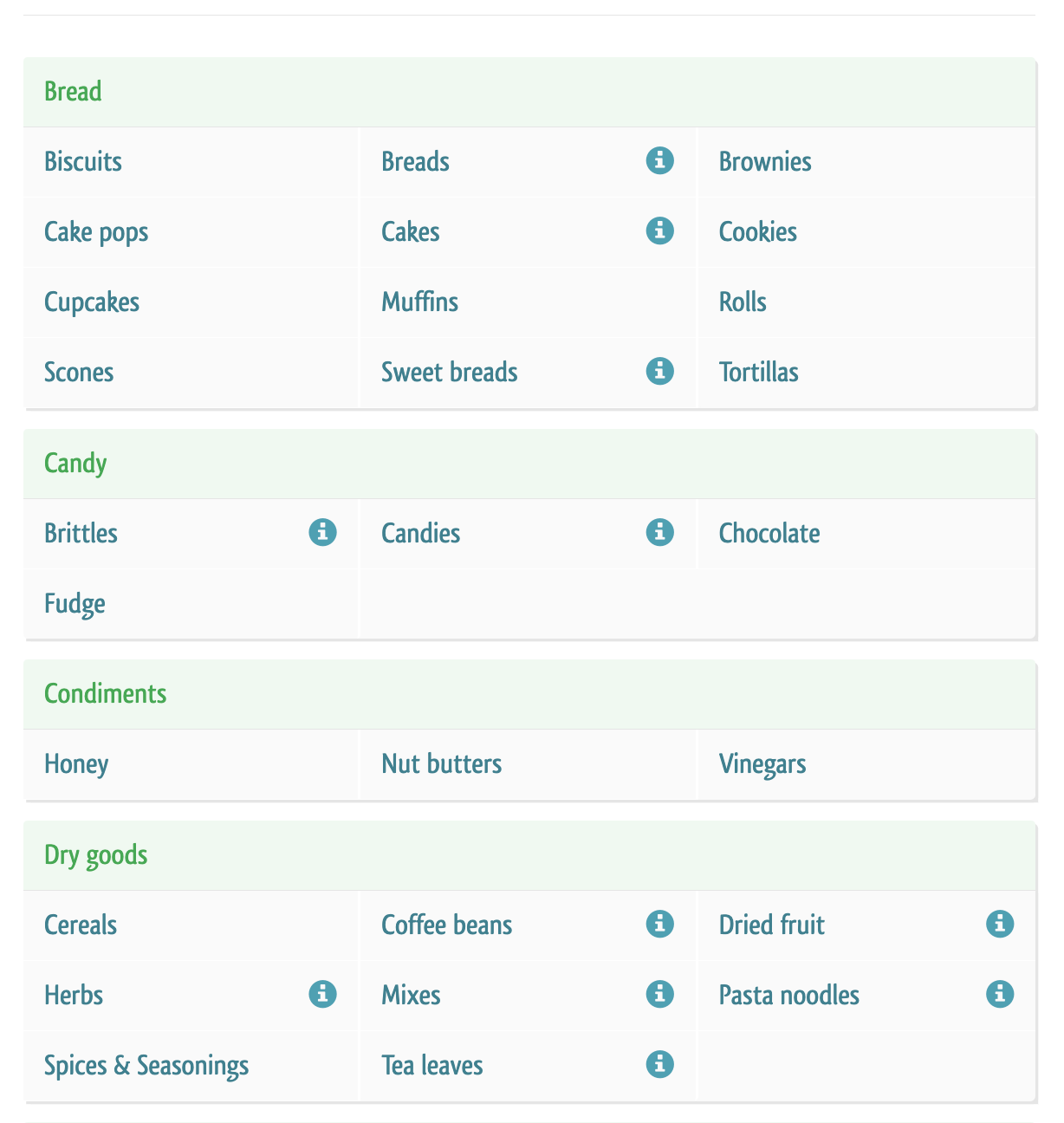
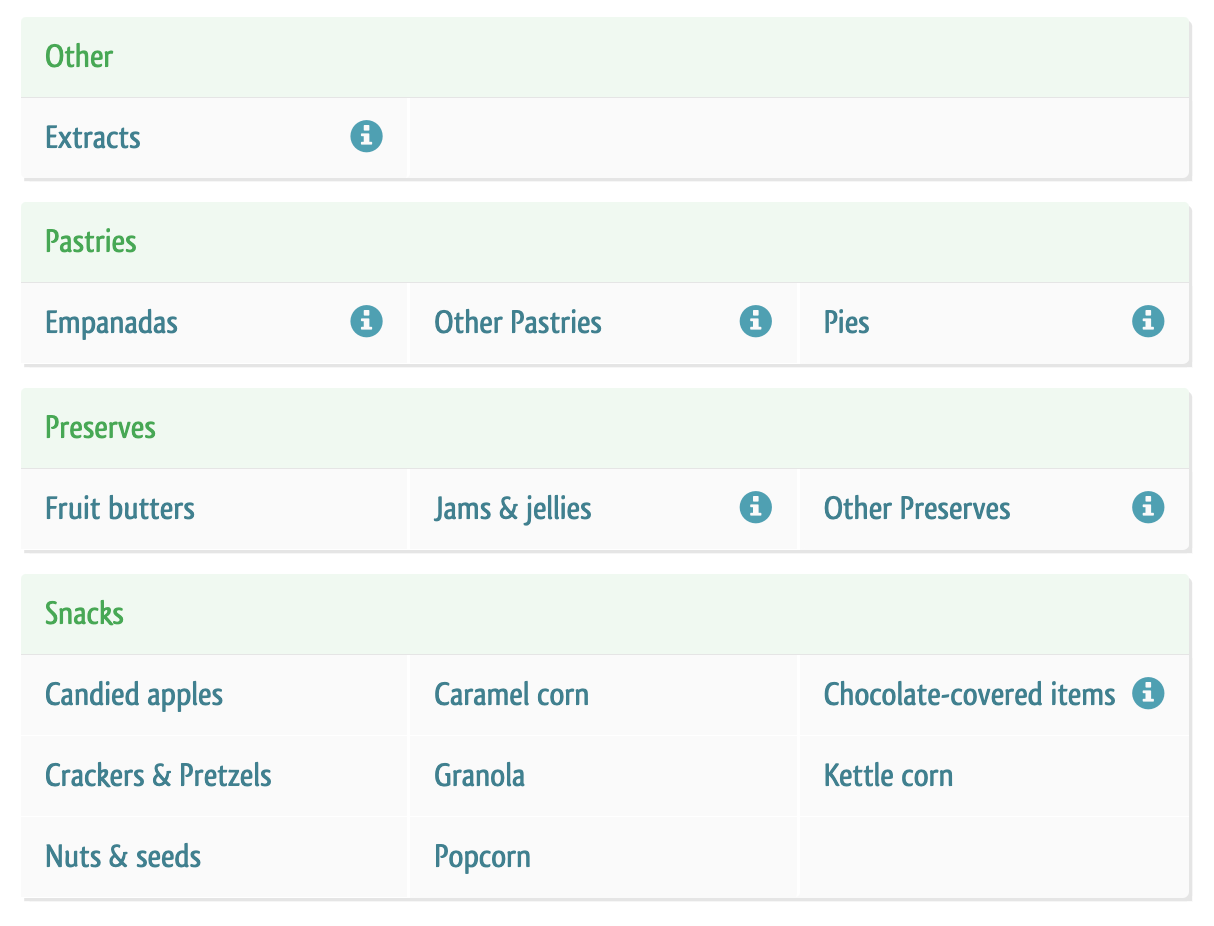
    Forrager will then give you details about what’s allowed, not allowed, and where to get more information. Here’s an example of my home state, Florida. 

    Screenshot from Forrager.com - Cottage foods allowed in Florida - cuttingforbusiness.com.
    Screenshot from Forrager.com - Cottage foods allowed in Florida - cuttingforbusiness.com.
    Screenshot from Forrager.com - Cottage foods allowed in Florida - cuttingforbusiness.com.
    Screenshot from Forrager.com - Cottage foods allowed in Florida - cuttingforbusiness.com.

    Tell me: Do you sell candy, food, or alcohol in your craft business?

  • What to Do With Leftover Christmas Inventory

    Just like the big box retailers, you have to decide what to do with any leftover Christmas products or supplies in your Silhouette or Cricut small business. Let’s take a look at the three options today, along with the pros and cons.

    What to Do With Leftover Christmas Inventory - cuttingforbusiness.com

    What to Do With Leftover Christmas Inventory

    1. Pack it all up and save it for next year.
      • Pros: If you have the extra space, it isn’t difficult to pack up your products and sell them next year. You don’t even have to wait until the next holiday season, because Christmas in July is a thing!
      • Cons: If you’ve got a lot of money invested in the products, you won’t get your money back immediately.
    2. Clearance it out. Offer your remaining Christmas inventory at a discounted price.
      • Pros: You’ll get rid of everything and customers love sales!
      • Cons: Holding a sale can be tedious. Also, you may not make as much money as you had planned by putting Christmas products on sale.
    3. Do nothing. There are many craft businesses who leave Christmas products listed in their shop year round. (I mean, think of the brick and mortar Christmas stores who stay open all year long!)
      • Pros: You’ll get a little extra rest in if you don’t do anything with your remaining Christmas inventory.
      • Cons: Unsold Christmas inventory may sell slowly and take up virtual space in your shop.

    Tell me in the comments, what will you do with your unsold Christmas inventory? And, don’t forget to download this printable guide that tells you when to list what holiday craft products for sale.