Category: Starting Your Business

  • Cautions on Selling Candy, Cookies, and Alcohol in Your Craft Business

    Around Valentine’s Day, Easter, and Christmas, I see craft businesses selling baskets or product bundles that include candy, cookies, and alcohol. If you remember, I love product bundles (see my article How to Make More Money Selling Personalized Christmas Elves from Christmas) as a way to make your products stand out and increase your cart totals – but crafters have to be careful what is bundled together.

    While we are talking food and drinks, I’ve also seen many Silhouette and Cricut users making stencils with their machines and using them to decorate homemade cookies and pies.

    Let’s take a look at some cautions related to selling candy, cookies, and alcohol in your craft business.
    Cautions on Selling Candy, Cookies, and Alcohol in Your Craft Business - cuttingforbusiness.com.

    Cautions on Selling Candy, Cookies, and Alcohol in Your Craft Business

    Selling Candy in Your Craft Business

    In most cases, there are no problems with including candy to create bundles in your home business. Be sure that your candy meets the requirements below.

    • The candy you sell packaged with your products should be store bought.
    • The expiration/best by date should be current, not expired, and the expiration date should be clearly visible.
    • The candy should be sold sealed in the manufacturer package.
    • I’d opt for candy where the packaging isn’t easily altered. For example, let’s look at foil wrapped chocolates like Hershey’s Kisses. It’s easy to upwrap the candy, tamper with it, and rewrap it. If you want to include something like this, leave it sealed in the manufacturer bag to increase customer confidence.
    • You should offer your products without the candy option. Put simply, the world is a crazy place. Some consumers are more cautious than others and won’t buy candy from a home business. (Myself included.) You could be missing sales if you don’t offer a consumable free option.

    Selling Alcohol in Your Craft Business

    • Your product bundles should not include alcohol for sale, unless you have a permit from your state/county/city.
    • Selling alcohol without a permit has steep legal ramifications in all states.
    • If your product bundle is related to alcohol, here’s a few options:
      • Use alcohol in your photos but clearly note in your item description that the alcohol is not included with the product purchase.
      • Offer your bundle with non alcoholic beer or wine or sparkling cider.
      • Include a gift card to a local liquor store with your product.

    Selling Homemade Food in Your Craft Business

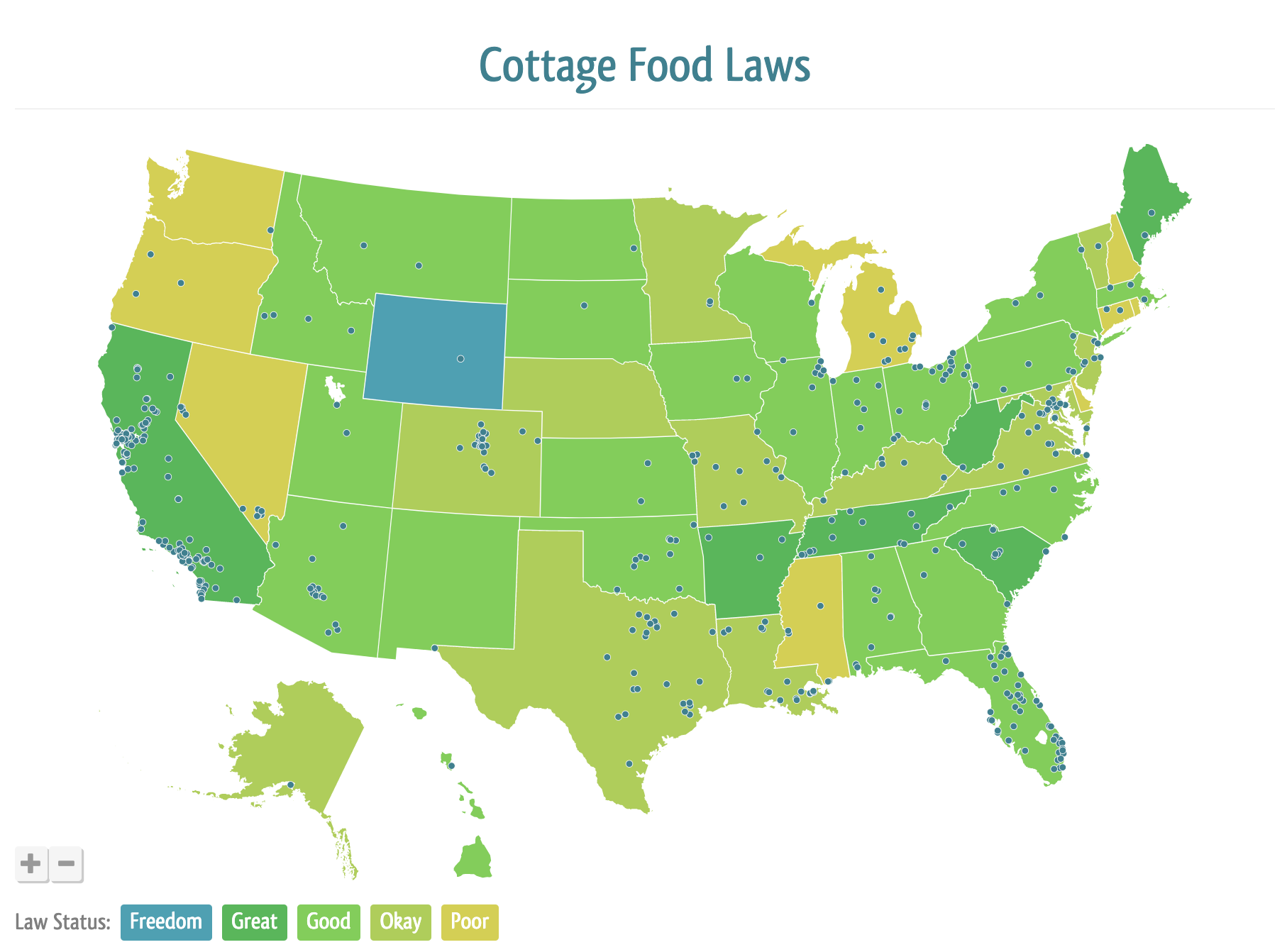
    If you’d like to use your Silhouette or Cricut to decorate homemade cookies (or other foods), you need to do some homework about requirements in your state, county, and city. The best website around the web for this is Forrager.

    On the Forrager website, click on the state where you live and will be selling your homemade goods. 
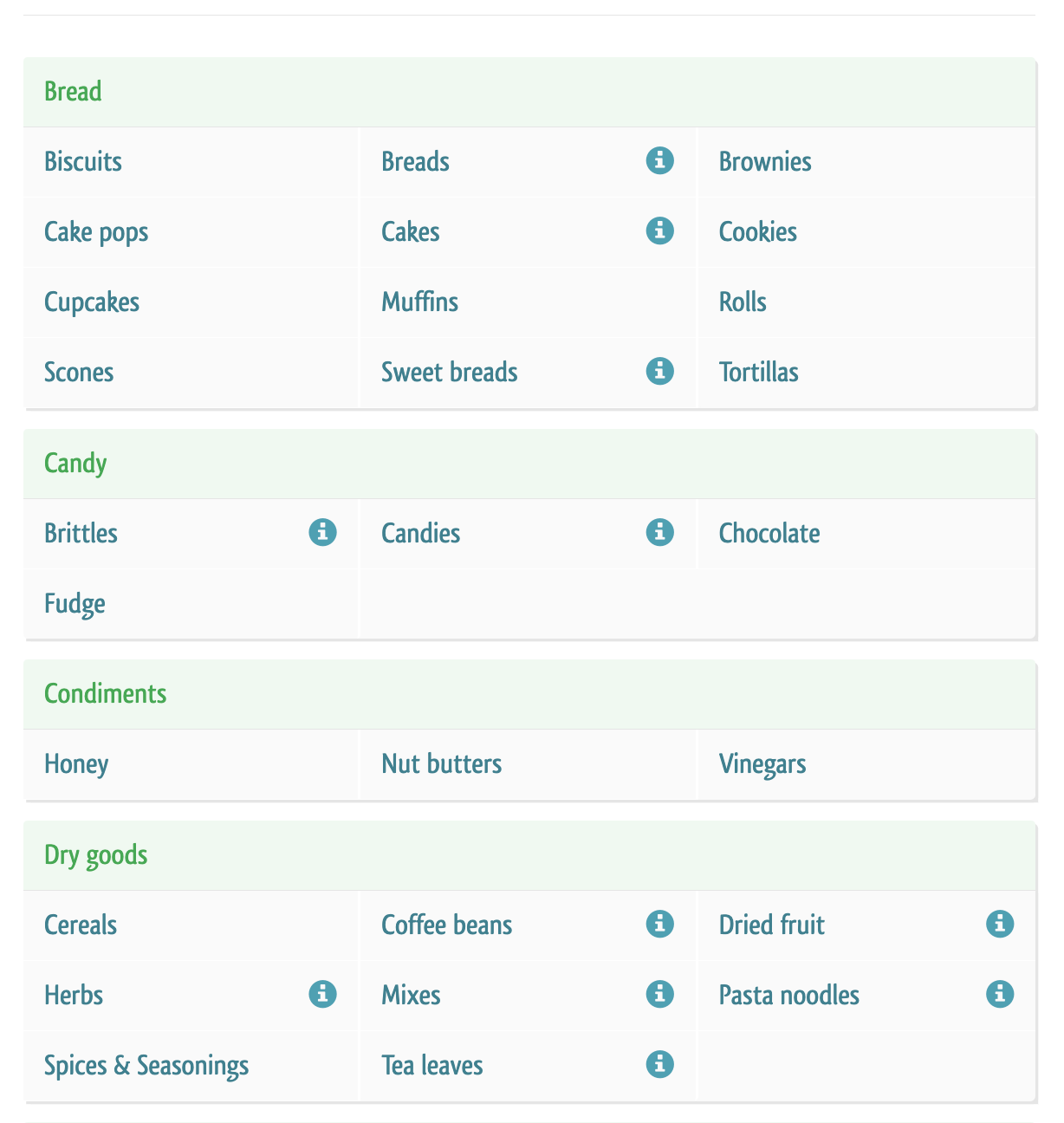
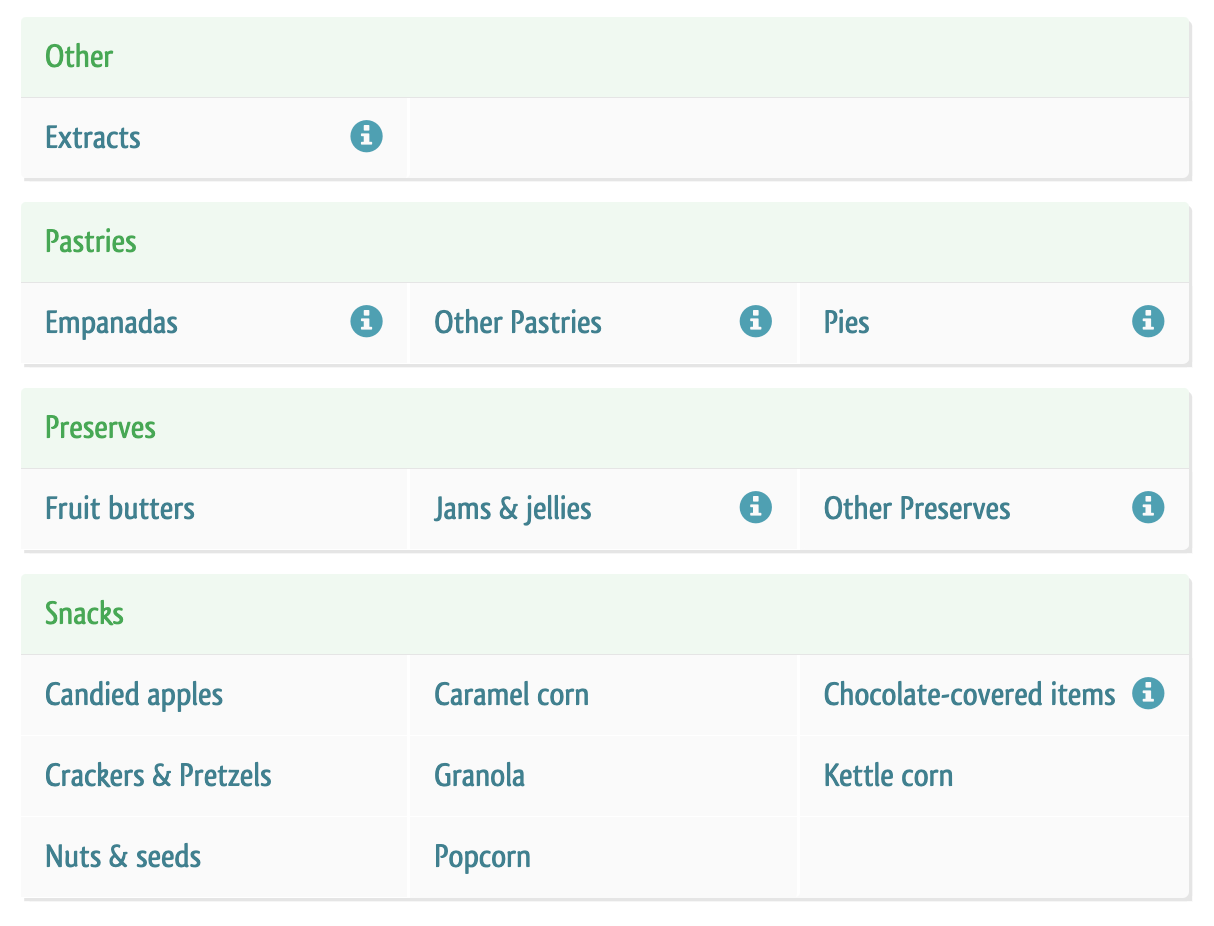
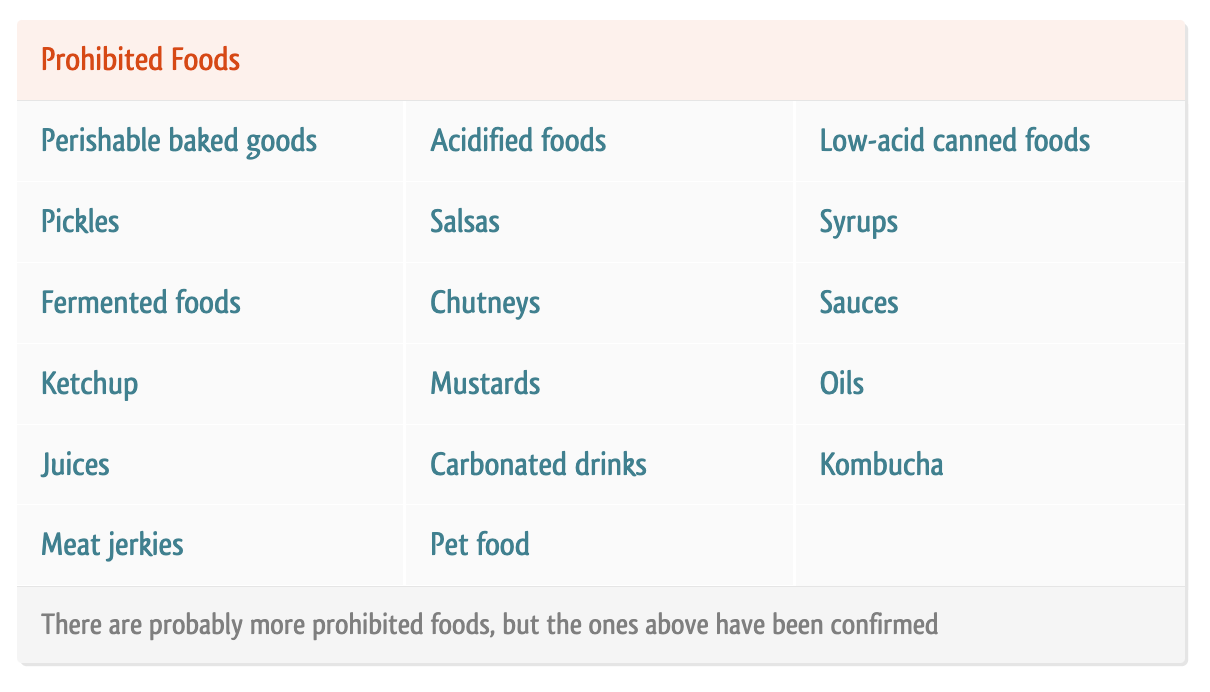
    Screenshot from Forrager.com - Cottage foods allowed in Florida - cuttingforbusiness.com.

    Forrager will then give you details about what’s allowed, not allowed, and where to get more information. Here’s an example of my home state, Florida. 
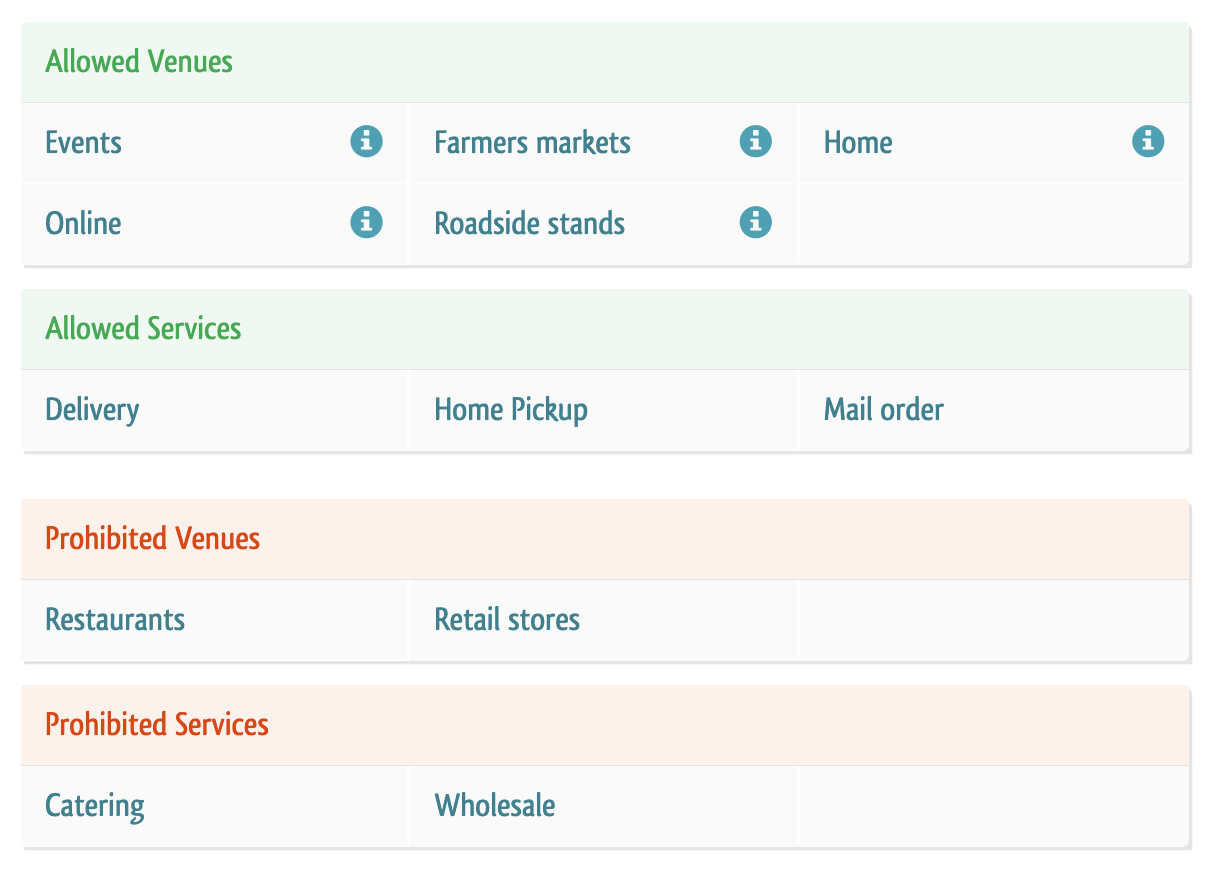
    Screenshot from Forrager.com - Cottage foods allowed in Florida - cuttingforbusiness.com.
    Screenshot from Forrager.com - Cottage foods allowed in Florida - cuttingforbusiness.com.
    Screenshot from Forrager.com - Cottage foods allowed in Florida - cuttingforbusiness.com.
    Screenshot from Forrager.com - Cottage foods allowed in Florida - cuttingforbusiness.com.

    Tell me: Do you sell candy, food, or alcohol in your craft business?
  • Four Types of Paypal Card Readers – What’s the Difference?

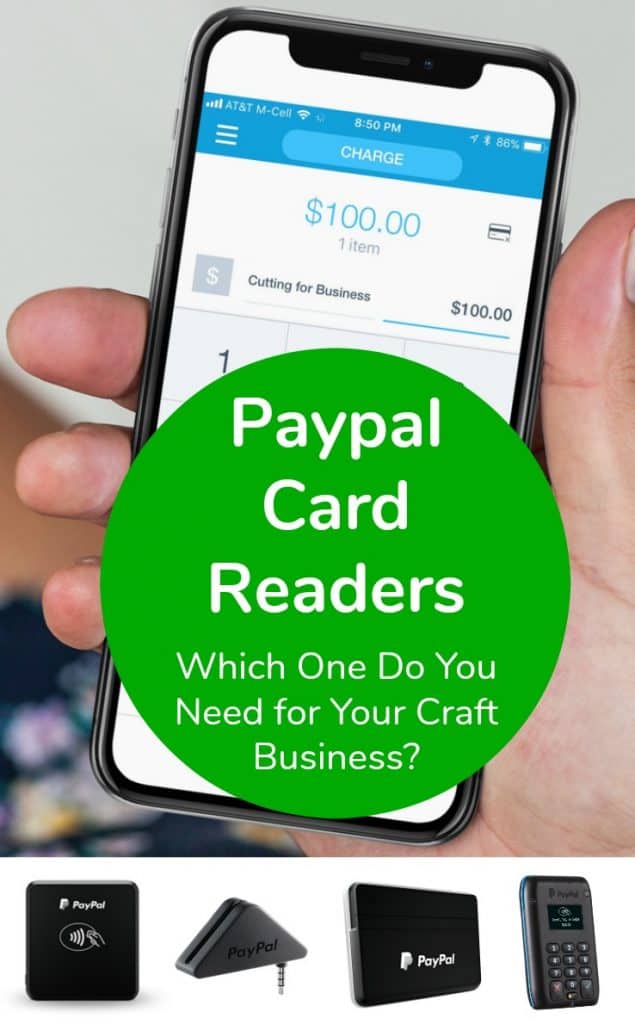
    Since it’s craft show season, there are lots of crafters ordering mobile credit card readers to use at shows and fairs. Since the last time I wrote about them, Paypal has introduced a number of new card readers. Let’s take a look at the differences.

    First, know that all the Paypal card readers do the same thing: Accept payments from customers and put the money into your Paypal account. To use any of the Paypal credit card readers, you’ll need the free Paypal Here app for your tablet or smartphone. Get it here in the App Store or here in Google Play.

    Differences Between Paypal Card Readers

    Four Types of Paypal Card Readers - What's the Difference? - A good read for Silhouette Cameo, Portrait, or Cricut Explore or Maker small business owners - by cuttingforbusiness.com

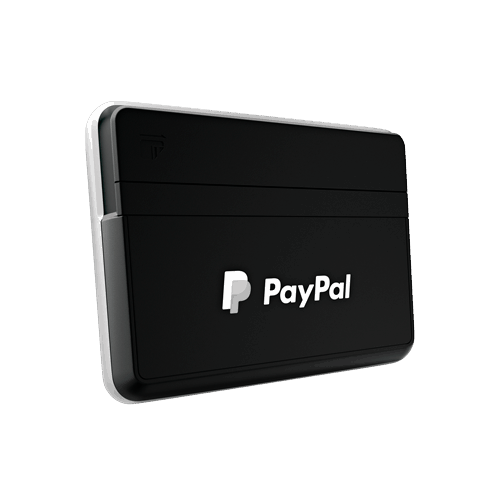
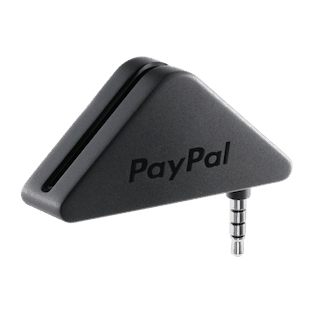
    This is the most basic Paypal card reader. It accepts cards that are swiped using the magstripe. This Paypal card reader connects to the headphone jack or your tablet or smartphone. (This means that some iPhone owners will need to use an adaptor to your lightning port since you don’t have a headphone jack.) This also means that you cannot dip chip cards. Cost: $14.99, but is often offered free when you download the app.

    Four Types of Paypal Card Readers - What's the Difference? - A good read for Silhouette Cameo, Portrait, or Cricut Explore or Maker small business owners - by cuttingforbusiness.com

    The next Paypal card reader accepts both magstripe cards and chip cards. It is important to be able to accept chip cards using the chip instead of swiping it. Unfortunately, in the case of fraudulent charges you will be held liable if you accept a card that has a chip and you swipe it instead. For more information on this, see this post on the blog. Instead of using a headphone jack, it connects via Bluetooth on your tablet or smartphone. Cost: $24.99. This is the Paypal card reader that I recommend most.

    Four Types of Paypal Card Readers - What's the Difference? - A good read for Silhouette Cameo, Portrait, or Cricut Explore or Maker small business owners - by cuttingforbusiness.com

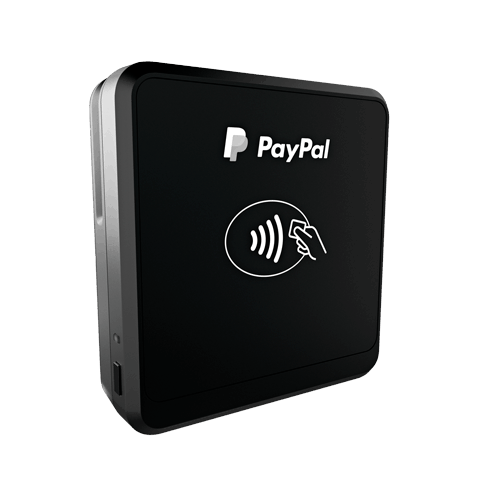
    This Paypal card reader also accepts both magstripe cards and chip cards. Again, it connects through Bluetooth connection to your tablet or smartphone. It also has the capability to accept contactless payments; like those from Apple Pay. For the average craft show seller, there’s no reason you’d need to offer contactless payments. Cost: $59.99.

    Four Types of Paypal Card Readers - What's the Difference? - A good read for Silhouette Cameo, Portrait, or Cricut Explore or Maker small business owners - by cuttingforbusiness.com

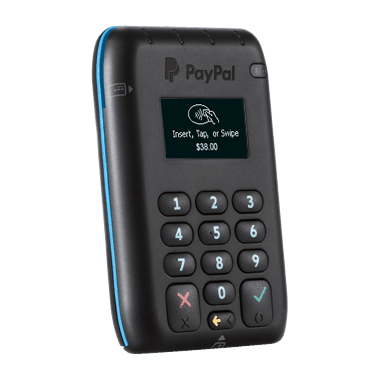
    Last, this Paypal card reader does everything above: Accepts payments through magstripe, chip cards, Samsung Pay, and contactless pay. It connects through Bluetooth to your tablet or smartphone. It also features a numerical keyboard. Again, for the average craft show seller, there’s no real reason you’d need this reader. Cost: $79.00.

    Cost of Using the Paypal Card Readers

    • 2.7% per US swipe for magnetic stripe, chip card, or contactless transactions.
    • For keyed transactions, the fee is 3.5% plus $0.15, per US transaction.
    • Accept non-US cards for the standard 2.7% per swipe plus 1% cross-border fee.

    Ready to order your Paypal reader? Click here.

    Prefer to use Square instead of Paypal? Click here to read my post on the magstripe and chip card reader from Square – and get $1000 in free processing.

    Love helping other small business owners? Save this post to Pinterest:

    Four Types of Paypal Card Readers - What's the Difference? - A good read for Silhouette Cameo, Portrait, or Cricut Explore or Maker small business owners - by cuttingforbusiness.com

  • Credit Card Processing: Should I Charge Fees to Customers Who Pay by Credit Card?

    To accept credit cards from customers in your Silhouette or Cricut business, you have to use a payment processor. Of course, your business is charged a fee for using the service. This means that you have two options regarding the fees: You can absorb the cost of payment processing, or you can pass the fee on to your customers in the form of a surcharge. A surcharge simply means to charge your customer a payment processing fee on top of the product cost and taxes.

    What You Need to Know About Surcharges

    There’s a whole lot you need to know before charging your customers surcharges:

    1. Surcharges are illegal in several states. These states are: Colorado, Connecticut, Kansas, Maine, Massachusetts, New York, Oklahoma, and Texas. (And Puerto Rico, too.)
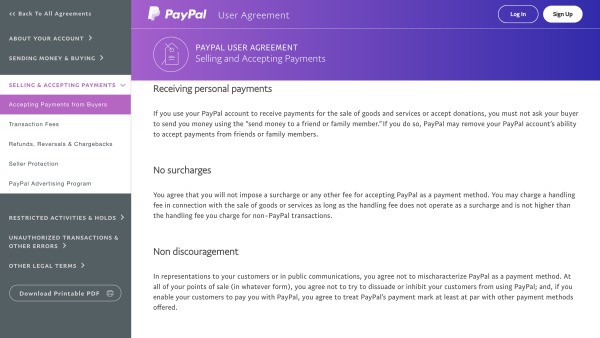
    2. Not allowed on Paypal. If you are using Paypal to accept credit cards, it is against their terms of service to charge a surcharge. You can charge a handling charge, but you must charge it to everyone (not only those paying with a credit card). Read the full agreement at this linkPayment Processing: Should I Charge Fees to Customers Who Pay by Credit Card? A must read for Silhouette Cameo or Cricut Explore small business owners - by cuttingforbusiness.com
    3. Square allows surcharges. Of course, you’ll have to follow their rules. Read more at this link.
    4. Must notify all the major credit card companies. All of the major credit card companies require that you notify them of your intent to charge a surcharge. Each network has a specific set of rules which often include signage, recording the surcharge as a separate line item on the customer’s receipt, surcharge caps, and reporting of the surcharges among other requirements.
      • Visa
      • Mastercard
      • Discover
        • The required surcharge form is available at this link.
        • Read more about requirements at this link. (Scroll to section 7.)
      • American Express
        • Refer to the merchant card acceptance terms at this link. (Surcharge information is located on page 3.)

    My Opinions on Surcharges in Your Silhouette or Cricut Business

    This is strictly my opinion, so take it as that: Due to all the surcharge rules and requirements, I’d say that adding a surcharge to customers paying by credit card is not worth it. Also, when many merchants do not charge a surcharge, it’s one less reason for people to shop with you. Instead, build the price of credit card processing into your product price. Need help pricing your products? Head to this post.

    Want to get $1000 in free credit card processing through Square? Click here. If you’d like to learn more about Paypal card readers instead, head to this post.

    This post is important; share it on Pinterest:

    Credit Card Processing: Should I Charge Fees to Customers Who Pay by Credit Card? A must read for Silhouette Cameo or Cricut Explore small business owners - by cuttingforbusiness.com

  • Where to Find Affordable Logos for Craft Businesses

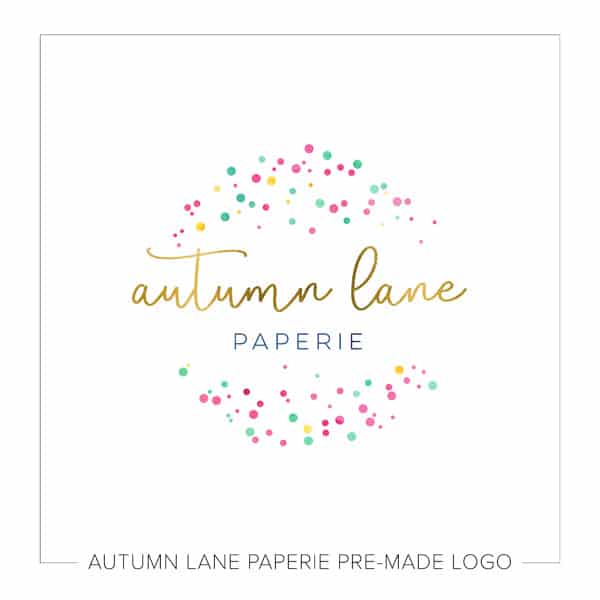
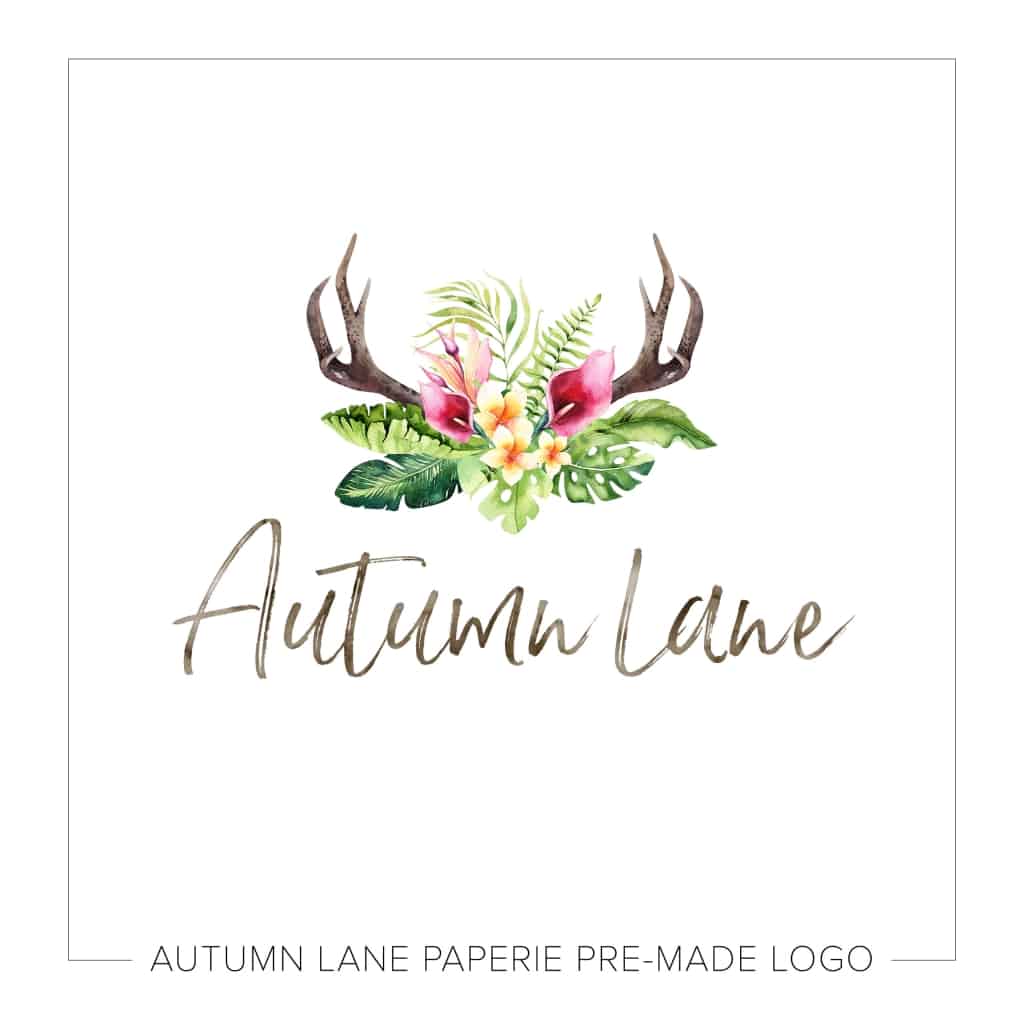
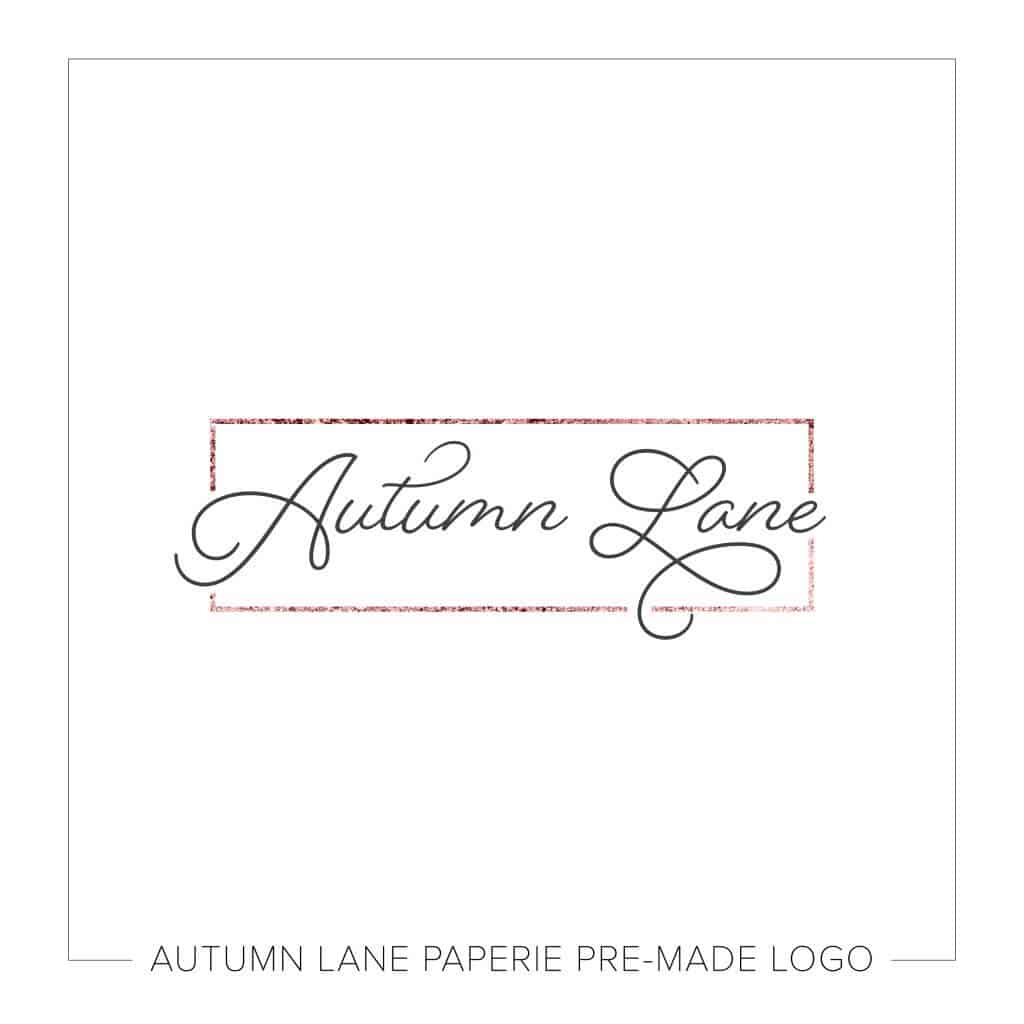
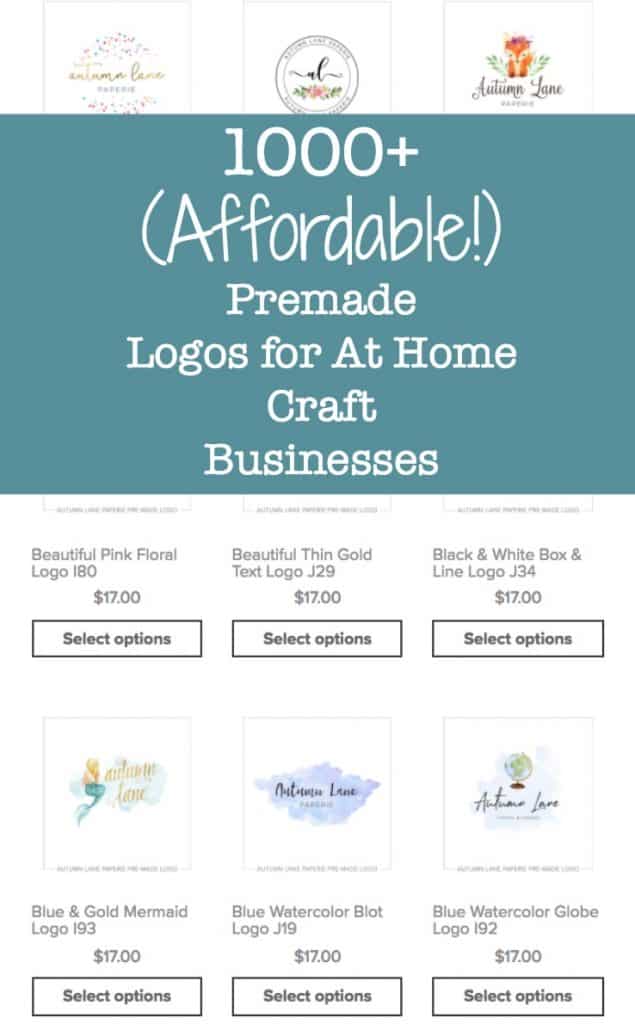
    I have a fantastic post on ways to create a logo for your Silhouette or Cricut small business. (Read it here.) However, I know there are a lot of small business owners who are intimidated to create a logo or just don’t know where to start. The other day when I was browsing online, I found a small business site, Autumn Lane Paperie, that offers trendy, premade logos for only $17! Here’s a few of my favorites:

    Premade Logos for At Home Craft Businesses - Silhouette Cameo, Curio, Mint, Cricut Explore, Maker - by cuttingforbusiness.com

    Premade Logos for At Home Craft Businesses - Silhouette Cameo, Curio, Mint, Cricut Explore, Maker - by cuttingforbusiness.com

    Premade Logos for At Home Craft Businesses - Silhouette Cameo, Curio, Mint, Cricut Explore, Maker - by cuttingforbusiness.com

    Good to Know

    When placing your order:

    • You’ll need to include your business name and tagline.
    • You can request up to two font changes.
    • You can request a font color change.
    • You get two revision rounds to fine tune your logo.
    • You’ll receive your logo in .psd, .png, .jpg, and .pdf formats.
    • You can request your logo in .ai, .eps, and .svg for no charge. I’d recommend you get your logo in .svg format so that it is easily cut on your Silhouette or Cricut.
    • Your logo design is not exclusive. This means that other small businesses may have the same/similar logo to yours.
    • The copyright of the logo remains with Autumn Lane Paperie.
    • Autumn Lane Paperie doesn’t just do logos, they offer full service website design and more.

    Ready to shop from 1000+ premade logos? Click here!

    Love this post? Save it to Pinterest:

    Premade (and Affordable!) Logos for At Home Craft Businesses - Silhouette Cameo, Curio, Mint, Cricut Explore, Maker - by cuttingforbusiness.com

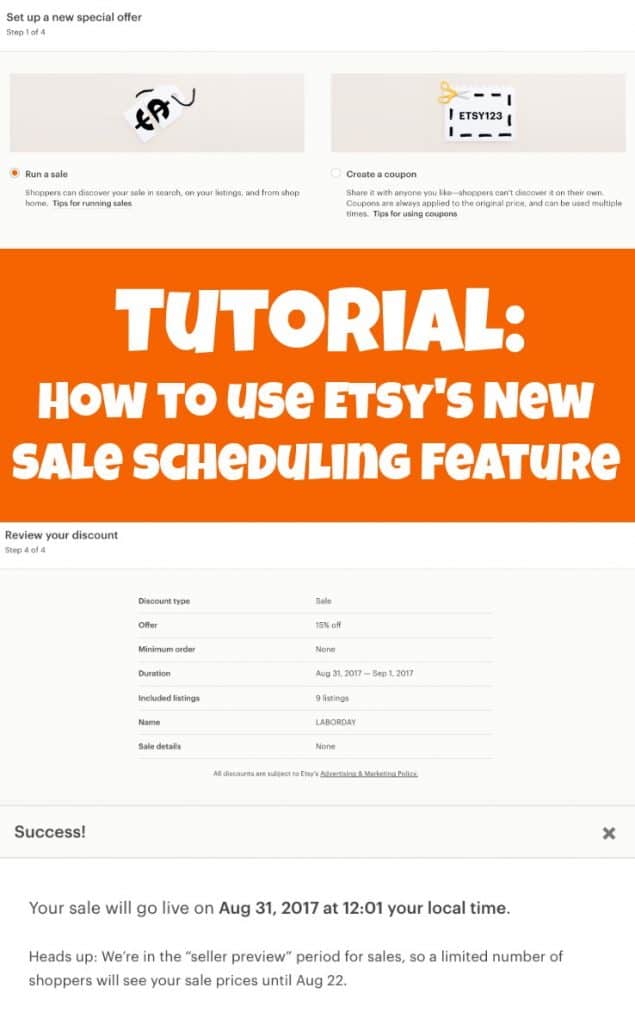
  • Tutorial: Etsy’s New Sale Scheduling Tool

    You love sales and your customers love sales – so let’s talk sales today! Recently, Etsy rolled out a new tool for scheduling sales. Previously, Etsy sellers had to manually set up sales on the day of the sale or use a third party tool like Etsy on Sale (see more in this post). Now, let’s take a look at how the tool works.

    Tutorial: Etsy’s Sale Scheduling Tool

    1. Log into your Etsy shop and navigate to the ‘Marketing’ tab on the left hand side of the screen.
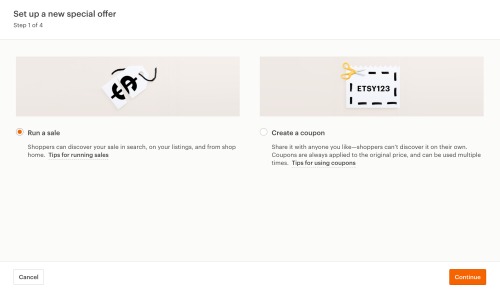
    2. Click the ‘New Special Offer’ button at the top of the page. Tutorial: Etsy's New Sale Scheduling Tool - by cuttingforbusiness.com
    3. To set up a sale, choose the ‘Run a sale’ option, then ‘Continue’.Tutorial: Etsy's New Sale Scheduling Tool - by cuttingforbusiness.com
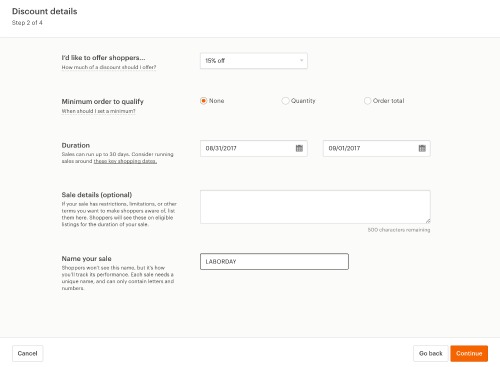
    4. On the next screen, you’ll fill in the details of your upcoming sale. Tutorial: Etsy's New Sale Scheduling Tool - by cuttingforbusiness.com
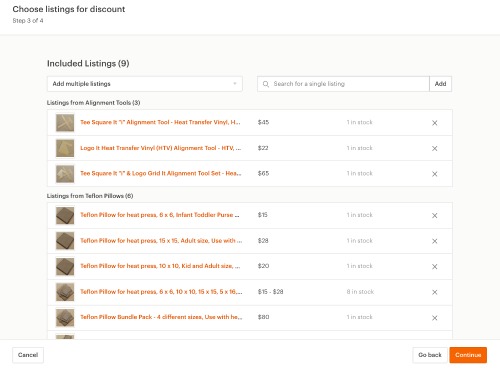
    5. Next, choose which listings in your shop the sale will be active on.Tutorial: Etsy's New Sale Scheduling Tool - by cuttingforbusiness.com
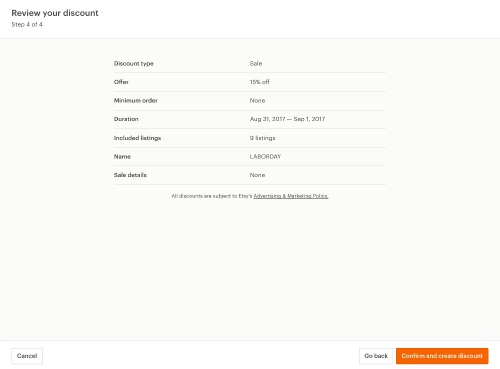
    6. Finally, review the details of your sale and save it by clicking, ‘Confirm and create discount’. Tutorial: Etsy's New Sale Scheduling Tool - by cuttingforbusiness.com
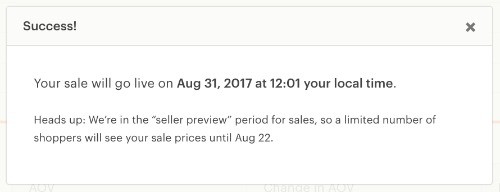
    7. That’s it! You should receive a success message: Tutorial: Etsy's New Sale Scheduling Tool - by cuttingforbusiness.com

    I think that Etsy’s new sale tool is easy for sellers to use and is a great addition to their site. The one downfall was that I didn’t see a way to schedule a sale with multiple percentages off depending on the products chosen. To do this, I simply created a second sale to run at the same time.

    Before you go, Etsy is holding a site wide Labor Day sale! Get more information at this link – but hurry – the deadline to schedule your sale is today (August 22nd).

    Psst! Watch my Etsy Shop from August 31st to September 4th for a Labor Day sale featuring 15% to 70% off select products while supplies last!

    Love this post? Save it to Pinterest:

    Tutorial: Etsy's New Sale Scheduling Tool - by cuttingforbusiness.com

  • Budgeting Business Expenses: 3 Different Types

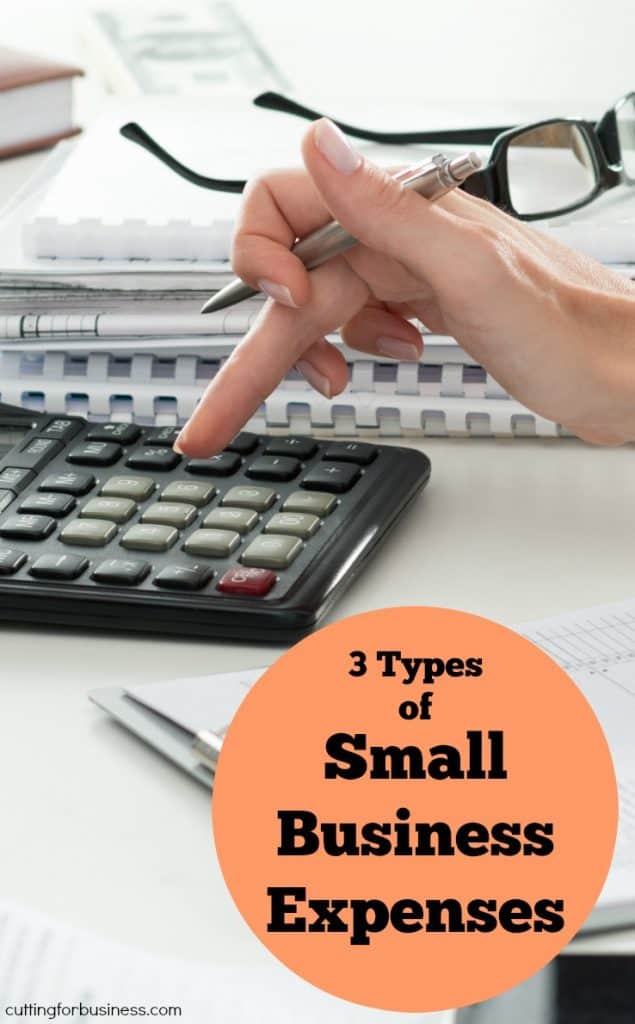
    Every small business has expenses. It is wise to take some time each month to look over your expenses from the previous month and make sure you are keeping them in check. Maybe you spent too much on something and need to scale back spending for the next month, perhaps you have forgotten about a subscription you are being billed for, or maybe a larger profit will allow you to buy a piece of equipment you’ve had your eye on. In any case, let’s look at the three types of expenses.

    3 Types of Business Expenses

    1. Fixed Expenses. These expenses are fixed monthly and must be budgeted for. In terms of a month to month basis, these items can’t really be controlled. Examples include: Store or studio space rent, website or store hosting fees, insurance, business licenses, association memberships, and loan payments.
    2. Semi Fixed Expenses. These types of expenses are more flexible than fixed expenses, but are likely to occur monthly. Examples include: Shipping costs, wages for employees, legal fees, phone and internet costs, and electricity.
    3. Variable or Non Fixed Expenses. Of the expenses to look at each month, the easiest to keep in check are the variable expenses. These expenses change monthly and if you are looking to cut down spending, these are the ones you can cut back on. These include: Consumables like mats and blades, materials for creating products (paper, vinyl, embellishments), equipment purchases (a new Silhouette or Cricut or a heat press), advertising costs, subscription costs for website memberships, and office supplies.

    Today, why not take a few minutes to look over your expenses from last month? It’s great habit to get started.

    Need help tracking your expenses? I like and recommend Craftybase for Silhouette Cameo and Cricut Explore crafters.

    Confess in the comments – do you review your expenses monthly?

    Save this post to Pinterest:

    Budgeting Business Expenses: 3 Different Types - Great for Silhouette Cameo or Cricut Explore Small Business Owners - by cuttingforbusiness.com

  • 6 Things to Consider Before Going into Business with a Partner

    Today, we are looking at partnerships in your Silhouette Cameo or Cricut Explore small business. While history has shown us many great business partnerships that have led to amazing things (hello, Ben and Jerry’s Ice Cream!) – there are also as many stories of people opening a business together and it ruining their relationship forever. Before you decide to take on a partner in your business or start something entirely new with a friend – consider the points below.

    6 Things to Consider Before Going into Business with a Partner

    1. Ask yourself: Do I really need a partner? If you are a type A personality and always want things your way – taking one a partner may not work well for you. Similarly, if you are more a loner who enjoys crafting alone – a partnership may not be suited for you.
    2. Talk about goals before agreeing to partner. A partnership is doomed to fail if you and your partner aren’t working towards a similar goal. For example, if you eventually want your products sold in big box stores and your partner only wants to make enough money to stay home with her kids – this situation likely won’t work.
    3. Clearly define each person’s role. If you are taking on a partner, be sure to write out the specific roles of each partner. For example, if one partner excels in product design and creation and the other in marketing – write out and agree to these responsibilities.
    4. Lay out a plan for disagreements. Before your partnership even gets started, you’ll want to have a plan to deal with disagreements.
    5. Consider how you will split expenses and profits. If you are opening a new business with a partner, it is easier to put in an equal amount of money from each partner and use it for purchases and the like. If you are an existing business adding a partner, you’ll need to determine how much of the company the new partner will own and how you end up splitting expenses and profits.
    6. Don’t skip the legal paperwork. If you truly want to go into business with another person, don’t skip getting everything written out by a lawyer and signed by both parties. In the event that something goes astray, you’ll have legal rights.

    Not looking to take on a partner? Read about hiring virtual help or your first employee.

    Loving this post? Save it to Pinterest:

    6 Things to Consider Before Going into Business with a Partner - Great for Silhouette Cameo or Cricut Explore small business - by cuttingforbusiness.com

  • Back to School Money Maker: Vinyl Name Decal Sheets

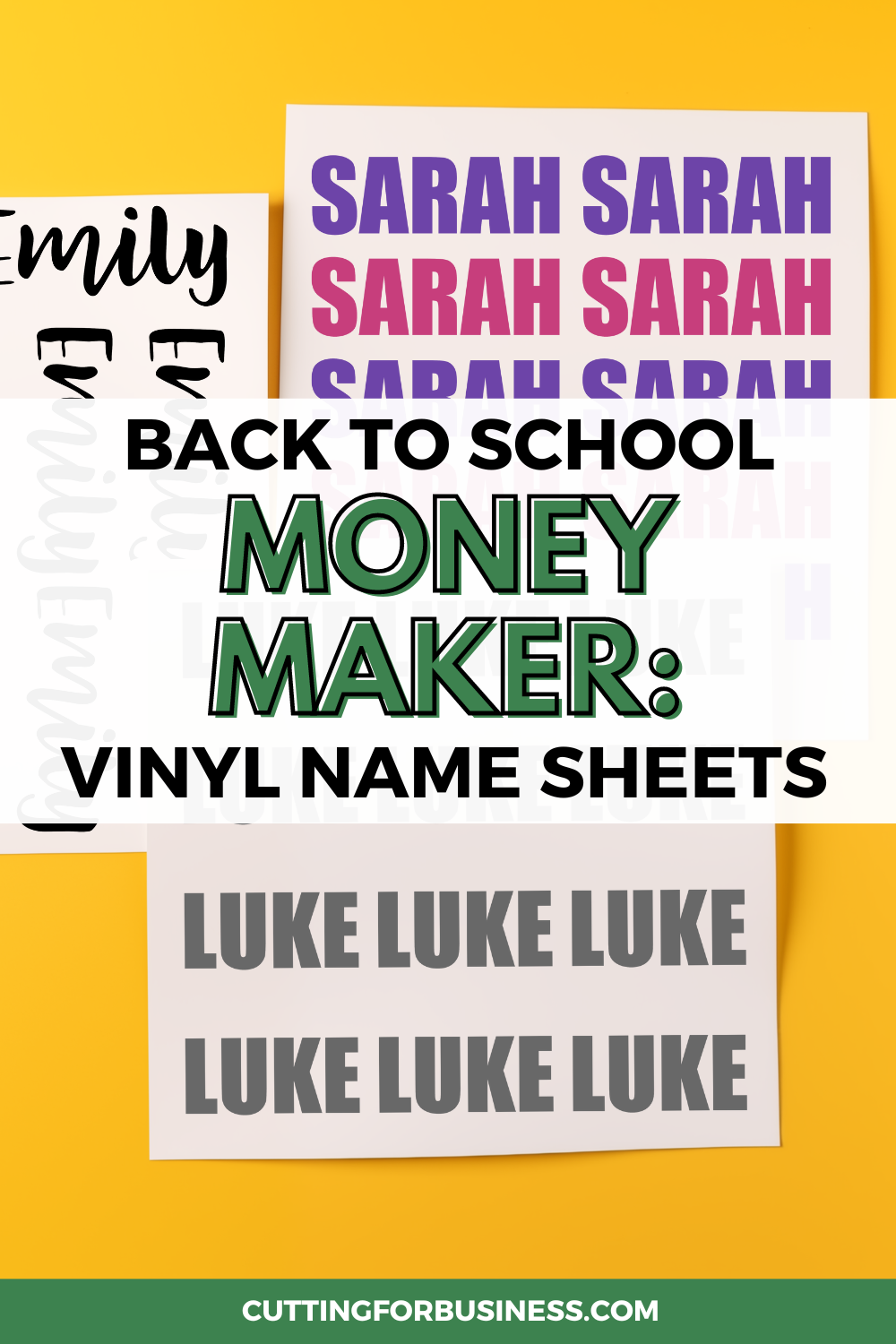
    For the kids heading back to school setting, these adhesive vinyl name decal sheets are always a quick money maker!

    Why do they sell well? Since most schools require that everything you send with your child be labeled with their name – parents need to be able to label everything with something nicer than a permanent marker.

    Back to School Money Maker: Vinyl Name Decal Sheets - cuttingforbusiness.com

    What is a Name Decal Sheet?

    It’s a sheet of adhesive vinyl where you have cut out names of a child for their parent to place on their items, including pencil cases, notebooks, lunch containers, and more.

    Two Ways to Make and Sell Name Decal Sheets

    • All names on one page in a single size and font.
    • Names in a variety of fonts and sizes. (You could also mix in a few monograms or initial sets!)

    Neither choice is better than the other, it is a personal preference.

    Price Point for Name Decal Sheets

    I’d suggest between $10 and $15 for and 12″ by 12″ sheet of names. You can expect to fit between 20 and 30 names per page, depending on the length of the name.

    Odds and Ends

    • Transfer tape. Don’t forget to apply transfer tape to your name decals before shipping them out to your customer.
    • Customer instructions. Don’t forget to include instructions for your customer. Here’s a few free sets.
    • Easy to weed fonts. Choose fonts that are easy to weed so this quick money maker doesn’t become a chore.
    • Adhesive vinyl. I’d suggest creating name decal sheets with Oracal 631 or equivalent. (I prefer 631 for all indoor uses, but you could use 651. Just another personal preference.)
    • What about heat transfer vinyl? You could make this same idea work with heat transfer vinyl (htv). This would allow parents to iron names onto backpacks, clothing, and more. If you give this a try, you can include this instruction sheet with your orders.
  • Real Silhouette and Cricut Business Owners Share their Advice

    Here on the Cutting for Business blog, I share a lot of advice for both new and seasoned Silhouette Cameo and Cricut Explore small business owners. Recently, I asked members of the Cutting for Business Insider’s Club what advice they had for new or soon-to-be small business owners. I was blown away with both the genuineness and the quality of the advice they shared; so today, I’m sharing it with you.

    Question: What one piece of advice do you have for a new owner of a Silhouette or Cricut who wants to start a business?

    Advice given:

    Shanel from Shanel’s Creations: “Take time to learn your craft and find out what you like and are good at making before starting a business.”

    Sabine from Sprotty Design: “Be passionate about what you do … means drive into passion even if there are unpleasant things that accompany your work.”

    Lenise from Neese’s Creations: “Be patient – if you’re selling on an online platform take time in the beginning to understand the ins and outs before you jump right in, then be patient with your expectations.”

    Beau from Beau Lindsly Designs: “Others doing what you do aren’t your enemy. Friendly competition, is what pushes us to innovate, be creative in a different way, grow as artisans and do our best. Don’t be afraid to talk to, know, befriend your competition. Each others’ successes will encourage both, and their comradery spurs growth and you’ll have someone talk to when sales fluctuate. There is room for everyone.”

    Gina from Re-Find and Design: “Have fun…”

    Cassie from Purple Pixie Creations: “Learn the program and materials you are working with BEFORE you start selling.”

    Erica Long Gordon Erica from Trudy’s Vinyl CreationsAfter learning your machine and capabilities, find what YOU are good at! Doesn’t matter what the market it like if your skills don’t match, but finding your niche will serve you well.

    Cindy says: “Research, practice, find your niche, keep your bought fonts and files organized and separate from everything else. Emphasis on the latter because you can do that even while you are learning. The one thing I waited too long to do.”

    Linda from Paper Home & Garden: “Many of us have moved from personal hobby to business. There are significant shifts in how you’ll approach every step of whatever you’re creating when you stop doing something just for fun and start doing it for a living. Be prepared for that. There have been some things in my life that I loved doing as a personal hobby and would never try to do for a living – it would wreck it for me. With my current business, I actually enjoy the work more now than when it was just a personal hobby – surprise! (To me at least!) That’s how I knew it was a good fit for the long run.”

    Catharine from Authentically Beautiful Creations: “Be sure to make everything yourself first before selling to know that you can do it…then start posting pictures of what you can sell…not everything you make will work for your market.”

    NJ says: “Research “starting a business” and make a checklist of everything you need to do to start/have a business and keep the checklist indefinitely. And everything that you cross off the checklist should have a paper trail, either digitally or printed. Years down the road, you’ll be glad you did.”

    Becky Davenport Grattan Becky from ColorLove Studio: “…find out how to legally start a business in your area. Become registered, learn about collecting sales tax, etc. There are plenty of resources available to help!”

    Andrea from The Personalized Peacock: “Be original!”

    Are you an experienced Silhouette or Cricut small business owner? Share your advice in the comments?

    Looking for a Facebook discussion group for meaningful, daily craft and business talk? Join us in the Cutting for Business Insider’s Club.

    Save this post to Pinterest:

    Real Silhouette Cameo and Cricut Explore Small Business Owners Share their Advice - by cuttingforbusiness.com

  • Color Theory in Your Craft Business

    The subconscious mind is a powerful thing. Did you know that the colors that you use in your Silhouette or Cricut craft business can send a message to buyers without saying anything? This is known as color theory – and there has been enough information written about color theory to fill entire volumes of encyclopedias!

    If you want to start your own research on color theory, I highly recommend Color Matters as your first resource.

    What Colors Convey What Messages?

    Color experts have agreed that certain colors invoke thoughts and emotions in customers – subconsciously. Using expert research, here’s a list of common colors and the thoughts and feelings that they bring.

    • Red: Excitement, Youthful, Bold, Active
    • Orange: Friendly, Cheerful, Confident
    • Yellow: Optimism, Warmth,
    • Green: Growth, Peaceful, Health, Prosperity, Stable
    • Blue: Trust, Dependability, Strength, Content
    • Purple: Creative, Imaginitive, Wise, Original
    • Greys: Balance, Peacefulness, Calmness

    There are several fantastic color theory graphics around the internet that I compiled in a Pinterest board. Click here to visit it.

    A Real Life Example: This Blog

    The colors used on the Cutting for Business blog are not accidental. When I first began blogging, I sat down and wrote a list of what traits my blog would need to have in order to gain trust with the readers. I knew right off the bat that I needed to be relatable to small business owners – and I needed to gain trust to talk to them about something important – money. I headed to other websites that dealt with money like banks and online budgeting websites and found that many of them used green color schemes. After some research into color theory, green invokes colors such as growth, peace, prosperity, stability, and more (and it is the color of money!) So I went with it for this blog. After deciding I’d use green, I used color swatch websites to find the right shades.

    You can do the same thing I did with your logo and branding by asking yourself: “What do I want customers to feel when they see my company?” Write down emotions you want to invoke – and those that you don’t. Look at sites that sell similar goods in your niche, or large companies with similar products. Then, decide on the best colors for your website, products, and branding. Once you narrow in the color scheme, you can pick up great color combinations and swatches at sites like Coolors.com.

    Now, go take a look at your current color scheme and product colors and see if they are invoking the emotions that you intend.

    Color Theory in Your Craft Business - Silhouette Portrait or Cameo and Cricut Explore, Maker, or Joy - by cuttingforbusiness.com.