Category: Starting Your Business

  • NAICS and SIC Codes – What are they?

    Lately, I’ve gotten a lot of emails and messages about NACIS and SIC codes. This is great, because it means that more and more Cutting for Business readers are incorporating their business in their state. (Still need to incorporate yours? Get information about whether you have a business or a hobby in this post and how to get started in your state in this post.) Now, onto these codes!

    What are NAICS and SIC codes?

    NAICS stands for North American Industry Classification System and was launched in 1997 to replace the SIC, or Standard Industrial Classification System. The purpose of the system is for the US Federal government is to categorize businesses for the purpose of publishing statistical data.

    How do you find codes for your business?

    There is a searchable database located at this link. It is important to note that businesses are not assigned an NAICS code. Instead, the business owner chooses the code that is most relevant to their primary business activity. (In plain English – if you do more than one thing in your business – choose the code that represents what brings in the most money.)

    Where would you use the NAICS code?

    When completing official paperwork, some forms will ask for the NAICS code.

    Popular Codes for Silhouette and Cricut Businesses

    • 454111 – Electronic Shopping
    • 454110 – Electronic Shopping and Mail-Order Houses
    • 454390 – Other Direct Selling Establishments
    • 315990 – Apparel Accessories and Other Apparel Manufacturing

    Save this post to Pinterest so it is handy when you need it:
    NAICS and SIC Codes - For Silhouette Cameo or Cricut Explore Crafters - by cuttingforbusiness.com

  • Review: Square Contactless and Chip Reader

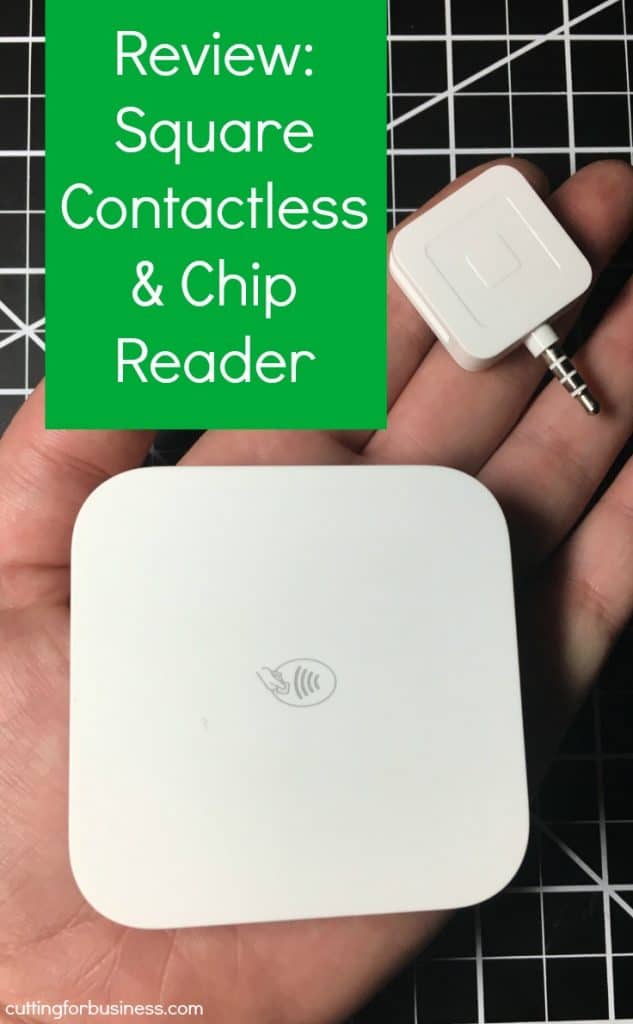
    When you own a Silhouette or Cricut small business, you will need to collect payments. I’ve been using Square’s Contactless and Chip Reader for about 6 months. I’ve now used it enough times that I feel comfortable sharing a review of it.

    If you aren’t familiar with EMV cards (commonly called chip cards), you can read more about them in another post on Cutting for Business. In a nutshell, chip cards are more secure and you should be accepting them in your business. If you do not provide a chip card checkout option for in person sales and have a fraudulent charge, you can be held liable.

    Let’s look at the pros and cons of the Contactless and Chip Reader.

    Pros

    • Wireless. I love that the contactless and chip reader works on Bluetooth. It’s nice to go wire free!
    • Quick. Processes transactions faster than I expected.
    • Easy to use. Simply insert the card or hold the phone/watch with Apple Pay or Android Pay near the device.
    • Payment options. Accepts chip cards, Apple Pay, and Android Pay.
    • Long battery life. I’ve used the Contactless and Chip Reader for several hours straight and the battery always lasts.

    Cons

    Would I recommend it for your Silhouette or Cricut small business? Yes, absolutely! If you don’t feel that you will use the contactless portion of the reader, Square also has a EMV chip reader for $29.

    Want $1000 in free credit card processing through Square? CLICK HERE. (Only applies to new merchants.)

    Save this post to Pinterest:

    Review: Square Contactless and Chip Reader - Perfect for your Silhouette Cameo or Cricut Small Business - by cuttingforbusiness.com

  • Where to Go to Start a Business in Your State

    I get asked for assistance in starting a business all the time. Unfortunately, I can’t answer the questions because the process is different for starting a business in every state, even down to the county and city levels. Also, I caution you about asking on the internet for assistance from other small business owners, unless the person answering you is in the same location.

    Today, I’ve compiled a list of websites that will help you answer the question: Where do I go to start a business in my state?

    State Link
     Alabama  http://www.alabama.gov/business/starting-a-business
     Alaska  http://alaska.gov/businesshome.html
     Arizona  http://www.azcommerce.com/small-business/small-business-checklist
     Arkansas  http://www.arkansas.gov/services/list/category/business
     California  http://www.sos.ca.gov/business-programs/business-entities/starting-business/
     Colorado  http://www.coloradosbdc.org/starting-your-business
     Connecticut  http://portal.ct.gov/en/Services/Business/Start-Your-Business
     Delaware  http://delaware.gov/topics/startasmallbusiness
     Florida  http://dos.myflorida.com/library-archives/research/florida-information/business/starting-a-business-in-florida/
     Georgia  http://www.georgia.org/small-business/start/
     Hawaii  http://cca.hawaii.gov/bac/steps-to-starting-a-business/
     Idaho  https://labor.idaho.gov/ibrs/ibr.aspx?AspxAutoDetectCookieSupport=1
     Illinois  https://www.illinois.gov/dceo/SmallBizAssistance/BeginHere/Pages/StepByStepGuide.aspx
     Indiana  http://www.in.gov/sos/business/2428.htm
     Iowa  http://www.iasourcelink.com/startup/iowa-business-steps
     Kansas  http://www.kansas.gov/businesscenter/#
     Kentucky  http://onestop.ky.gov/start/pages/default.aspx
     Louisiana  https://geauxbiz.sos.la.gov/
     Maine  http://www.maine.gov/portal/business/starting.html
     Maryland  http://commerce.maryland.gov/start
     Massachusetts  http://www.mass.gov/hed/business/start-business/new-business-steps.html
     Michigan  http://www.michiganbusiness.org/start-up/business-assistance/
     Minnesota  https://mn.gov/deed/business/starting-business/
     Mississippi  http://www.mssbdc.org/i-want-to-start-a-business
     Missouri  https://www.sos.mo.gov/business/outreach/starting_steps
     Montana  http://sos.mt.gov/Business/Startup
     Nebraska  http://www.revenue.nebraska.gov/business/bus_regist.html
     Nevada  http://nsbdc.org/how-we-can-help/start_business/
     New Hampshire http://www.revenue.nh.gov/faq/register-business.htm
     New Jersey  http://www.nj.gov/njbusiness/starting/
     New Mexico  https://gonm.biz/business-resource-center/
     New York  http://www.ny.gov/services/start-business-new-york-state
     North Carolina  http://www.nc.gov/services-info/starting-business-nc
     North Dakota  https://www.nd.gov/businessreg/
     Ohio  http://business.ohio.gov/starting/
     Oklahoma  http://okcommerce.gov/business/startup/
     Oregon  http://sos.oregon.gov/business/pages/starting-business.aspx
     Pennsylvania  https://www.pa.gov/guides/starting-a-business/
     Rhode Island  https://www.ri.gov/SOS/quickstart/help/
     South Carolina  http://www.scsbdc.com/start.php
     South Dakota  http://sd.gov/business.aspx
     Tennessee  https://www.tnsmartstart.com/
     Texas  https://texaswideopenforbusiness.com/start-business
     Utah  https://www.utah.gov/business/starting.html
     Vermont  http://www.vermont.gov/portal/business/index.php?id=87
     Virginia  http://bos.virginia.gov/starting.shtml
     Washington  http://business.wa.gov/start.html
     Washington D.C.  https://dslbd.dc.gov/page/steps-starting-business
     West Virginia  http://www.business4wv.com/b4wvpublic/default.aspx?pagename=startbusiness
     Wisconsin  https://www.revenue.wi.gov/Pages/Businesses/New-Business-home.aspx
     Wyoming  http://soswy.state.wy.us/business/startabusiness.aspx
     Canada  https://www.canada.ca/en/services/business/start.html

    Please help me keep this post up-to-date. If a link above becomes broken, simply leave a comment to let me know so that I can update it.

    Save this post to Pinterest:

    Where to Go to Start a Craft Business in Your State - Great for Silhouette Cameo or Cricut crafters - by cuttingforbusiness.com

  • How to Create an Effective ‘About Me/Us’ Page for Your Craft Business

    Most marketplaces (Etsy, Ebay, Shopify, and so on) give business owners a place to connect or share a company history on an About Me or About Us page. I see a lot of small business owners skip this page or use it wrong – at least in my opinion. There are as many opinions about how to create the perfect About Me or About Us page online as there are on the recent political changes in the United States. I’ve skimmed many of these articles and just don’t buy into a lot of the tips.

    Today, I’m sharing 4 tips to create an effective About Me or About Us page:

    1. Keep it short and sweet. No need to tell your whole life story. You don’t want to bore your customer, take up too much time when they could be shopping on your site, or reveal too many personal details.
    2. Write in first person language. This means using words such as ‘I’ and ‘my’. The core of a handmade craft business is the person behind it. Write your About Me or About Us page from your point of view.
    3. Share a photo or two of yourself. The internet is so anonymous – share an actual photo of yourself.
    4. Connect with your ideal buyer. To me, this is the most important aspect of your About Me or About Us page. All your page needs to do to be effective is to connect with your potential buyer. Why? People buy from people they “like”. Either share a story that your ideal buyer can relate to or share details about running your business that are relatable. For example, if you sell baby related goods and started your business during your pregnancy – share this. Or, if you craft to stay at home with your kids or an aging parent, share these details and a few pictures.

    There you go – simple and straightforward. Head over to my About Me page or head to yours and update it.

    Save this post to Pinterest or Facebook:


    How to Create an Effective 'About Me/Us' Page for Your Craft Business - Silhouette Portrait or Cameo and Cricut Explore or Maker - by cuttingforbusiness.com

  • Top 4 Overcrowded Silhouette Cameo and Cricut Business Niches

    Yesterday, I talked about some of the cheapest businesses to start with your Silhouette or Cricut. It’s not surprising that the cheapest niches can sometimes be the most crowded. Let’s take a minute to look more into which niches are the most crowded. (Not sure about the whole ‘niche’ thing? Learn more here.)

    Top 4 Overcrowded Silhouette and Cricut Niches

    1. Planner Stickers – On an Etsy search for “planner stickers”, we find over 348,000 listings already there. If you are planning to break into this niche, you’ve got a way to go to get to the top pages.
    2. SVG Cut Files – A quick search on Etsy for “SVG Cut Files” brings up over 443,000 cut file listings. I’d say that if you want to break into this crowded niche, you must have unique designs unlike others on the market already.
    3. Monogram Decals – On Etsy, there are over 63,000 listings for “monogram decal”. Hard to compete with those already established!
    4. Tumblers – A quick search of Etsy for “custom tumbler” brings up about 73,000 listings. That’s a lot of competition.

    Moral of today’s post? Think outside the proverbial “box”. The most successful Silhouette and Cricut businesses I come across are the ones that are offering unique products or services. Don’t be afraid to be different – it’s quite profitable!

    Save this post to Pinterest:

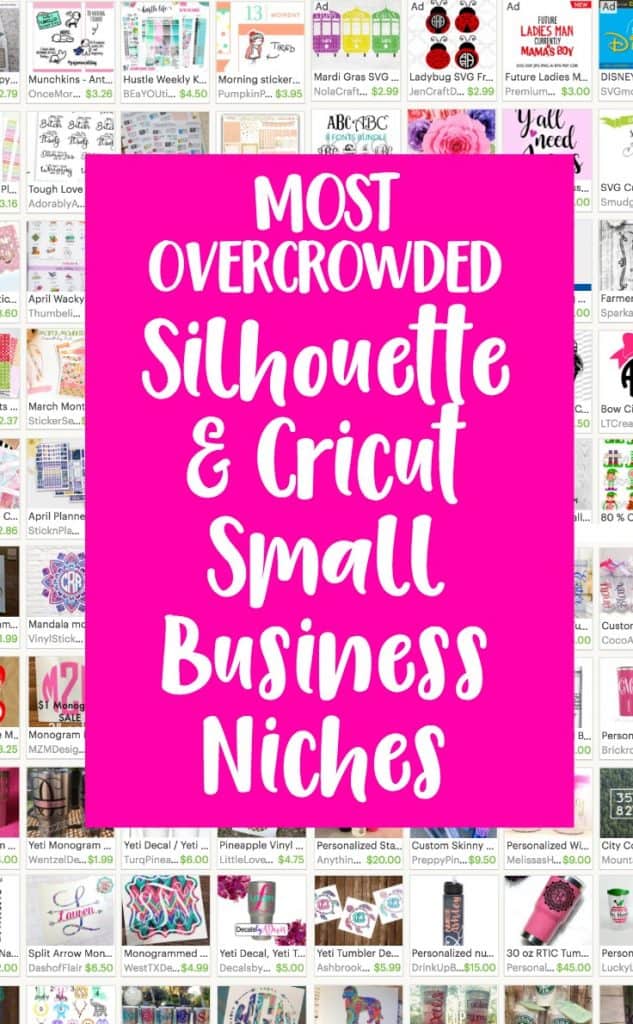
    Top 4 Overcrowded Silhouette Cameo and Cricut Business Niches - by cuttingforbusiness.com

  • Top 3 Cheapest Silhouette and Cricut Businesses to Start

    I know a lot of crafters dream of starting their own businesses, but they lack the funds to actually get started. Is this you? If so, don’t worry – I’ve got some ideas for you.

    Just like a car dealership is more expensive to start than a take out restaurant, some craft businesses are cheaper to start than others.

    Let’s take a look at some of the cheaper businesses you can start with your Silhouette or Cricut.

    3 Cheapest Silhouette and Cricut Businesses to Start - cuttingforbusiness.com.

    Top 3 Cheapest Silhouette and Cricut Businesses to Start

    Decals

    Decals appeal to a wide variety of buyers because they can be applied to cars, computers, walls, windows, cups, and more. You can start out by offering a limited number of decal colors. As your business grows, you can expand to other colors and even patterns.

    Supplies: Silhouette or Cricut, adhesive vinyl, weeding tools, transfer tape, and photo mailers or mailing tubes.

    Stickers

    Custom made stickers are hot! Whether you choose to market to the planner fanatics, teachers, or other small businesses you’ll need a good understanding of print and cut/print then cut. Start with basic sticker paper and add additional options like holographic or foil after your business is established.

    Supplies: Sticker paper, photo mailers, and a printer.

    Digital Products

    The cheapest Silhouette or Cricut business to start is selling digital products. You could specialize in SVG cut files, fonts, seamless patterns, or printables. Since you’ll be selling digital goods, you won’t need any physical supplies!

    Supplies: Design program like Silhouette Studio or Adobe

    If you are interested in selling SVGs, be sure to check out my article the Do’s and Don’ts of Selling SVG Cut Files.

    What is your opinion on the cheapest Silhouette and Cricut businesses to start? I’d love to hear them.

  • FAQ: Common Power Tools in Your Craft Business

    Recently, I wrote a post about buying wood to use in your craft business. Lately, I’ve been getting a lot of questions about what power tools you need when working with wood in your craft business.

    Let’s head to my garage and I’ll show you some common power tools used in craft businesses.

    FAQ: Common Power Tools in Your Craft Business - cuttingforbusiness.com

    What Brand of Tools Do I Use?

    I’m a fan of Dewalt tools because they are affordable, readily available, and parts are available if something breaks.

    Dewalt is not the cheapest brand, and they aren’t the most expensive either.

    I also love that most of my Dewalt tools operate on a rechargeable batteries (that can be switched between the tools) and come with carrying/storage cases.

    Common Power Tools in Your Craft Business

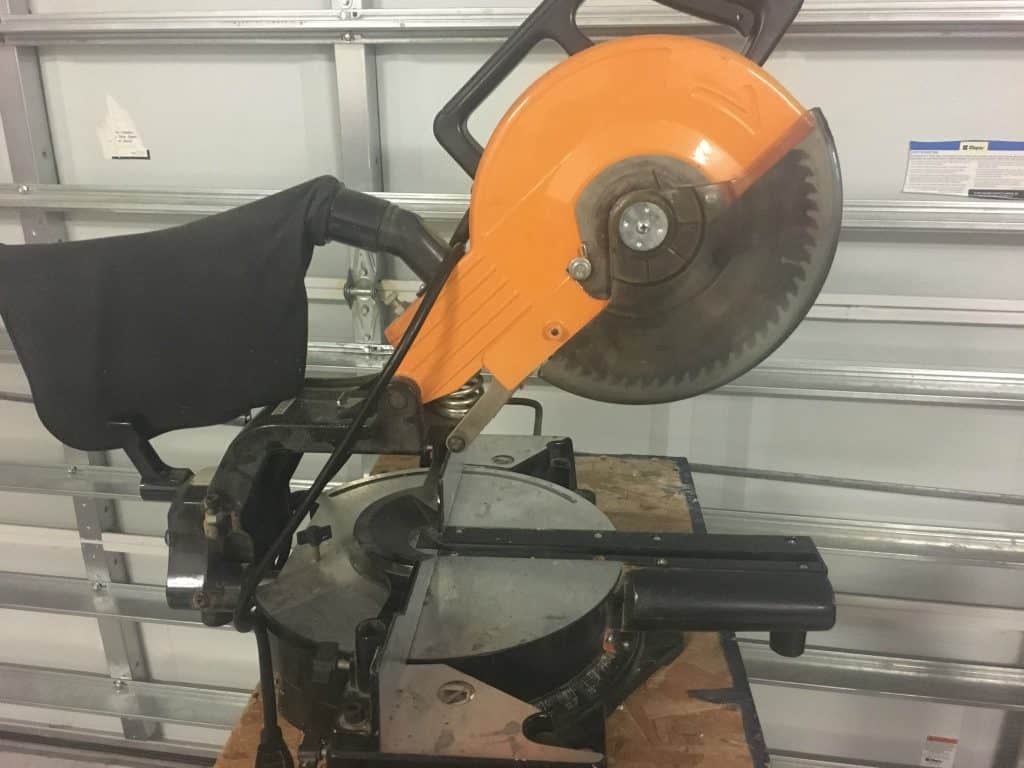
    Miter Saw

    A miter saw sits on top of your workbench and is great for cutting wood. It’s easy to use – you simply pull down the top of the saw which lowers the blade and cuts the wood. Use a miter saw for small cuts. My miter saw is ancient, but a workhorse!

    Shop miter saws.

    FAQ: Power Tools in Your Silhouette or Cricut Business - by cuttingforbusiness.com
    Miter saw

    Circular Saw

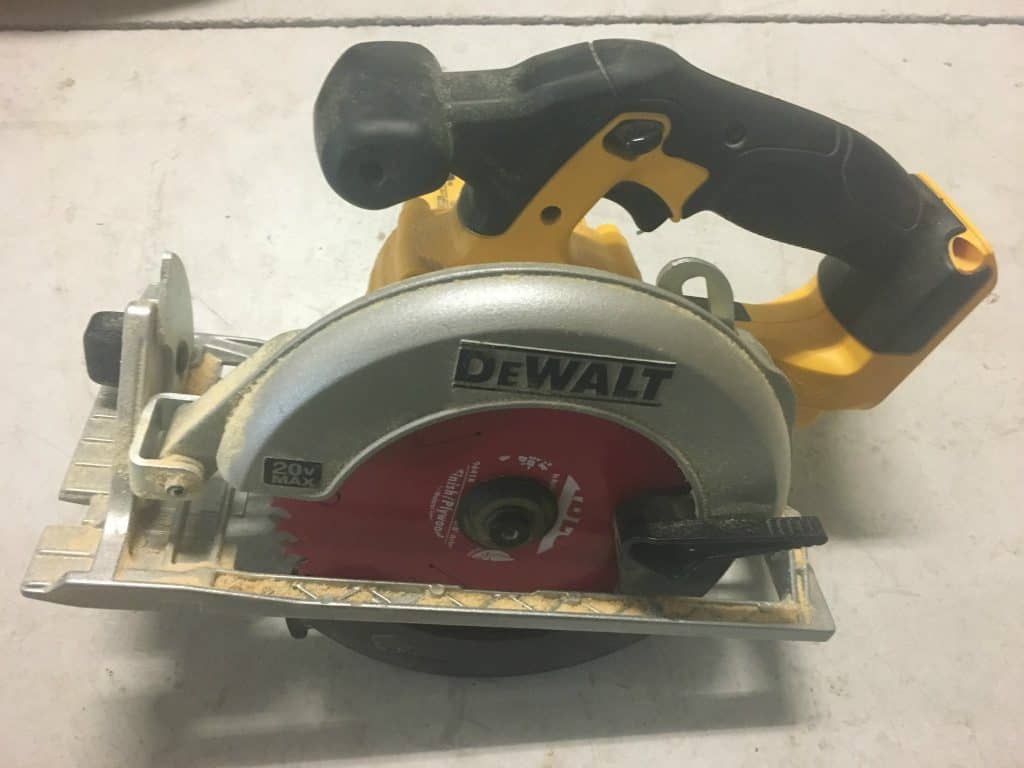
    A circular saw allows you to make longer cuts that aren’t possible on a miter saw. A circular saw takes more practice to get the hang of, because you have to have a steady hand to get a straight cut.

    Like I mentioned above, my circular saw is battery operated. If you can’t afford both a miter saw and a circular saw, a circular saw can do the work or both, you’ll just need a little practice to get straight cuts. 

    Shop circular saws.

    FAQ: Power Tools in Your Silhouette or Cricut Business - by cuttingforbusiness.com
    Circular saw

    Drill

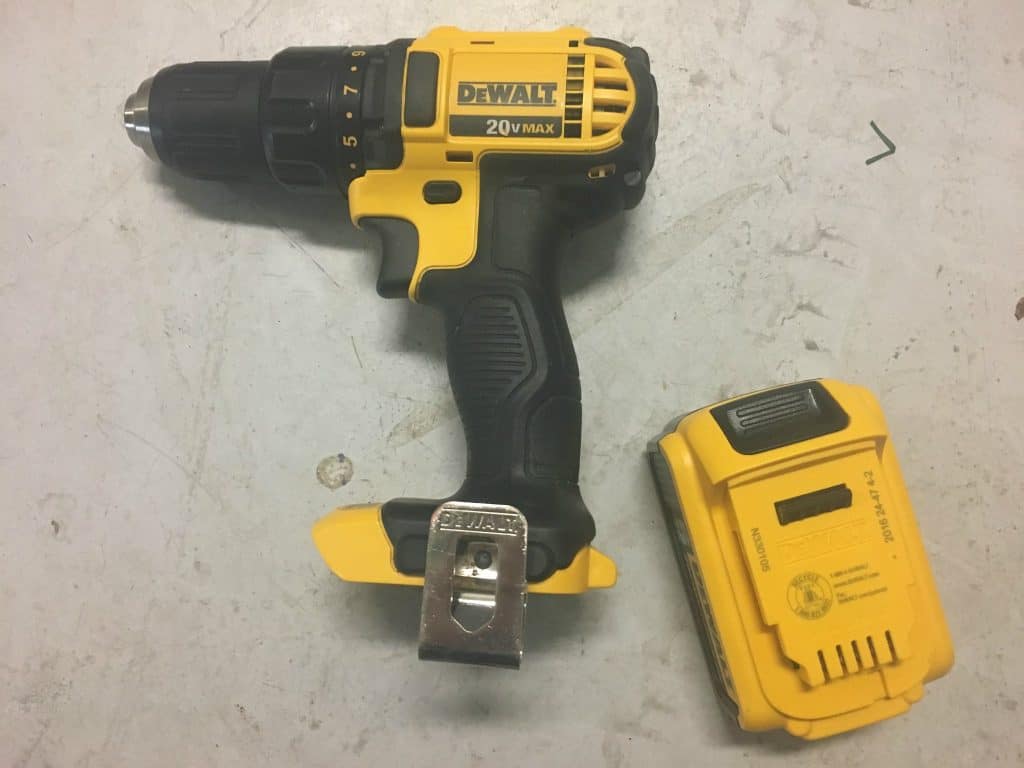
    You’ll need a drill (and drill bits) to make holes, attach hardware to your finished signs, and to attach pieces of wood together.

    Shop drills.

    FAQ: Power Tools in Your Silhouette or Cricut Business - by cuttingforbusiness.com
    Drill with rechargeable battery

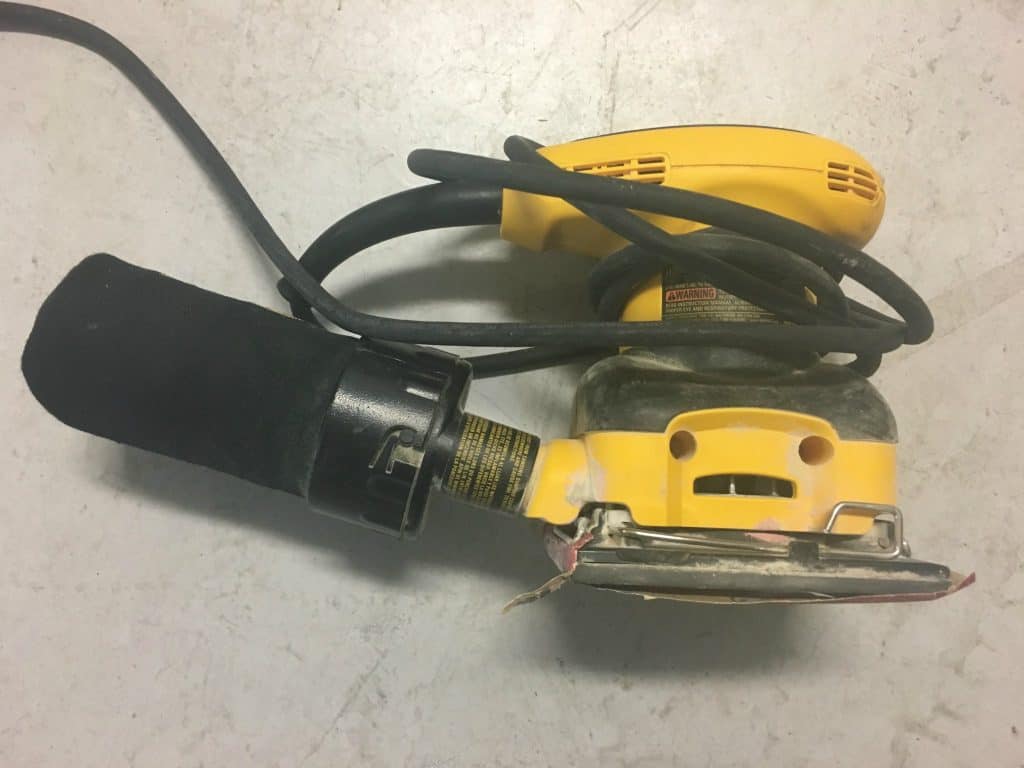
    Sander

    If you plan to use your Silhouette or Cricut to make stencils for your wood projects, a sander is a must have. After you’ve cut your wood, you’ll want to sand down the wood so that stencils will easily adhere.

    Shop sanders.

    FAQ: Power Tools in Your Silhouette or Cricut Business - by cuttingforbusiness.com
    Sander

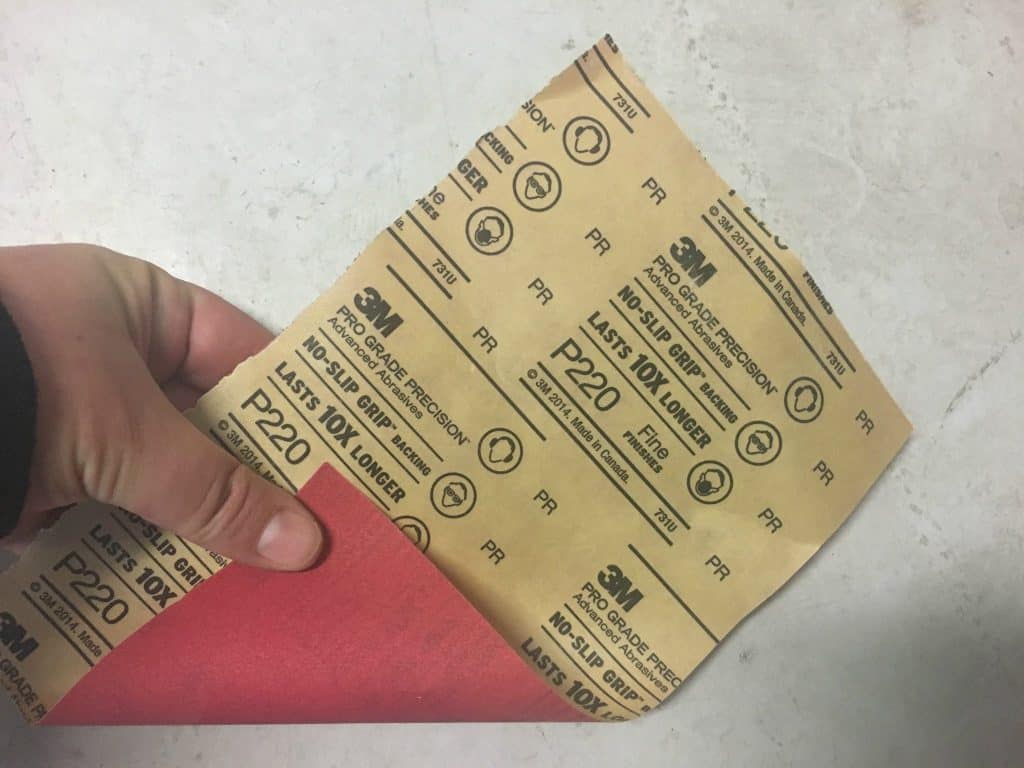
    Sandpaper

    When choosing sandpaper for your sander, be sure to pick up several grits (this refers to the size of the particles on the sandpaper). You’ll start with the lowest number grit to remove the most, then progress to the finest grit for finishing.

    I have an article on properly sanding wood for craft projects.

    Shop sandpaper.

    FAQ: Power Tools in Your Silhouette or Cricut Business - by cuttingforbusiness.com
    Sandpaper

    Planer

    While I don’t regularly use a planer, many crafters do. A planer cuts the surface of the wood into different thicknesses.

    I buy wood that it already the thickness I need, but if you’d like to look into planers, here’s a link to shop planers.

    Other Important Woodworking Tools

    Safety should be your number one priority when working with wood.

    You should invest in a pair of goggles, a woodworking respirator, and a good pair of gloves.

    Other Woodworking Resources

    [mv_create key=”25″ type=”list” title=”Wood Craft Project Resources” thumbnail=”https://cuttingforbusiness.com/wp-content/uploads/2017/10/sandsq.jpg” layout=”hero”]
  • Four Ways to Backup Your Silhouette or Cricut Cut Files

    Imagine this: It’s Monday morning and you just sat down in your craft workspace to pump out orders for your Silhouette or Cricut small business. You turn on your computer and nothing happens – your computer is dead. No warning signs – just completely and entirely dead. You haul your computer off to the nearest computer repair shop and the technician tells you that it cannot be repaired or restored. You break down and purchase a brand new computer. All of your cut files are now gone – including the ones you use in your business.

    If you don’t think that one will happen, what about all the online horror stories of updating to the newest version of software only to realize that all of your previously saved designs are gone? In a panic, you contact the company and they say they can’t restore them!

    In either case, if you had backed up your files, you wouldn’t have an issue.

    Let’s face it, good business owners have a backup plan. Today, I’m sharing four ways to back up your Silhouette or Cricut files.

    4 Ways to Back Up Your Cut Files

    1. Buy an external drive. A lot of people store all of their cut files on an external hard drive. Personally, I don’t like this idea because external drives can fail just as a computer does.
    2. Purchase a service that backs up your files daily. There are many, many services that will scan and backup all your files to their servers. In the event that your computer fails, you just log in and download everything from their server. The downfall to this is that you have to pay a monthly subscription fee. (Examples: Carbonite, IDrive, or Crashplan.)
    3. Use Silhouette’s Cloud or store your files in Design Space. In my opinion, Silhouette Cloud has had some issues – and Design Space can be quite buggy. For that reason, I simply don’t store my designs in either.
    4. So, what do I do? I use a cloud storage program and store all of my cut files and font download folders (actually, I store everything from my computer in it). There’s another benefit to using a cloud, too: I can access all of my files from my phone, tablet, or any other computer. (Examples: Google Drive, iCloud, Dropbox.) Most of these start free, and then have a fee as you use more space.

    No matter which method you choose, please choose one and regularly use it. I can’t tell you how many emails I receive where a Silhouette or Cricut seller has recently lost all their files and is seeking advice on how to get back up and running.

    How do you backup your Silhouette or Cricut cut files? Let me know in the comments.

    Did you find this information helpful? Save the image below to Pinterest and spread the word.

    Four Ways to Backup Your Silhouette or Cricut Cut Files - Portrait or Cameo and Explore or Maker - by cuttingforbusiness.com

  • Tutorial: How to Create an Email Signature in Canva

    I get a lot of emails here in the Cutting for Business office. I’ve been recently surprised at the amount of Silhouette and Cricut craft business owners who don’t have an appropriate email signature – or one at all!

    Let’s go through a quick tutorial today to learn how to create an email signature in Canva.

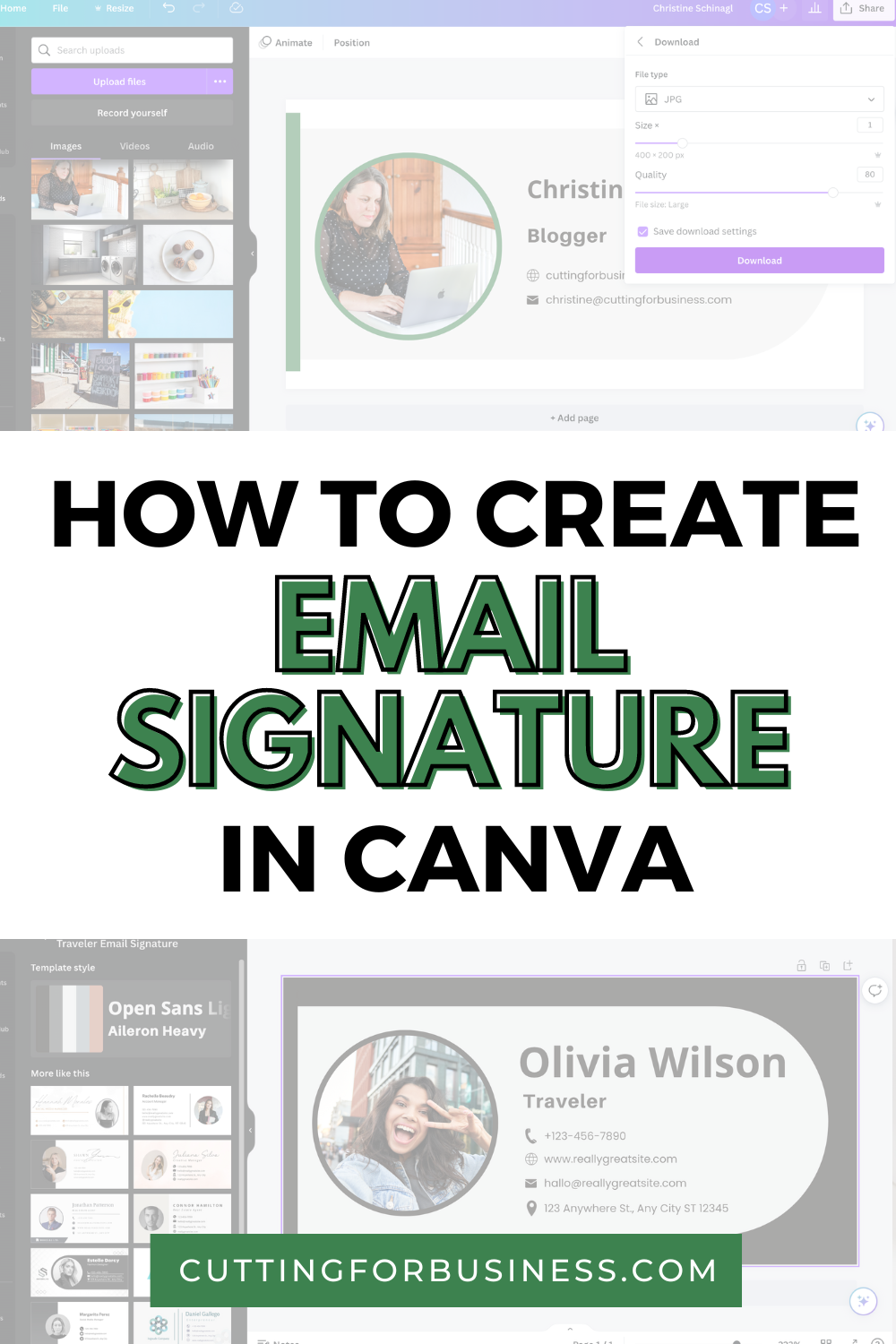
    Tutorial: How to Create an Email Signature in Canva - cuttingforbusiness.com

    What is an Email Signature?

    An email signature is simple a way to close your emails. It generally offers your name, website address, and social media links. It’s like an electronic business card. Email signatures make your business more professional, plus it’s free advertising.

    What is Canva?

    Canva is a free online graphic design tool. It’s easy for beginners to use and can be used to create business cards, social media graphics, event flyers, invitations, and more.

    Sign Up for a Canva Account

    If you don’t already have a Canva account, sign up for a Canva account.

    Tutorial: How to Create an Email Signature in Canva

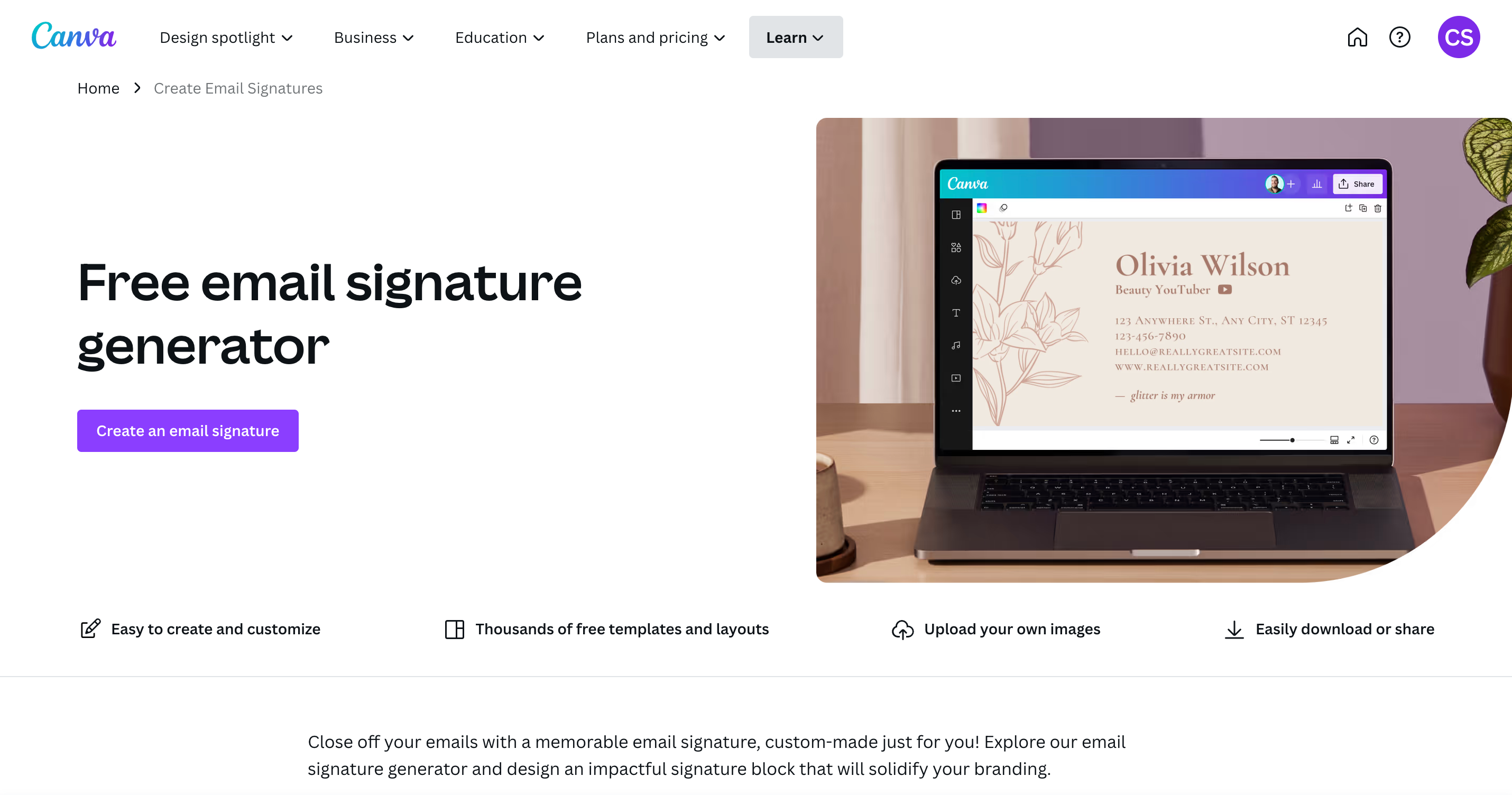
    1. Head to canva.com, then click the ‘Create an email signature’ button.
    Screenshot from canva.com.

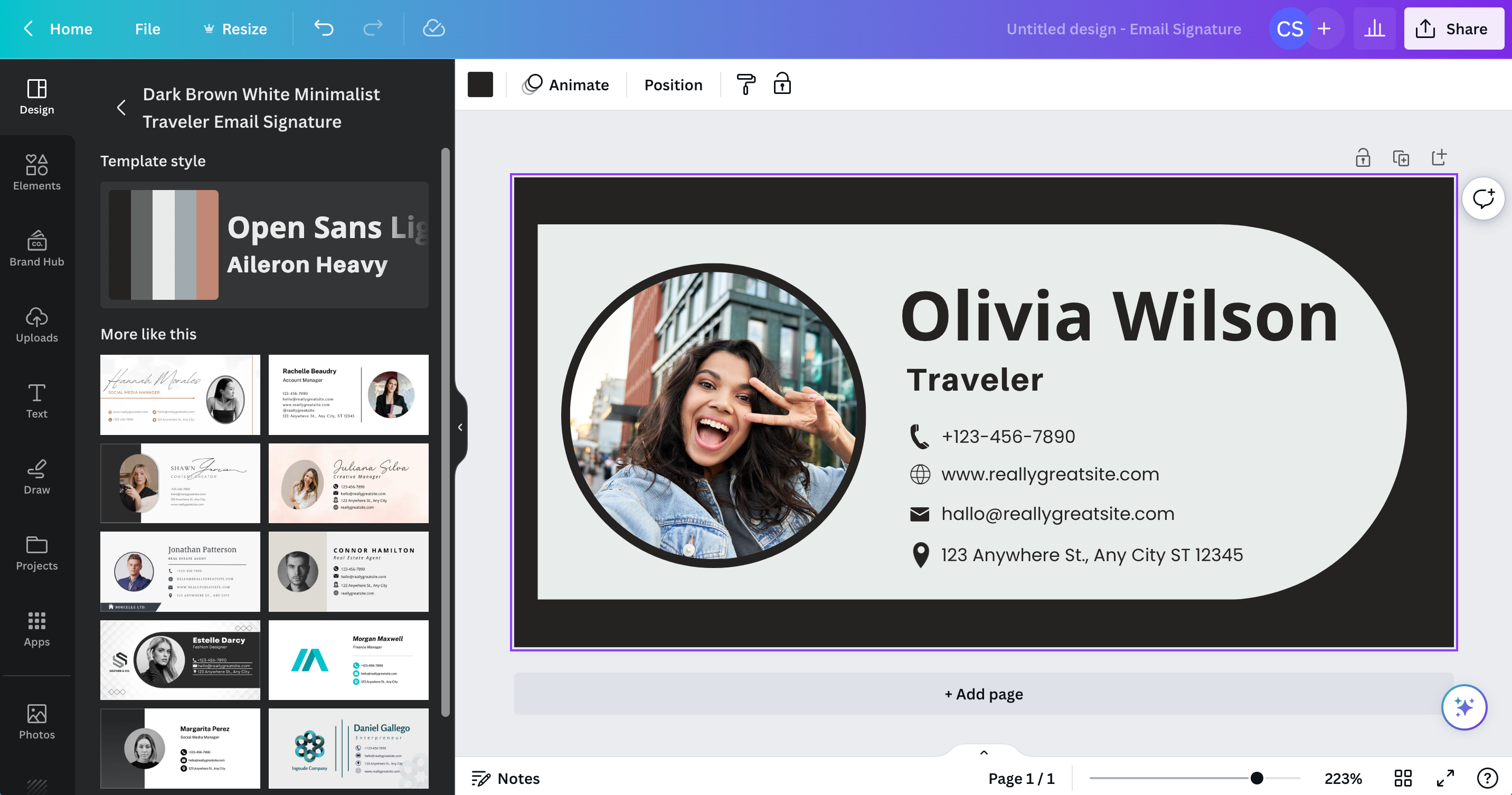
    2. You’ll be taken to a Canva workspace with templates on the left hand side. Choose a template by clicking on it.

    Screenshot from canva.com.

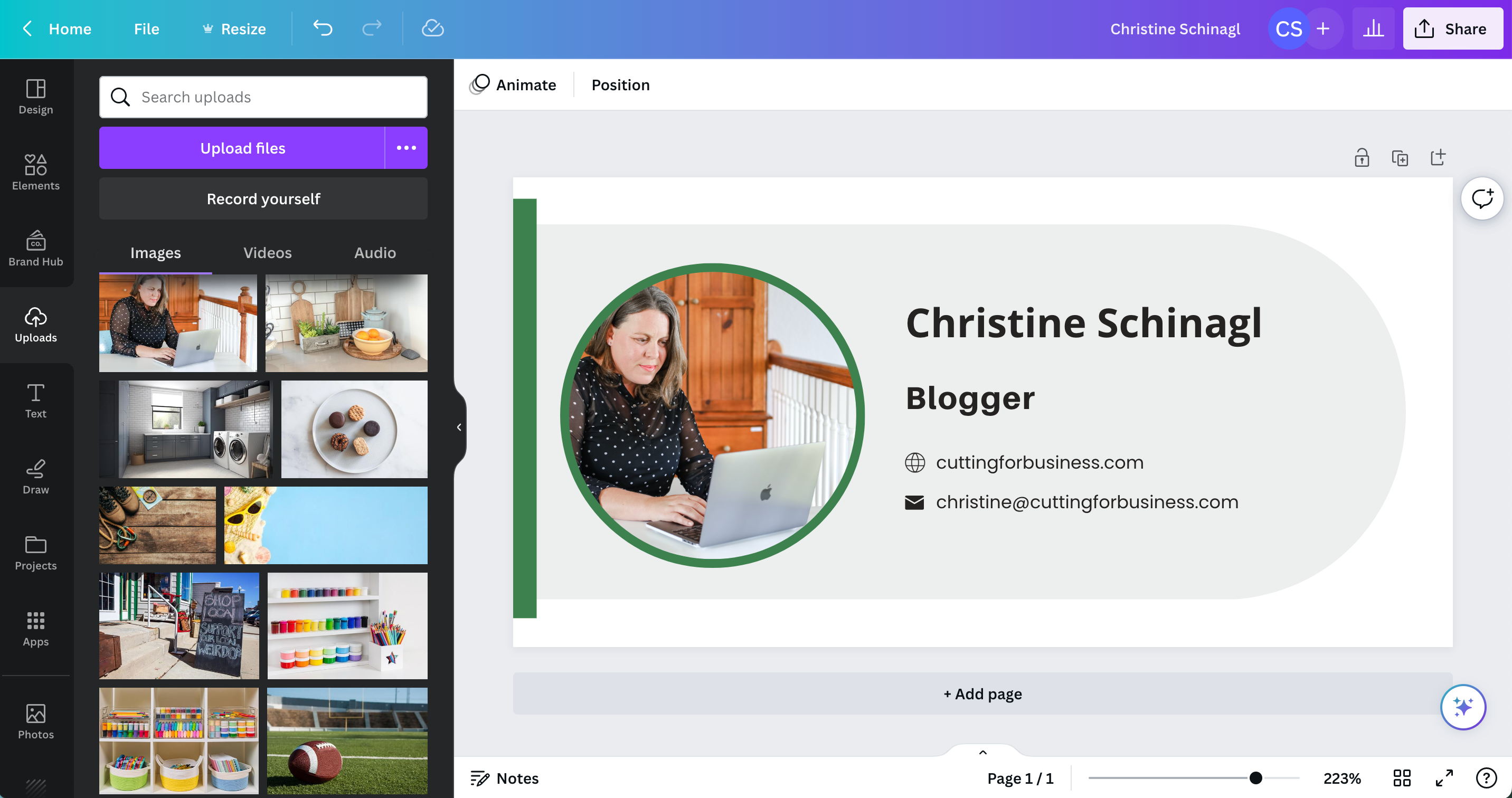
    3. Edit the template with your information. Use the guidelines to make sure the elements line up properly, and delete anything not needed.

    Screenshot from canva.com.

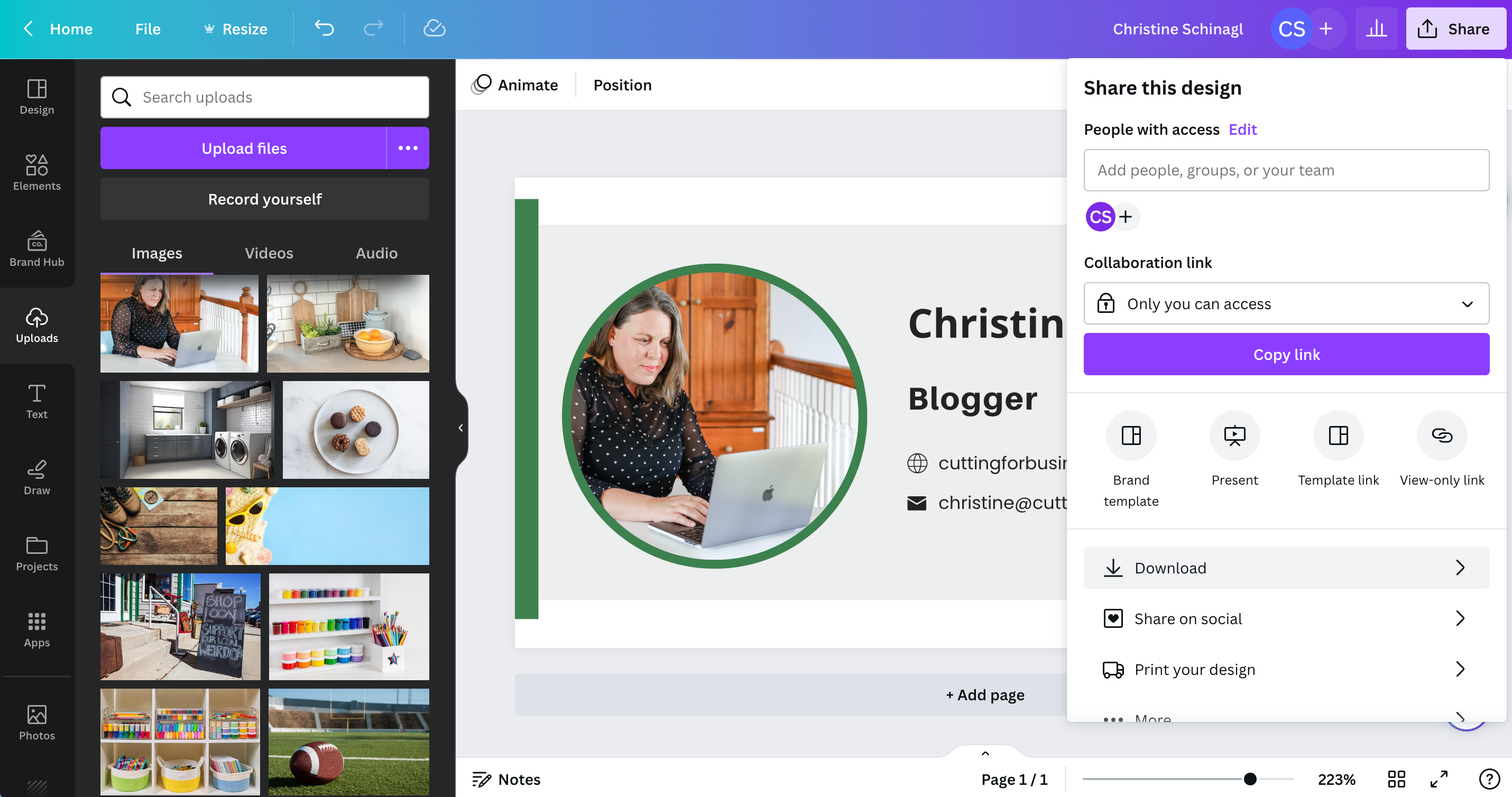
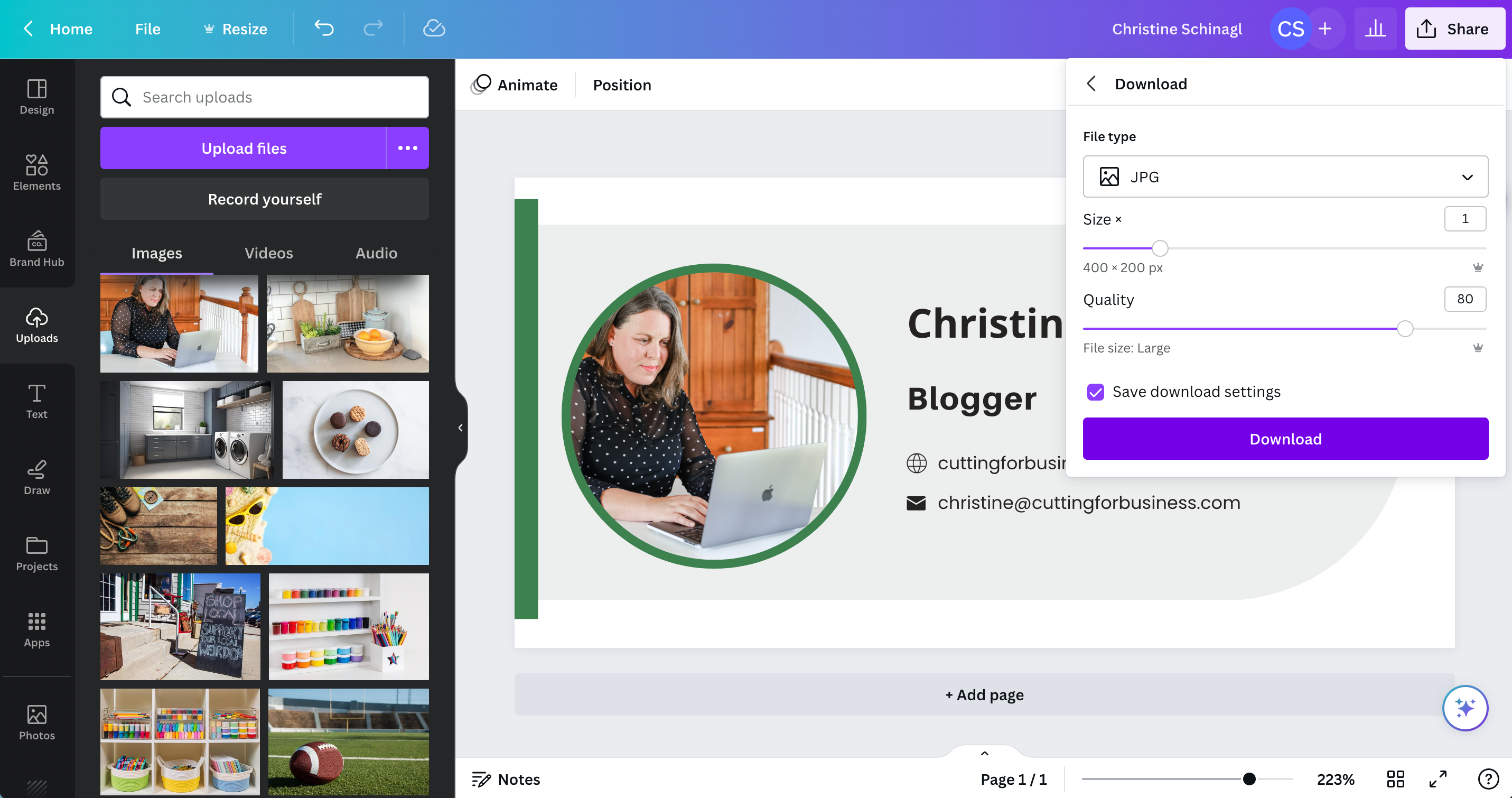
    4. To save your email signature, click the ‘Share’ button in the top right corner. Then, select ‘Download’. I downloaded my signature as a JPG image.

    Screenshot from canva.com.
    Screenshot from canva.com.

    How to Install Your Email Signature in Gmail

    After you’ve created an downloaded your email signature in Canva, head to your Gmail account. Click the gear icon at the top, then ‘See All Settings’.

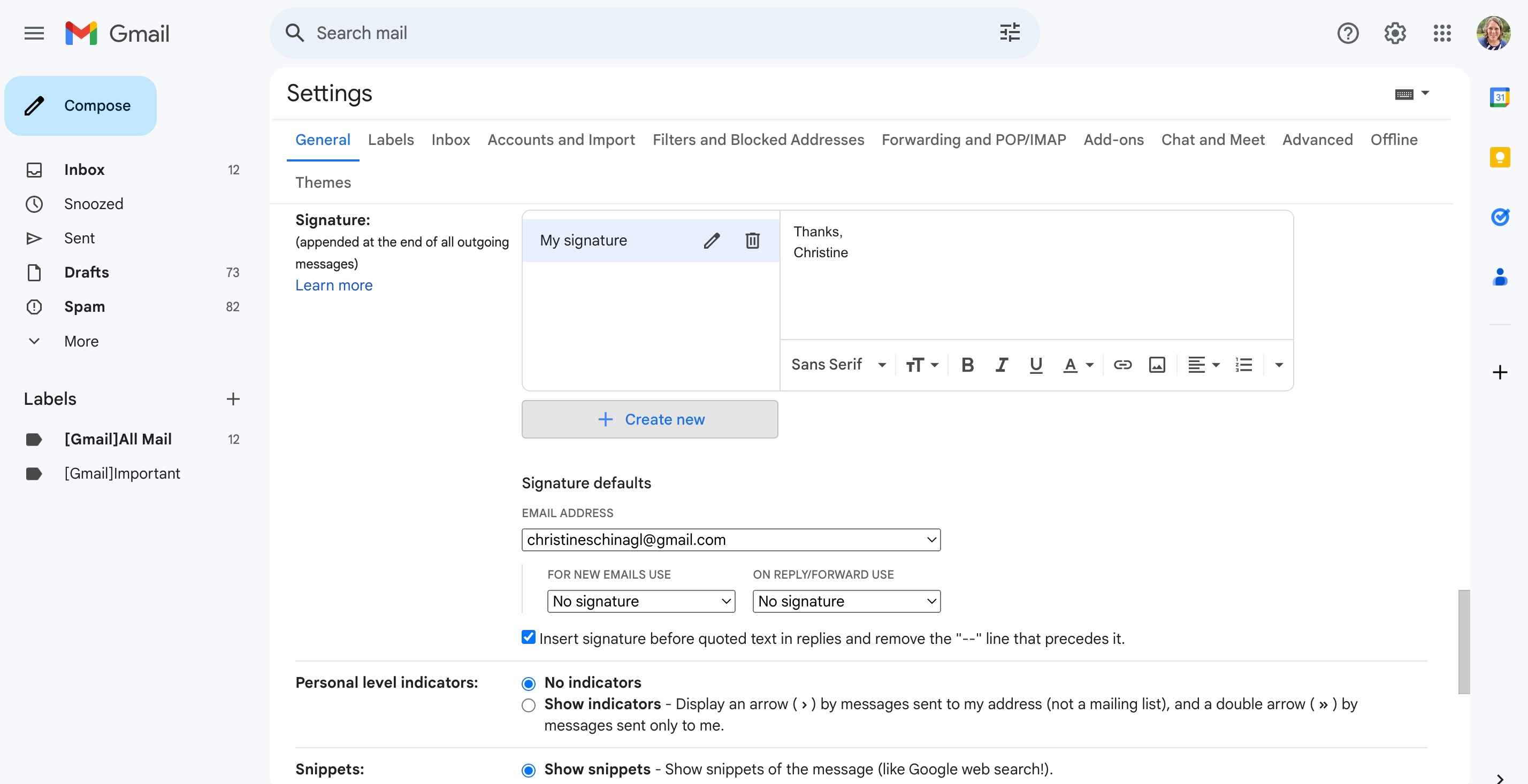
    Scroll down to ‘Signature’, then click the ‘Create New’ button.

    Screenshot from gmail.com.

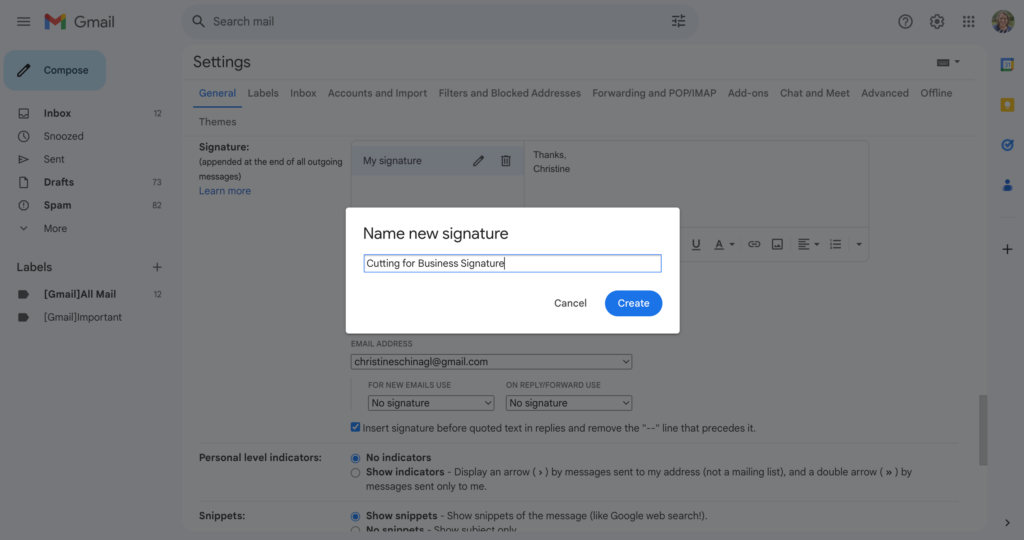
    Give your signature a name.

    Screenshot from gmail.com.

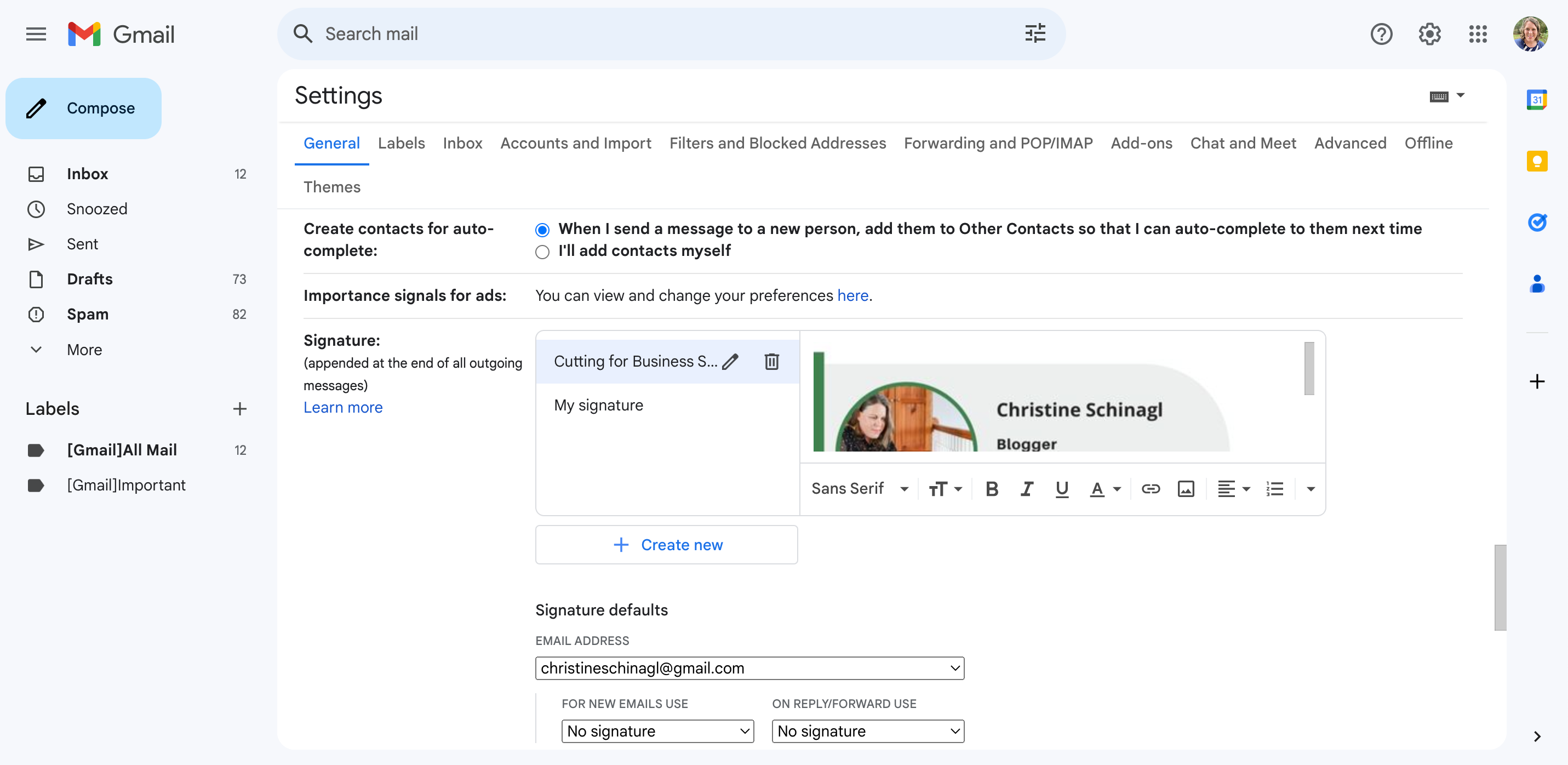
    Click the photo button, then add your signature from Canva.

    Screenshot from gmail.com.

    Scroll down and click the ‘Save’ button to save your email signature.

    Don’t use Gmail? If you can’t figure out how to add your signature to your email program, I’m sure there is a tutorial online. Search Google for “Name of your email provider + how to add signature”.

    Get Your Own Domain

    While I prefer to use Gmail to manage my emails, I still use a branded email address ‘christine@cuttingforbusiness.com’. Learn why you need your own domain name.

  • How To Price Handmade Products When Your Supplies Were on Sale

    As the seasons change, retailers clearance out the old products to make room for new ones. Cutting for Business readers are always sharing great deals they have been getting at local craft stores with me. (That I always seem to miss!) In any case, I wanted to take a few minutes and write a quick post about pricing handmade items when you’ve bought supplies on sale or clearance.

    How to Price Handmade Products When Your Supplies Were on Sale

    Rule of thumb to follow: No matter which pricing method or which pricing calculator you use, you should price your handmade item with the assumption that you paid full price for the supply.

    Example: A supply normally costs $9.99, and you got it on clearance for $0.99. You should use the $9.99 price point when pricing your handmade product for sale. If you are having problems pricing your items – see this post.

    Two More Strategies

    There’s two more ways to take advantage of great deals:

    1. If you’ve picked up a great deal, you can also use it to your advantage and implement what’s called a low cost strategy. This simply means that you determine your retail price and set your product price below the appropriate retail price in order to gain exposure to your business or get people talking about your company.
    2. When advertising your product for sale, use words like “Limited Quantity”, “Special Release”, or something similar. By using this style of wording, you can often get buyers to buy immediately because they understand when the product runs out – there is no more!

    I hope you’ve scored some great deals lately that will help grow your small business!

    Was this information helpful? Save the image below to Pinterest.

    How To Price Handmade Products When Your Supplies Were on Sale - by cuttingforbusiness.com