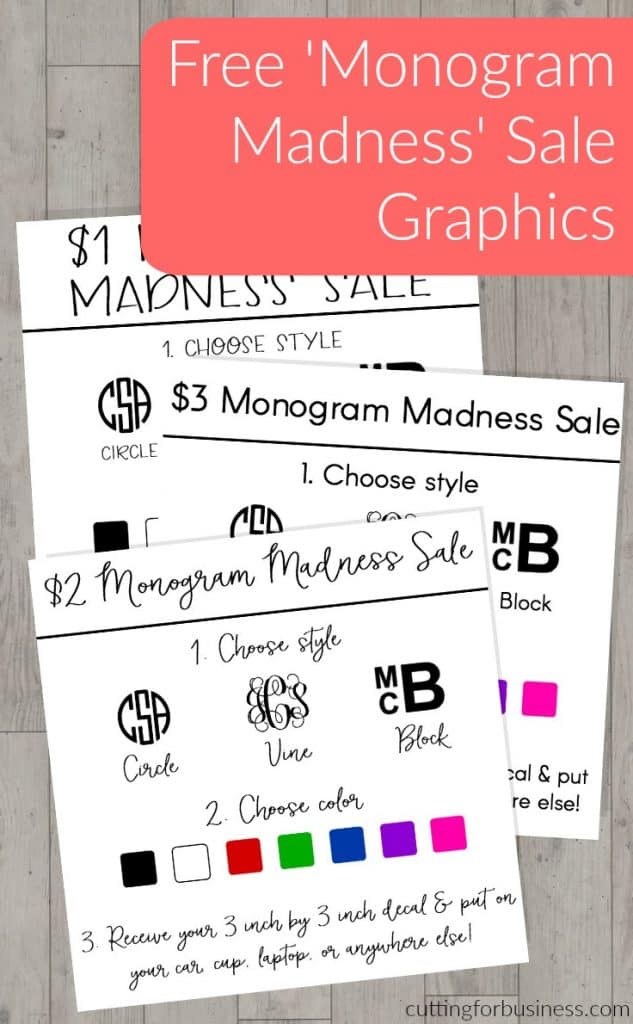
Need some quick cash this holiday season? Why not run a Monogram Madness Sale using your Silhouette Cameo or Cricut? Today, I’m giving you ready to use graphics to host your own sale on social media.
How to Run a Monogram Madness Sale
- Choose your favorite Monogram Madness sale graphic.
- Post it on social media along with instructions for ordering, payment, and shipping (if needed). In most cases, you can just put the monogram decal in a plain envelope with a stamp.
- Create the order and mail it out.
- Enjoy some extra money this holiday season.
Fonts I Used
- The fonts I used in the graphics are Circle Monogram, Vine Monogram, and Arial Bold.
Sample Facebook Post
- Monogram Madness Vinyl Decal Sale – all orders ship in 3 days. Comment with style, monogram, color, and Paypal email address for invoice. (Post with image.)
Sample Instagram Post
- #Monogram Madness Sale! 3 inch by 3 inch #vinyl #decal. Perfect for #laptop, #car, #notebook, and more! DM or comment with style, monogram, color, and Paypal email address – ships free! #monograms #monogrameverything #monogramlove #monogramitall #monogramlife #monogramobsessed (Post with image.)
How to Edit the Graphics
- Need to make a change to the graphics provided? No problem!
- Download your favorite graphic and open it in PicMonkey.com.
- On the left hand side, choose the butterfly icon, then choose the rectangle overlay.
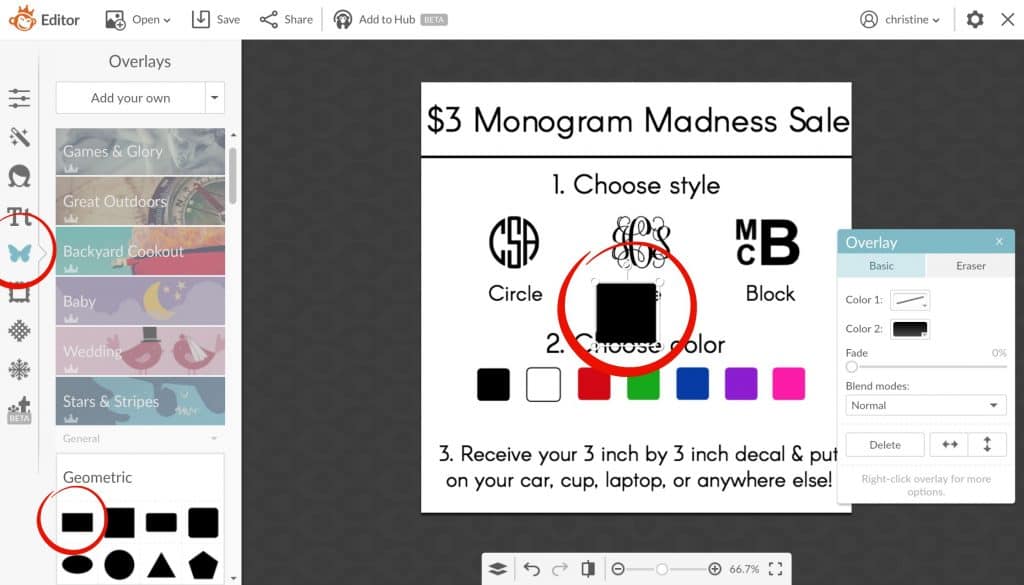
- Change the overlay color to white and cover anything you want to change with the white box. (I removed the price in the example below.)
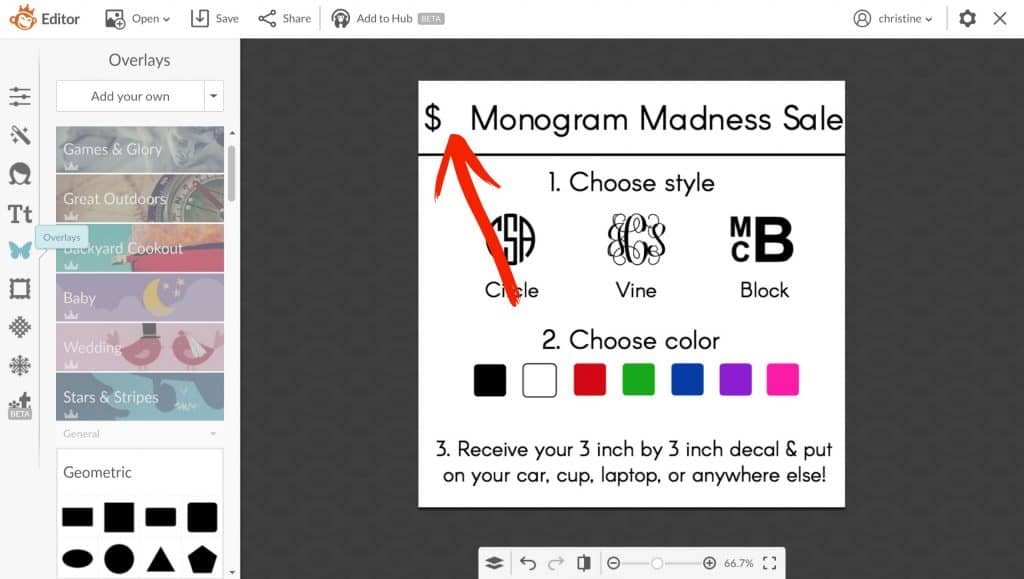
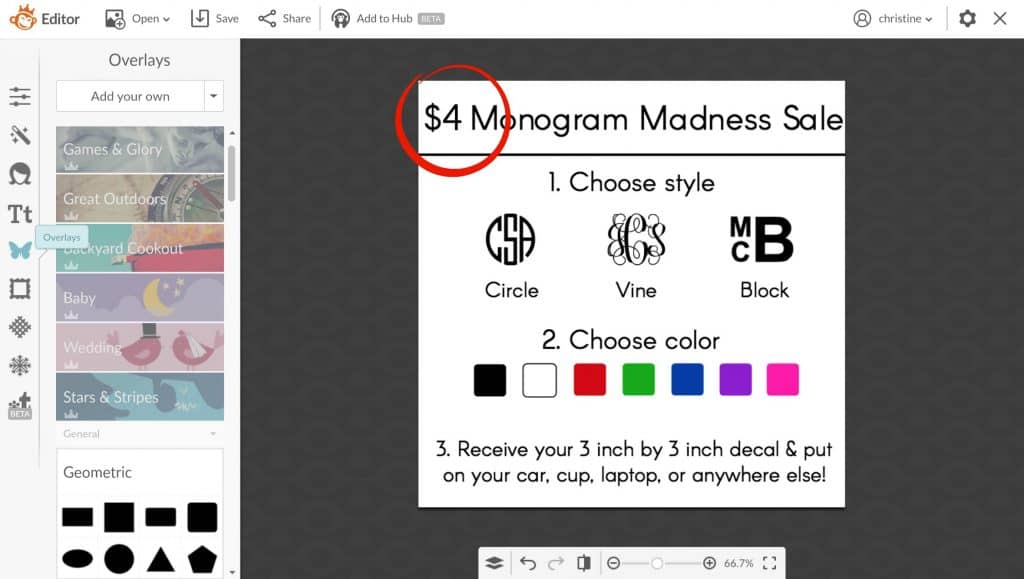
- Add your edited text over the white box.
Ready to download? First, save the image below to Pinterest. Then, download the graphics below.
[WPSM_INFOBOX id=9291]
Leave a Reply