Let’s face it: No one likes spammers or bot commenters.
I have a few different Instagram accounts – and I help manage my husband’s accounts, too. Lately, there are so many spam comments on every single post. It’s pretty clear that most of them are bots, because they appear within minutes of posting.
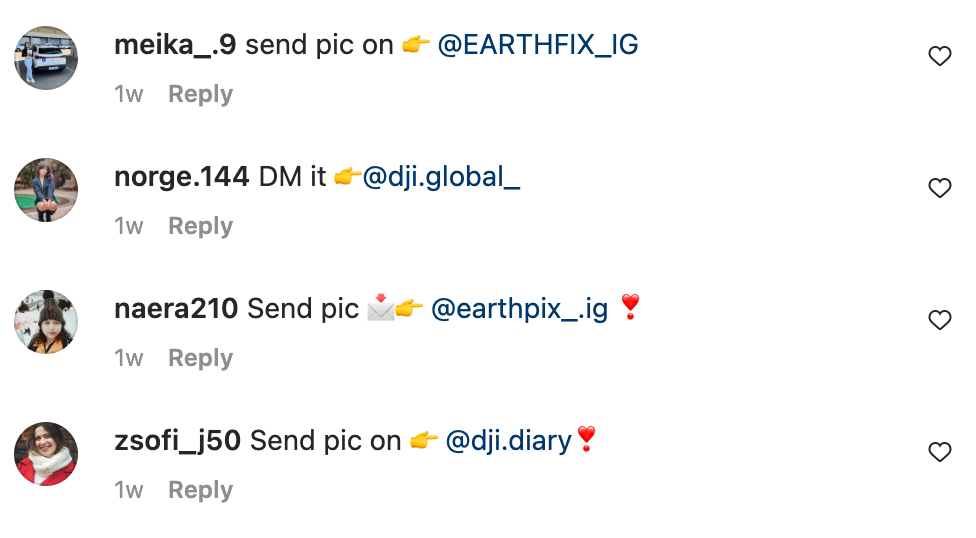
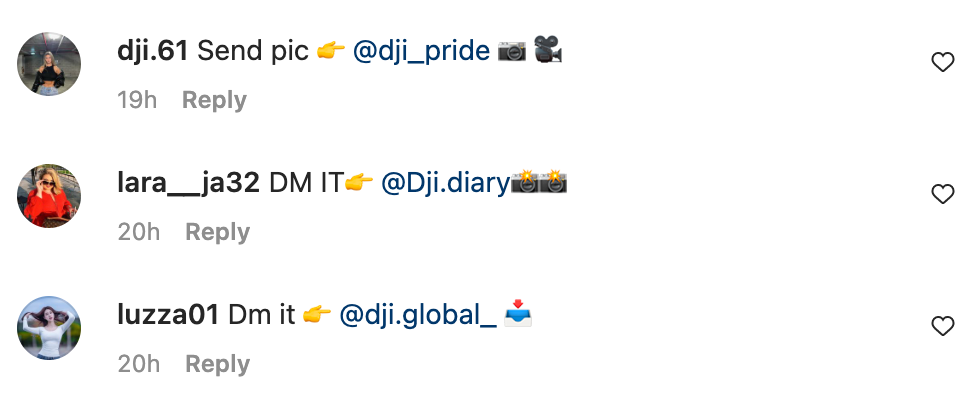
I did some research and got to the bottom of how to block spam comments. And, it only takes a few minutes.
Before you read the tutorial, know this method isn’t perfect and you’ll never entirely escape from all the spam comments. Also, some good comments will probably get blocked, too.
How to Block Spam Comments on Instagram
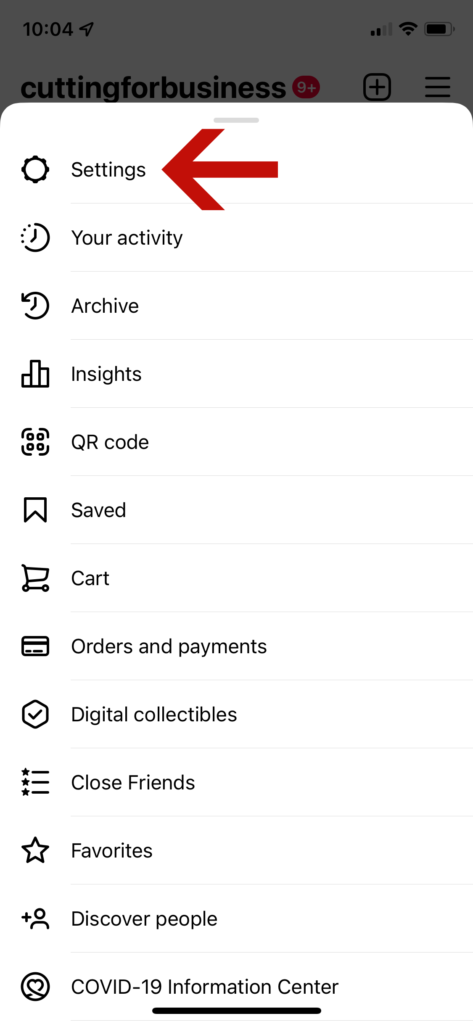
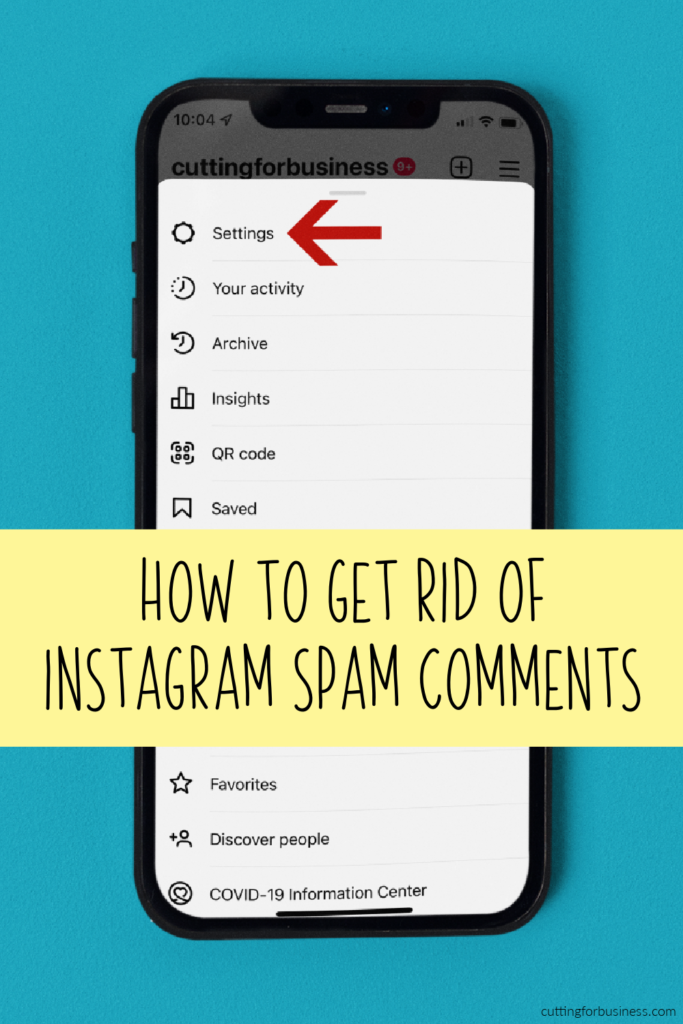
- Open the Instagram app, and tap the hamburger menu in the top right corner. (It’s the three horizontal lines.)
- Tap ‘Settings’.
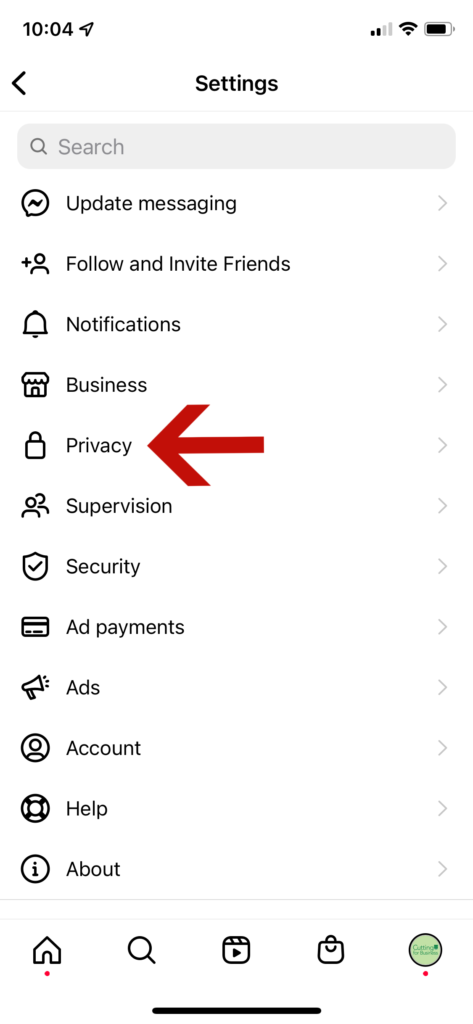
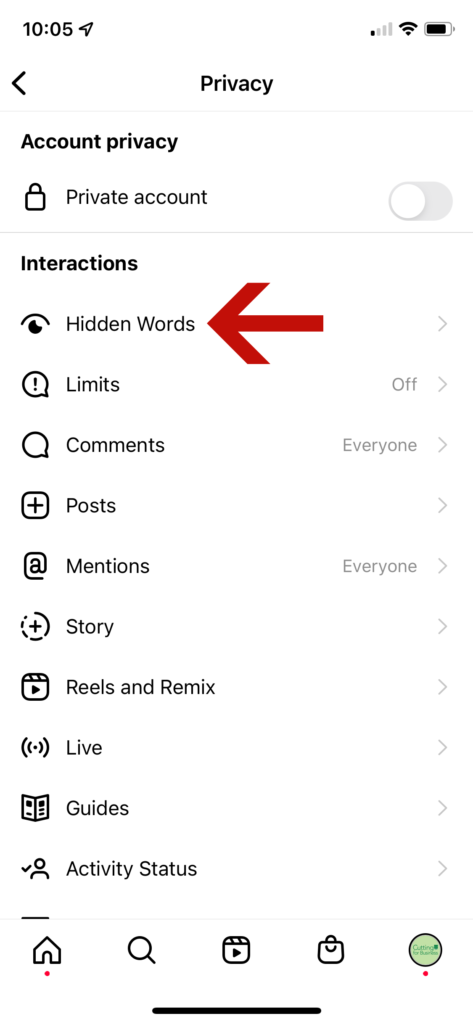
- Tap ‘Privacy’.
- Tap ‘Hidden Words’.
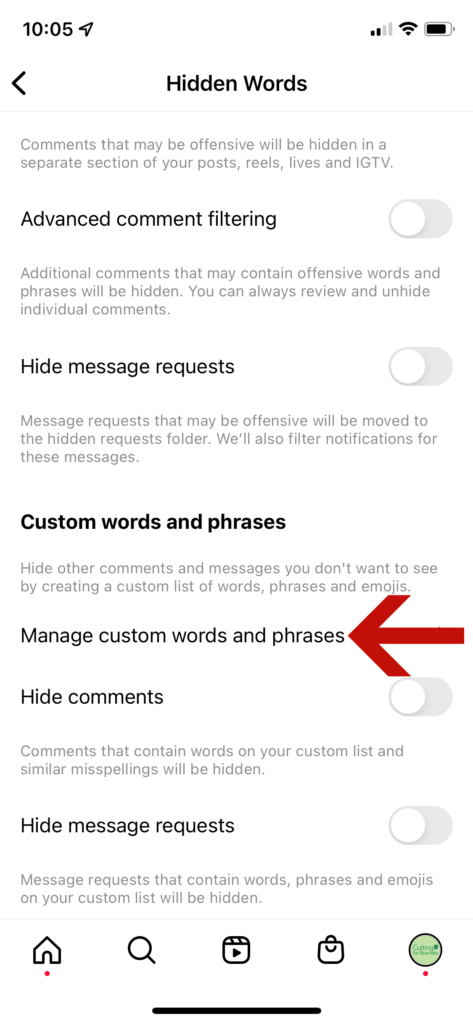
- Under ‘Custom words and phrases’, tap ‘Manage custom words and phrases’.
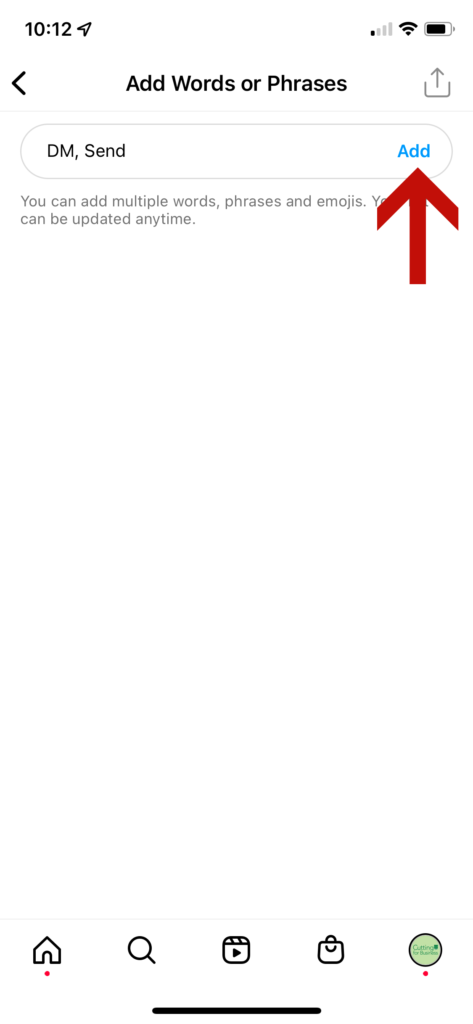
- Add each word you want to block separated by a comma. (Hint: Not sure what words to add? Look through the spam comments on your posts for common words. In my case, I added the words ‘DM’ and ‘Send’ to my list.)
That’s it! You can return to your list at any time to add or remove words.
I implemented hidden words on all of my Instagram profiles a few weeks ago. I’ve definitely seen a huge drop off in spam bot comments. I haven’t noticed any negative effects from creating a hidden words list on Instagram.
Leave a Reply